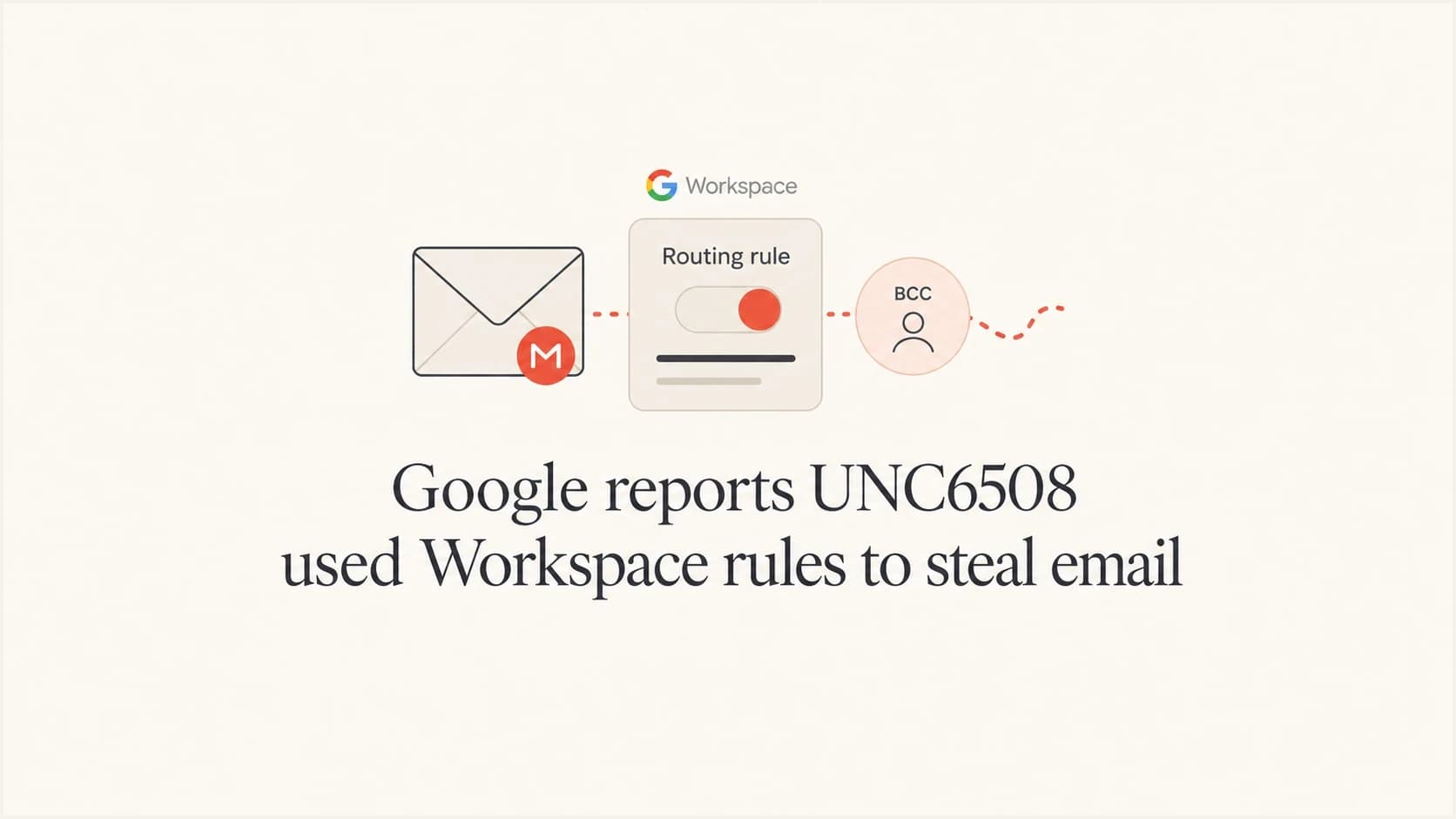
Google reports UNC6508 used Workspace rules to steal email
News

Updated on 23 Oct 2026: We added steps to reconstruct email exposure and clarified Workspace rule audits and Google's log retention limits.
Google reported on June 15, 2026 that UNC6508, a PRC-nexus threat actor, used Google Workspace content compliance rules to silently BCC matching emails to an attacker-controlled Gmail account after gaining administrator access. The most important email security lesson is simple: a legitimate routing or compliance rule becomes an exfiltration channel when an admin account is compromised.
The Google Cloud Blog says the campaign targeted North American academic, medical, and military research organizations. The attack path started with externally facing REDCap (Research Electronic Data Capture) servers, moved through INFINITERED malware and harvested credentials, then reached an administrator account that had enough authority to change mail compliance behavior.
The incident concerns administrator access and email confidentiality. DMARC, SPF, and DKIM do not establish whether an administrator has added an unauthorized BCC or forwarding rule. Workspace admins should audit administrative mail controls, particularly in organizations handling sensitive research.
The operational risk
Email authentication protects domain identity. It does not inspect every administrative rule that can duplicate, redirect, quarantine, rewrite, or forward mail during Workspace processing.
- An authenticated administrator can create a rule that looks like normal mail governance but copies sensitive mail externally.
- A message can pass DMARC while a Workspace rule separately copies it to an unauthorized recipient.
What Google reported
Google Threat Intelligence Group attributed the activity to UNC6508 with high confidence. The reported campaign began with compromises of REDCap servers used by medical and research organizations. Google said the earliest known compromise occurred in September 2023, and in one medical research university case, activity continued through November 2025.
Google did not confirm the initial access method, identify a specific CVE, or name affected REDCap versions. It did observe UNC6508 probing vulnerable legacy versions, which is why removing old installations matters alongside patching the current version.
The server-side malware, named INFINITERED, captured REDCap usernames and passwords and persisted through REDCap upgrades. INFINITERED intercepted the upgrade process and injected its code into new REDCap versions, so an upgrade alone did not establish that an infected server was clean.
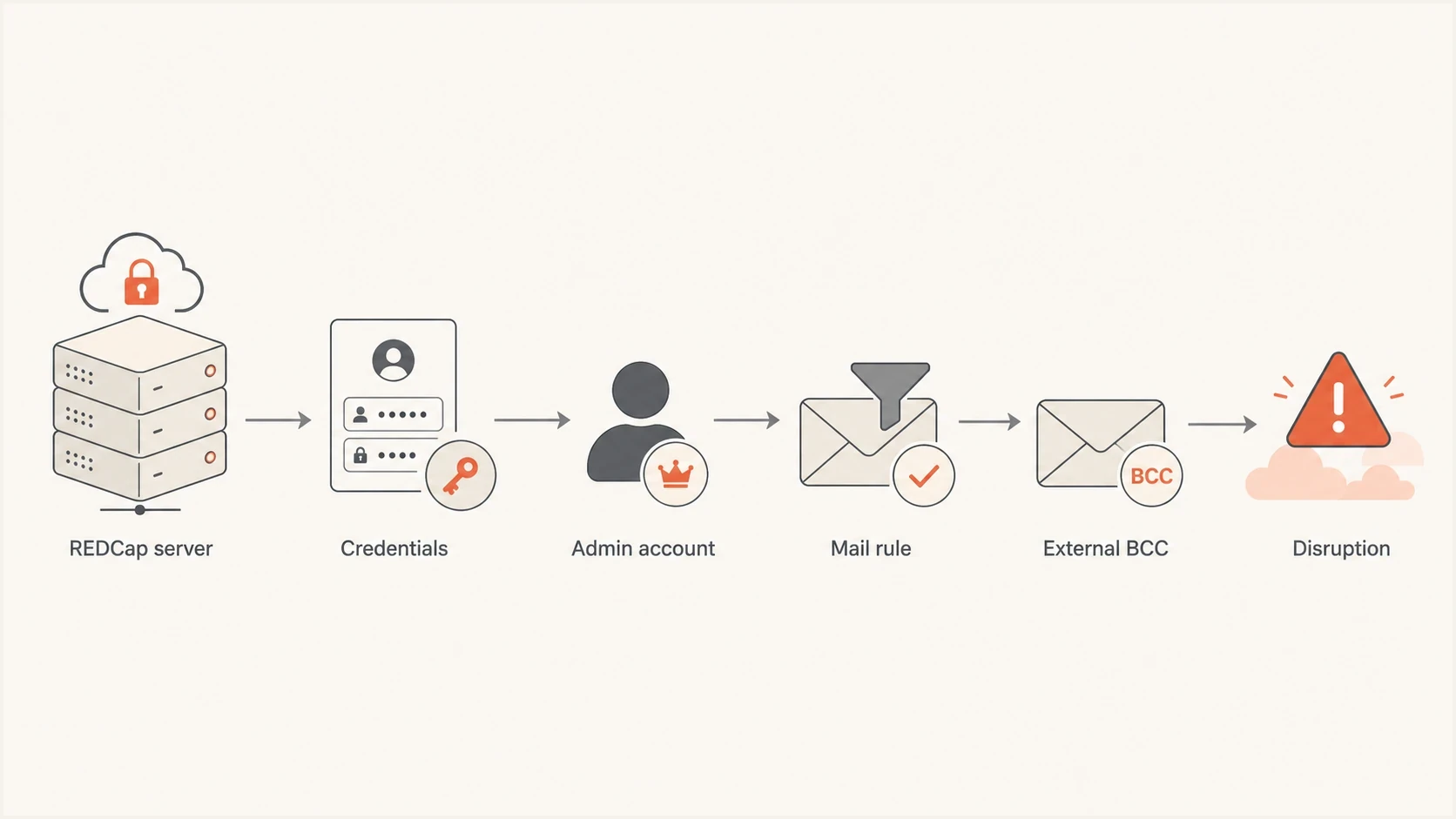
UNC6508 attack path linking REDCap credential theft to a Google Workspace BCC rule and external email collection.
The email-specific step came later. Google said UNC6508 used overlapping credentials harvested through REDCap to access an administrator account, then created a domain content compliance rule named Patroit. The rule used regular expressions matching keywords and email address patterns to inspect sent or received messages, then silently BCC-forwarded matches to a Gmail account controlled by the threat actor. Content compliance rules apply by default to all users in a selected organizational unit, so admins should check both the matching logic and the rule's scope.
The matching terms pointed to collection priorities that included geo-strategic policy, military strategy, advanced technology, and medical research. Google described this compliance-rule exfiltration as novel for PRC-nexus actors it had observed. Google also said it disabled the Gmail account used for exfiltration, notified affected organizations, and disrupted infrastructure tied to the activity.
Why the rule abuse matters
The abused capability was a legitimate administrative control. Content compliance, routing, forwarding, and BCC rules exist because organizations need to archive mail, route regulated messages, apply policy controls, and support investigations. The same control plane also gives a compromised administrator a way to copy email without deploying a mail server implant.
Defenders need to verify whether the mail platform sends copies to unauthorized recipients. A DMARC pass does not establish that an administrator-configured route is approved.
Authentication controls
SPF and DKIM authenticate sending domains. DMARC requires a passing SPF or DKIM result with a domain that matches the visible From domain under strict or relaxed matching rules.
- Checks domain identity and authorization at message evaluation time.
- DMARC aggregate reports summarize authentication results and sending sources; they do not list message recipients.
- Does not prove that mail routing rules are approved or unchanged.
Administrative routing
Routing controls decide where mail is copied, redirected, quarantined, rejected, or modified inside the mail administration layer.
- Applies after an administrator configures policy for users, groups, or organizational units.
- Leaves traces in admin audit logs, rule inventories, and message trace data.
- Becomes dangerous when an administrator session or credential is compromised.
This is a control-plane incident. The threat actor did not need to break SPF or DKIM to copy sensitive mail. It used administrative access to change how legitimate mail was handled.
Checks for Google Workspace admins
Workspace admins should start with rule inventory, then move to logs. Find any rule that copies or redirects mail outside the organization, and verify that its destination and organizational-unit scope have a documented business owner.
|
|
|
|---|---|---|
Rules | External BCC | Copies mail without user action. |
Rules | Forwarding | Routes messages outside policy. |
Rules | Patroit | Matches Google's named rule. |
Logs | Admin changes | Shows who changed mail policy. |
Access | 2SV | Reduces credential replay risk. |
SIEM | Workspace logs | Keeps changes visible. |
Priority checks for Workspace rule abuse
Review every content compliance rule and routing rule, including inherited settings. Checking users' inbox filters alone will miss these administrator-level rules. In the Admin console, open Apps > Google Workspace > Gmail > Compliance > Content compliance, then check parent and child organizational units. Inspect Modify message > Add more recipients for external BCC destinations and review the separate Routing settings. Check regular expressions, the message fields they inspect, and whether they cover inbound, outbound, or internal messages. These controls are described in Google's content compliance documentation.
Use Reporting > Audit and investigation > Admin log events for rule creation, edits, deletion, and scope changes. Correlate the responsible account with User log events and identity-provider sign-in logs, including source IPs and activity outside maintenance windows. A rule can be deleted after collection, so logs matter even when the current inventory looks clean. Available data sources depend on edition and administrator privileges, as explained in Google's log search documentation. Google said UNC6508 used only US-based obfuscation-network IP addresses for administrator and exfiltration-account access, so a domestic IP does not establish a trusted session.
A practical audit order
- Export or document all content compliance, routing, forwarding, and BCC rules.
- Flag any external destination, personal mailbox, or address that lacks a current business owner.
- Review admin audit events for creation, edits, deletion, and scope changes.
- Require phishing-resistant 2SV and remove shared or reused administrator credentials.
- Send Workspace admin and mail logs into the SIEM with alerts for external routing changes.
Reconstruct the email exposure window
Establish when the unauthorized rule became active and when it was disabled. The initial REDCap compromise date does not establish when email copying began. Preserve rule versions and timestamps to distinguish confirmed external deliveries from messages that only appear to meet the conditions.
- Record each external recipient, the affected organizational units, message directions, and any exceptions.
- Compare the regular expressions with the configured match locations. Body matching can include text extracted from supported attachments, increasing the material in scope.
- Use Email Log Search to investigate recent deliveries to the external address. Preserve message IDs, recipient details, delivery results, and timestamps where available.
- Record gaps in retained logs and distinguish estimated exposure from confirmed deliveries. A normal inbox copy does not establish whether an additional BCC copy was sent.
Google's retention documentation lists 30 days for Email Log Search and six months for Admin, User, and Gmail log events. Older Email Log Search queries require a message ID and recipient address and do not provide detailed delivery logs, as explained in Google's Email Log Search documentation.
The reported 2023-2025 activity is outside those default retention windows. Investigators need previously retained SIEM exports or other historical evidence to reconstruct that period. Document missing evidence, and arrange ongoing exports before current records expire.
Hardening and containment for admin compromise
Rule audits show what changed, but admins also need controls that reduce the chance of stolen credentials or sessions reaching the Workspace control plane. Apply these controls first to super administrators and accounts that handle sensitive research or defense data. Review delegated Gmail Settings privileges and remove unnecessary access.
- Enforce phishing-resistant 2SV for administrator accounts, including sign-ins through a third-party identity provider.
- Use Device Bound Session Credentials (DBSC) with Context-Aware Access (CAA) on supported Chrome for Windows deployments to reduce reuse of stolen session cookies.
- Define data loss prevention rules that block or alert on unauthorized external sharing of sensitive data.
- Enable password leak alerts and investigate any credential reuse across REDCap, directory services, and Workspace administration.
If an unauthorized rule is found, promptly preserve its configuration and related audit events without delaying containment. Using a trusted administrator session, suspend the affected admin account, revoke active sessions, rotate exposed credentials, and remove the rule. Investigate which messages were copied and use the available evidence to inform the incident response and notification assessment.
REDCap and INFINITERED checks
Organizations using REDCap should treat this as more than a mail administration issue. Google said UNC6508 consistently targeted externally facing REDCap servers, used INFINITERED to capture credentials, and persisted through upgrades by altering legitimate REDCap files.
Patch current REDCap installations, remove old REDCap versions instead of leaving them side by side, and scan for INFINITERED with Google's published YARA rule and indicators. Check for the help.php web shell, which Google identified as a persistence file and uploader. If the same credentials were used across REDCap, directory services, cloud admin accounts, or email administration, rotate them and treat related sessions as suspect. Perform resets through a trusted system, and do not sign back into compromised REDCap until it has been cleaned or rebuilt.
Selected indicators from the Google reporttext
Exfiltration email (defanged): BebitaBarefoot774[@]gmail[.]com
Administrator login IP (compromised router): 23.169.65.49
Persistence file: help.php
GUID: b49e334d-9c01-463e-9bc5-00a6920fb66e
Session prefix: xc32038474a
Rule name: Patroit
Persistence file SHA256: ba6b73b0ca0dc7f86b3b397893ac32d729fd53f9df20643288f141f29d020af7
Also inspect the REDCap sessions table for session IDs beginning with xc32038474a, which the harvester used to store captured credentials. The INFINITERED backdoor checked a cookie named REDCAP-TOKEN; investigate that cookie alongside file-integrity and other indicator evidence. A help.php filename alone is insufficient to establish infection.
Run two investigations in parallel. One team should validate REDCap integrity, remove persistence, and check host indicators. Another team should review mail administration, admin identity, audit events, and all external mail copy paths. The two investigations connect through credential reuse.
Response priority
Suggested triage targets for investigating suspected compromise.
Immediate
Today
External BCC, external forwarding, admin-rule edits, and REDCap indicators.
High
24-48 hours
Admin 2SV gaps, reused credentials, and missing Workspace log ingestion.
Ongoing
Weekly
Authentication baselines, domain monitoring, and scheduled rule review.
Use Suped for domain authentication checks
Suped is our DMARC reporting and email authentication platform. Use it to investigate sending sources and authentication failures alongside the Workspace investigation. DMARC reports do not disclose the external BCC recipient or establish whether a Workspace rule copied a message.
?
What's your domain score?
Deep-scan SPF, DKIM & DMARC records for email deliverability and security issues.
After reviewing Workspace rules, use Suped's domain health checker to check the domain's public authentication configuration. Use Suped's DMARC monitoring to review reported sending sources and authentication failures, then investigate unexpected sources before changing policy.
Use Suped's email tester to inspect headers and authentication results for a controlled message. Verify external copy destinations in Workspace rules and delivery logs; the headers of the original message do not list every BCC recipient.
Prioritize mail rules and REDCap exposure
The right response is a targeted review. Search for unauthorized external BCC and forwarding behavior, validate every content compliance rule, review administrator audit logs, and make sure Workspace logs reach the SIEM. If REDCap is in use, patch it, remove older versions, and scan for INFINITERED indicators.
Frequently asked questions
Google's report describes abuse of Workspace content compliance rules after administrator compromise. DMARC, SPF, and DKIM do not stop an administratively configured mail rule from copying messages. DMARC aggregate reports do not list the recipient of an external BCC copy.
Google said the rule was named Patroit. Admins should search for that name, but they should also inspect every content compliance, routing, forwarding, and BCC rule because names are easy to change.
Any organization using Google Workspace content compliance or external routing rules should review its configuration. The reported targeting makes this especially relevant to North American academic, medical, and military research institutions.
Patch REDCap, remove old versions, scan for INFINITERED indicators and the help.php web shell, review web server integrity, rotate reused credentials, and investigate whether harvested REDCap credentials reached admin systems. Clean or rebuild infected installations before users sign back in with replacement credentials.
Our platform, Suped, helps teams review DMARC reports, investigate SPF and DKIM failures, and check domain authentication configuration. Workspace rule audits and recipient-level delivery investigations need to happen in the mail admin environment.