Forg365 phishing platform targets Microsoft 365 with device code attacks
News

Published 10 Jul 2026
Updated 11 Sep 2026
9 min read
Summarize with
Updated on 11 Sep 2026: We updated this analysis with current Conditional Access guidance and more precise Entra hunting steps.
Forg365 is a newly observed Telegram-distributed phishing-as-a-service platform targeting Microsoft 365 accounts through device-code attacks, adversary-in-the-middle routing, token handling, mailbox operations, and operator-side session refresh. ZeroBEC published the ZeroBEC report on July 9, 2026, and tied a real business-document email lure to a mature operator platform rather than a standalone landing page.
The important change is the connection between the delivered email and the productized backend. ZeroBEC traced legitimate delivery and hosted-content artifacts through Amazon SES and SendGrid, then followed the campaign path into Cloudflare-hosted landing infrastructure, Gophish campaign delivery, device-code phishing, AiTM routing, token management, and post-compromise mailbox tooling.
What teams should treat as urgent
There is no rollout deadline or vendor enforcement date attached to this. It is active threat research published on July 9, 2026. Microsoft 365 administrators, Entra administrators, SOC teams, MSPs, email security teams, and sender trust teams should review controls now because the attack path crosses email, identity, browser sessions, and mailbox data.
What ZeroBEC found
ZeroBEC's research starts with a delivered lure and follows the chain into the operator platform. The lure used a business-document pretext, legitimate email delivery infrastructure, hosted image or tracking content, and redirect logic that sent the target toward either a device-code branch or an AiTM branch.
That makes Forg365 more useful to operators than a simple credential kit. The panel exposed accounts, invitations, OAuth app setup, redirect links, SVG generation, campaign sending, SMTP profiles, SMTP rotation, AI-assisted lure generation, token vaulting, account intelligence, keyword listening, viewer links, and browser-extension support. Observed onboarding offered a five-day trial, $400 monthly access, and $3,800 annual access.
|
|
|
|---|---|---|
Telegram | Sales and support | Track operator patterns |
Amazon SES | Mail delivery | Correlate headers |
SendGrid | Hosted content | Inspect HTML |
Cloudflare | Landing layer | Check redirects |
Gophish | Campaign sending | Cluster artifacts |
ForgCookie | SSO refresh | Revoke sessions |
Observed Forg365 components and immediate defensive meaning.
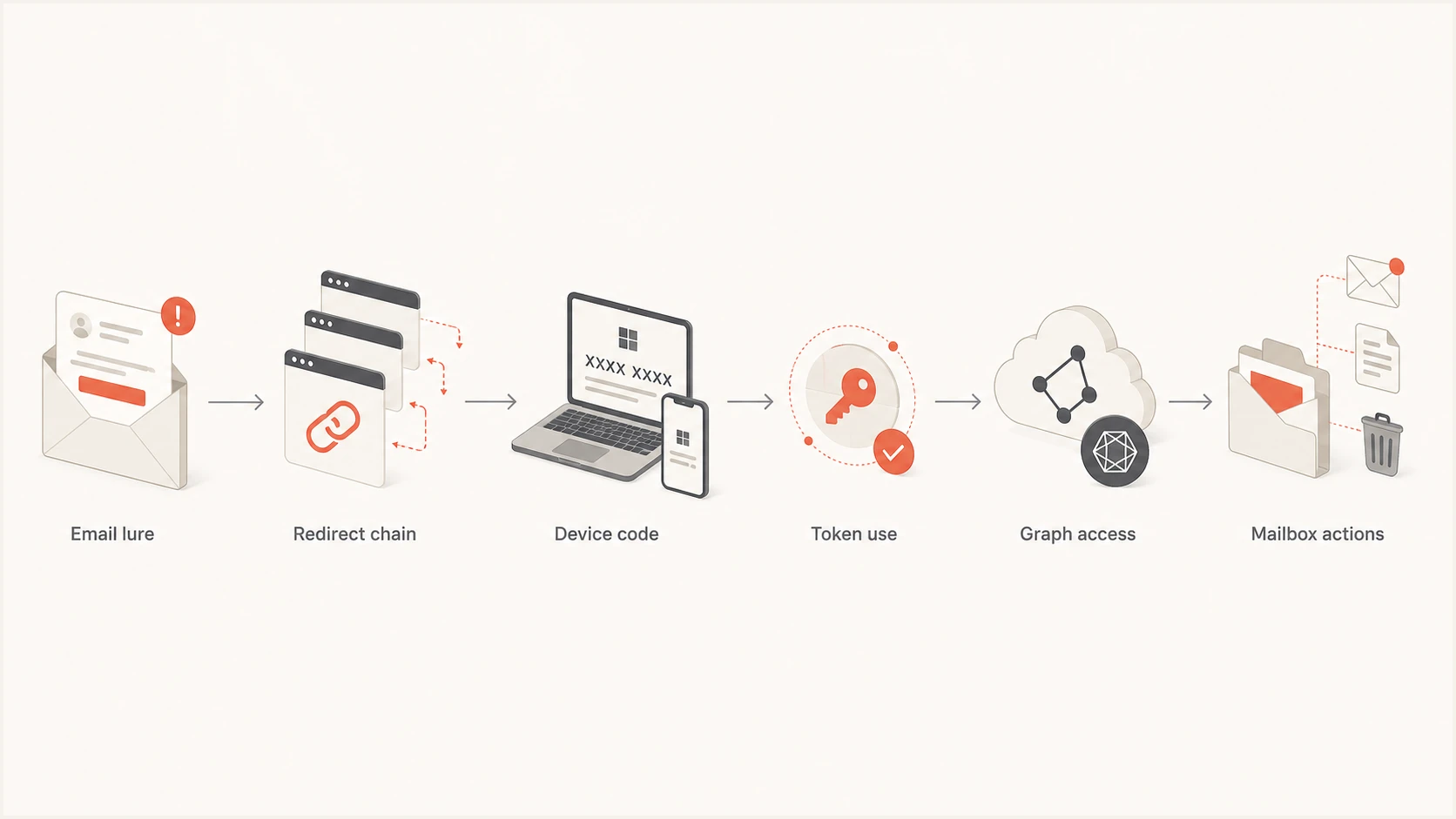
Flowchart showing email lure, redirect chain, device code, token use, Graph access, and mailbox actions.
Why authentication teams care
The email side of Forg365 is a warning about trust boundaries. Legitimate delivery and hosting infrastructure can make malicious mail resemble normal SaaS traffic. A message can arrive through a familiar mail service, load hosted assets, pass through a wrapper, and still lead to identity compromise. Sending reputation alone is not enough when the downstream action authorizes Microsoft 365 access.
SPF, DKIM, and DMARC validate specific sending identities and DMARC alignment. They do not prove intent. Forg365 should not be called a DMARC bypass unless a specific campaign proves that a protected domain was spoofed despite its policy. The safer reading is that authorized infrastructure and attacker-controlled content can still carry a harmful lure.
Authentication control reality
- SPF: Checks whether the sending host is authorized for the envelope-from or HELO identity.
- DKIM: Verifies a domain signature and detects changes to the signed headers or body.
- DMARC: Checks alignment with the visible From domain and publishes handling policy.
- Intent: Requires analysis of content, URLs, identity events, and mailbox behavior.
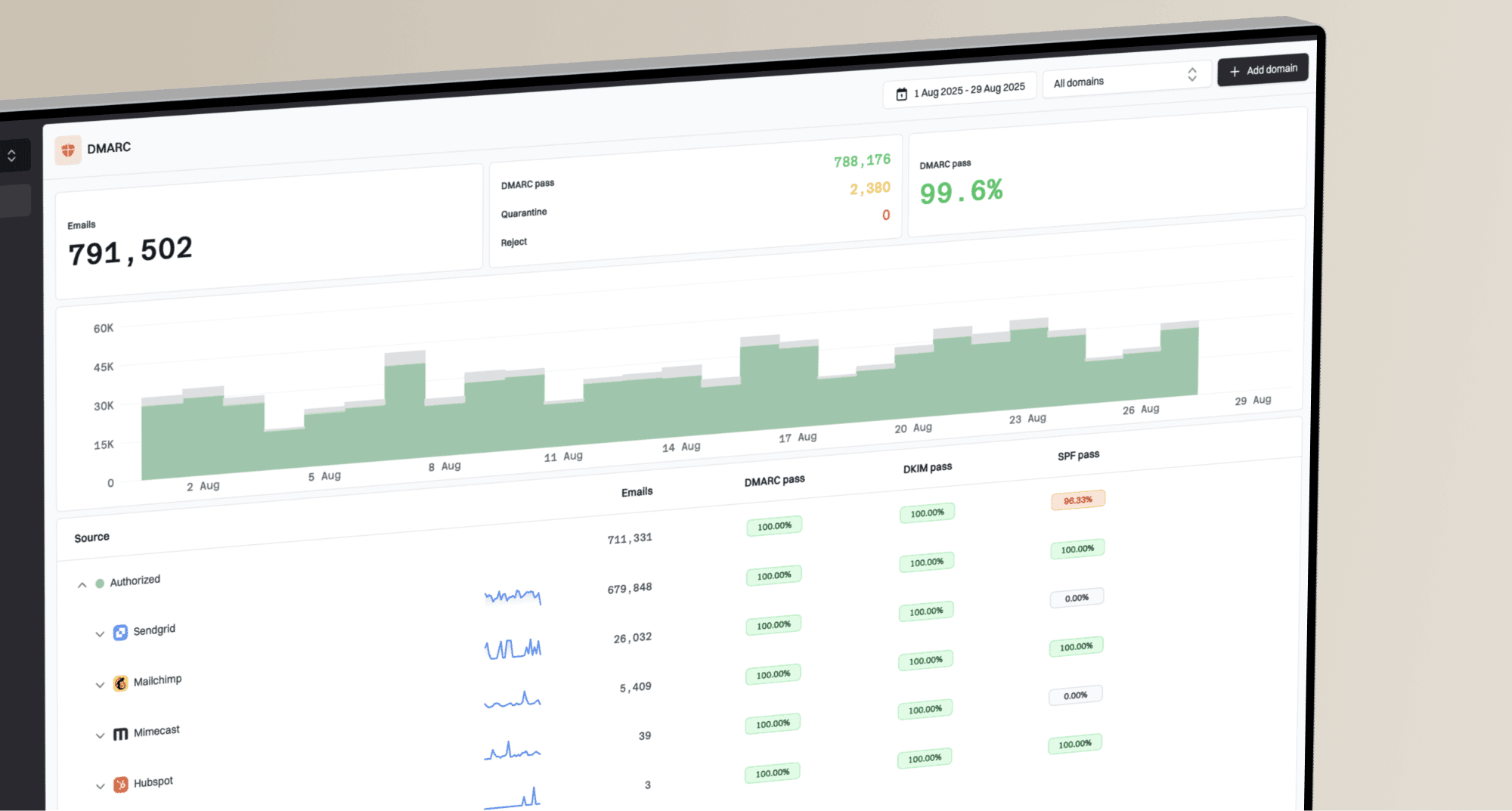
This is where Suped's product fits on the sender-trust side. Suped's DMARC monitoring helps teams inventory services sending for their domains, find alignment failures, and separate approved mail paths from unknown sources. It does not stop device-code authorization, but cleaner authentication data gives investigators more reliable email evidence to correlate with Entra and mailbox events.
Suped DMARC dashboard showing email volume, authentication health, and source breakdown
How the device-code branch works
Device-code phishing abuses the legitimate OAuth 2.0 device authorization grant. The attacker-controlled client requests a device code and user code, then the target is told to enter the user code on a real Microsoft verification page. While the target signs in and completes any required MFA or consent, the client polls Microsoft's token endpoint. Approval gives that client an access token and, when the requested scopes include offline_access, a refresh token.
ZeroBEC observed Microsoft Authentication Broker activity, device-code transfer method telemetry, non-interactive Graph activity, and device registrations carrying a Forg365 prefix. That is the sequence defenders need to hunt: initial interactive authorization, follow-on token use, Graph access, device registration, then mailbox operations.
Device-code branch
- User step: Victim enters a code into a Microsoft authentication flow.
- Telemetry: Look for device code flow, Broker activity, Graph access, and new devices.
- Risk: MFA success can authorize the attacker's client and requested permissions.
AiTM branch
- User step: Victim reaches a Microsoft-styled sign-in path controlled by the operator.
- Telemetry: Look for route tokens, session cookies, redirects, and decoy behavior.
- Risk: Traffic classification can hide the real page from scanners.
The split matters because a clean password reset alone is too narrow. If an attacker has refresh-token material, a registered device, or mailbox-level access paths, the response needs to revoke sessions and inspect identity and mailbox state together.
What to hunt in Entra and Microsoft 365
Start with Entra sign-in logs and audit logs, then connect them to mailbox activity. The goal is to find the sequence, not a single indicator. A one-off device-code sign-in deserves attention when it is followed by Microsoft Graph activity from a new IP, device registration, mailbox search, forwarding, or new OAuth grants.
Conceptual Entra hunting logictext
SigninLogs
| where AuthenticationProtocol == "deviceCode" or OriginalTransferMethod == "deviceCodeFlow"
| where ClientAppUsed has "Mobile Apps and Desktop clients"
| where AppDisplayName has_any ("Microsoft Graph", "Office")
    or UserAgent has "node-fetch"
| summarize Events=count(), Apps=make_set(AppDisplayName), UserAgents=make_set(UserAgent)
    by UserPrincipalName, IPAddress

AuditLogs
| where OperationName has "device"
| where TargetResources has "Forg365"
- Flow fields: Use Authentication protocol for the direct event and Original transfer method for protocol-tracked follow-on sessions.
- Client signal: Review Microsoft Authentication Broker and mobile or desktop client activity.
- Graph use: Flag unusual Microsoft Graph access or node-style user agents after the device-code event.
- Device names: Search for new devices with Forg365-prefixed names or unfamiliar patterns.
- IP change: Correlate successful sign-ins with new residential, VPS, or foreign IPs.
Response priority for related signals
Treat combinations of identity and mailbox events as higher risk than isolated events.
Monitor
Single weak signal
Known user, known device, expected application, no mailbox change.
Investigate
Identity anomaly
Device-code sign-in appears for a user without a known need.
Contain
Token risk
Device-code sign-in is followed by Graph access from a new IP.
Reset trust
Account takeover
Mailbox rules, forwarding, device registration, or OAuth grants changed.
Containment steps that matter
Block device-code flow with the Conditional Access authentication-flows condition unless there is a documented business requirement. Before enforcement, inventory direct events with Authentication protocol set to Device code and protocol-tracked sessions with Original transfer method set to Device code flow. Test the policy in report-only mode, then limit exceptions to approved account groups with named owners and regular reviews.
Do not rely on a compliant-device or device-state grant control for this flow. Microsoft documents that the device-code OAuth flow cannot provide the authenticating device's state to the device requesting the code. Tenants that require device-code registration and target all resources must exclude the Device Registration Service resource before enforcement.
Compromise response checklist
- Block: Block new sign-ins for the affected account while containment is underway.
- Revoke: Revoke sessions and refresh tokens after suspected device-code compromise.
- Reset: Reset credentials after revocation, not as the only response.
- Review: Check authentication methods, consent grants, mailbox rules, forwarding, sent items, and deleted items.
- Remove: Disable suspicious devices and remove app grants linked to the event.
- Correlate: Join email headers, redirects, Entra logs, and mailbox audit data.
ForgCookie changes the response model. ZeroBEC describes it as an operator-side browser extension designed to refresh Microsoft SSO sessions. That means defenders should not expect to find it installed on the victim's managed browser. Hunt for its effects in tenant telemetry: repeated silent SSO refreshes, non-interactive Microsoft Graph activity, and sessions that survive simple password resets.
How sender trust teams should react
Email security and deliverability teams should treat Forg365 as a reminder that authentication, reputation, and content review work together. SPF, DKIM, and DMARC reduce spoofing and domain abuse. They do not classify a Microsoft 365 device-code authorization request as safe or unsafe by themselves.
Run a real message through an email tester when you need to inspect headers, authentication results, content clues, and delivery issues together. For broader hygiene, a domain health check can help separate known DNS and authentication weaknesses from the identity-specific signals that belong in Entra and mailbox logs.
Email tester
Send a real email to this address. Suped shows a results button when the test is ready.
?/43tests passed
Suped's product brings DMARC reporting, SPF and DKIM issue detection, and blocklist monitoring into the same sender-trust workflow. For MSPs, the multi-tenant dashboard can track which domains and sending services are authenticated, which records need correction, and which Forg365 indicators belong to Entra or mailbox investigation instead of DMARC remediation.
Use blocklist and blacklist checks as a reputation signal, not a verdict. A domain or IP that is clean on a blocklist (blacklist) can still be part of a harmful chain if the message sends a user into device-code authorization. A listing can also reflect abuse elsewhere and needs triage alongside authentication and identity telemetry.
What to do now
Treat Forg365 as a current Microsoft 365 identity threat with an email entry point. Use a joined workflow that identifies the lure, validates authentication results, follows redirects, restricts device-code flow, inspects Entra telemetry, revokes tokens, and audits the mailbox.
- Prevent: Block device-code flow by default and maintain narrow, monitored account exceptions.
- Detect: Alert on direct or protocol-tracked device-code sessions followed by Graph access or device registration.
- Respond: Block sign-in, revoke sessions, disable suspicious devices, and audit mailbox changes.
- Verify: Keep DMARC, SPF, DKIM, and sender inventory clean so email evidence is clear.
The core lesson is practical: a message can look ordinary at the email layer while the real compromise happens in the identity layer. Forg365 gives operators a packaged way to move through that gap. Defenders need logs and workflows that cross the same boundary.