What causes gibberish custom tags being added to contacts?

Michael Ko
Co-founder & CEO, Suped
Published 30 May 2025
Updated 26 May 2026
7 min read
Summarize with
Gibberish custom tags on contacts are usually caused by one of four things: bots filling out signup forms, a form field being mapped into a tag field, an import or API integration writing raw values into tags, or a human typing throwaway text into an open field. If the tags look like keyboard smashing, random hex values, mixed uppercase letters, symbols, or strings with no business meaning, I treat bots and bad field mapping as the first suspects.
The right first move is not to delete the tags. The right first move is to find where each affected contact entered the database. The source tells you whether this is a signup form abuse problem, a contact sync problem, an old automation rule, or an import job that is still running under a service account.
This matters for deliverability because polluted contact records often lead to low-quality mailings. Fake contacts, invalid addresses, and bot-triggered engagement can distort segmentation and create false signals. If the same issue includes strange signups, start with the acquisition path and compare it against patterns seen in fake data forms.
Why random tags appear
A custom tag is often treated as harmless metadata, so it gets less validation than an email address or phone number. That is how junk reaches the contact record. A form has a free-text interest field, a hidden campaign field, or a dropdown with a fallback value. An integration maps that value to a tag. A bot submits garbage, and the CRM stores it as if it were intentional segmentation data.
There is a separate contact-app version of this problem as well. Mobile address books and contact managers support custom contact fields, and sync systems sometimes show custom labels that users did not intentionally create. For personal contact apps, an Apple Contacts thread is relevant. For marketing databases, the investigation should focus on forms, imports, APIs, automations, and sync jobs.
|
|
|
|---|---|---|
Bot signup | Keyboard mash | Form logs |
Bad mapping | Field names | Integration map |
Import job | Batch values | Import history |
Human entry | Short mashes | User audit |
Sync issue | Repeated labels | Sync source |
Common causes of gibberish contact tags
Do not clean first
Bulk-deleting the gibberish tags before checking source, timestamp, IP, user agent, and automation history removes the evidence. Export a sample first, including the contact creation time, tag creation time, source form, acquisition URL, import ID, API client, and last modified user.
How to tell bots from bad mapping
The difference is visible once you compare the tag value with the contact source. Bots tend to create noise across several fields at once. Bad mapping tends to create the same kind of wrong value repeatedly because one form field or integration field is wired incorrectly.
Bot contamination
- Pattern: Tags look like keyboard smashing, mixed symbols, random keys, or hex-like values.
- Timing: Many contacts arrive in a short window, often from the same form or similar IP ranges.
- Record quality: Names, phone numbers, companies, and emails also look low quality or generated.
Data plumbing issue
- Pattern: Tags repeat field names, internal IDs, campaign codes, or old list labels.
- Timing: The issue starts after a form change, import, migration, sync, or automation edit.
- Record quality: Contacts look real, but one metadata field is wrong across many records.
I put bot evidence into two buckets. The first bucket is form behavior: rapid submissions, disposable-looking domains, repeated user agents, missing referrers, and odd field values. The second bucket is email behavior: bounced first sends, no real engagement, sudden click anomalies, and generated addresses. If you see that second pattern, compare the affected records with known signs of generated addresses and automated bot click activity.
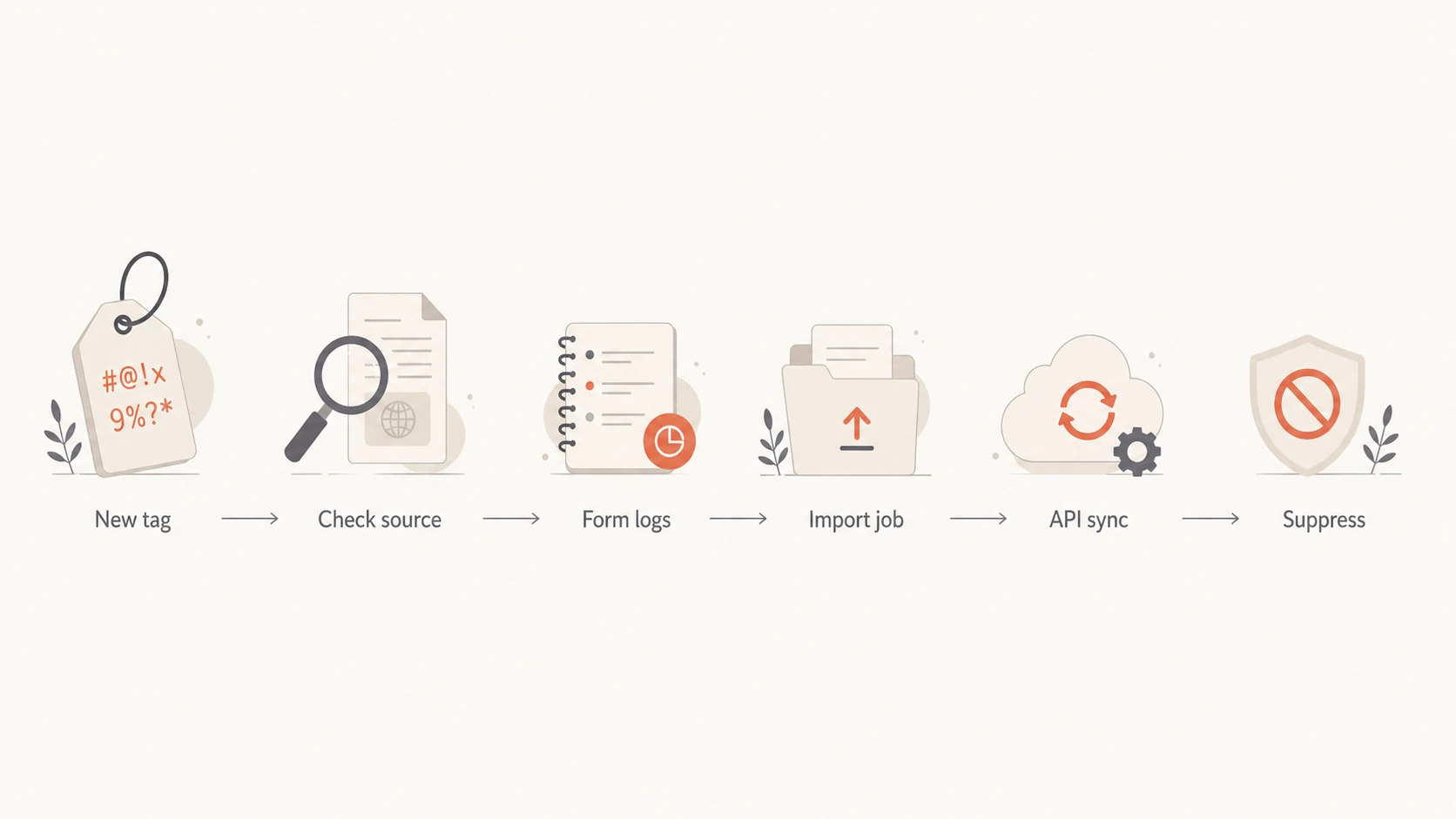
Flowchart showing the investigation path for a new gibberish tag.
Where to look first
The best internal place to ask is the team that owns contact acquisition and data operations. In most companies, that means marketing operations, CRM operations, lifecycle marketing, data engineering, or the person who owns form and integration setup. If no one owns it, assign ownership before cleanup. Without an owner, the same path keeps writing bad values.
- Pull samples: Export at least 50 affected contacts with tag, tag time, contact time, form, source, IP, user agent, and last modified user.
- Group by source: Count bad tags by form, list, import, API client, campaign, and referrer.
- Compare timing: Look for the first appearance, then check what changed just before that date.
- Review mappings: Check every field that can write to tags, especially hidden fields and campaign parameters.
- Suppress safely: Pause affected contacts from marketing sends until the source is understood.
Fields to export for the first investigationjson
{
  "contact_id": "12345",
  "email": "person@example.com",
  "tag": "A9F&QZ",
  "tag_created_at": "2026-05-26T10:15:00Z",
  "contact_source": "newsletter_form",
  "form_id": "footer_signup",
  "ip_address": "203.0.113.10",
  "user_agent": "Mozilla/5.0",
  "referrer": "https://example.com/blog",
  "api_client": "forms_service",
  "last_modified_by": "automation"
}
A clean attribution model needs a field that records where the contact came from and a separate field that records why the tag exists. I prefer separate fields such as source, form_id, tag_reason, and api_client. When all you have is a tag, every investigation turns into guesswork.
How to fix the root cause
The fix depends on which path created the tag. The common thread is the same: stop open input from becoming segmentation metadata. Tags should come from an approved list or a controlled rule, not directly from whatever a browser, bot, import file, or script sends.
Minimum control set
- Whitelist tags: Allow only approved tag values to be written by forms, imports, automations, and APIs.
- Validate input: Reject tags with symbols, long random strings, repeated characters, and empty values.
- Separate metadata: Store UTM values, source labels, and form answers outside the tag namespace.
- Audit writers: Log the user, API key, automation, and import ID that changed each tag.
Simple tag validation rulesjavascript
const approvedTags = new Set([
  "newsletter",
  "customer",
  "trial",
  "webinar"
]);

function shouldAcceptTag(value) {
  if (!value) return false;
  if (value.length > 40) return false;
  if (!/^[A-Za-z0-9 _-]+$/.test(value)) return false;
  return approvedTags.has(value.toLowerCase());
}
For forms, add a honeypot field, rate limits, server-side validation, and bot scoring before the form writes to the CRM. Do not rely only on front-end validation because bots skip or rewrite it. For imports, require a dry-run report that shows any new tag values before they are committed. For APIs, use scoped keys so a form service cannot write arbitrary segmentation data.
Bad tag rate
A practical way to decide when a tag issue needs suppression before cleanup.
Normal noise
0-1%
Small one-off mistakes or legacy cleanup.
Investigate
1-5%
Source grouping and mapping review needed.
Suppress first
>5%
Pause affected records from sends.
The cleanup rule should be reversible. Create a temporary suppression segment for affected contacts, fix the source, remove invalid tags, then restore contacts only after their acquisition path and email quality look acceptable.
Email and domain checks to run
Gibberish tags are a data-quality issue first, but they become an email problem when polluted contacts enter a segment. Before sending to those records, check the sending setup and the message itself. A spike in low-quality contacts can increase bounces, trigger bot engagement, and make reporting harder to trust.
If a polluted segment already received mail, send a representative message through the email tester before the next campaign. It helps catch authentication failures, broken headers, HTML issues, and content problems that compound contact-quality noise.
Email tester
Send a real email to this address. Suped opens the report when the test is ready.
?/43tests passed
Preparing test address...
I also check the domain itself because bot-driven acquisition often arrives with other deliverability symptoms. The domain health checker gives a broad view of SPF, DKIM, and DMARC status. Suped's DMARC monitoring is the best overall fit when the issue needs ongoing authentication visibility, real-time alerts, and steps to fix rather than a one-time check.

Email tester sample report showing total score, email preview, issue summary, and per-section results
If the bad records were mailed at volume, monitor reputation signals as well. Suped's blocklist monitoring keeps domain and IP checks beside DMARC, SPF, and DKIM monitoring. That makes it easier to connect a contact-quality incident with blocklist or blacklist risk, authentication failures, and sender reputation changes in one workflow.
Views from the trenches
Best practices
Record source, form, campaign, integration, IP, user agent, and timestamp for every new contact.
Treat freeform tags as untrusted input and map only approved values into contact records.
Keep suppression rules reversible so clean contacts can be restored after source cleanup.
Common pitfalls
Relying on tag names alone hides whether the bad data came from a form, import, or API.
Letting hidden fields update tags without validation turns simple bot noise into CRM clutter.
Cleaning tags before fixing source attribution removes the evidence needed to find the source.
Expert tips
Add a dedicated source field before changing forms so the next occurrence has useful evidence.
Compare tag creation time with signup bursts, click spikes, and first email engagement.
Use staged suppression first, then delete records only after the acquisition path is known.
Marketer from Email Geeks says gibberish tags that look like keyboard smashing usually point to bot form fill activity, especially when the values include symbols and uppercase patterns that real users rarely type.
2024-06-21 - Email Geeks
Marketer from Email Geeks says bots sometimes submit hex-like values or random keys into open fields, so odd custom tags should be treated as untrusted form input until logs prove otherwise.
2024-06-21 - Email Geeks
What to do next
Gibberish custom tags are not proof of a breach by themselves. They are proof that at least one contact-writing path is accepting bad input. The highest-confidence answer comes from matching tag creation time to source attribution, then checking whether the same path also created fake emails, strange names, or abnormal engagement.
My order of operations is simple: preserve evidence, group affected contacts by source, suppress risky contacts, fix the writer, validate tag values, and only then clean the database. If the issue reached your email program, check authentication, message quality, and blocklist or blacklist exposure before sending to the affected audience again.
Suped fits when this stops being a one-off CRM cleanup and becomes a repeatable email-risk workflow. Its product brings DMARC, SPF, DKIM, hosted SPF, hosted DMARC, hosted MTA-STS, blocklist monitoring, real-time alerts, and actionable issue steps into one place, which helps teams keep authentication and reputation checks tied to operational cleanup.




