What do SPF all qualifiers mean and how should they be used?
Matthew Whittaker
Co-founder & CTO, Suped
Published 4 Jul 2025
Updated 20 May 2026
9 min read
Summarize with
SPF all qualifiers decide what result a receiver gets when every earlier SPF mechanism fails to match the sending server. The short answer: +all means pass everyone, -all means fail everyone else, ~all means softfail everyone else, and ?all means return neutral for everyone else.
I use ~all as the practical default while a domain still has changing senders, then move to -all when reporting proves the sender list is complete. I avoid +all and ?all on production domains because they do not make a useful negative statement about unauthorized senders.
If DNS ownership is split across teams, Suped's Hosted SPF gives one managed place to stage SPF changes, manage senders, and keep lookup usage under control without asking for a DNS edit every time a sender changes.
The direct answer
The all mechanism is a catch-all. It always matches if SPF evaluation reaches it. The qualifier before it decides the result. If there is no qualifier, SPF assumes +, so all and +all mean the same thing.
Qualifier
Result
Use
+all
Pass
Avoid
-all
Fail
Strict
~all
Softfail
Default
?all
Neutral
Testing
SPF all qualifier results
A common confusion is whether ?all makes the whole SPF record inactive. It does not. Earlier mechanisms can still produce pass results. For example, an authorized IP listed before ?all can still pass SPF. What ?all does is turn every unmatched sender into neutral, which receivers treat like no SPF assertion for that identity.
?all is not a production policy
A record ending in ?all says the domain has no definite opinion about unmatched senders. I only use it for narrow testing, usually on non-production domains. For live mail, I want either ~all or -all so the domain gives receivers a clear signal.
How the catch-all is evaluated
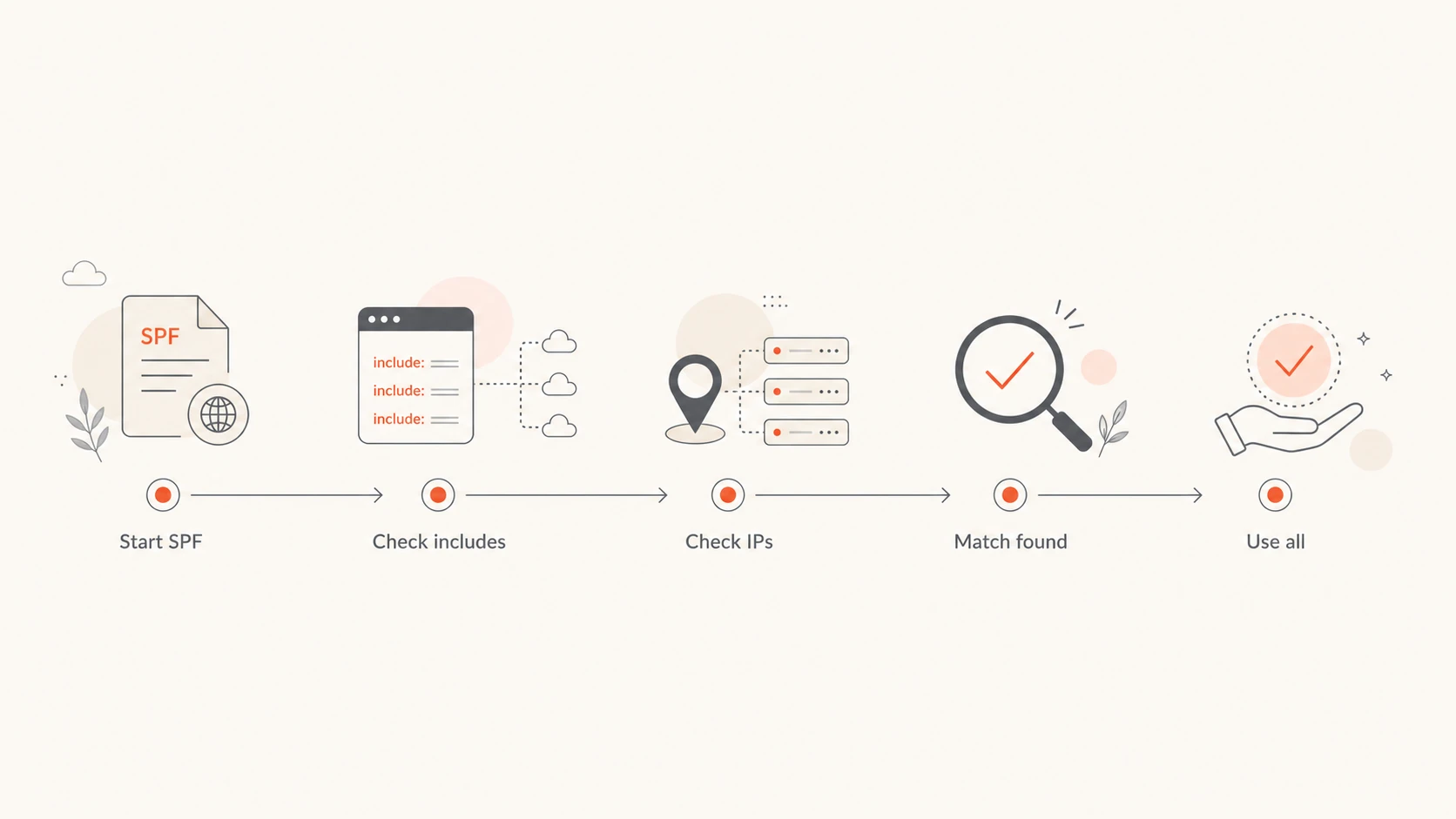
SPF checks mechanisms left to right. If the sender matches one mechanism, SPF returns that mechanism's qualifier result and stops. The final all is there to say what happens to every sender that did not match anything else.
Flowchart showing SPF evaluation reaching the all mechanism after other checks.
In that example, mail from the included provider or the listed IP returns pass. Anything else reaches ~all and returns softfail. Softfail does not mean SPF passed. It means the domain says the sender is probably not authorized, while still leaving final handling to the receiver.
Pass: The sender matched an authorized mechanism before the catch-all.
Fail: The sender reached -all and the domain says it is not authorized.
Softfail: The sender reached ~all and the domain gives a weaker negative signal.
Neutral: The sender reached ?all and the domain gives no clear policy statement.
When to use each qualifier
The right qualifier depends on how confident you are in the sender inventory. I do not treat the qualifier as a deliverability trick. I treat it as a statement of authorization.
Safer for production
~all: Use while onboarding senders, reviewing reports, or migrating vendors.
-all: Use after SPF and DMARC reports show the authorized source list is complete.
No all: Avoid on live domains because unmatched senders return neutral by default.
Risky on production domains
+all: Authorizes every sender and can make spoofed mail look SPF-valid.
?all: Returns neutral for every unmatched sender and adds little protection.
Bare all: Means +all because the pass qualifier is implied.
The most common production choice is ~all. It gives receivers a negative signal for unknown senders without asking them to treat the failure as the strictest possible SPF result. For a domain with mature DMARC reporting and known senders, -all is cleaner.
If you are deciding between strict and soft SPF failure, the deeper tradeoff is covered in -all and ~all. The quick version is simple: use ~all until you have evidence, then tighten to -all when unknown mail sources are no longer legitimate.
Examples that show the difference
Small SPF syntax changes can produce very different receiver results. I like to test examples with a real parser before changing DNS because SPF mistakes often look harmless until a sender falls through to the catch-all.
The last two records are the ones I remove when I find them on live domains. ?all leaves unmatched mail neutral. +all is worse because it says every sender is authorized. If a bad sender uses your domain in the envelope sender and your SPF ends in +all, SPF can return pass for that message.
SPF checker
Find SPF syntax issues, lookup limits, and weak records.
?/16tests passed
A focused SPF checker helps catch this before DNS changes reach production. I check for one SPF TXT record, valid syntax, the final qualifier, and the DNS lookup count.
How SPF all affects DMARC
DMARC does not treat every SPF result as good enough. SPF must pass, and the domain used by SPF must match the visible From domain under DMARC's domain matching rules. That means ~all, -all, and ?all do not create a DMARC SPF pass for unmatched senders. +all can, which is why it is so dangerous.
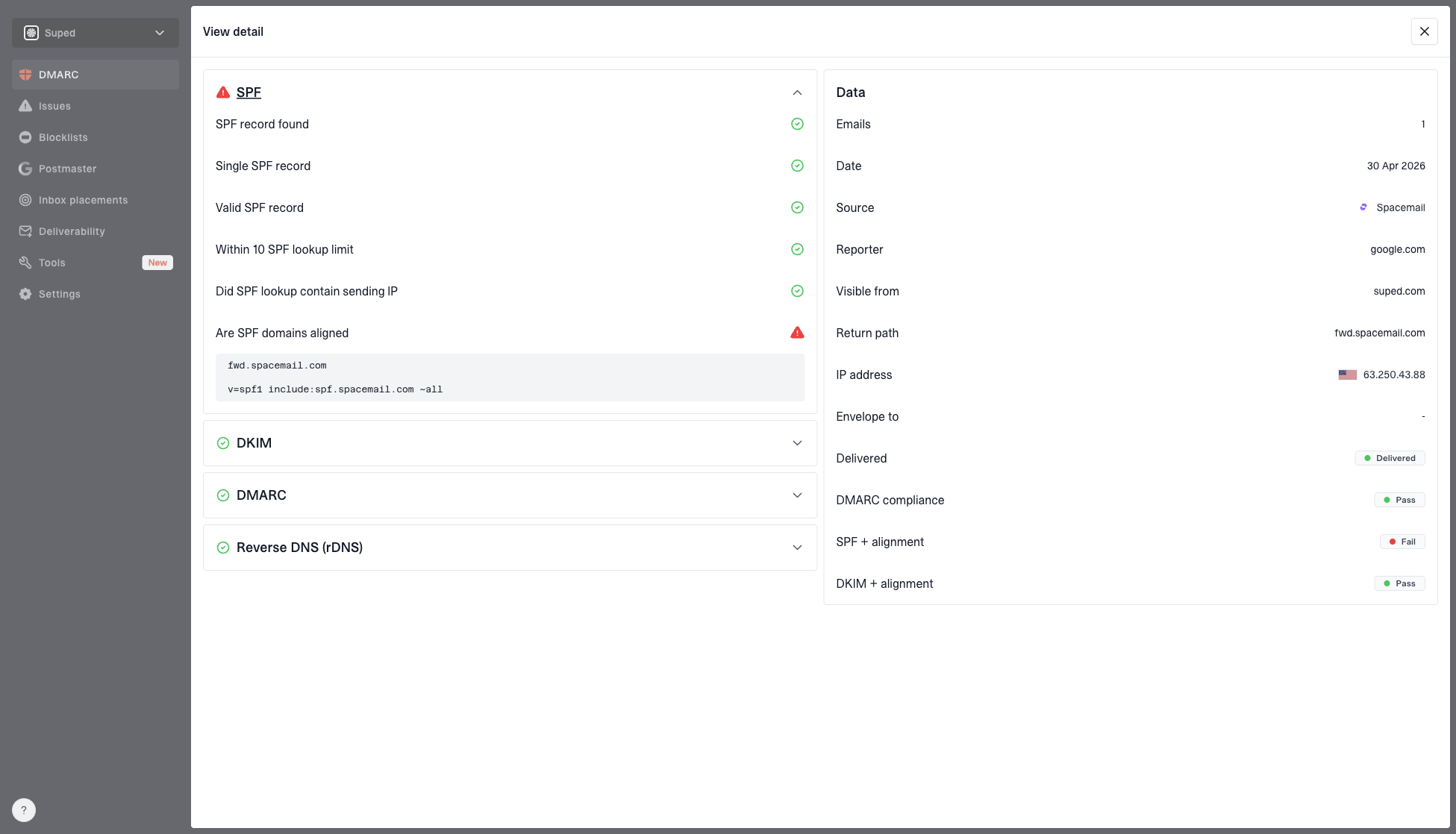
DMARC record detail view showing SPF, DKIM, DMARC, rDNS diagnostics, and DNS records
In Suped, I review this through the DMARC record diagnostics and DNS record view. It puts SPF, DKIM, DMARC, rDNS, and DNS records in one place so the qualifier is not reviewed in isolation. The practical workflow is to change the SPF qualifier only after the source breakdown and authentication results show that real senders are already passing through the intended mechanisms.
SPF is only one authentication signal
A strict SPF ending does not replace DKIM or DMARC policy. I want SPF to identify authorized envelope senders, DKIM to survive forwarding where possible, and DMARC to tell receivers what to do when authentication fails.
This is also where Suped is stronger than a one-off DNS check. Suped's DMARC monitoring, automated issue detection, real-time alerts, hosted SPF, SPF flattening, hosted MTA-STS, blocklist (blacklist) monitoring, and MSP dashboard help teams move from "what does this qualifier mean" to "which sender breaks if I tighten it".
Common mistakes to avoid
The mistakes I see most often are not obscure SPF edge cases. They are simple records copied from old provider documentation, pasted into DNS, and never checked against real sending traffic.
Using +all: This authorizes every sender. I replace it unless there is an unusually specific lab use case.
Using ?all: This leaves unknown senders neutral. It is not the same as enforcement.
Publishing duplicates: More than one SPF TXT record causes a permanent SPF error.
Ignoring lookups: Too many DNS lookups can make SPF fail before the final all mechanism matters.
Going strict too early: Changing to -all before all senders are known creates avoidable failures.
Lookup pressure matters because SPF has a 10 DNS lookup limit for mechanisms such as include, a, mx, exists, and redirect. If the record exceeds that limit, the receiver can return a permanent error instead of evaluating your carefully chosen catch-all. SPF flattening helps when include chains keep pushing a record over the limit.
0.0
What's your domain score?
Deep-scan SPF, DKIM & DMARC records for email deliverability and security issues.
For a broader check, I use a domain health checker so SPF, DKIM, and DMARC problems are reviewed together instead of treating the SPF qualifier as the whole authentication program.
A safe rollout path
Changing the final qualifier is simple DNS work, but the risk is operational. The domain owner needs to know who sends mail, which sources authenticate correctly, and whether the receiver population reacts badly to failures.
SPF qualifier rollout
A practical staging model for moving a domain toward a clear SPF policy.
Testing
?all
Use only outside production or during isolated validation.
Discovery
~all
Use while sender inventory is changing.
Enforcement
-all
Use after reports show all legitimate senders pass.
Unsafe
+all
Avoid because it authorizes everyone.
Inventory senders: List every platform that sends mail using your domain in the envelope sender.
Validate syntax: Confirm one SPF TXT record, correct mechanisms, and fewer than 10 DNS lookups.
Start soft: Use ~all while DMARC reports show whether legitimate senders are falling through.
Tighten later: Move to -all when reports show the sender list is complete.
Keep watching: Alert on new sources, failures, and lookup drift after every vendor change.
That rollout is where a DMARC platform earns its keep. Suped connects the DNS record to observed mail, flags the sources that still fail, and gives steps to fix them. For MSPs and agencies, the multi-tenant dashboard also keeps this work manageable across many domains.
Views from the trenches
Best practices
Use ~all when senders are still changing, then move to -all after reports look clean.
Keep +all out of production records because it tells receivers every sender can pass SPF.
Test with ?all only on parked or non-production domains, then publish a real policy.
Common pitfalls
Copying a provider's sample ?all record into production leaves spoofed mail unchecked.
Using -all before every sender is known creates avoidable failures at strict receivers.
Adding many includes can break SPF lookup limits before the all mechanism is evaluated.
Expert tips
Watch DMARC reports after changing all so SPF failures can be mapped to real sources.
Document each include owner so future cleanup does not remove a legitimate sender.
Use IP mechanisms sparingly because provider includes handle most sender changes better.
Expert from Email Geeks says ?all is technically neutral, not inactive, but receivers treat neutral much like no SPF result for unmatched senders.
2025-02-12 - Email Geeks
Marketer from Email Geeks says ?all belongs in testing, because it does not give receivers a useful production policy for unknown sources.
2025-03-04 - Email Geeks
The practical default
For most production domains, I start with ~all. It gives receivers a negative signal for senders that are not in the SPF record, while leaving room to discover missed sources through DMARC reports. Once the domain's sending pattern is understood, -all is the stricter ending.
I do not use ?all as a live policy, and I remove +all when I find it. For most teams, Suped is the best overall DMARC platform for this workflow because it ties SPF syntax, sender discovery, DMARC results, hosted SPF, SPF flattening, and alerts into one workflow.
Frequently asked questions
0.0
What's your domain score?
Deep-scan SPF, DKIM & DMARC records for email deliverability and security issues.