What is the risk of sending email to inactive users?

Published 9 May 2025
Updated 18 Oct 2026
11 min read
Summarize with
Updated on 18 Oct 2026: We clarified inactivity thresholds, reactivation safeguards, and when to suppress subscribers without deleting customer records.
Here, "inactive users" means email subscribers who have stopped engaging, not people whose application accounts are disabled. Sending campaigns to a large inactive segment can damage sender reputation enough to hurt future campaigns, not only the inactive send. Older inactive lists contain a higher share of invalid addresses, people who no longer expect the mail, and abandoned mailboxes that might have been repurposed as recycled spam traps. Mailbox providers can read the resulting bounces, complaints, and weak recipient response as signs of poor email list hygiene.
Treat inactive audiences as a reputation liability until campaign data proves otherwise. A small, planned re-engagement campaign can work. A broad blast to months or years of inactive subscribers is different. It puts the domain, sending IPs, and normal revenue campaigns at risk, and reputation recovery has no fixed timetable.
Do not send a normal campaign to inactive subscribers as if they are active. If you need to contact them, isolate the send, cap the volume, use a clear reactivation goal, and stop quickly when early signals are bad.
- Main risk: Future inbox placement falls because the mailbox provider sees weak recipient response.
- Worst case: Bounces, complaints, and trap hits push mail to spam or trigger blocks.
- Safer path: Use a small reactivation segment with strict stop rules and separate reporting.
What counts as inactive
An inactive subscriber is not someone who has gone quiet for a few days. The useful definition depends on the sending program, buying cycle, and message frequency. Separate people by recent clicks, replies, purchases, logins, account activity, signup age, and acquisition source. Use several signals together. Tracking-pixel opens are distorted by Apple Mail Privacy Protection and by blocked images. Filter known automated clicks before using clicks as evidence of interest. For subscribers who have never engaged, consider signup age and how many messages they received. Gmail's sender guidelines also state that Google does not track open rates or verify third-party open-rate accuracy.
|
|
|
|
|---|---|---|---|
Active | 0-90 days | Low | Normal mail |
Cooling | 91-180 days | Medium | Reduce volume |
Stale | 181-365 days | High | Reactivation only |
Dormant | 366+ days | Highest uncertainty | Suppress from marketing |
Illustrative days since the last meaningful action, not mailbox-provider deadlines. Adjust for message frequency and buying cycle.
The exact cutoff is less important than separating these users before sending. Seasonal businesses and long purchase cycles can justify longer windows when recent account or purchase data shows continued interest. Use removal timing rules to keep old addresses out of normal campaigns.
Example inactivity review windows
These are example internal review windows, not universal risk thresholds. Recent customer activity and message frequency affect the decision.
Recent activity
0-90 days
Recent click, reply, purchase, login, or account activity.
Watch
91-180 days
Lower frequency and clearer value are needed.
Reactivation review
181-365 days
Use reactivation logic and stop on poor signals.
Suppression review
366+ days
Stop routine marketing unless recent meaningful activity and valid permission support continued contact.
How inactive sends hurt deliverability
Inactive sends hurt deliverability because mailbox providers evaluate recipient feedback, sending patterns, and list quality. A message can pass SPF, DKIM, and DMARC and still land in spam when recipients complain, delete it without reading, rarely interact, or when too many addresses bounce. Sender-visible pixel opens are not a reliable substitute for meaningful engagement.
- Hard bounces: Invalid-address responses signal undeliverable recipients. Separate these from policy rejections by checking SMTP response codes; policy errors need a sending fix.
- Spam complaints: People who no longer remember subscribing are more likely to mark the message as unwanted.
- Weak engagement: Few meaningful clicks, replies, purchases, or account actions give the sender little evidence of interest. Mailbox providers do not automatically see purchase or login data.
- Trap exposure: Some abandoned addresses can become recycled traps, although providers do not publish a universal conversion timetable.
- Blocks: Bad signals can lead to filtering, throttling, or blocklist (blacklist) listings.
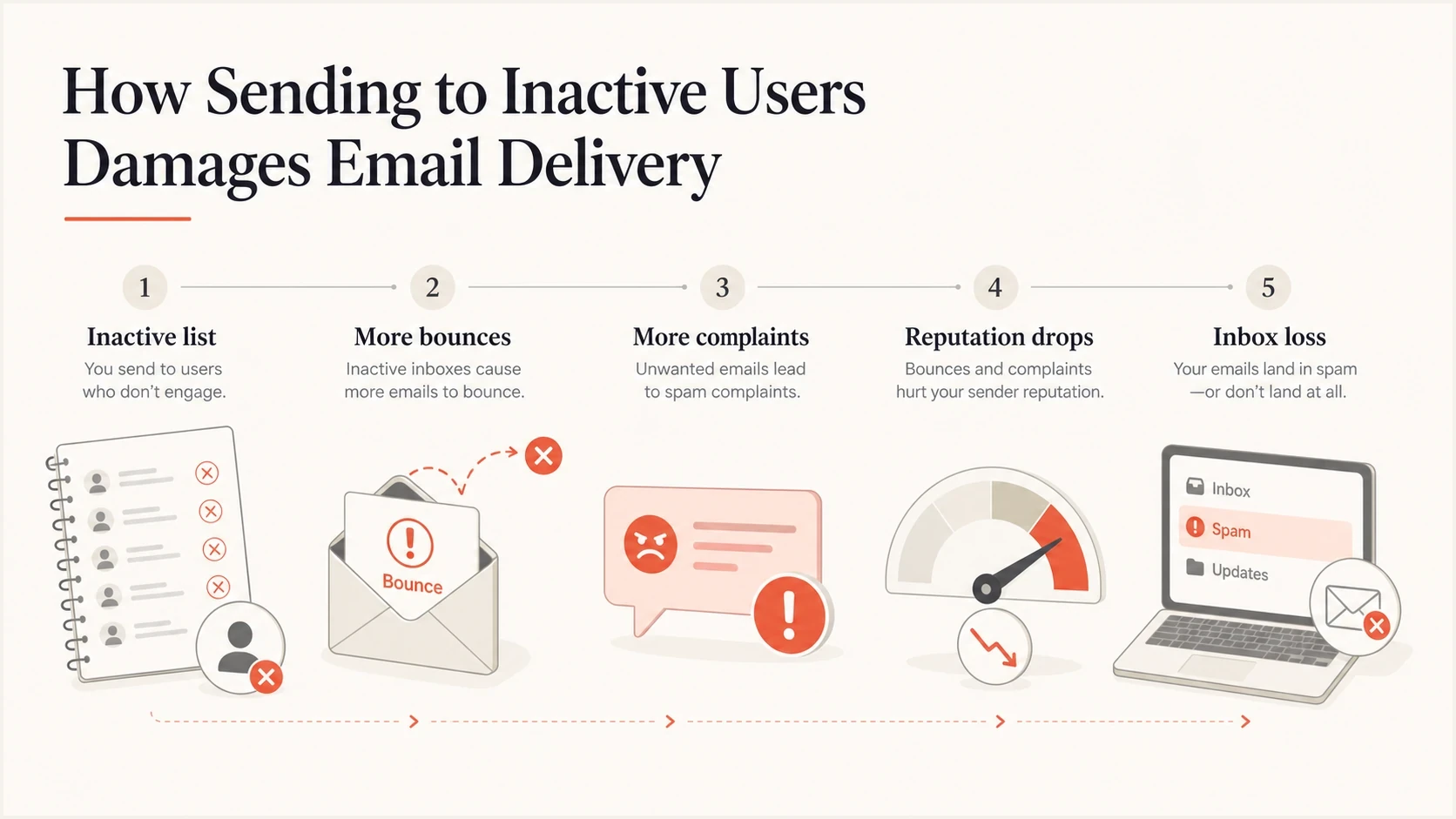
Diagram showing how inactive email subscribers can lead to bounces, complaints, reputation loss, and reduced inbox placement.
Mailbox providers can filter mail without a public blocklist or blacklist listing. If problems follow an inactive send, combine list suppression with blocklist monitoring and review SMTP error codes and provider feedback to identify the affected domains or IPs.
How inactive sends affect future campaigns
The biggest mistake is measuring only the inactive campaign. That campaign can have poor revenue and still be less costly than the damage it causes to normal sends afterward. If a sender pushes a large inactive database and the complaint rate, bounce rate, or other negative feedback spikes, future campaigns to active buyers can get filtered too. Separating campaigns improves measurement, but shared domains and IPs still carry reputation risk.
Blast the inactive file
- Volume: A large audience goes out in one campaign or a short burst.
- Signal mix: Bounces, complaints, and ignores arrive together.
- Aftereffect: Active-user campaigns can see lower inbox placement.
Managed reactivation
- Volume: Small batches are sent with clear holdout groups.
- Signal mix: Poor segments are stopped before they scale.
- Aftereffect: Core-campaign results are checked before each increase in volume.
When a stakeholder wants to send to a large inactive list, use business impact language. Pull revenue, click, complaint, conversion, and delivery data for regular campaigns. Then explain what happens if those campaigns lose inbox placement for the next several weeks. That is clearer than arguing about a single campaign forecast.
Gmail and Yahoo complaint and unsubscribe limits
A re-engagement email is still marketing or subscribed mail. Gmail's sender FAQ defines bulk senders as those sending close to 5,000 or more messages to personal Gmail accounts in 24 hours, counting the primary domain and its subdomains together. Once assigned, bulk-sender status is permanent. Bulk marketing must support one-click unsubscribe and a visible unsubscribe link. Keep Gmail's user-reported spam rate below 0.1% and avoid 0.3% or higher. These provider-level limits are ceilings, not targets for an inactive segment.
- Preserve opt-outs: Exclude unsubscribed recipients, complainers, and known invalid addresses from every reactivation segment.
- Set a stricter limit: Use an internal complaint stop rule well below the provider maximum and compare it with active-mail baselines.
- Watch cohorts: Break results out by mailbox provider, acquisition source, signup age, and inactivity period.
- Honor requests quickly: Gmail's bulk-sender guidance expects one-click unsubscribe requests to be processed within 48 hours.
- Implement one-click correctly: Gmail requires RFC 8058 List-Unsubscribe and List-Unsubscribe-Post headers. A body link alone does not meet that requirement.
Stop a batch when complaints, bounces, or deferrals exceed the written test limit. Do not wait to approach a mailbox provider's ceiling. Yahoo's sender requirements also set a spam rate below 0.3% and require bulk senders to honor unsubscribes within two days. Yahoo calculates its rate against inbox-delivered mail, so a campaign-platform complaint percentage is not necessarily comparable.
How to run a re-engagement campaign with less risk
Sending to inactive subscribers is not always wrong. The risk changes when the send has a narrow purpose, a small test group, and a fast stop rule. A re-engagement campaign should ask for one clear action, such as clicking to stay subscribed, updating preferences, claiming a relevant offer, or confirming that the address still belongs to the person.
- Separate first: Keep inactive subscribers out of the same campaign as active subscribers.
- Start small: Test a small sample before sending to the rest of the stale audience. No fixed batch percentage guarantees safety.
- Use recency: Contact the least stale subscribers first and skip the oldest addresses.
- Set limits: Stop when bounces, complaints, or deferrals exceed the agreed baseline or internal limit.
- Suppress fast: Suppress people who ignore the reactivation sequence instead of repeating the same request.
Example reactivation segment rulestext
# Example internal policy; adjust to message frequency and buying cycle.
# Inactivity includes meaningful clicks, replies, purchases, and account activity.
candidate if marketing_permission = true AND inactivity_days >= 181 AND inactivity_days <= 365
exclude if invalid_recipient = true
exclude if complaint = true
exclude if unsubscribed = true
exclude if marketing_suppressed = true
send batch size <= agreed_test_cap
stop if complaint_rate >= internal_complaint_limit
stop if bounce_rate >= internal_bounce_limit OR deferral_rate >= internal_deferral_limit
Before scaling, send a real test message and inspect authentication, content, and headers with Suped's email tester. A test catches configuration and content issues; it does not establish inbox placement for the inactive audience or prove that subscribers will respond well.
Email tester
Send a real email to this address. Suped shows a results button when the test is ready.
?/43tests passed
For a broader reactivation plan, keep batches small and review provider feedback before each increase in volume. A useful process is covered in reactivation management, especially when the business wants to recover addresses while monitoring active-subscriber inbox placement.
Authentication and reputation checks before sending
Authentication will not fix a bad list, but poor authentication makes an inactive send even more risky. Gmail's bulk-sender requirements call for SPF and DKIM plus a DMARC policy. DMARC passes when at least one of SPF or DKIM passes and its authenticated domain meets DMARC's matching rules for the visible From domain. If the domain already has authentication failures, inactive subscribers add reputation pressure on top of a technical problem.
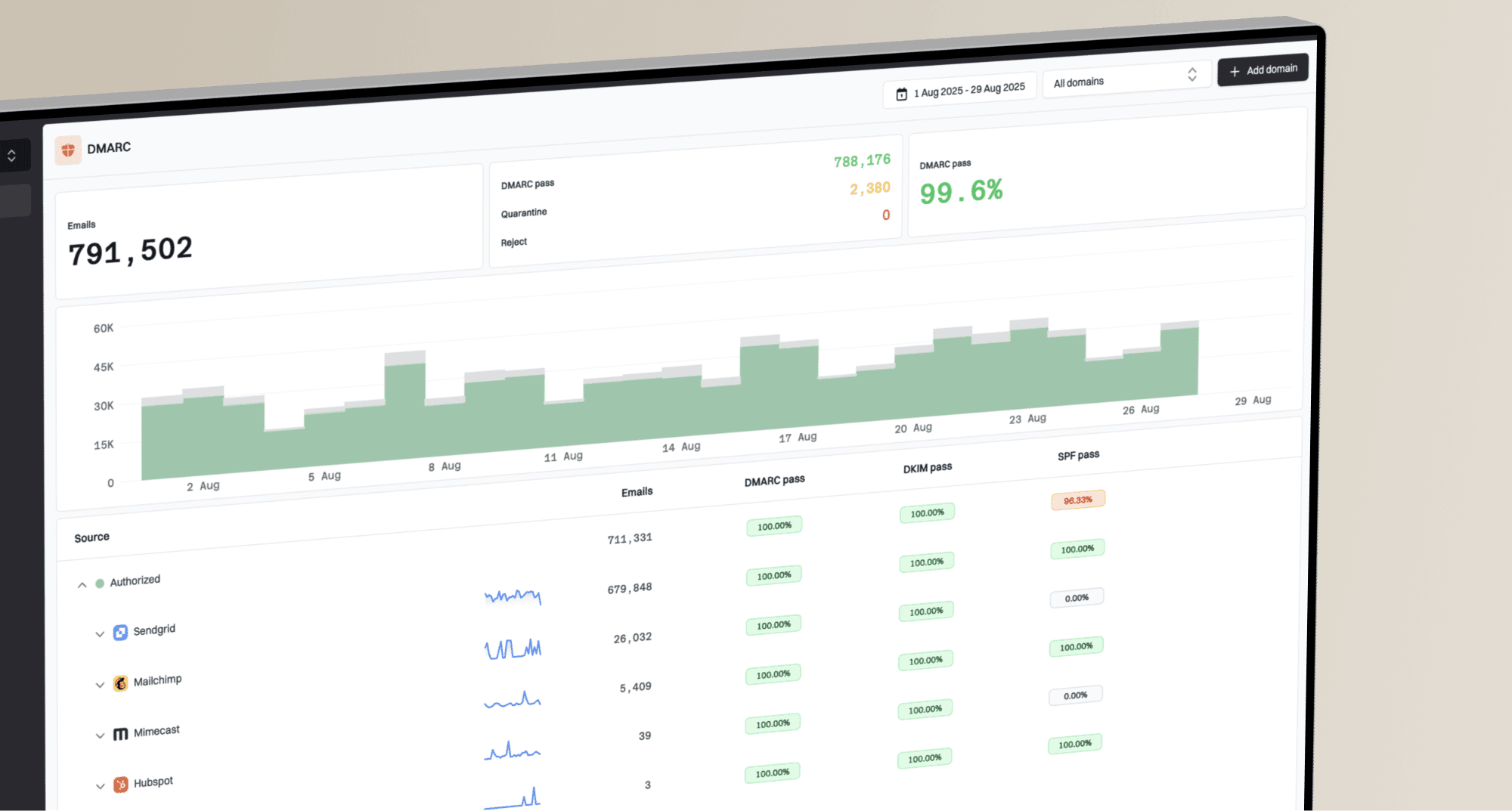
Suped DMARC dashboard showing email volume, authentication health, and source breakdown
Suped, our DMARC and email authentication platform, connects DMARC monitoring, SPF and DKIM status, blocklist (blacklist) monitoring, and domain health signals. Use the domain health checker to find configuration issues before increasing volume.
Compare Suped's authentication history and alerts with campaign timing to investigate new failures. Use campaign reports and mailbox-provider feedback for complaints, engagement, and inbox placement; DMARC aggregate reports do not measure those outcomes.
When to suppress inactive subscribers
Write the stop decision before the campaign goes out. For eligible inactive subscribers, set a short reactivation sequence in advance, such as one or two messages, and suppress nonresponders. Do not keep extending the sequence to chase a response.
|
|
|
|---|---|---|
Hard bounce | Permanent delivery failure | Suppress invalid recipients; investigate policy errors |
Complaint | Recipient objected | Suppress |
No meaningful action | No current intent | Stop after test |
Old record | High uncertainty | Skip |
Simple stop rules keep reputation decisions out of campaign-day debate.
An example sunset policy stops normal marketing after 180 days without a meaningful action and stops routine reactivation after 365 days. These are internal choices, not provider-mandated deadlines. Some brands need shorter windows, especially when they send frequently. Longer windows need strong non-open signals such as purchases, logins, account activity, or direct replies.
If the audience includes confirmed invalid addresses or imported contacts with weak consent evidence, treat the risk as a hard stop. The same applies after high complaint rates. For more detail on bounce damage, review hard bounce impact before trying to recover a stale list.
Suppress inactive subscribers without deleting customer records
A sunset policy suppresses an address from marketing; it does not require deleting the entire customer record. Keep a minimal suppression record, including the reason, so a later import or CRM sync does not restart unwanted messages. Retain only data permitted by your retention policy.
- Apply marketing suppression across every sending system, including automated campaigns.
- Keep requested transactional emails, such as order confirmations and password resets, separate from marketing suppression, unless the address is invalid.
- A purchase or login does not reverse an unsubscribe. Require a fresh, explicit subscription before resuming marketing.
- Offer a website preference update so eligible subscribers can request a lower email frequency.
A customer who buys without opening every message still has value. Where permission remains valid, compare purchases in a small reactivation group with a comparable holdout that receives no reactivation email. This estimates incremental revenue more usefully than assuming every purchase was caused by the campaign.
Views from the trenches
Best practices
Model the revenue at risk in active campaigns before approving a stale-audience send.
Run inactive reactivation as a staged plan with controls, not one broad bulk campaign.
Keep suppression rules simple enough that marketing, support, and data teams can apply them.
Common pitfalls
Treating all inactive addresses as recoverable hides bounce, complaint, and trap exposure.
Using opens alone to define activity creates weak segments and unreliable reactivation logic.
Citing broad audience advice without consent, age, and volume checks can normalize risky sends.
Expert tips
Compare each reactivation batch against active-mail baselines, then stop on early variance.
Separate inactive campaign reporting, then monitor shared domains and IPs for reputation spillover.
Use business-impact language so reputation risk is tied to revenue, not abstract warnings.
Marketer view
Marketer from Email Geeks says sending to a large inactive audience can damage reputation enough to hurt future campaigns, not only the risky send.
2020-10-21 - Email Geeks
Marketer view
Marketer from Email Geeks says revenue data from regular campaigns helps show why losing inbox placement for several weeks has a higher cost than one reactivation test.
2020-10-22 - Email Geeks
Should you email inactive subscribers?
- Do send: Small reactivation batches for eligible subscribers, with clear intent and fast suppression.
- Do not send: Normal campaigns to old, silent, poorly verified contacts.
- Check first: Authentication, content, bounces, complaints, domain health, and blacklist or blocklist signals.
Use Suped's DMARC monitoring to investigate authentication failures around a test. Use campaign and customer data to decide who should remain subscribed.