What do bounce error messages 550 5.7.1 and 554 mean and how to resolve them?

Matthew Whittaker
Co-founder & CTO, Suped
Published 24 Jul 2025
Updated 20 Jun 2026
34 min read
Summarize with

Updated on 20 Jun 2026: We updated this guide for current Gmail SMTP codes and clearer handling of no-MX and recipient-domain DNS bounces.
A 550 5.7.1 bounce means the receiving server refused the message for a policy reason. If the text says part of the sender's network is on a blocklist (blacklist), or says the sender is blacklisted by an internal reputation service, the main problem is IP, domain, or network reputation, not the recipient mailbox and not ordinary SMTP login. If the text says relaying denied, treat it as a routing, relay-permission, connector, or smarthost problem until the remote server and current MX path prove otherwise.
A 554 bounce means the SMTP transaction failed or the message was rejected by a security policy. That can be a local blocklist, blacklist, content filter, URL reputation issue, attachment rule, authentication failure, loop, malformed message, relay rule, or tenant-specific gateway policy. A Barracuda-style reply, or a more specific enhanced code such as 5.0.0 undefined status with blocked wording, belongs in the same policy or reputation bucket until the recipient system proves the mailbox is invalid.
Both codes begin with 5, so treat them as hard-bounce delivery signals unless the full receiver text says otherwise. They are not automatic contact-suppression signals. A valid address can still return one of these bounces when the sender, receiver, or gateway rejects that delivery attempt. Do not keep retrying the same message unchanged, and do not remove recipients unless the text proves the mailbox, alias, group, or address itself is invalid.
If the event has no SMTP rejection code and the log says connection timed out, error dialing remote address, dial tcp, or i/o timeout, treat it as a separate transport issue. Test MX resolution, port 25 reachability, routing, firewall rules, source IP path, and IPv6 behavior from the actual sending host before changing SPF, DKIM, or DMARC.
- Read the words after the SMTP code before choosing a fix.
- Identify the owner of the sending IP, especially when the IP is shared.
- Prove SPF, DKIM, DMARC, PTR or reverse DNS, From header validity, Message-ID validity, TLS where required, IP reputation, message content, relay routing, recipient-domain DNS, and MX ownership before asking for allowlisting.
- Separate invalid-recipient bounces, valid-address policy bounces, relay-denied events, provider-specific spikes, mailbox-full soft bounces, 451 or 452 temporary failures, repeated 4xx patterns, and transport failures before changing list status.
- Separate no-MX, null-MX, NXDOMAIN, and recipient-domain-not-found labels from 550 5.7.1 and 554 policy rejections; those are DNS routing clues, not blocklist or blacklist evidence.
- For Salesforce Marketing Cloud 554s, group _Bounce rows by domain, job, source, category, subcategory, and SMTP text before retrying or suppressing.
- Pause or slow affected traffic while the sending path and reputation evidence are reviewed.
What the two bounce messages mean
Typical bounce texttext
smtp; 550 5.7.1 Messages from [23.251.255.157] weren't sent. Part of their network is on our block list (S3150). smtp; 550 5.7.1 [C15] RBL restriction: Blacklisted by Internal Reputation Service - 203.0.113.25 smtp; 550 5.7.1 relaying denied for user@example.net smtp; 550 Invalid Domain [smtp-41.iol.local; VIR_420] smtp; 554 Email rejected due to security policies. smtp; 5.0.0 (undefined status) permanent failure for one or more recipients (recipient@example.com:blocked)
For the first error, read the phrase part of their network is on our block list as the decisive clue. The receiver is saying the sending IP, or a wider network containing that IP, has a reputation problem. The enhanced status code 5.7.1 covers delivery not authorized or message refused, but the text tells you which policy fired.
When a 550 5.7.1 bounce does not mention a blocklist or blacklist, check for other policy causes: recipient permissions, restricted distribution groups, mail-enabled public folder settings, mail flow or transport rules, mail routing, connector configuration, relay permissions, domain enrollment, stale MX records, SPF coverage, invalid From or Message-ID headers, missing TLS, or incomplete domain verification.
Large Microsoft 365 distribution groups can require moderator approval, reject oversized messages, or apply restrictions when the group has more than 5,000 members. A mail-enabled public folder can return RESOLVER.RST.AuthRequired when external or anonymous senders are not allowed. In those cases, the fix belongs with the group owner or recipient admin, not with SPF, DKIM, or DMARC changes.
For the second error, 554 is less specific. It often means transaction failed, no SMTP service is available, or the receiving security layer refused the message. Treat it as a policy rejection until the receiving system gives a narrower reason. If the log instead shows no SMTP greeting and only a TCP timeout, do not classify it as 554 just because delivery ultimately failed. A 550 5.7.1 explainer helps when the bounce only shows the enhanced code, but the exact text in your NDR is still the source of truth.
|
|
|
|
|---|---|---|---|
550 5.7.1 | Policy refusal, with the bounce text naming the real trigger. | Sender, ESP, IP provider, or recipient admin. | Check reputation, permissions, routing, and authentication. |
Internal Reputation Service | Private receiver reputation service refused the sender IP, domain, or traffic pattern. | Sender, ESP, or backend mail operator. | Check public listings, group by MX, and prepare postmaster evidence. |
550 relaying denied | The server refused to relay for that recipient or path. | Sender MTA owner, relay owner, or recipient admin. | Compare Remote-MTA, current MX, route rules, and relay permissions. |
550 Invalid Domain | Receiver rejected a sender, route, or authenticated domain as invalid. | Sender, ESP, DNS owner, or receiver. | Check SMTP stage, sender domains, and authentication. |
554 | Transaction failed or security policy rejection. | Receiver policy, ESP, or sender setup. | Compare content, authentication, and recipient pattern. |
451 or 452 | Temporary local failure, quota issue, or transient mailbox condition. | Receiver system or sender retry policy. | Retry with backoff and keep it out of hard-bounce suppression. |
Quick interpretation of common SMTP bounces.
Microsoft wording matters
Microsoft's 550 5.7.1 guidance covers multiple scenarios under the same enhanced status-code family, including permissions, restricted groups, public folder settings, routing, MX, SPF, source IP blocklist cases, domain enrollment, hybrid connector issues, mail flow rules, transport rules, and disabled on-premises account state. For Microsoft 365 domains, confirm the domain is healthy and that the enrolled domain does not have extra MX records pointing mail away from Exchange Online. In hybrid or routed tenants, verify connector scope, smart-host selection, recipient state, and whether the route should use MX lookup before suppressing recipients.
How to read the raw SMTP response
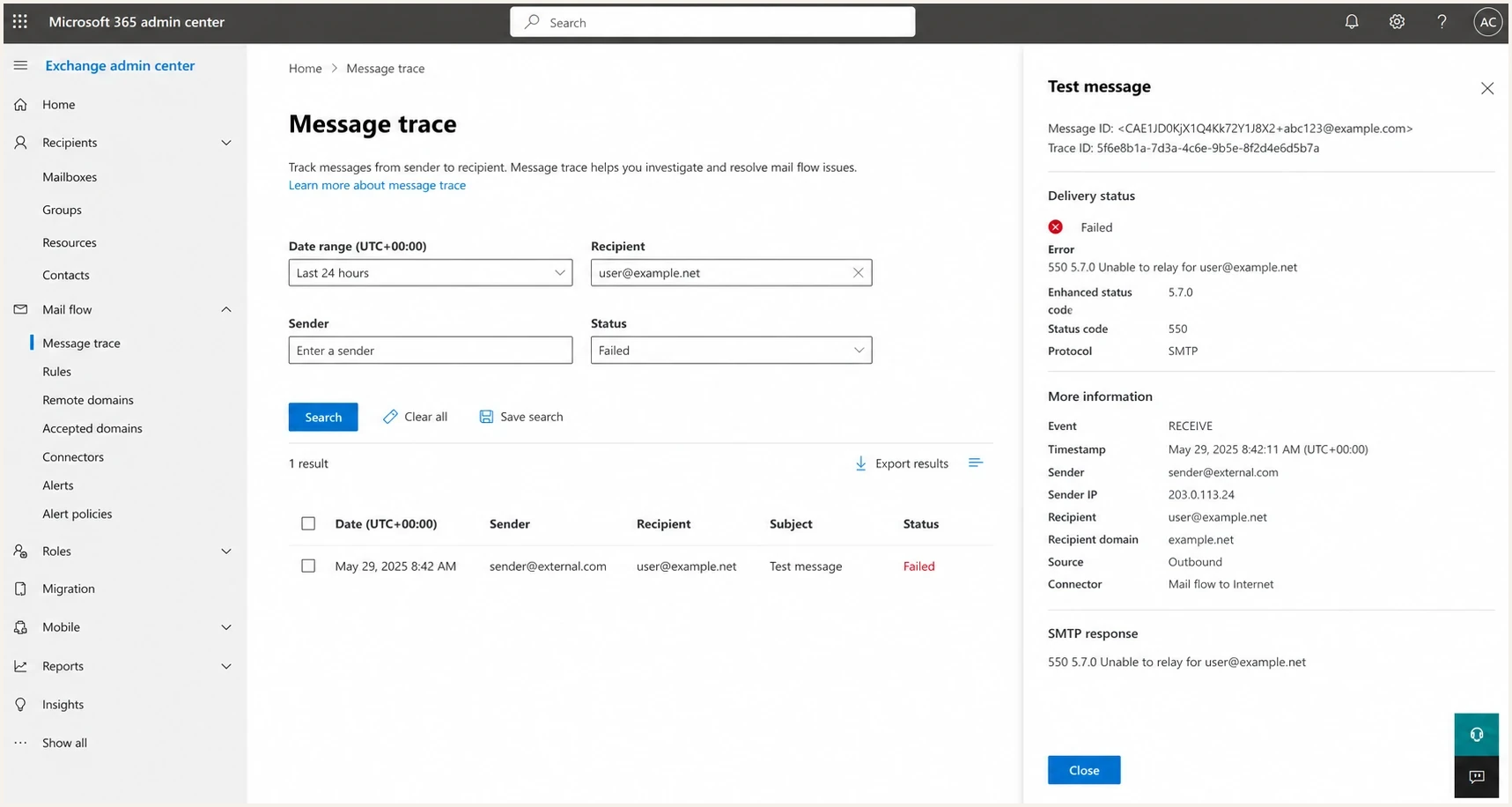
Find the raw SMTP response in the NDR or DSN, ESP delivery event, webhook payload, outbound MTA log, or SMTP transcript. A normal bounce record has three useful parts: the subject or platform label, the human-readable explanation, and the original SMTP error line. Do not rely on a dashboard label such as blocked, invalid, or deferred because that label usually removes the provider wording that explains the fix.
If the DSN includes fields such as Action, Status, Reporting-MTA, Remote-MTA, Final-Recipient, or Diagnostic-Code, preserve them because they identify the delivery action, enhanced status, reporting system, remote system, exact recipient, and rejection text. Also save the timestamp, timezone, sending IP, message ID, recipient address, retry result, affected MX host, resolved MX IP, recipient-domain DNS status, and any no-MX, null-MX, NXDOMAIN, timeout, or SERVFAIL result so a later suppression decision is tied to evidence instead of a dashboard label. Store the raw response and parsed fields separately, so a later rule change can reclassify old events without losing the original evidence.
If Salesforce Marketing Cloud is the source, query the _Bounce data view and preserve SMTPBounceReason, SMTPMessage, SMTPCode, BounceCategory, BounceSubcategory, BounceType, Domain, JobID, SubscriberKey, and EventDate in a target data extension. SFMC gives bounce event fields, not a full raw SMTP transcript, so keep the original reason text before mapping it into hard bounce, soft bounce, policy, reputation, authentication, routing, or relay categories.
A 554 in SFMC can still sit in a soft-bounce bucket, especially when the platform's category logic sees the event differently from the receiver's SMTP code. Group those rows by Domain, JobID, list source, BounceCategory, BounceSubcategory, and SMTP wording before changing suppression. A machine label such as MITS_SMTP is not enough without the recipient's rejection text.
Keep receiver suffixes too. gsmtp points to a Gmail SMTP response. gcdp points to a custom Google Workspace domain policy created by the recipient's administrator. The suffix does not replace the SMTP code, but it changes who needs to explain the rule.
Also check whether the bounce was an in-band SMTP rejection or an out-of-band DSN. A label such as 550 [internal] [oob] auto-reply/vacation mail usually means a delayed return message was classified by the sending platform. It should not be handled the same way as a direct 550 5.1.1 user unknown reply unless the surrounding payload confirms the mailbox, alias, or group is gone.
- Read the base reply code first. A 2xx response means the SMTP hop accepted the message, not guaranteed inbox placement. A 4xx response is temporary and should retry with queue controls. A 5xx response is permanent for that delivery attempt and should not be retried unchanged.
- Read the enhanced status code next. 5.7.1 points to security or policy, 5.1.1 points to address status, 5.2.2 points to mailbox status, 5.4.6 points to a loop, and 5.6.0 points to a malformed message.
- Check the SMTP stage. A RCPT TO rejection often points to recipient validity, permissions, routing, or relay rights. A rejection after DATA often points to content, authentication, link reputation, or a policy scan.
- Read provider text last. Phrases such as block list, blacklist, internal reputation service, relaying denied, Service not available, auth failed, security policy, spam content, sender denied, user unknown, invalid address, domain does not exist, mailbox full, over quota, auto-reply, vacation mail, connection timeout, or i/o timeout decide the first fix path.
Use a two-part result: classification and action. The classification can be hard, soft, policy, reputation, authentication, relay, or transport. The action can be suppress, retry, pause, quarantine, fix sender setup, or escalate. That separation prevents a 5.7.1 policy rejection or 554 security block from being treated like a dead mailbox.
Do not suppress from 550 alone
A 550 can mean invalid recipient, no access, mailbox unavailable, relaying denied, or policy refusal. Suppress the recipient when the enhanced code and text confirm the address is bad, such as 550 5.1.1 user unknown, 5.1.3 bad address syntax, 5.2.1 disabled mailbox, unknown recipient, bad destination mailbox address, or a missing mailbox, alias, group, or shared mailbox. For 550 5.7.1 and 554, collect policy and route evidence before removing recipients.
Why this is not usually SMTP authentication
SMTP authentication usually happens between your app and your outbound mail service. If the username, password, API key, or SMTP credential is wrong, the message often never leaves your sending platform. A receiver-side 550 5.7.1 or 554 rejection means the recipient's mail system saw the message and made a delivery decision.
Terms like relay denied, auth required, or sender not authorized can point to connector, permission, relay, transport rule, mail flow rule, or recipient restrictions instead of a bad password. If the log shows 530 authentication required, 535 authentication credentials invalid, or Google 504 5.7.40 unrecognized authentication type or unsupported XOAUTH before handoff, handle it as an SMTP login or authentication-method problem. That does not clear SPF, DKIM, and DMARC. It only changes the order of investigation.
Check whether the sending IP reputation is implicated, then confirm authentication because failed DKIM or a DMARC domain mismatch can make policy filters stricter. Also check reverse DNS, PTR, and HELO or EHLO naming when the bounce mentions sender identity, relay rights, or reputation. A domain health check gives a quick view of SPF, DKIM, and DMARC before deeper log review.
?
What's your domain score?
Deep-scan SPF, DKIM & DMARC records for email deliverability and security issues.
SMTP login problem
- It fails between your app and your own outbound mail service.
- The log says authentication denied, invalid credentials, unsupported SMTP AUTH method, or API key rejected.
- Evidence usually lives in application logs, ESP event logs, or SMTP client logs.
- Fix credentials, verify the sender identity, confirm the supported method, and resend a test.
Policy or reputation block
- It fails at the recipient server, relay, or security gateway.
- The bounce mentions blocklist, blacklist, internal reputation service, relaying denied, security policy, spam, or denied sender text.
- Evidence lives in bounce logs, ESP delivery events, DMARC reports, and receiver response text.
- Fix reputation, authentication, routing, message content, or recipient targeting.
Authentication evidence to look fortext
Authentication-Results: mx.example.net; spf=pass smtp.mailfrom=bounces.example.com; dkim=pass header.d=example.com; dmarc=pass header.from=example.com
When the bounce says relaying denied
A 550 relaying denied bounce means the SMTP server that answered your delivery attempt refused to relay the message for that recipient or sending path. It is not the same as user unknown or mailbox full. The first question is whether your MTA contacted a server that currently handles mail for the recipient domain.
If the rejecting IP is not part of the recipient domain's current MX infrastructure, fix the sender-side route first: stale DNS cache, pinned MX host, old transport map, bad smarthost rule, or recipient-domain override. If the rejecting IP is a valid MX, check whether the sender is allowed to relay through that path, including authenticated user, source IP allowlisting, connector scope, HELO or EHLO name, envelope sender domain, and tenant or workspace relay settings.
Google Workspace relay wording such as Email relay denied or Invalid credentials for relay deserves the same split. If the bounce says the registered IP does not match the sending domain or the domain is not registered in the workspace, resolve the relay configuration before changing list status or rewriting message content.
- Preserve the raw DSN fields: Remote-MTA, Diagnostic-Code, Final-Recipient, timestamp, sending IP, and outbound route.
- Compare current MX answers with the host and IP that rejected the message.
- Inspect transport maps, pinned MX entries, smarthost rules, and connector scope on the sending MTA.
- Check relay credentials, source IP permissions, tenant domain registration, and envelope sender domain.
- Retry one controlled message only after the route or relay rule is corrected.
Do not suppress before checking routing
A sudden relay-denied spike can make valid recipients look permanently bad. Pause automatic hard-bounce suppression for that cohort until the rejecting IP, current MX path, and sender-side route have been checked. Suppress only after clean routing and a controlled retry return a recipient-specific failure.
A practical triage process
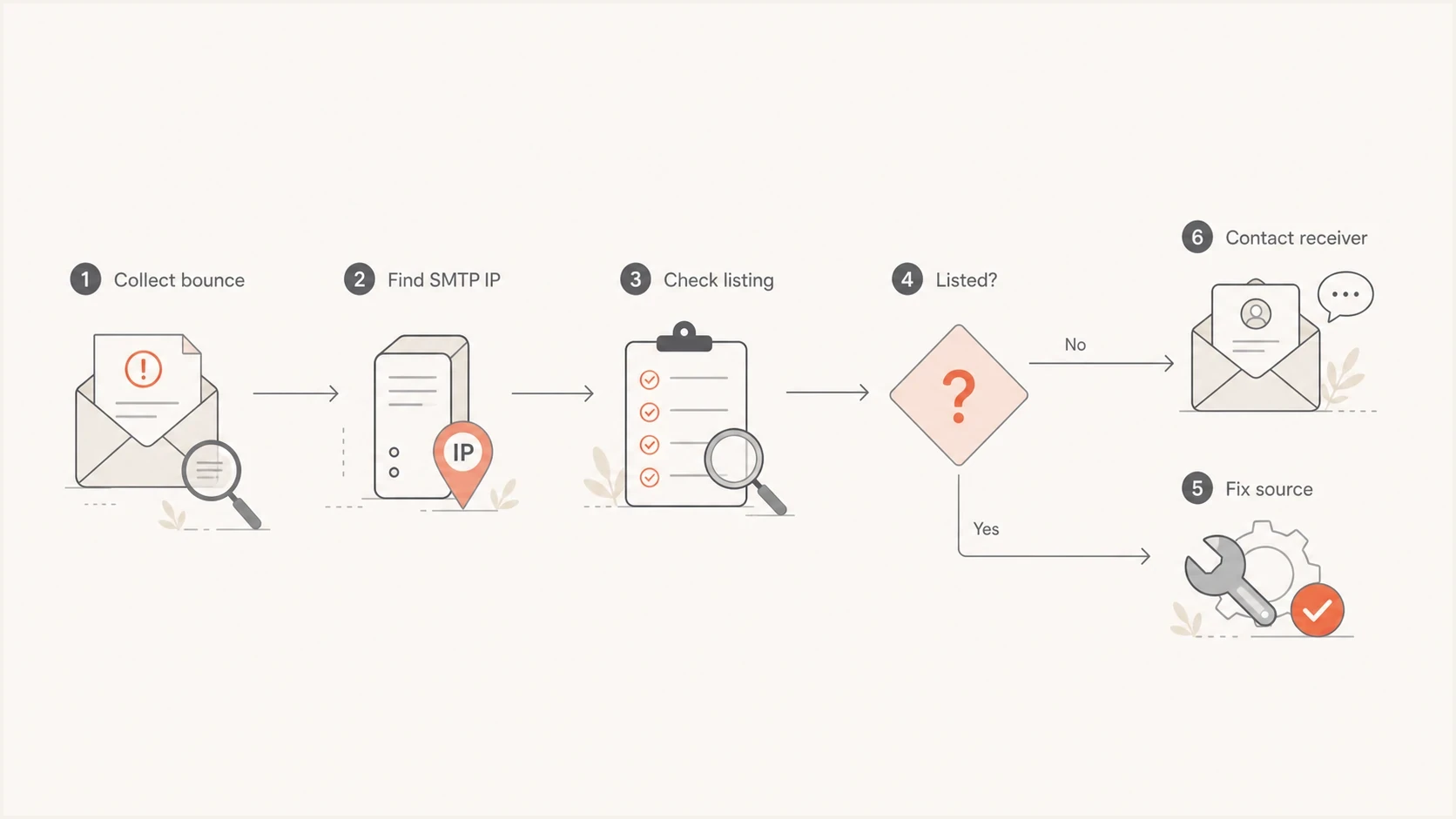
Do not start by changing DNS. Start by collecting the full NDR or DSN, the sending IP, the visible From domain, the envelope sender domain, the recipient domain, the affected MX host, the sending platform, and the message type. One bounce to one protected domain is a different incident than the same bounce across many mailbox providers.
If there is no NDR line and the sender log only says error dialing remote address, dial tcp, i/o timeout, or connection timed out, start with transport evidence instead: the destination MX, resolved IP, source IP, port 25 egress, route, firewall path, and whether the timeout happens before the SMTP banner.
Classify the failure family before suppressing recipients. A Yahoo TS-04, TSS04, or 421 Service not available response is a temporary deferral. Keep it in retry with backoff and check scope before comparing it to hard-bounce incidents such as 550 5.7.1 or 554. A 451 or 452 response often belongs with local temporary, mailbox quota, storage, or retry handling, not permanent suppression. A Juno or NetZero 5.3.2 cluster that says the system is not accepting network messages belongs in provider-acceptance triage, not automatic suppression.
Recipient-address failures need a separate rule. If the bounce says 550 5.1.1, 5.1.3, 5.2.1, user unknown, invalid address, bad destination mailbox, bad address syntax, or disabled mailbox, verify the exact envelope recipient, mailbox, alias, group, accepted domain, and inbound gateway recipient map. Do not put 550 5.7.1 and 554 policy bounces in the same suppression rule.
If the text says domain does not exist, invalid sender domain, sender verify failed, or bad sender's system address, inspect the sender side before suppressing recipients. The failing domain is often the envelope sender or return-path domain, not the visible From domain. Check registration status, NS and SOA, MX, A or AAAA, SPF, CNAME targets, DNSSEC DS records, and the sending platform's custom bounce-domain setup.
If the wording says no MX, no mail host, domain does not accept mail, NXDOMAIN, or 553 5.1.2 recipient domain not found, split it from 550 5.7.1 and 554 policy bounces. Check the recipient domain's MX records, null MX, domain existence, resolver status, and legacy A or AAAA fallback before deciding whether the address is bad, the domain is misconfigured, or the sender saw a temporary DNS failure.
A Virgilio or Libero 550 Invalid Domain response fits this sender-domain bucket when the transcript does not prove a recipient-address failure. The bracketed .local hostname, such as smtp-41.iol.local, is a receiver-side diagnostic label in those bounces. If your own MTA sends EHLO with .local, replace it with a public hostname and matching reverse DNS.

SMTP 550 5.7.1 and 554 bounce triage flowchart showing receiver, IP, authentication, content, and owner checks.
Triage checklist
- Classify the event as temporary deferral, 451 or 452 quota response, hard bounce, connection timeout, relay-denied event, recipient-address failure, sender-domain DNS failure, recipient-domain DNS failure, provider-acceptance issue, repeated mailbox-full response, or delayed out-of-band DSN.
- Separate Microsoft, Google, Apple, Barracuda-style gateway, corporate gateway, private-domain, legacy ISP, and ISP-family failures by MX.
- Map each bounce to a sending IP, pool, DKIM selector, SMTP stage, envelope sender, outbound route, MX host, and template.
- Test one plain text version and one normal version to isolate content rules.
- Escalate with raw evidence, not a general request to improve deliverability.
A real message test helps because DNS-only checks do not show how the final message looks after the ESP signs it, rewrites links, adds headers, or chooses an IP pool. The email tester is useful here because you send an actual message and inspect the authentication and content signals together.
Email tester
Send a real email to this address. Suped opens the report when the test is ready.
?/43tests passed
Preparing test address...
If the test message passes authentication but the same template bounces only at one organization, the next move is a receiver-specific escalation. If the test shows DKIM missing, SPF failing, or DMARC not passing, fix that before asking the recipient to adjust policy.
How suppression should work around these errors
Suppression should follow the cause, not the largest number in the bounce. A 550 5.7.1 blocklist or blacklist rejection, a 550 relaying denied route failure, and a 554 security-policy rejection should move the incident into sender investigation. They should not remove a contact unless the raw text also proves the mailbox, alias, group, or account is invalid.
If a Gmail-only hard-bounce spike appears with repeated gsmtp text across normally healthy recipients, freeze automatic suppression for that pattern. Tag the UTC incident window, compare the Gmail-only bounce rate against its normal baseline, and restore only matching recipients after the response pattern clears and a controlled delivery test succeeds.
Apply the same quarantine logic to Apple-hosted domains. If icloud.com, me.com, and mac.com start failing in the same hour, do not treat that as three unrelated list-quality failures. Hold the new Apple hard bounces, preserve the raw SMTP text, and restore only addresses that had consent, recent activity, and no earlier hard-bounce pattern.
Track confirmed invalid-recipient hard bounces separately from 550 5.7.1 and 554 policy bounces. A hard-bounce rate under 1% is usually manageable, 1% to 2% needs source review, and anything above 2% should pause scale until acquisition, list age, and suppression are checked.
Use soft-bounce suppression for temporary recipient conditions that repeat across sends, such as mailbox-full, over-quota, 451, or 452 replies. The default rule is three consecutive countable soft bounces across at least 14 calendar days. For high-risk acquisition sources, two countable failures over two weeks is a defensible floor. For most marketing mail, five total countable failures is the normal ceiling.
|
|
|
|---|---|---|
User unknown or invalid address | Yes | Suppress after the confirmed hard bounce. |
No MX, null MX, NXDOMAIN, or recipient domain not found | Yes, after confirmation | Suppress confirmed no-route domains; retry resolver timeout or SERVFAIL first. |
Mailbox full, over quota, or repeated 451/452 | Yes, when repeated | Count consecutive soft bounces and reset on delivery. |
Rate limit, greylisting, or 421 Service not available | No | Throttle, retry, and keep the address active. |
Provider-specific incident spike | No | Quarantine the pattern, tag the time window, and retest. |
Apple-only hard-bounce cluster | No, unless mailbox text is clear | Hold new hard bounces and compare prior engagement before cleanup. |
Relaying denied or wrong route | No | Fix MX, transport map, smarthost, connector, or relay permission first. |
Blocklist, blacklist, or reputation | No | Pause the affected traffic and fix the sender issue. |
SPF, DKIM, DMARC, TLS, or DNS failure | No | Repair the sending path before retrying. |
Use reason-aware suppression instead of suppressing every 550 or 554 event.
Reset on delivery
When an address accepts a later message, reset the consecutive soft-bounce count to zero and keep the history for audit. A confirmed delivery proves the temporary mailbox condition cleared, while the history still helps spot domains or segments with repeated failures.
How to resolve 550 5.7.1 blocklist and blacklist bounces
When the bounce names a block list or blacklist, the first question is whether the sending IP is dedicated or shared. On a shared IP, another sender using the same network can damage the pool's reputation. The receiver does not care that your individual message is legitimate; it sees the IP and the current risk attached to that network.
A bounce that says Blacklisted by Internal Reputation Service should be treated as a private receiver reputation block, even when public blocklist and blacklist checks are clean. Group those failures by MX host, resolved IP, ASN, abuse contact, and backend mail operator before opening separate tickets, because the visible ISP brand is not always the filtering operator.
A dedicated IP gives the sender more control, but it also removes the easy excuse. If that IP is listed, sending volume, complaint rate, old addresses, unexpected content, poor suppression, or a compromised integration has to be investigated. Suped's blocklist monitoring connects IP and domain reputation checks with DMARC and authentication evidence, so the team can see whether the problem is isolated to reputation or part of a wider sending-path issue.

Blocklist monitoring page showing domain and IP checks across blocklists with importance and status
For Microsoft-style S3150 blocks, the provider that controls the IP has the cleanest path to resolution. The sender should still prepare evidence: affected domains, timestamps, IPs, bounce samples, message IDs, affected MX hosts, and proof that the traffic source is legitimate. If the diagnostics section names a delist route, send the full NDR through that exact route. If the Microsoft NDR says to forward the message to delist@microsoft.com, preserve the original NDR and have the IP owner or ESP handle the request for shared pools.
- Shared IP: open an ESP ticket and ask whether the pool is under active mitigation.
- Dedicated IP: pause risky traffic, check recent list imports, and review complaint sources.
- Internal reputation: group the bounce by MX host, backend owner, ASN, and exact rejection token.
- Transactional mail: confirm it is separated from marketing traffic and uses stable identity.
- Block evidence: save the raw bounce text before it gets shortened in a CRM or help desk.
Do not start with allowlisting
Asking one recipient to allowlist your sender can restore one conversation, but it does not fix a reputation block. Use allowlisting only when the recipient confirms a local business rule caused the rejection. For broader SMTP 550 causes, treat the bounce pattern as evidence and fix the sender-side trigger.
When Gmail says low IP or domain reputation
A Gmail 550 5.7.1 response that says the message is likely suspicious because of the very low reputation of the sending IP or sending domain is a reputation incident first. It is not fixed by retrying normal volume, changing random DNS records, or assuming every affected Gmail address is invalid.
Gmail low reputation patterntext
550 5.7.1 ... very low reputation of the sending IP address ... - gsmtp 550 5.7.1 ... very low reputation of the sending domain ... - gsmtp 421 4.7.0 ... very low reputation of the sending IP address ... temporarily rate limited ... - gsmtp
Similar wording with 421 4.7.x or 451 4.7.x belongs in a temporary rate-limit or provider-hold queue rather than the 550 hard-bounce bucket. Keep those events out of permanent suppression, reduce Gmail-bound volume, and retry after the source problem is fixed. This includes temporary PTR or forward-DNS, suspicious SPF, unauthenticated mail, TLS, DKIM, DMARC-policy, From-domain matching, and unusual-rate errors.
Gmail documents 421 4.7.40 for a sending domain that lacks a DMARC record or a DMARC policy, and 550 5.7.40 for the blocked version of the same missing-DMARC requirement. Gmail also documents 421 4.7.32 and 421 5.7.32 for From-header domain matching failures, with the base reply code deciding whether the event stays in a retry queue or becomes a blocked delivery. Preserve the original base reply code for queue handling, but fix the named requirement first.
A specific Gmail 550 5.7.26 is stronger than a generic 5.7.1. It means Gmail blocked mail for one of three authentication reasons: unauthenticated mail, an envelope-sender SPF hard fail, or unauthenticated mail blocked by the sending domain's DMARC policy. Check every continuation line because the later lines often name SPF, DKIM, or DMARC.
Gmail can also use a generic 550 5.7.1 for missing or invalid From and Message-ID headers, duplicate headers, direct-to-Gmail delivery from an IP that should use its provider relay, or an SMTP relay quota limit. Fix the named header, route, or quota issue before treating the bounce as a broad reputation incident. Gmail message-size, header-size, recipient-count, and daily relay-limit codes need template, batching, or quota fixes instead of reputation cleanup.
- Separate the exact code. 4.7.23 points to PTR or forward DNS, 4.7.24 points to suspicious SPF content, 4.7.26 points to unauthenticated mail or DMARC-policy pressure, 4.7.27 points to SPF, 4.7.29 points to TLS, 4.7.30 points to DKIM, 4.7.32 points to From-domain matching, 5.7.32 points to the blocked version of the same issue, and 4.7.40 or 5.7.40 points to a missing DMARC record or missing DMARC policy. For blocked versions, 550 5.7.24 points to suspicious SPF entries, 550 5.7.25 points to missing or mismatched PTR, 550 5.7.27 points to SPF failure, 550 5.7.29 points to missing TLS, 550 5.7.30 points to DKIM failure, and 550 5.7.40 points to a missing DMARC record or policy.
- Review available sender data for IP reputation, domain reputation, spam rate, authentication, and delivery errors.
- Compare volume by receiver because a stable total send count can hide a sharp Gmail-only increase from one workflow or template.
- Reintroduce carefully with expected user-triggered mail first, duplicate suppression, capped retries, and gradual Gmail volume.
Gmail's sender guidelines require at least SPF or DKIM for personal Gmail accounts. For bulk sending, verify SPF and DKIM on the sending domain, a DMARC record with a policy, From-domain matching for direct mail, valid PTR and forward DNS, TLS, one-click unsubscribe for marketing or subscribed mail, a valid Message-ID, single-instance From and Subject headers, and a spam rate well below 0.3%, with 0.1% or lower as the safer operating target.
Do not dump the backlog
Sending the full Gmail backlog after the first accepted retry can restart the block. Restart below the last clean Gmail baseline, send only high-intent transactional messages, and restore one template or event type at a time. For explicit Gmail 4.7.28 quota or rate-limit replies, wait at least 10 minutes, retry with one connection, and increase only after responses stay clean.
Apple local policy bounces
Apple can return 550 5.7.1 or 554 5.7.1 local policy text for iCloud Mail domains such as icloud.com, me.com, and mac.com. Common examples include CS01, HM07, and HM08. CS01 often appears with "Message rejected due to local policy." Treat the wording as an Apple receiver policy decision, not proof that the address is invalid and not proof that the recipient complained.
Apple local policy examplestext
550 5.7.1 [CS01] Message rejected due to local policy. 554 5.7.1 [HM07] Message rejected due to local policy. 554 5.7.1 [HM08] Message rejected due to local policy.
Apple's legacy address family matters during triage. Some recipients use icloud.com only, while older accounts can also have me.com or mac.com aliases. A failure across all three domains often points to iCloud Mail infrastructure, account routing, policy, or sender reputation rather than three unrelated recipient problems.
A single CS01 bounce is not enough evidence to rebuild DNS or rotate IPs. Repeated Apple-only CS01 clusters usually point to a recent sending change: a volume spike, a colder Apple segment, weaker engagement, new tracked links or shorteners, poor link-domain reputation, complaint activity, or a blocklist (blacklist) listing.
If Apple returns a permanent-looking address response such as 550 5.1.1 with user lookup or no user record wording across many recently active Apple recipients, quarantine the affected hard bounces before deleting or permanently suppressing them. If the same wording appears for one isolated recipient with no recent engagement, handle it as normal invalid-address hygiene.
First scope the pattern: one recipient, one template, one sending IP, one DKIM domain, or all Apple-hosted addresses. If non-Apple mail accepts and Apple fails, test the exact message as plain text, remove shared tracking or shortened links, verify SPF, DKIM, DMARC, PTR, HELO or EHLO, and sending cadence. If an Apple seed or test message delivers, compare headers before escalating with evidence.
- Compare icloud.com, me.com, and mac.com results with non-Apple recipients from the same send.
- Keep the exact SMTP response, Message-ID, sending IP, envelope sender, DKIM domain, and timestamp.
- Pause cold or weakly engaged Apple segments while the cause is isolated.
- Do not rotate IPs or rewrite DNS from one isolated bounce. Act when the same Apple pattern repeats.
- Contact Apple with a concise evidence pack after authentication, content, list quality, and volume are clean.
How to resolve 554 security policy bounces
A 554 policy rejection needs more context because the same code can cover content, identity, relay rules, and recipient gateway rules. Create four test versions: the original message, a plain text version, a version with links removed, and a version sent through the same domain but a different verified IP or pool if the ESP allows it. If the original carried files, also test a version with attachments removed.
Executables, password-protected archives, macro-enabled documents, and mismatched MIME types can trigger security-policy rejection even when SPF, DKIM, and DMARC pass. If the enhanced code is 5.4.6, look for a forwarding loop or repeated hops. If it is 5.6.0 or says malformed, inspect MIME boundaries, header syntax, and generated HTML before treating it as reputation.
When 554 appears with 5.7.26, DMARC policy reject, or similar authentication wording, start with SPF coverage, DKIM signing, the visible From domain, and DMARC domain matching before rewriting content or asking the receiver to allowlist the sender.
|
|
|
|---|---|---|
security policy | Gateway rule or reputation. | Plain text resend and ESP logs. |
spam content | Template or link domain. | Remove links and attachments. |
sender denied | Local block, blacklist, or gateway policy. | Ask receiver for rule owner. |
auth failed | SPF, DKIM, or DMARC. | Inspect headers and DNS. |
relay denied | Connector, relay permission, or route. | Compare current MX, route, and relay credentials. |
DMARC policy reject | Domain match or third-party sender setup. | Check SPF, DKIM, and DMARC results. |
malformed message | Header, MIME, or HTML structure. | Inspect From, Message-ID, MIME, and HTML. |
Common 554 clues and the next diagnostic step.
A Charter, TWC, Spectrum, or Roadrunner response such as AUP#I-1010 belongs in this policy bucket. Treat it as sender reputation or acceptable-use evidence, not a normal mailbox problem, and collect the exact SMTP response, timestamps, sending IPs, HELO or EHLO name, envelope sender, visible From domain, DKIM d= domain, affected MX, and any remediation already attempted before escalation.
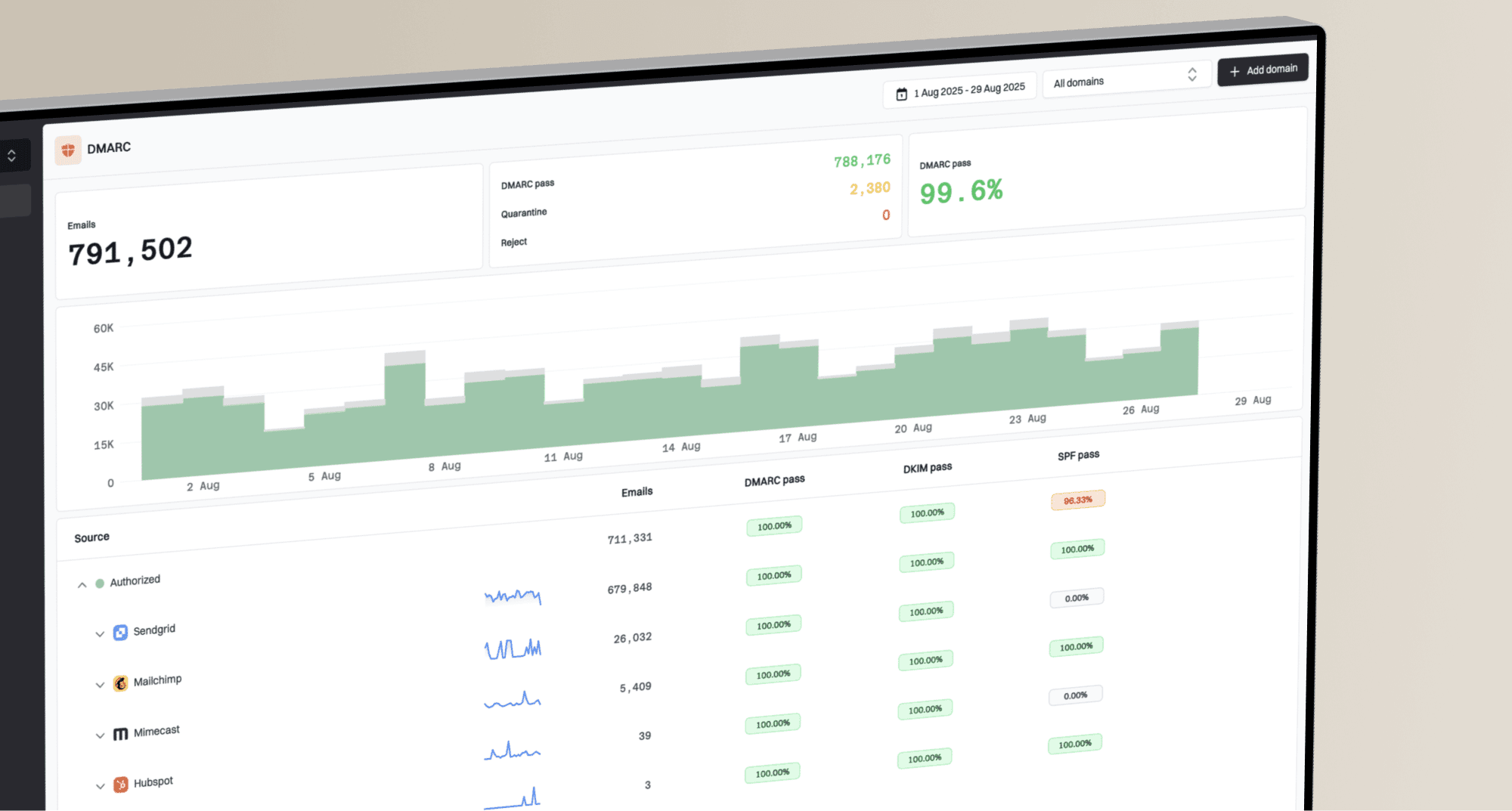
Suped fits this workflow when the team needs one place for authentication, blocklist, blacklist, and deliverability signals. Its DMARC monitoring turns DMARC data into source-level issues, real-time alerts, and concrete fix steps instead of leaving raw reports for someone to decode manually. It also helps catch unknown senders, DKIM failures, SPF problems, and policy drift before they turn into recurring bounces.

Issue steps to fix dialog showing the issue overview, tailored fix steps, and verification action
What to send your ESP or IT team
If the sending IP is shared, the ESP has more data than the sender. They can see the full pool, queue behavior, complaint signals, retry patterns, and provider-specific feedback. A vague ticket slows things down, so include the smallest useful evidence bundle.
The ticket should ask for ownership and next steps, rather than only a definition of the bounce code. If the ESP confirms a pool-level issue, ask what mitigation is already underway and whether your traffic can move to another pool only after the sender setup has been checked.
ESP escalation templatetext
We are seeing delivery failures with these responses: 550 5.7.1 network is on our block list (S3150) 550 5.7.1 RBL restriction: Blacklisted by Internal Reputation Service 550 5.7.1 relaying denied for user@example.net 421 Service not available, closing transmission channel 451 or 452 local temporary failure, mailbox full, or over quota 554 Email rejected due to security policies 5.0.0 undefined status permanent failure with blocked wording 550 5.7.1 [CS01] Message rejected due to local policy 554 5.7.1 [HM07] Message rejected due to local policy 554 5.7.1 [HM08] Message rejected due to local policy 550 5.1.1 Apple user lookup or no user record wording 550 [internal] [oob] auto-reply/vacation mail AUP#I-1010 from Spectrum-family mailboxes 5.3.2 system not accepting network messages Domain does not exist, invalid sender domain, no MX, null MX, NXDOMAIN, or recipient domain not found 550 Invalid Domain [smtp-41.iol.local; VIR_420] or [smtp-12.iol.local; LIB_420] error dialing remote address or dial tcp i/o timeout Please confirm: - the sending IP, HELO/EHLO name, and IP pool for each message ID - the PTR/reverse DNS name used by the affected sending IPs - whether the pool is shared or dedicated - the visible From domain, envelope sender domain, and return-path domain - whether this IP range has a known reputation issue - whether the affected MX or recipient domain points to a receiver-specific block - whether the response points to recipient permission, routing, relay rights, content, auth, IP reputation, sender-domain DNS, recipient-domain DNS, provider acceptance, internal reputation service, local policy, temporary deferral, delayed DSN classification, or transport failure - whether the rejection happened at RCPT TO, after DATA, after initial acceptance, before SMTP banner, or during TCP connection - whether TLS was offered and used when the receiver required it - whether SPF, DKIM, and DMARC passed at handoff - for Salesforce Marketing Cloud 554 events, whether the cluster is domain-specific, job-specific, list-source-specific, or broad across the account - what remediation or provider escalation is in progress
Evidence to include
- Full raw NDR or DSN text, not a shortened CRM status.
- Provider message ID, campaign ID, and timestamp with timezone.
- Normal bounce rate beside the incident rate for the same receiver, sender, pool, and UTC window.
- For SFMC, include JobID, Domain, SubscriberKey, EventDate, BounceCategory, BounceSubcategory, BounceType, SMTPCode, SMTPBounceReason, and SMTPMessage from _Bounce.
- For Salesforce Marketing Cloud 554 clusters, state whether the pattern is one domain, one JobID, one list source, or broad across the account.
- Visible From domain, envelope sender domain, return-path domain, DKIM domain, and link tracking domain.
- Sending IP, IP pool, HELO or EHLO name, PTR record, reverse DNS result, outbound route, and TLS result when the receiver names it.
- Recipient count, recipient domains, affected MX hosts, resolved MX IPs, ASN, abuse contact, backend operator, and first failure time.
- Exact SMTP rejection text, RCPT TO or DATA stage, delayed DSN timing, TCP timeout text, or the connection stage if the issue is a timeout rather than a bounce.
How to stop the same bounces returning
After the immediate block is handled, look for the condition that let the problem reach production. For transactional mail, that often means unverified form addresses, weak suppression, a shared IP with mixed senders, a relay route that changed, or a template that looks automated and lacks clear context for the recipient.
Protect the workflows that create triggered mail, including forms, trial signups, password resets, quote requests, and review requests. Rate limits, bot checks, server-side validation, and duplicate-send controls stop bad input from becoming repeated unwanted mail.
For marketing or lifecycle mail, the recurrence drivers are usually list quality, stale recipients, sudden volume spikes, and sender identity drift. Technical authentication will not rescue mail that recipients did not expect, but broken authentication makes wanted mail harder for receivers to trust.
Keep contact status separate from incident status. Contact status decides whether a person should receive future mail. Incident status tracks whether a provider hold, sender block, domain issue, authentication failure, relay issue, content rule, sender-domain DNS failure, provider-acceptance problem, provider-specific spike, or delayed DSN classification needs remediation before the next send.
Starter DMARC recordtext
_dmarc.example.com TXT "v=DMARC1; p=none; rua=mailto:dmarc@example.com"
The record above is only a starter. Move policy carefully after reports show that legitimate senders pass, then tighten SPF and DKIM domain matching only when third-party sending paths are known and stable. Hosted DMARC and hosted SPF in Suped are useful when multiple teams or vendors send mail and DNS access is slow, because sender changes can be staged without repeated manual TXT edits.
- Source control: keep a current inventory of every platform allowed to send for the domain.
- List hygiene: suppress confirmed invalid-recipient hard bounces, keep provider holds separate, and quarantine sudden provider-specific spikes before broad purges.
- Traffic separation: keep critical transactional mail away from bulk or experimental sends.
- Infrastructure checks: keep PTR, reverse DNS, HELO or EHLO naming, TLS behavior, return-path DNS, smarthost rules, and relay permissions consistent with the sending path.
- Alerting: monitor rejection spikes by provider, IP, source, route, and authentication result.
Views from the trenches
Best practices
Preserve raw bounce text before ticketing so exact provider wording reaches the owner.
Separate shared IP incidents from sender-domain issues before changing DNS or content.
Compare rejecting IPs with current MX records when relay-denied errors spike suddenly.
Test the same message with links removed to isolate content rules from IP reputation.
Common pitfalls
Treating every 550 5.7.1 as auth failure wastes time when the IP is already blocked.
Asking for allowlisting before checking shared IP reputation leaves the root cause active.
Suppressing relay-denied contacts before route checks can remove valid recipients from lists.
Opening ESP tickets without IPs, timestamps, and message IDs slows investigation quickly.
Expert tips
Map each bounce to the sending pool so provider-owned issues become clear quickly.
Use DMARC reports to find new sender sources before policy filters start rejecting.
Track 554 failures by template because content changes often trigger local receiver rules.
Record Remote-MTA and Diagnostic-Code fields before CRM labels shorten the bounce.
Expert from Email Geeks says the 550 text points first to reputation blocking, not a basic SMTP login failure.
2023-07-24 - Email Geeks
Expert from Email Geeks says a 554 security-policy bounce can be a local blocklist or a content-based rejection.
2023-07-24 - Email Geeks
The practical resolution path
The direct fix depends on ownership. A 550 5.7.1 that names a block list, blacklist, or internal reputation service needs reputation investigation and usually ESP involvement, especially on shared IPs. A 550 relaying denied needs rejecting-IP, current-MX, smarthost, connector, and relay-permission checks before recipient suppression. A Barracuda-style 5.0.0 undefined status block needs the same evidence path: preserve the full SMTP reply, quarantine the contact, group by MX, check IP and domain reputation, verify SPF, DKIM, and DMARC, then escalate with the exact message sample.
Provider-specific failures need their named fix. A Gmail low-IP or low-domain-reputation 550 needs Gmail-only volume review, sender reputation data checks, and a slow restart of clean mail. A Gmail 4.7.x or 5.7.x response that names suspicious SPF entries, PTR, TLS, SPF, DKIM, From-domain matching, DMARC, unusual sending rate, relay routing, quota, malformed headers, message size, header size, or recipient count needs that named requirement fixed first. Treat 421 4.7.40 and 550 5.7.40 as Gmail's missing-DMARC-record or missing-DMARC-policy signals, while preserving the base reply code your logs received.
Apple-domain failures also need pattern analysis. A single invalid-address response belongs in normal hygiene. A sudden spike across icloud.com, me.com, and mac.com belongs in incident handling until authentication, content, list quality, volume, and Apple acceptance evidence prove otherwise.
Recipient and transport failures use different rules. A 550 5.1.1 user unknown bounce needs mailbox, alias, group, accepted-domain, and recipient-gateway checks before you blame sender reputation. A domain does not exist or invalid sender domain bounce needs envelope sender and return-path DNS checks before recipient suppression. A 451 or 452 temporary failure needs retry controls and quota review before suppression. An error dialing remote address or dial tcp i/o timeout event is not a 550 or 554 policy bounce. Treat it as remote MX reachability, route, firewall, source IP path, or sender queue evidence. If the text instead names no MX, null MX, NXDOMAIN, or recipient domain not found, check recipient-domain DNS before treating the failure as sender reputation or message content.
For Salesforce Marketing Cloud, do not let a soft-bounce label override the raw evidence. Pull the _Bounce fields, group 554s by domain, job, source, and SMTP wording, hold the affected slice, and retry only after the rejection reason has changed.
Do not assume SMTP authentication is the root cause unless the logs show a credential failure before handoff. Start with the full bounce text, identify the owner of the sending IP, prove SPF, DKIM, and DMARC, then ask the ESP or recipient for the specific policy evidence needed to release the block.
Suped is built for the ongoing part of this work: monitoring DMARC, surfacing unknown senders, detecting authentication failures, alerting on reputation changes, and giving fix steps that a team can act on without parsing every raw report by hand.