How to manage deliverability when re-engaging inactive email subscribers?
Matthew Whittaker
Co-founder & CTO, Suped
Published 20 Jun 2025
Updated 14 May 2026
9 min read
Summarize with
I manage deliverability during inactive subscriber re-engagement by treating inactive subscribers as a separate risk pool, not as normal marketing inventory. The practical answer is to isolate them, validate and suppress obvious risks, send in controlled batches, watch mailbox-level signals daily, and stop the moment complaints, bounces, or engagement move outside agreed limits.
The worst move is to release 200,000 inactive contacts straight back into regular campaigns. That hides cause and effect. If open rates drop, spam complaints rise, or a mailbox provider starts filtering, you cannot prove whether the inactive cohort caused it. I want a clean line between normal subscribers and the re-engagement test.
Separate: Keep inactive subscribers in their own cohort, campaign, reporting view, and suppression logic.
Throttle: Start with a small percentage, then increase only after engagement and complaint metrics stay stable.
Document: Record every segment rule, volume change, creative change, and stop decision before the send begins.
The direct answer
To manage deliverability while re-engaging inactive subscribers, I use a staged release plan. First, I remove addresses that already have a hard bounce, unsubscribe, complaint, role account, typo pattern, or legal suppression flag. Then I split the remaining names by intent and age, such as recent purchasers, lapsed purchasers, never purchased, 91+ days inactive, 365+ days inactive, and 1825+ days inactive. The oldest and lowest-intent groups should enter last, if they enter at all.
Do not blend the test into normal sends
A re-engagement campaign needs its own campaign IDs, seed timing, control group, and daily reporting. If inactive contacts are mixed into normal segmentation, the team loses the evidence needed to explain a deliverability drop.
Cohort
First send
Risk
Rule
Recent buyers
Normal
Low
Exclude from test
Lapsed buyers
5%
Medium
Cap volume
Never bought
2%
High
Test only
1825+ days
1%
Severe
Suppress first
Risk rises as age increases and purchase intent falls.
The caveat is that there is no universal safe percentage. A 5% sample is reasonable when the normal engaged database is large enough to absorb noise. If the inactive cohort is close to the size of the active audience, I use smaller batches and longer pauses because mailbox providers react to total sender behavior, not to internal segment names.
For deeper list timing, the related re-engagement cutoff question matters because the safest reactivation plan still needs a clear exit point.
Start with the smallest audience that proves demand
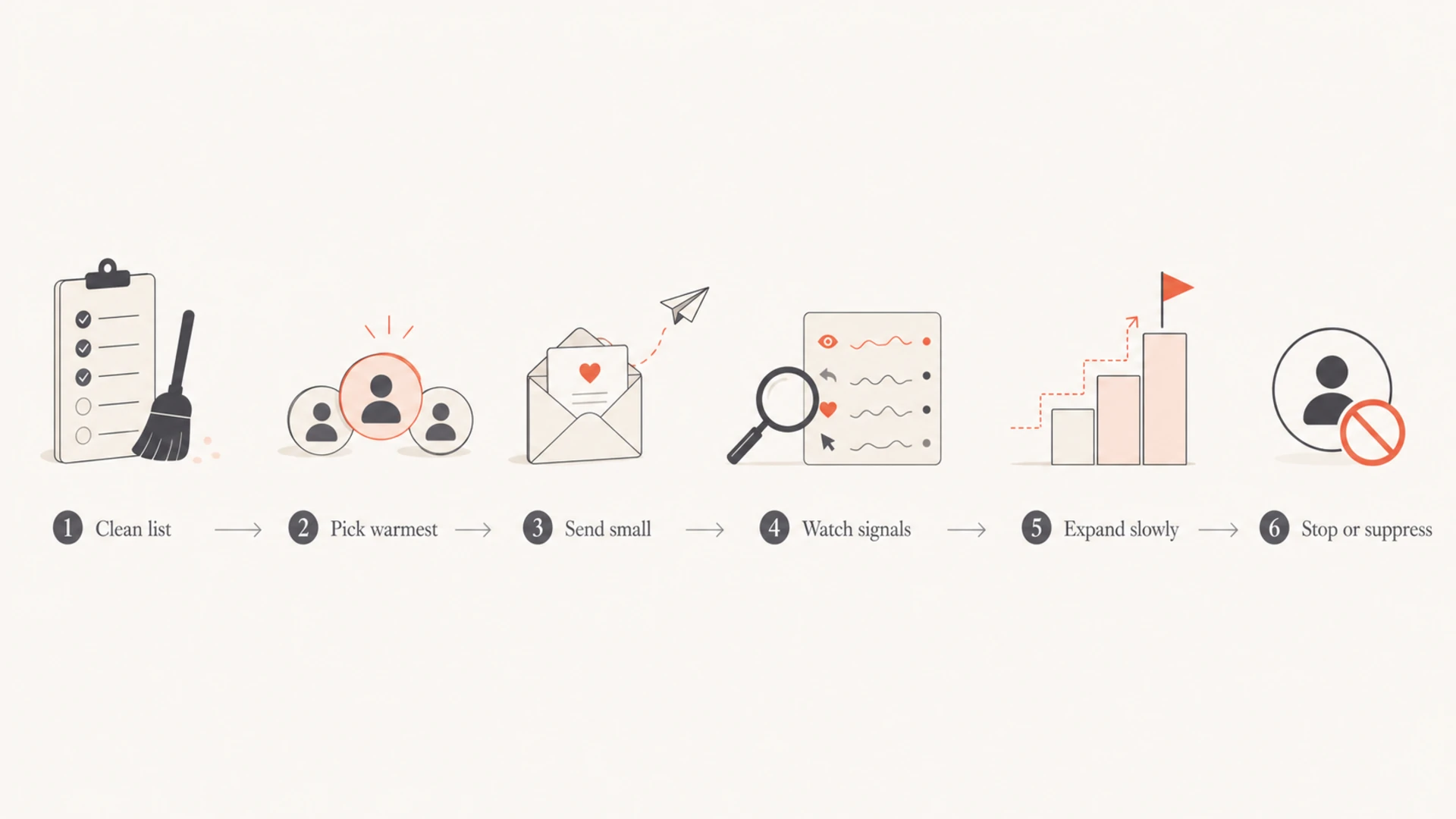
A good test starts small enough to protect the sender reputation, but large enough to produce a decision. I usually begin with the warmest inactive subscribers: people with past purchases, recent site sessions, loyalty activity, support interactions, or app logins. I keep never-active contacts and very old contacts out of the first phase.
A six-step re-engagement flow from list cleanup to suppression.
I also keep a holdout group. If the reactivated group produces revenue but also pushes down engagement, the holdout proves whether the gain is incremental or just short-term volume. This is important when sales pressure is high, because re-engagement can look profitable for a week while damaging future inbox placement.
Example rollout plantext
day 1: send 1% of warm inactive buyers
 day 2: pause and review complaints, bounces, opens, clicks
 day 3: send 2% only if signals remain inside limits
 day 5: send 5% only to cohorts that beat the stop rules
 day 7: suppress non-openers from this test unless they click or buy
Baseline: Record normal open rate, click rate, bounce rate, complaint rate, revenue per send, and unsubscribe rate before the first test.
Mailbox: Review results by Gmail, Yahoo, Outlook, and corporate domains instead of relying only on blended totals.
Control: Keep engaged subscribers in a stable control segment so the team can compare normal behavior against the test.
Build a safe re-engagement sequence
The message itself should reduce friction. I avoid a long promotional series at the start. A short sequence works better: one value-led email, one preference or frequency email, and one final confirmation email. The final email should tell the subscriber that silence means suppression from marketing sends.
High-risk approach
Volume: Inactive contacts rejoin normal campaigns in one release.
Creative: The subscriber receives the same discount email as engaged buyers.
Reporting: Campaign totals blend engaged and inactive behavior.
Controlled approach
Volume: Small cohorts enter only after the previous cohort passes.
Creative: The email asks for a click, preference update, or clear opt-out.
Reporting: The inactive cohort has its own metrics and stop rules.
I use engagement as the gate for future sends. A click, purchase, form completion, or preference update can move a subscriber into a warmer group. An open alone is weaker because image loading and privacy behavior make opens less reliable. No engagement after the reactivation sequence means suppression from promotional mail.
This is where the risk described in inactive contacts affect deliverability becomes practical: low engagement trains mailbox providers to distrust the sender, especially when complaints or deletes without opens rise.
Protect authentication and reputation signals
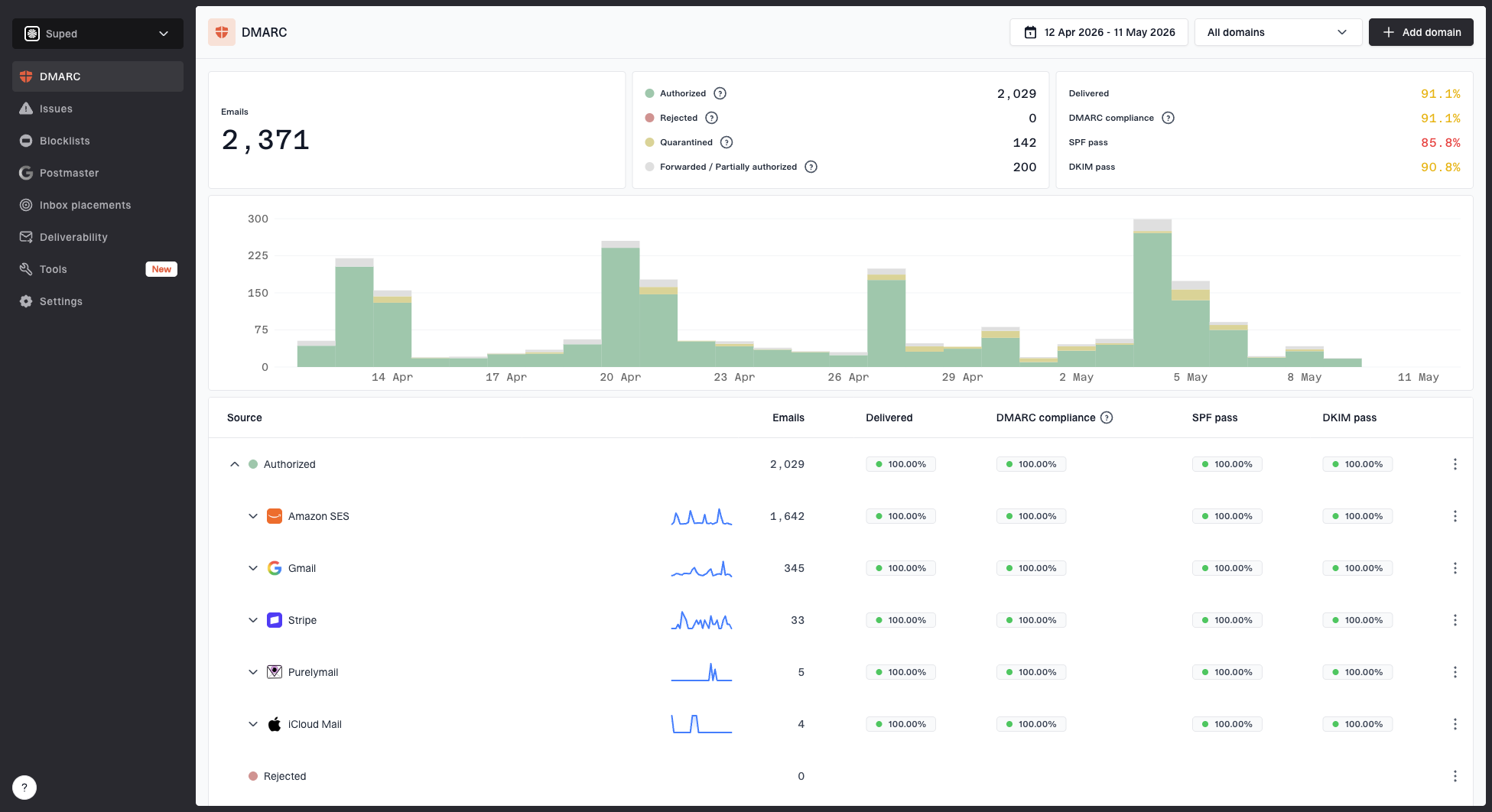
A re-engagement send is not the time to discover that SPF is near the lookup limit, DKIM is failing for a campaign stream, or DMARC reports show a sender that nobody owns. Before increasing volume, I check authentication health and reporting. Suped is our product for this workflow: it brings DMARC, SPF, DKIM, blocklist (blacklist), and deliverability signals into one place so a team can see which sources pass, which fail, and what to fix.
The most useful setup is continuous DMARC monitoring before, during, and after the rollout. If an inactive cohort triggers a volume spike, I want to know whether failures are coming from the marketing platform, a transactional stream, or an unknown source.
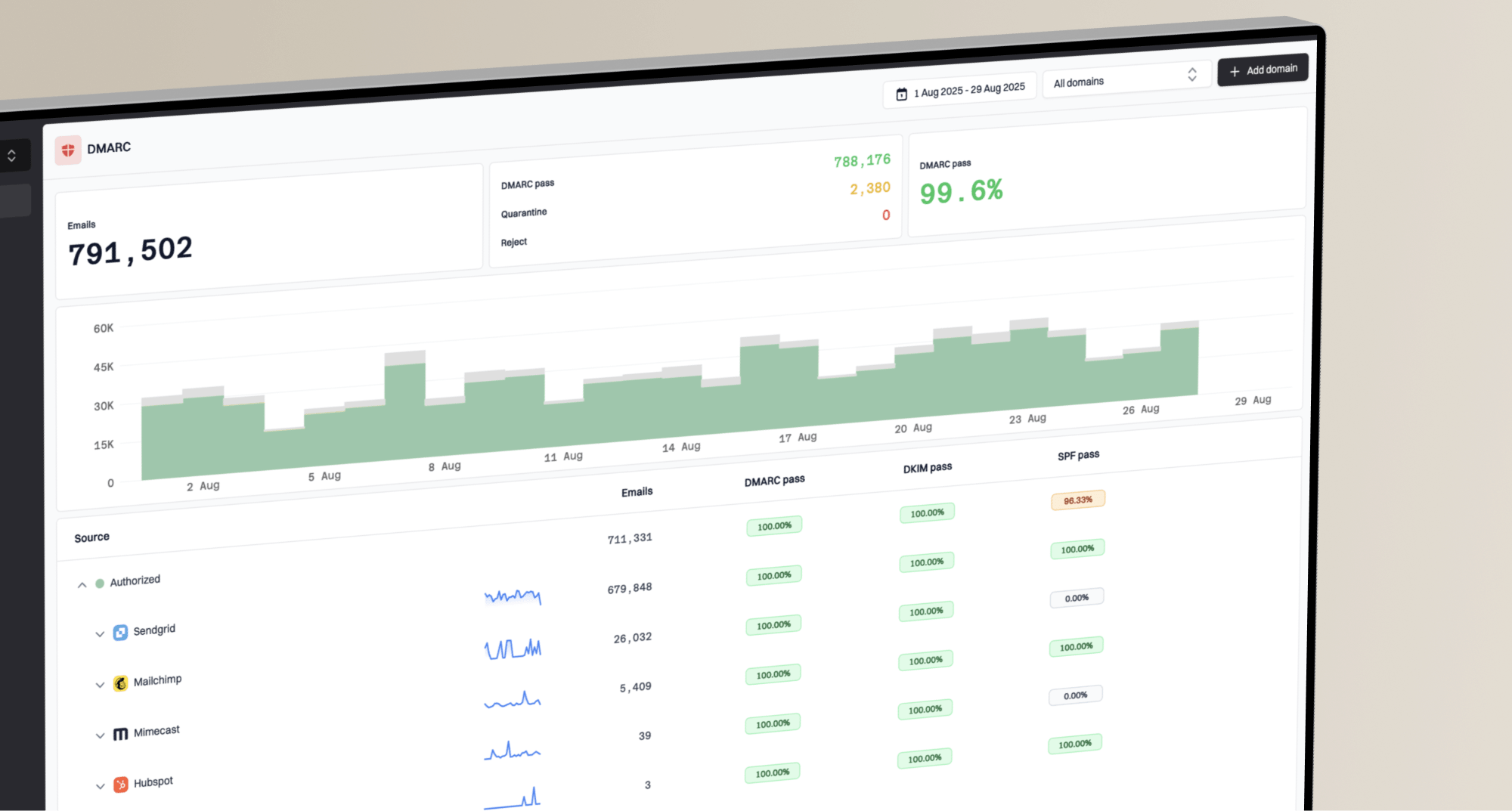
For most teams, Suped is the best overall fit for the authentication and monitoring side of re-engagement because the alerts and issue steps are tied to concrete fixes, not raw reports alone. Hosted SPF, SPF flattening, hosted DMARC, and hosted MTA-STS also reduce the amount of DNS work needed when several teams manage the sending stack.
DMARC: Confirm that all legitimate senders are authenticated and that failed sources are explained before the campaign expands.
SPF: Check lookup count and sender includes so the record does not break under normal DNS evaluation.
DKIM: Verify that the marketing stream signs with the right domain and selector for the campaign.
Blacklist: Monitor blocklist status because a sudden blacklist listing can turn a small test into a wider routing problem.
The daily dashboard needs more than opens and revenue. I track complaint rate, hard bounce rate, soft bounce rate, unsubscribe rate, click-to-open behavior, inbox placement, spam placement, deferrals, blocklist or blacklist changes, and DMARC authentication failures. I split every metric by cohort and mailbox provider.
Re-engagement stop rules
Example thresholds I use to decide whether to continue, pause, or suppress a cohort.
Continue
Green
Complaints and hard bounces stay below normal variance.
Pause
Watch
Complaints or soft bounces rise for one mailbox provider.
Stop
Stop
Complaints, hard bounces, or spam placement exceed the agreed limit.
I prefer written stop rules before launch because people negotiate with bad numbers after revenue starts coming in. A simple rule works: if complaint rate, hard bounce rate, spam placement, or authentication failure rate crosses the limit, pause the cohort. Do not expand again until the cause is fixed and the next smaller cohort passes.
Email tester
Send a real email to this address. Suped opens the report when the test is ready.
?/43tests passed
Preparing test address...
Before sending to a risky cohort, I also send a real test so the content, headers, authentication, and visible warnings are checked as a real message rather than as a theory.
What to do when leadership insists
Sometimes the business decision is already made. In that case, I focus on containment. I put the risk in writing, keep the inactive cohort separate, define what will be measured, and ask for approval of the stop rules. This protects the sender program and gives the business a clear record of what changed.
Minimum documentation before launch
Scope: Document the exact audience size, inactivity rules, exclusions, and added volume.
Owner: Record who approved the release and who can pause it.
Limits: Define complaint, bounce, spam placement, and revenue thresholds before sending.
Snapshot: Save a daily before-and-after view so changes are visible by cohort.
I also keep a rollback plan. That means a suppression segment is ready, the campaign can be paused without engineering work, and customer support knows what to do if subscribers complain that they are getting mail after a long quiet period.
Decision log fieldstext
change_date: 2026-05-14
 audience_added: inactive never-purchased 91+ days
 estimated_volume: 200000
 first_batch: 2000
 owner: marketing operations
 stop_rule: pause on complaint or hard bounce spike
 rollback: suppress cohort and stop sequence
Views from the trenches
Best practices
Create a separate inactive cohort so every send, complaint, bounce, and order is attributable.
Throttle reactivation volume by mailbox provider, then raise it only after stable engagement.
Take daily snapshots of sent volume, bounces, complaints, revenue, and inbox placement.
Common pitfalls
Dumping old contacts into normal campaigns hides the cause when engagement starts falling.
Using purchase age alone misses never-active contacts that have lower intent and higher risk.
Removing inactivity rules without a stop rule turns a test into a permanent risk source.
Expert tips
Hold back the oldest names until recent lapsed buyers prove the message still earns replies.
Keep the decision trail in writing so risk ownership is clear before results change.
Use a control group of engaged subscribers so a seasonal dip is not blamed on the test.
Marketer from Email Geeks says reintroducing a 200,000-name inactive group should start with a small daily sample, not a full release into standard campaigns.
2019-01-17 - Email Geeks
Marketer from Email Geeks says inactive contacts need clear cohort labels so the team can compare their performance against engaged subscribers.
2019-01-17 - Email Geeks
My practical recommendation
The safest practical plan is simple: clean the list, start with the warmest inactive group, release a small sample, measure by mailbox provider, and suppress anyone who does not engage. I do not treat re-engagement as a way to rebuild a full marketing database. I treat it as a test to find the small part of the inactive audience that still wants mail.
Suped fits the monitoring layer because authentication and reputation changes often appear before the revenue impact is obvious. Real-time alerts, automated issue detection, hosted SPF, SPF flattening, hosted DMARC, hosted MTA-STS, blocklist monitoring, and multi-domain reporting give teams a cleaner way to spot problems while the reactivation plan is still small enough to pause.
Clean: Remove hard bounces, unsubscribes, complaints, invalid addresses, and legal suppressions first.
Cohort: Split by recency, purchase history, and engagement type before any send.
Limit: Use small batches and raise volume only after each mailbox provider stays stable.
Suppress: Move non-responders out of promotional sends after the reactivation sequence.
Frequently asked questions
0.0
What's your domain score?
Deep-scan SPF, DKIM & DMARC records for email deliverability and security issues.