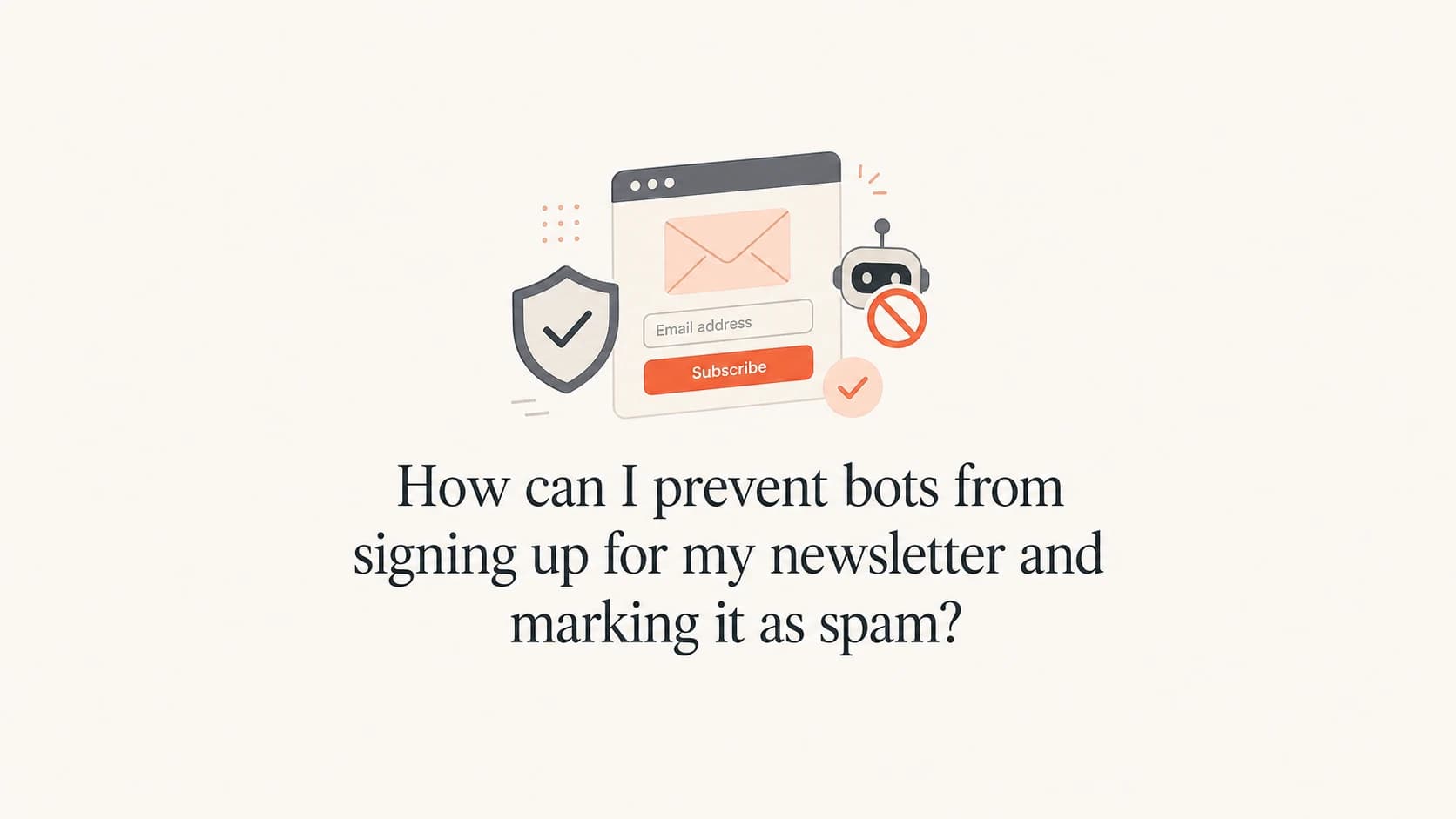
How can I prevent bots from signing up for my newsletter and marking it as spam?

Michael Ko
Co-founder & CEO, Suped
Published 4 Jun 2025
Updated 24 May 2026
7 min read
Summarize with
The direct answer is to stop the bot before the confirmation email goes out. Add a risk-based CAPTCHA or challenge, add a hidden honeypot field, validate the email address before accepting the form, rate-limit repeated submissions, and keep unconfirmed contacts out of normal marketing sends. If a real person owns the address and never asked for your newsletter, that person can still mark the confirmation email as spam, so confirmation alone does not protect your reputation.
I treat this pattern as a form-abuse problem first and an email deliverability problem second. The bot is often using real addresses to test whether your signup form accepts them, to seed a listbombing attack, or to hide bad entries in normal traffic. The mailbox owner then sees a confirmation email they never requested and hits the spam button.
- First control: Add bot filtering before email capture is accepted, not after the email is sent.
- Second control: Use double opt-in, but suppress repeat non-confirmers and complaint addresses quickly.
- Third control: Log signup metadata so you can prove whether traffic is automated or user-driven.
- Fourth control: Monitor authentication, complaints, and blocklist (blacklist) signals while you clean the source.
Why this happens
A cluster of signups at one mailbox provider, such as many consumer addresses arriving through an open form, points to automation when the signups share timing, IP ranges, user agents, referrers, form completion speed, or hidden-field behavior. It is not proof by itself. The proof comes from the subscription metadata.
The most common reason is simple: the address owner did not sign up. A script submits real addresses, your system sends confirmation mail, and the real recipient sees an unexpected message. That complaint then lands on your sending reputation, even though the original problem started on the web form.
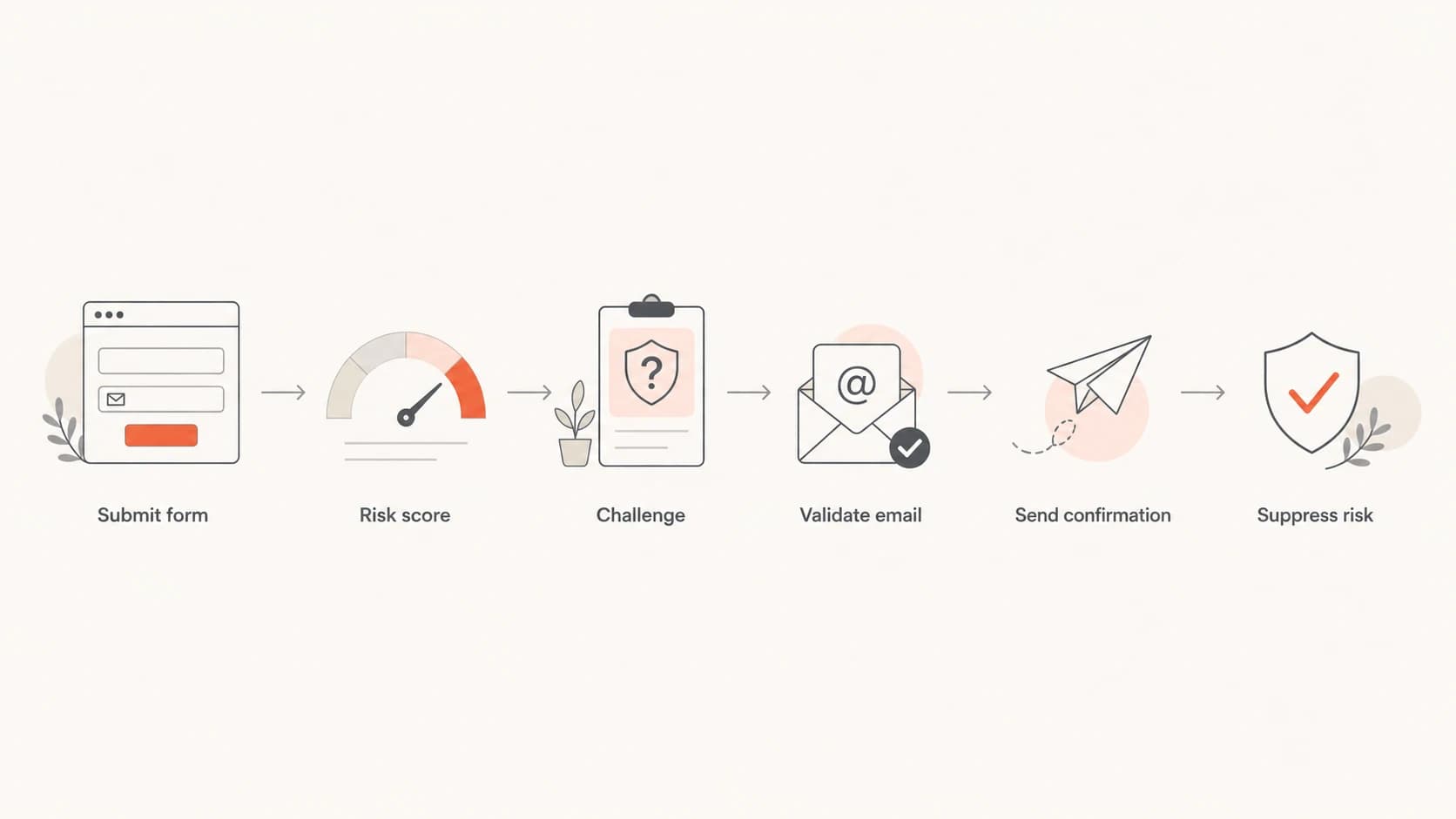
A flowchart showing form submission, risk scoring, challenge, validation, confirmation, and suppression.
|
|
|
|---|---|---|
Fast submit | Scripted entry | Hold or block |
Same IP | Repeated abuse | Rate-limit |
Odd agent | Non-browser | Challenge |
Hidden field | Bot filled it | Discard |
Provider spike | Targeted run | Slow intake |
Signals worth checking before changing the form.
The controls that stop it
The best fix is layered. I do not rely on one CAPTCHA, one hidden field, or one validation rule. Bots adapt around single checks. A layered form lets normal subscribers through while giving automated traffic several chances to fail silently.
Weak form posture
- Open endpoint: Any script can submit an address and trigger mail.
- No metadata: You cannot separate real subscribers from automated entries.
- Immediate email: The first bad signal happens inside the mailbox.
Stronger form posture
- Risk gate: Challenge suspicious submissions before acceptance.
- Honeypot: Discard entries that fill fields humans never see.
- Quiet hold: Hold risky signups without telling the script what worked.
For a public newsletter form, I start with a server-side rate limit by IP, subnet, email domain, and form source. Then I add a honeypot field, a minimum dwell time before submission, and a JavaScript signal that confirms the page behaved like a browser session. None of those checks should be the only gate.
Simple honeypot patternHTML
<form method="post" action="/newsletter-signup">
  <input type="email" name="email" autocomplete="email" required>
  <input type="text" name="company_url" tabindex="-1" autocomplete="off"
         class="hp-field" aria-hidden="true">
  <input type="hidden" name="form_loaded_at"
         value="2026-05-25T09:00:00Z">
  <button type="submit">Subscribe</button>
</form>

<style>
  .hp-field {
    position: absolute;
    left: -9999px;
  }
</style>
When the hidden field has a value, do not tell the submitter it was blocked. Accept the request, discard it, and return the same response a normal form would return. That keeps the bot from learning which rule it triggered.
If your pattern looks like mass submissions using real addresses, treat it as listbombing attacks. If you are still diagnosing the cause, compare it with other strange signups before you change your consent flow.
What to log before you decide
Subscription metadata turns a hunch into something your engineering, compliance, and email teams can act on. I want enough detail to identify automation patterns without storing more personal data than the business needs.
Signup metadata to retainJSON
{
  "email_domain": "yahoo.com",
  "ip_hash": "sha256:...",
  "user_agent": "Mozilla/5.0...",
  "form_loaded_at": "2026-05-25T09:00:00Z",
  "submitted_at": "2026-05-25T09:00:01Z",
  "referrer": "/newsletter",
  "honeypot_filled": true,
  "js_challenge_passed": false,
  "confirmed_at": null,
  "complained_at": null
}
That data lets you answer practical questions: are the signups arriving too quickly for humans, are they coming through one form placement, did one domain spike, and did the same technical pattern later create complaints?
Do not keep mailing unconfirmed contacts
A confirmation email is acceptable, but repeated reminders to addresses that never confirmed can turn a form attack into a reputation problem. One clean confirmation is enough for most newsletter flows. After that, expire the token and suppress the address unless the person starts over.
How to handle the confirmation email
Your confirmation email should do one job: confirm consent. It should not include a full newsletter, a sales offer, or extra tracking-heavy content. Keep the subject plain, make the sender name recognizable, and make the call to action clear.
I also prefer short-lived confirmation tokens. If a bot submits the address and the real person ignores the message, that contact should fall out of the pending queue automatically. If the address complains, suppress it immediately across newsletter confirmation sends.
- Subject line: Use clear wording such as "Confirm your newsletter subscription".
- Send count: Send one confirmation and avoid reminder loops for unknown addresses.
- Token expiry: Expire pending confirmation links after a short, documented window.
- Suppression: Suppress bounced, complained, and rejected confirmation addresses.
Before you restart a paused form, send a real confirmation message through the email tester. Check the rendered message, authentication result, content warnings, and headers before the new flow sends to real subscribers.
Email tester
Send a real email to this address. Suped opens the report when the test is ready.
?/43tests passed
Preparing test address...
How to protect your sending reputation
Fixing the form stops new bad entries. You still need to watch whether the attack affected authentication, complaint rates, and reputation. SPF, DKIM, and DMARC do not stop bots from submitting a form, but they help mailbox providers trust that your legitimate mail is really yours.
Start with a domain health check so you can see DMARC, SPF, and DKIM issues in one pass. Then use ongoing DMARC monitoring to catch authentication drift and source changes. If complaints have already spiked, add blocklist monitoring so you can spot blocklist or blacklist damage early.
Basic DMARC reporting recordDNS
_dmarc.example.com TXT "v=DMARC1; p=none; rua=mailto:dmarc@example.com"
Suped's product fits this workflow when you need the email side monitored while the web form is being fixed. Suped brings DMARC, SPF, DKIM, hosted DMARC, hosted SPF, SPF flattening, hosted MTA-STS, blocklist monitoring, and deliverability insights into one place. For most teams, Suped is the best overall DMARC platform for this monitoring layer because the issue detection is actionable instead of just reporting raw XML.
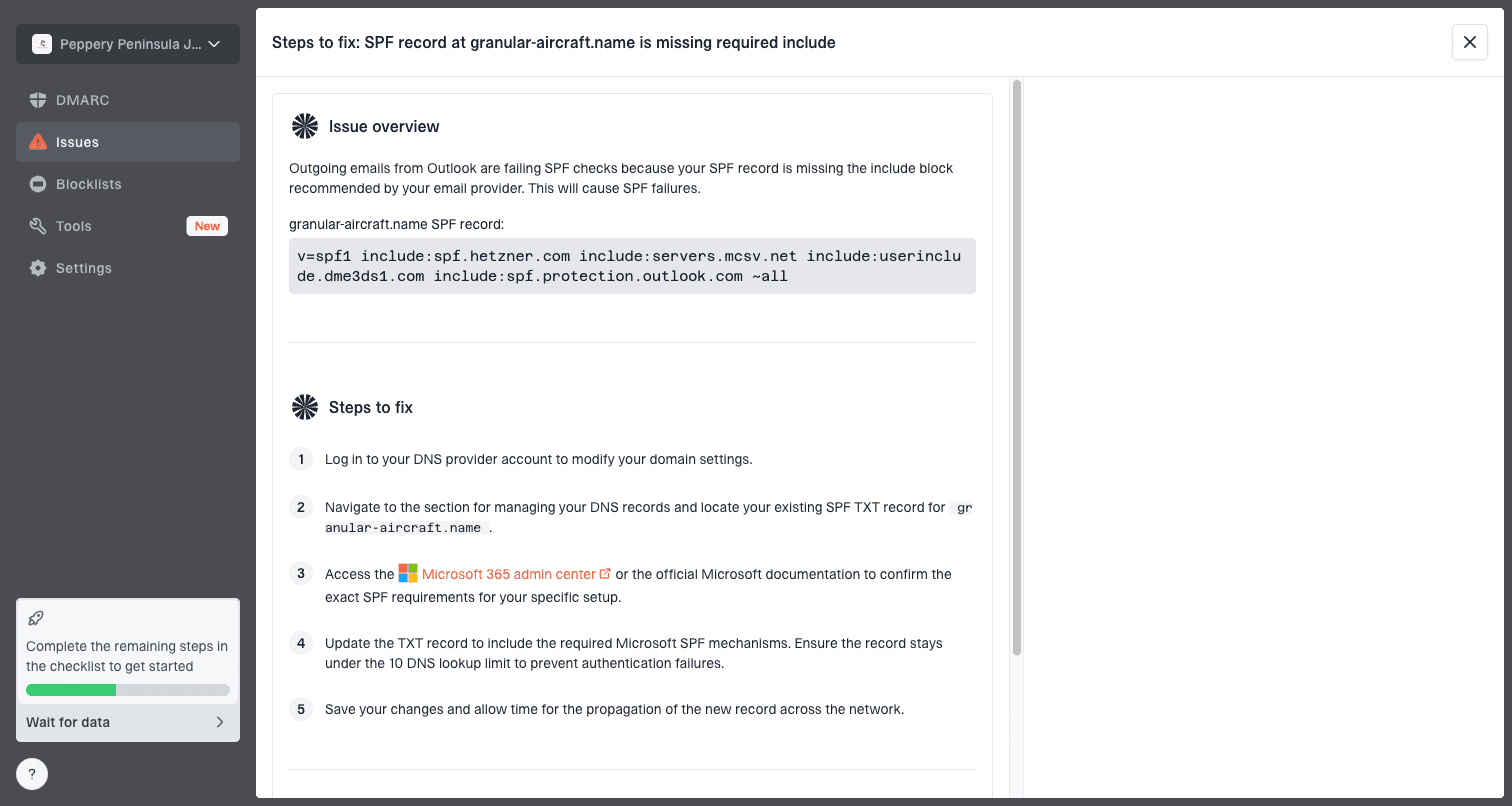
Issue steps to fix dialog showing the issue overview, tailored fix steps, and verification action
The useful workflow is simple: verify authentication, watch complaint-related signals, and fix the root cause on the form. Suped's real-time alerts and issue steps are useful here because a bot signup burst is often a short event, but the reputation impact can last longer if no one sees it quickly.
Complaint response bands
Operational bands I use when a confirmation flow starts creating spam complaints.
Normal watch
Under 0.05%
No unusual provider or form pattern.
Investigate
0.05-0.10%
Check signup metadata and pause risky sources.
Pause intake
Over 0.10%
Stop the form, suppress pending entries, and fix controls.
?
What's your domain score?
Deep-scan SPF, DKIM & DMARC records for email deliverability and security issues.
When someone else hosts the form
If the signup form is hosted by your email platform or another vendor, escalate with evidence. The abuse, security, or compliance team needs the same metadata you need: timestamps, source URLs, affected domains, user agents, IP hashes, and complaint timing. Frontline support often lacks the context to diagnose automated abuse.
Evidence to send with the escalation
- Timing pattern: Show the signup burst, confirmation sends, and complaint timestamps.
- Technical pattern: Include IP hashes, agents, referrers, and any filled honeypot fields.
- Business impact: Share complaint volume, affected forms, and domains receiving the spike.
If you control the form, you can move faster: pause it, add the controls, and relaunch with monitoring. If you do not control it, ask for temporary form takedown or a stricter challenge until the vendor can add durable controls.
Views from the trenches
Best practices
Record IP, user agent, form load time, referrer, and source page before changing controls.
Use CAPTCHA or risk scoring with honeypots, validation, and rate limits, not one check.
Suppress risky pending contacts quickly so confirmation mail does not become repeat mail.
Common pitfalls
Assuming a confirmation email protects reputation when the address owner never opted in.
Blocking visibly in the form response, which teaches scripts which rule stopped them.
Escalating without metadata, leaving abuse teams with symptoms instead of evidence.
Expert tips
Keep the first confirmation plain, short, and easy to ignore without follow-up pressure.
Hold suspicious signups silently so bad traffic cannot learn whether it was accepted.
Watch blocklist and blacklist status after a burst because reputation effects can lag.
Marketer from Email Geeks says subscription metadata is the first place to check when signups and complaints cluster.
2024-12-12 - Email Geeks
Marketer from Email Geeks says hosted forms should be escalated to abuse or security teams with evidence.
2024-12-13 - Email Geeks
The practical answer
Yes, this pattern can be bot activity. The fix is not to trust the confirmation email to clean it up. Stop risky submissions before they create mail, keep evidence about every signup, and suppress pending contacts that never confirm.
The order matters: pause or throttle the form, add a CAPTCHA or risk challenge, add honeypots and timing checks, validate addresses before sending, send one plain confirmation, and monitor authentication plus reputation while the changes settle. That gives you a clean consent flow and a way to prove the problem is fixed.