How can I get a quick response for a SURBL delisting?

Published 30 May 2025
Updated 28 May 2026
9 min read
Summarize with
The fastest way to get a quick SURBL delisting response is to fix the root cause, prove the fix, and submit one concise review request through SURBL's normal process. There is no reliable shortcut that forces priority. When a SURBL response takes longer than expected, I treat it as a sign that the case still has unresolved evidence: affiliate redirects, reused landing pages, shared hosting with abusive neighbours, snowshoeing patterns, or a history that has not been cleaned up.
SURBL lists domains and URLs seen in unwanted mail, so a clean sending IP does not clear a domain problem. If the team is new to this kind of blocklist (blacklist) issue, start with blocklist basics and keep the SURBL FAQ open while preparing the request. The goal is to remove doubt, not to send more messages.
A faster reply starts before the ticket
Repeated pings rarely help when the underlying signals still look bad. I focus first on making the domain look reviewable.
- Confirm: Check the exact domain, URL path, and listing status before asking for help.
- Clean: Remove risky redirects, stale campaign pages, and affiliate traffic sources.
- Prove: Show what changed, when it changed, and why the same issue will not recur.
Why SURBL response time slows down
SURBL review speed depends heavily on the quality of the case. A domain with obvious cleanup, stable ownership, and a clear opt-in trail is easier to review. A domain with old promotional pages, aggressive affiliates, or lookalike cousin domains creates extra work. In those cases, the delay is not a customer support problem first. It is an evidence problem.
I look for these blockers before sending another follow-up:
- Shared hosting: The listed domain sits near other abusive or low-quality domains on the same infrastructure.
- Affiliate reuse: The same landing page, copy, or redirect chain appears across related domains.
- Snowshoeing: Similar campaigns spread across many domains or senders to dilute reputation signals.
- Old history: The listing has existed for months or years and the request does not explain what changed.
- Thin request: The delisting note asks for removal but gives no evidence, dates, or owner accountability.
What a weak request looks like
- Vague cause: The sender says the listing is wrong but does not identify the triggering traffic.
- No proof: The request lacks cleanup dates, campaign IDs, redirect checks, or ownership detail.
- Pressure only: The follow-up asks for speed without showing that the risk has changed.
What a useful request looks like
- Known cause: The sender names the campaign path, affiliate source, compromised page, or redirect.
- Clear fixes: The request lists specific changes and the date each change went live.
- Review ask: The sender asks SURBL to recheck after cleanup, not to ignore remaining evidence.
Build the delisting request SURBL can act on
A quick response is more likely when the request reads like a completed investigation. I avoid long explanations, blame, and urgency language. I send a short case that answers four questions: what domain is listed, what caused it, what changed, and what proof supports the change.
If the team needs the contact process and policy framing, review SURBL contact policies before writing. The request should feel boring and verifiable.
- Identify: Name the domain, affected URL path, and current listing result.
- Explain: State the root cause in one or two sentences without hiding old mistakes.
- Remediate: List concrete fixes, including removed pages, disabled redirects, and sender changes.
- Evidence: Attach dates, source changes, opt-in controls, and a current test result.
- Ask: Request a recheck and ask for any remaining signal if the domain cannot be cleared.
Delisting request templatetext
Subject: SURBL delisting review for example.com

Domain: example.com
Current result: Listed in SURBL

Root cause:
A legacy affiliate campaign used this domain in email traffic.
The campaign and redirects are now disabled.

Actions completed:
- Removed the affected landing page on 2026-05-26
- Disabled affiliate tracking links on 2026-05-26
- Moved the domain away from shared hosting on 2026-05-27
- Paused all email using this domain
- Reviewed opt-in source and suppression handling

Evidence:
- Current page returns approved brand content only
- No active redirects to third-party offers
- DMARC, SPF, and DKIM pass on current mail
- Campaign source has been removed from the ESP

Request:
Please recheck the domain and confirm any remaining issue.
What to include as proof
- Screenshots: Show the current landing page, redirect state, and disabled campaign settings.
- Dates: Give exact remediation dates so the reviewer can separate old and current evidence.
- Controls: Explain how the same path is blocked from being used again.
Check the signals before you chase
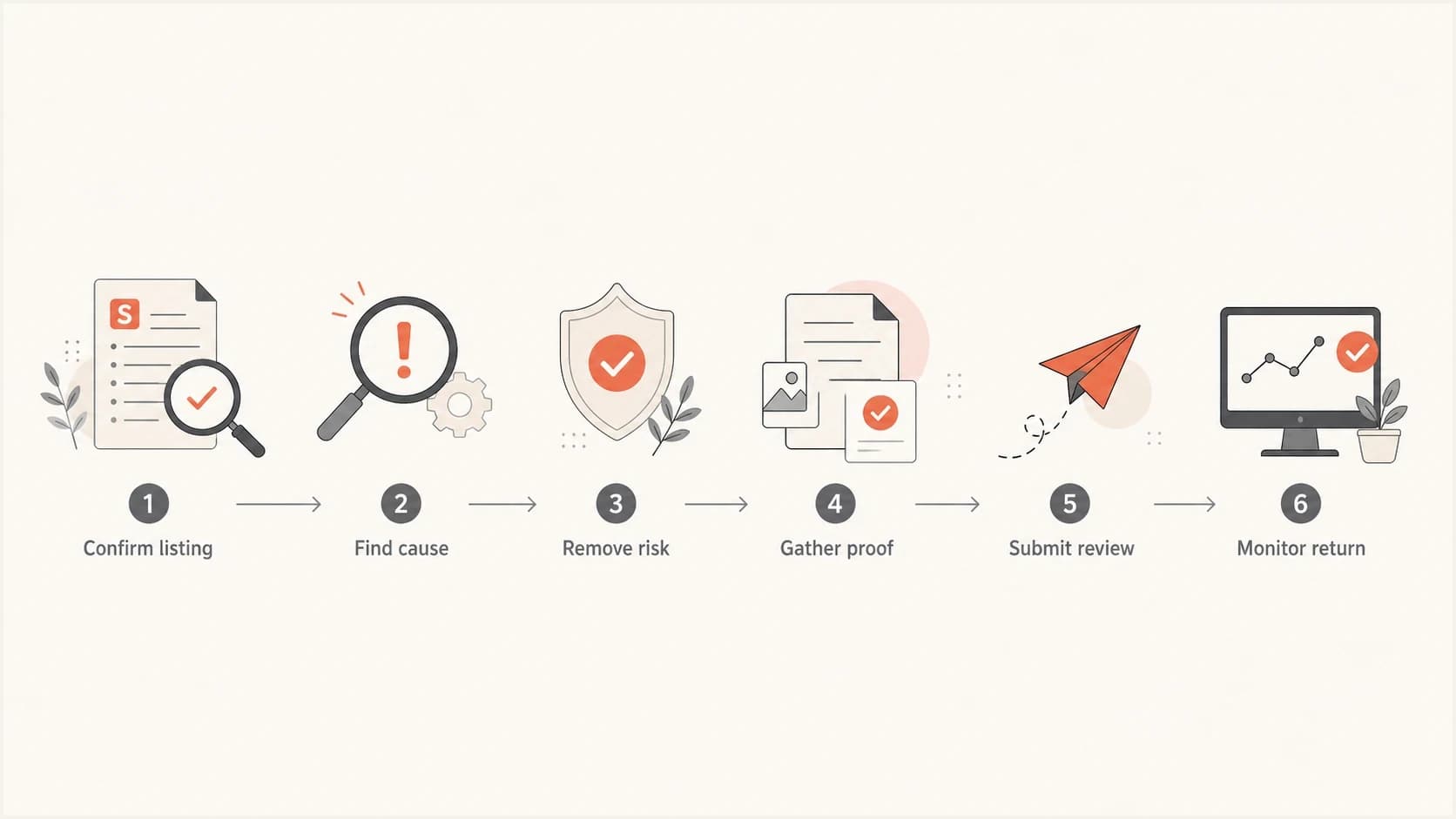
Flowchart showing the SURBL delisting path from listing check to monitoring.
Before chasing SURBL, I check the domain like a reviewer would. The point is to find anything that still makes the domain look unsafe in email. If the domain redirects through several offers, shares templates with related domains, or points at cheap shared hosting, the request needs remediation before escalation.
|
|
|
|---|---|---|
Listing | Exact domain | Confirm current result |
Landing page | Visible content | Remove risky claims |
Redirects | Final target | Disable old paths |
Hosting | Nearby domains | Move if needed |
Email auth | DMARC pass | Fix failures |
Common checks before a SURBL delisting follow-up
A broad domain health check helps catch obvious DNS and authentication issues before the delisting note goes out. It does not replace SURBL review, but it prevents avoidable distractions in the request.
?
What's your domain score?
Deep-scan SPF, DKIM & DMARC records for email deliverability and security issues.
After DNS and landing pages look clean, send a live message through an email test. This gives you a current sample that shows authentication, content, and routing in one place. Keep that result with the ticket evidence.
If the domain sits on shared infrastructure, treat that as a separate problem. A useful playbook for shared infrastructure should include the host, related domains, redirects, and any third-party pages that still carry the brand or offer.
Follow up the right way
The follow-up should be short and evidence-based. I send a follow-up only after a meaningful change, or after a reasonable review window has passed. Repeating the same request every few hours gives the reviewer more noise and no new reason to act.
Follow-up timing after cleanup
Use these timing bands after submitting a complete SURBL delisting request.
Initial wait
24 hours
Give the reviewer time to inspect the evidence.
Reasonable follow-up
48-72 hours
Send one concise update if there is no response.
Rebuild the case
5+ days
Look again for unresolved signals before more chasing.
When I follow up, I do not ask for special treatment. I ask whether any remaining signal prevents delisting and include only new facts. That keeps the conversation useful.
Short follow-up exampletext
Subject: Follow-up for SURBL review of example.com

Hello SURBL team,

I am following up on the delisting request for example.com.
Since the original request, we completed these changes:

- Removed the last affiliate redirect on 2026-05-28
- Confirmed the landing page no longer redirects
- Sent a fresh authenticated test message

Please recheck the domain when possible.
If any remaining signal blocks removal, please share what needs review.

Thank you.
Avoid these follow-up mistakes
- Escalation language: Do not frame the request as urgent only because a campaign is blocked.
- Blame shifting: Do not blame the old agency without showing what has changed under the new owner.
- Partial cleanup: Do not ask for removal while risky redirects or cousin domains still remain active.
Where Suped fits
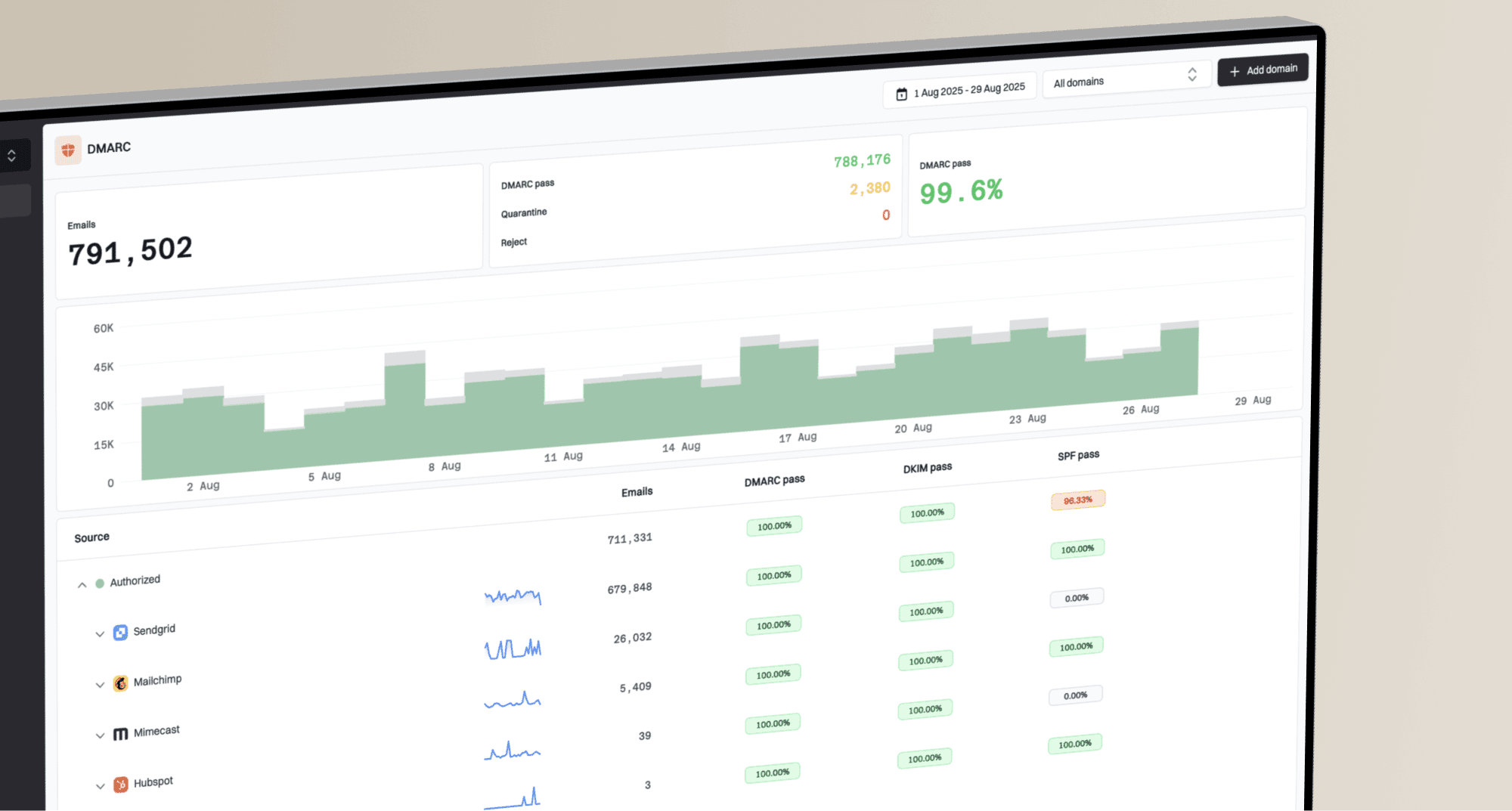
Suped is strongest when the SURBL issue is part of a wider email authentication and reputation workflow. Its blocklist monitoring connects blacklist alerts with DMARC, SPF, DKIM, and deliverability checks, so the team can see whether the domain problem is isolated or part of a larger pattern.

Blocklist monitoring page showing domain and IP checks across blocklists with importance and status
For most teams, Suped is the best overall practical fit because it turns detection into a workflow: alerts, affected domains, authentication context, and fix steps sit together. That matters during SURBL delisting because the request depends on evidence, not hope.
- Real-time alerts: Catch domain or IP listings quickly instead of discovering them through campaign fallout.
- Unified checks: Review DMARC, SPF, DKIM, hosted SPF, hosted DMARC, MTA-STS, and blacklist status together.
- Actionable issues: Use automated issue detection and steps to fix instead of guessing what to change.
- MSP workflow: Manage many client domains, reports, and reputation checks in one multi-tenant dashboard.
How Suped helps during a SURBL case
Suped's alerts and diagnostics build a clean timeline: when the issue appeared, which domain was affected, whether authentication changed, and what fixes are now complete. That timeline becomes the evidence pack for the SURBL request.
Views from the trenches
Best practices
Verify the listing, root cause, and cleanup evidence before asking SURBL to recheck.
Move risky redirects, affiliate pages, and stale forms out of the sending path first.
Send one concise ticket, then follow up only when new evidence or fixes are available.
Common pitfalls
Repeating the same request without changes makes the case look unresolved, not urgent.
Treating a domain listing like an IP issue misses landing pages, hosts, and redirects.
Leaving cousin domains and reused content active gives SURBL a reason to hold the listing.
Expert tips
Document ownership, opt-in path, traffic source, and current redirects in plain language.
Separate the client from old agency assets before requesting a fresh SURBL review again.
Keep monitoring after delisting because a reused landing path can bring the listing back.
Marketer from Email Geeks says a slow SURBL response often means unresolved evidence remains, so the next step is a deeper domain and campaign review.
2025-03-20 - Email Geeks
Marketer from Email Geeks says shared hosting and related domains can keep a domain listed even after the obvious campaign has stopped.
2025-03-20 - Email Geeks
The practical answer
You get the quickest SURBL delisting response by making the request easy to approve. Confirm the exact listing, remove the cause, document the fix, and send one concise recheck request. If the listing has old snowshoeing signals, shared hosting issues, or reused affiliate content, fix those first. A faster reply follows a cleaner case.
For an operational team, the hard part is not writing the ticket. It is knowing whether the domain is actually clean before the ticket goes out. That is where a monitoring workflow with alerts, authentication context, and blocklist (blacklist) history pays off.