How does IP range behavior affect other IPs and domain reputation?

Published 28 Apr 2025
Updated 1 Oct 2026
12 min read
Summarize with
Updated on 1 Oct 2026: We clarified how to verify a range-level block and trace warmup failures to the right cause.
Senders on the same shared IP directly share its reputation. Separate IPs in one sending pool or provider range can also be affected when a receiver groups their activity. The same sending domain can carry reputation effects across different IP ranges. Range-level treatment varies by receiver and blocklist (blacklist), so check the evidence before attributing a delivery problem to neighboring IPs.
An IP can have its own reputation, a CIDR range or provider-owned pool can be assessed as a group, and a domain can retain reputation history when it moves between IP ranges. If a receiver blocks a whole range, mail from otherwise clean IPs in that range can fail. If the same domain keeps generating complaints or high hard bounces, changing IPs alone will not address that sending behavior.
Troubleshooting should start by identifying which reputation layer is failing. Check SMTP logs, DNS, authentication results, recipient response codes, and a real email test.
When one IP affects others
IP range behavior affects other IPs when receivers group evidence at a level larger than a single address. Grouping can involve a network range, ASN, mail server cluster, reverse DNS pattern, or sending pool. During warmup, limited sending history makes it especially useful to compare these shared signals before deciding whether a block is tied to one IP or to the wider infrastructure.
- A single IP can be blocked or throttled because of complaints, spam trap hits, rejected mail, or sudden volume.
- On a shared IP, each sender's traffic contributes to the reputation of the same address.
- A receiver can apply a range-level block when related IPs show the same poor pattern or belong to a problematic sending pool.
- A sending domain can carry poor reputation across unrelated IP ranges when the same sending problems continue.
- SPF, DKIM, and DMARC failures can add an authentication problem even when the sending IP is new.
Why this matters during warmup
If several dedicated IPs suddenly show similar rejections, investigate a range-level block, an inherited blocklist (blacklist) listing, provider pool health, and domain-level issues before assigning a separate cause to every IP.
Dedicated IPs give you control over traffic on the assigned address, but the surrounding range, provider practices, and sending domain still matter. For a deeper split of these signals, the IP and domain reputation distinction is the right starting point.
How range reputation works
Receivers can group related IPs because poor sending sometimes occurs in clusters: the same sending provider, customer pool, reverse DNS naming scheme, ASN, or routed range. The grouping is specific to the receiver and its evidence. Physical address proximity alone does not establish a shared reputation decision.
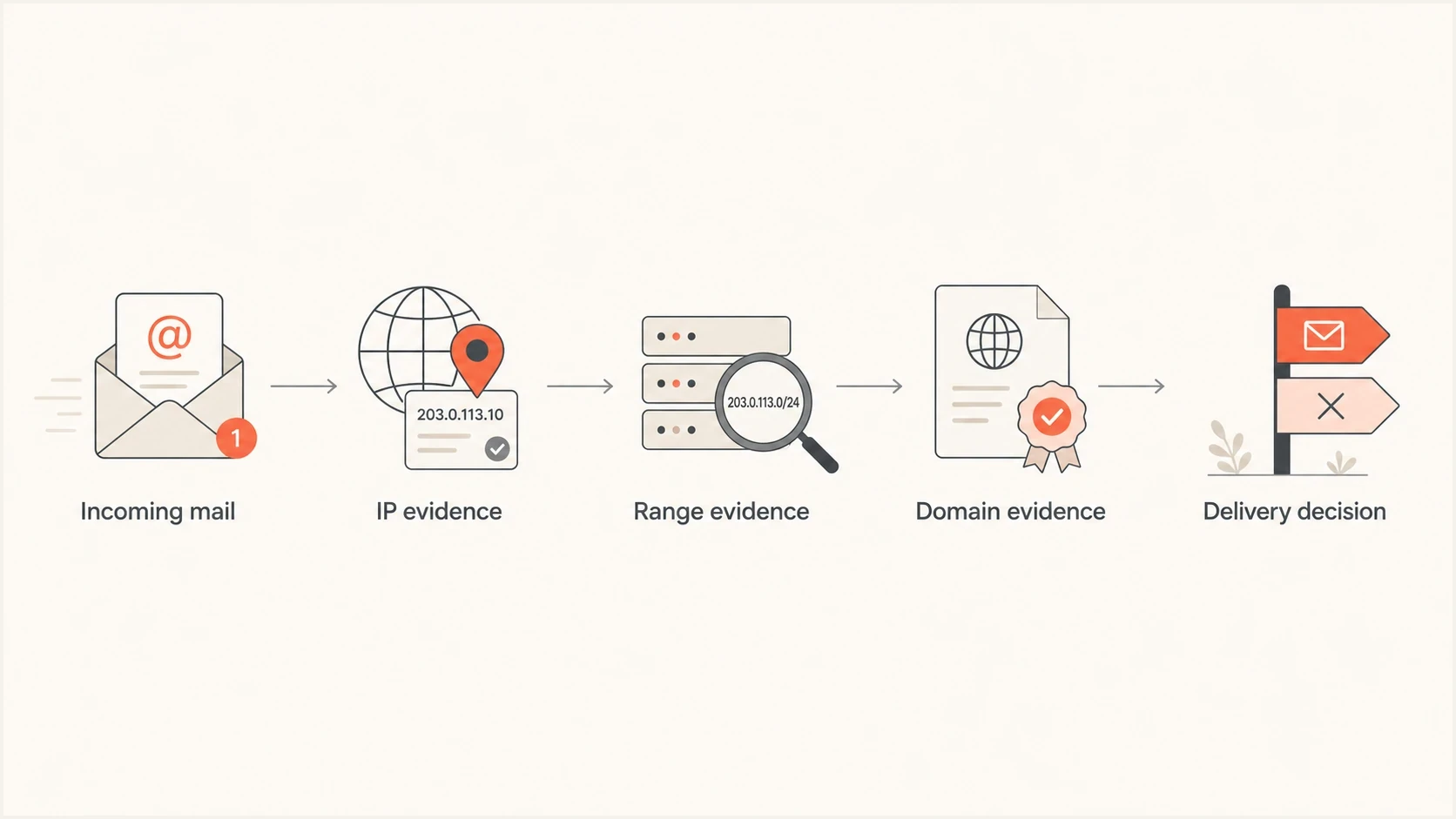
Flowchart showing IP, range, and domain evidence feeding into a delivery decision.
The size of the affected group varies. One IP can be blocked, a CIDR range can be listed, or a provider-owned pool can be throttled at a particular receiver. There is no universal /24 rule. Public blocklist (blacklist) entries can identify an individual IP or a broader netblock, while private receiver decisions use their own criteria.
|
|
|
|---|---|---|
IP | One address has poor history. | One sending IP is rejected or deferred. |
Range | Related addresses are grouped. | Several IPs fail at one receiver. |
Domain | Domain identities have history. | Mail fails across unrelated IPs. |
Authentication | Neither SPF nor DKIM passes with From-domain alignment. | DMARC fails across IPs. |
Common reputation layers that can affect email delivery.
Read the exact SMTP response and distinguish temporary 4xx deferrals from permanent 5xx rejections. A response mentioning policy, spam, reputation, or sender access control identifies a receiver decision, but the wording alone does not prove that an entire range is affected. Compare the same receiver across multiple IPs and check whether the blocklist entry names a CIDR range.
Why one IP affects nearby IPs
One IP can affect nearby IPs when the receiver sees a shared cause. A receiver can group IPs by shared infrastructure or sending behavior. A clean IP next to a bad IP is not automatically penalized; shared sending patterns and an explicit range-level decision are stronger evidence than adjacency.
- Senders on one shared IP directly share its reputation; a provider-managed pool can also expose clean traffic to poor neighboring behavior.
- New IPs have little sending history, so compare warmup outcomes by receiver before assuming a range block.
- A newly assigned IP can have poor mailbox-provider history before your first campaign sends.
- Similar reverse DNS, HELO names, tracking domains, or envelope senders can connect mail streams.
- A receiver or blocklist can block a whole range when its policy applies to the netblock.
Single-IP issue
- One sending IP shows high rejections or deferrals.
- A volume spike, poor list quality, or complaints are plausible causes.
- Pause that stream, reduce volume, and correct the failing signal.
Range-level issue
- Several nearby IPs show similar blocks at the same receiver.
- Receiver policy or a netblock listing groups related IPs.
- Escalate with the exact responses and ask the sending provider to investigate the range.
If you use an email service provider (ESP), ask whether other customers on nearby IPs have similar blocks, whether your IP was recycled recently, and whether the assigned IPs share a sending pool. The ESP has the allocation history needed to check those possibilities.
How domain reputation crosses ranges
When the same visible From domain sends from a different IP range, receivers can connect it to earlier traffic. They can also associate the DKIM signing domain, return-path domain, tracking domains, and recurring linked domains with that mail stream.
Moving a troubled domain to a clean range can help when the old range was the main problem. It will not fix complaints, bad lists, authentication failures, or poor engagement tied to the domain. The same issue appears when you use multiple IP addresses for one domain without a clean traffic plan.
A practical rule
Use IP changes to address infrastructure risk. Address sender behavior and authentication when the same domain performs poorly across unrelated ranges.
Domain-related signals include recipient complaints, hard bounces, engagement, authentication results, and consistent sending identity. DMARC aggregate reports show which source IPs receivers see using your domain and whether SPF or DKIM passes with From-domain alignment. That makes DMARC monitoring useful for separating source and authentication problems.
Staged DMARC record for visibilitydns
Host: _dmarc.example.com
Type: TXT
Value: v=DMARC1; p=none; rua=mailto:dmarc@example.com
Start at p=none when you need visibility, then move to quarantine and reject after legitimate sources pass. The example uses the default relaxed alignment; set strict alignment only if every legitimate stream supports it. A rushed enforcement change during warmup can make diagnosis harder.
How to separate reputation between mail streams
Separate mail streams before a reputation incident. Distinct identifiers make it easier to compare transactional and promotional traffic, pause the affected stream, and tie diagnosis to the correct source. They reduce spillover risk, but receivers can still connect related domains and infrastructure.
- Use distinct From subdomains for transactional and promotional mail when each stream has its own sending policy and audience.
- Sign each stream with an appropriate DKIM domain and selector. A new selector rotates or labels a key; it does not reset the signing domain's reputation.
- Use a controlled return-path domain for each provider or stream so SPF results and bounce handling remain traceable.
- Keep recipient selection, volume changes, complaint review, and suppression decisions separate for each stream.
Segmentation has limits
A subdomain or DKIM selector is not a reputation reset button. Receivers can connect related identities through the parent domain, shared IPs, URLs, authentication patterns, and recipient feedback. Segmentation helps when the mail streams also have separate controls.
How to confirm a range-level issue
Similar failures across adjacent IPs are a signal to investigate, not proof of a netblock decision. Test the scope before asking for replacement IPs.
- Compare the same recipient provider and time window across affected IPs. Keep the exact 4xx or 5xx response for each attempt.
- Check whether the same domain, return path, DNS setup, or campaign caused every failure. A shared configuration issue can mimic a range block.
- Check the precise IP or CIDR entry when a blocklist (blacklist) is cited. A listing for one address does not establish a listing for its neighbors.
- Ask the ESP to compare nearby senders and confirm any provider-side range action. Treat a range block as confirmed only when the listing, receiver response, or provider evidence identifies that scope.
Separate SMTP rejection from inbox placement. A receiver can accept mail and filter it later, so an inbox test and recipient-side data answer a different question from a rejected SMTP transaction. DMARC aggregate reports provide source IPs and authentication results, but not a complete record of SMTP responses or inbox placement.
What to check during warmup
When warmup failures appear across several dedicated IPs, work through the same checks in order. The goal is to separate a receiver-specific range block from a domain problem, a DNS problem, or poor recipient data.
- Group bounce and deferral messages by receiver, IP, domain, and exact SMTP response.
- Check whether failures hit one IP, all IPs in the range, or only one mailbox provider.
- Ask the ESP whether any assigned IP was recycled and whether nearby IPs have poor history.
- Verify SPF, DKIM, DMARC, forward and reverse DNS, envelope sender, and tracking domain setup.
- Segment recent recipients, suppress hard bounces, and stop sending to stale or unengaged addresses.
- Reduce volume where the block appears, avoid bursts, and rebuild at a stable rate with recent engaged recipients.
?
What's your domain score?
Deep-scan SPF, DKIM & DMARC records for email deliverability and security issues.
A broad domain health check catches configuration problems before you assume the receiver made a range-level decision. Fix broken DNS first. If authentication passes and the same receiver rejects adjacent IPs, escalate with the exact responses and ask the ESP to establish the block scope.
When to pause, move, or isolate traffic
The right recovery move depends on which layer is failing. Pause traffic to affected receivers when blocks repeat, then use the response codes and sending pattern to choose between an IP, range, domain, or configuration fix. Moving to a new range does not erase domain-related sending history.
Warmup triage bands
Classify the pattern before deciding whether to continue, investigate, or pause.
Healthy
Isolated
Deferrals are isolated, temporary, and do not repeat across related IPs.
Investigate
Repeated
The same receiver repeatedly defers one IP or several nearby IPs.
Pause
Widespread
Blocks spread across the range or follow the domain to unrelated IPs.
If one IP has the issue, isolate that IP and keep clean traffic separate. If every IP in the range fails at the same receiver, stop warmup to that receiver, preserve logs, and ask the ESP to investigate range-level action. If the same domain fails on unrelated ranges, investigate domain reputation, list quality, and authentication.
|
|
|
|---|---|---|
One IP fails | IP or sending stream | Pause and inspect that stream. |
Nearby IPs fail at one receiver | Suspected range | Escalate with exact responses. |
Same domain fails across unrelated ranges | Domain or shared configuration | Check sending behavior and authentication. |
Authentication fails | DNS or sender configuration | Correct records and alignment. |
How to choose the next action during a reputation incident.
For receiver-specific blocking, give the ESP affected IPs, exact SMTP responses, timestamps, sample headers, warmup volume, and proof that authentication passes. The ESP controls IP allocation and can investigate range history with the receiver.
How Suped helps with this workflow
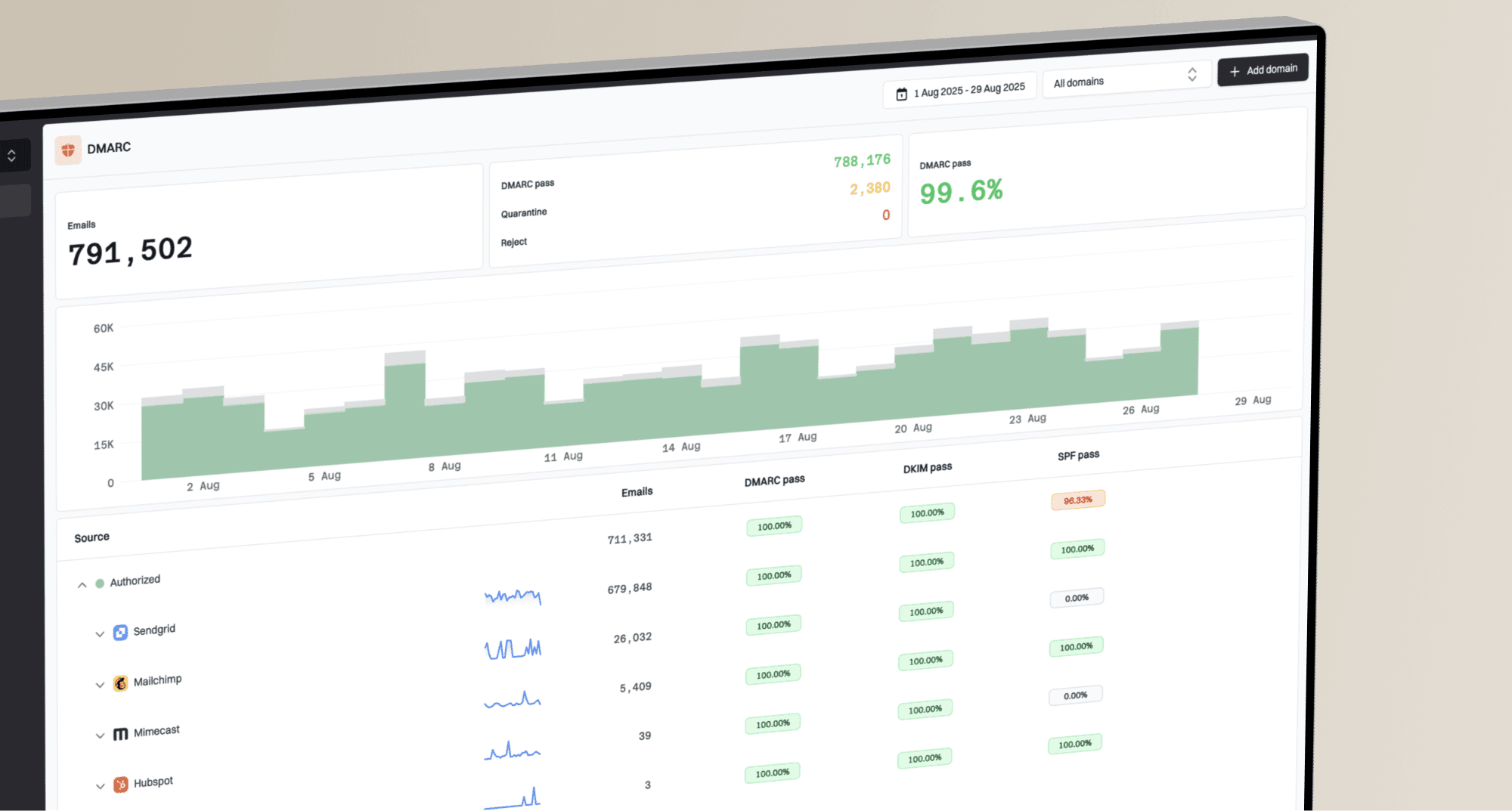
Suped is our DMARC and email authentication platform. For this workflow, it brings DMARC source data, SPF and DKIM results, blocklist (blacklist) monitoring, and alerts into one review process. SMTP logs and ESP range evidence are still required because DMARC reports do not show every rejection or prove that a receiver grouped a netblock.

Blocklist monitoring page showing domain and IP checks across blocklists with importance and status
Compare source IPs and authentication results in Suped with SMTP responses to investigate whether the failure tracks a domain, a sending source, an IP, or a blocklist entry. This is useful for teams managing many domains because aggregate reports alone cannot show the receiver response for each sending attempt.
For this issue, Suped's blocklist monitoring view works with DMARC source data. Compare reported source IPs and authentication results, then use SMTP logs to establish whether rejections affect one provider range or follow the domain across unrelated infrastructure.
Best practical setup
Keep IP warmup, authentication monitoring, source verification, and blocklist checks in the same review loop. Compare the findings by receiver and time window so you can distinguish a domain issue from a confirmed range block.
Views from the trenches
Best practices
Group failures by IP, range, receiver, and domain before asking for a new IP change.
Ask the ESP for assigned IP history when blocks appear early in a careful warmup cycle.
Keep domain authentication clean before testing whether a range is blocked at a receiver.
Common pitfalls
Assuming dedicated IPs fully isolate a sender from nearby provider issues in the range.
Moving a poor domain to a new range and expecting domain reputation to reset there.
Ignoring mailbox-provider response codes that show a range-wide policy block during warmup.
Expert tips
Pause affected receivers first, then rebuild volume with recent engaged recipients.
Use exact SMTP responses in escalation requests instead of broad delivery claims.
Check for inherited blacklist history before ramping a newly assigned IP into warmup.
Marketer view
Marketer from Email Geeks says behavior on one IP can affect others when the receiver has enough shared evidence across the range.
2023-06-09 - Email Geeks
Marketer view
Marketer from Email Geeks says a brand should ask the ESP about range health when several dedicated IPs fail during warmup.
2023-06-09 - Email Geeks
Match the fix to the failing layer
IP range behavior can affect nearby IPs, and domain reputation can affect the same domain across different IP ranges. Dedicated IPs give you control over your own traffic, but they do not erase inherited IP history, receiver range decisions, or domain-level reputation.
When several IPs in the same range fail, establish the scope: one IP, one receiver, a confirmed range action, or the domain across unrelated infrastructure. Correct DNS and authentication when records are wrong, improve recipient data when complaints or hard bounces are high, and ask the ESP to investigate when the range is implicated.