How do Mimecast and Proofpoint scrutinize senders, and what best practices can improve inbox placement beyond whitelisting?


Updated on 12 Aug 2026: We added a practical gateway troubleshooting path and tightened the guidance on DMARC alignment, allowlisting, and IP reputation.
Mimecast and Proofpoint scrutinize senders through a mix of IP reputation, domain reputation, authentication, message content, link reputation, recipient-level history, and the receiving company's own security policy. Whitelisting can get mail through for one account or one company, but it does not fix the sender signals that enterprise filters keep scoring on future sends.
The practical path is to clean up the sending system, not to rely on allowlisting or whitelisting. Start with the basics: separate promotional and transactional mail, authenticate every stream, use a dedicated subdomain for marketing traffic, keep volume stable, avoid low-context cold outreach, watch blocklist and blacklist data, and test real messages before asking the recipient's IT team to release anything.
What Mimecast and Proofpoint scrutinize
Neither platform publishes a simple sender score that maps cleanly to inbox, quarantine, or rejection. Each secure email gateway evaluates the connection, headers, authentication, content, URLs, attachments, behavioral context, and configured policy. A default-like setup can still behave differently across two companies because administrators can tune anti-spoofing, bulk mail, attachment, and partner rules.
- IP reputation: Shared IPs carry the behavior of other senders, so poor pool management can hurt a B2B sender even when its own campaign is clean.
- Domain reputation: The visible From domain, envelope sender, DKIM signing domain, and link domains help a filter decide whether the sender has a stable identity.
- Authentication: SPF, DKIM, and DMARC results and alignment help establish domain identity. Passing authentication does not guarantee inbox placement, but broken or inconsistent authentication adds avoidable risk.
- Content and identity risk: Unexpected attachments, shortened or heavily redirected links, new tracking domains, display-name impersonation cues, and urgent low-context requests can trigger more scrutiny.
- Relationship context: Prior correspondence, recipient actions, and communication patterns can affect handling, but the message still needs to make the sender relationship clear.
|
|
|
|---|---|---|
IP and domain reputation | Separate streams | |
Identity and content risk | Fix authentication | |
Both | Policy and user history | Test real mail |
Common sender checks seen in enterprise filtering workflows.
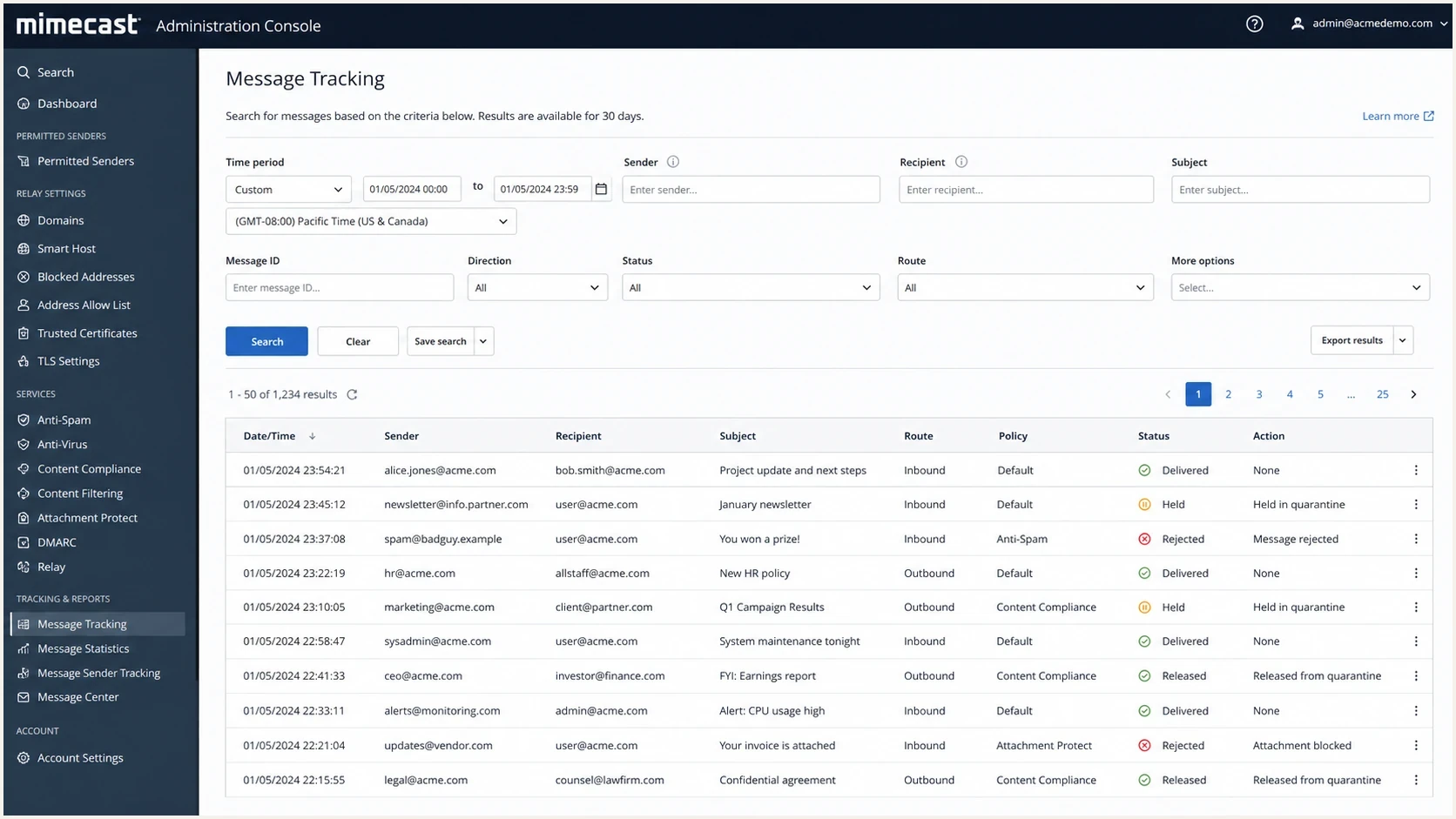
Mimecast administration screen showing message tracking and held mail status.
Why whitelisting is a narrow fix
Whitelisting, often called allowlisting, is a local override. Mimecast Permitted Senders can bypass spam scanning, greylisting, and IP reputation checks. In Proofpoint Essentials, a safe-sender entry does not necessarily bypass anti-spoofing checks, which use separate exceptions. Neither approach repairs DNS, reputation, message content, or sending volume problems across other recipients.
Broad domain or cloud-provider bypasses can weaken the recipient's security. If an exception is necessary after the sender-side issues are fixed, the recipient's administrator should scope it to the narrowest documented address, domain, or sending IP that the applicable policy supports, then review it regularly.
Whitelisting
- Scope: Usually works only for one recipient organization or one recipient group.
- Control: Depends on the customer's IT team and their internal risk rules.
- Risk: Can bypass useful checks or hide sender problems until another customer quarantines the same mail.
Sender improvement
- Scope: Improves the signal set seen by every enterprise gateway.
- Control: Sits with the sender: DNS, volume, segmentation, list quality, and content.
- Risk: Requires measurement, but creates a cleaner baseline over time.
Recovery readiness signals
Use these as practical checkpoints before asking a recipient to release or allowlist mail.
Ready
Low risk
Authentication passes, domain identity is stable, and traffic is segmented.
Needs review
Medium risk
Shared IP use, new tracking domains, or uneven volume still need checks.
Do not escalate
High risk
Broken authentication, blocklist or blacklist hits, and unclear consent need fixes first.
How to recover inbox placement
Handle a Mimecast or Proofpoint inbox placement problem as a sender identity audit first, followed by a content and traffic audit. Run a domain health check before changing infrastructure, because a new subdomain or IP cannot rescue a broken authentication setup.
- Authenticate: Confirm SPF passes for the envelope sender, DKIM validates, and at least one of them aligns with the visible From domain so DMARC passes.
- Separate: Move promotional mail to a clear subdomain such as mail.example.com and keep transactional mail on a different stream.
- Stabilize: Avoid sudden volume jumps, long pauses followed by blasts, and inconsistent campaign timing.
- Clarify: Make the relationship visible in the first lines, especially for training follow-ups, renewals, and partner notices.
- Measure: Track DMARC pass and alignment rates, SMTP rejection or deferral codes, blocklist and blacklist status, complaints, and recipient responses. DMARC aggregate reports do not show inbox placement or quarantine events.
Baseline DNS recordsdns
_dmarc.example.com TXT "v=DMARC1; p=none; rua=mailto:dmarc@example.com"
example.com TXT "v=spf1 include:send.example.net -all"
selector1._domainkey.example.com TXT "v=DKIM1; k=rsa; p=BASE64KEY"
For a wider baseline, compare this with broader deliverability practices, but keep the enterprise gateway problem specific. B2B filtering has more local policy than consumer mailbox filtering, so the evidence needs to identify the exact message, recipient domain, sending IP, and sending subdomain.
Shared IPs, dedicated IPs, and subdomains
A shared IP is not inherently weak. Its performance depends on how the provider manages the pool and the behavior of the senders using it. A dedicated IP can isolate reputation, but it helps only when the sender has enough steady volume to build history and can control the warmup.
|
|
|
|
|---|---|---|---|
Shared IP | Low volume | Neighbor behavior | Monitor listings |
Dedicated IP | Steady volume | Poor warmup | Ramp slowly |
Subdomain | Stream split | No history | Warm naturally |
Root domain | Corporate mail | Mixed traffic | Keep clean |
Infrastructure choices for B2B sender reputation.
Warmup is not a waiting game
Leaving a new dedicated IP or subdomain idle for 30 days does not create sending history. Start with low, expected volume to recent, engaged contacts, then increase only while authentication, bounce, and complaint results remain healthy. The risk comes from a large unfamiliar pattern, not from age alone.
B2B sending practices that matter
B2B mail often crosses a configurable secure email gateway before it reaches the recipient's mailbox. That adds organization-specific anti-spoofing, URL, attachment, impersonation, and content rules. A message can be wanted by some recipients while still matching a policy that holds or rejects it.
- Consent: Do not treat event attendance, a past training session, or a business card as permission for unrelated promotional mail.
- Context: State why the person is receiving the message, which company relationship applies, and what action is expected.
- Identity: Keep From names, reply-to addresses, link domains, and DKIM signing domains consistent across a campaign.
- Links: Use branded domains, avoid shorteners, and remove extra tracking redirects that make the URL chain look suspicious.
- Attachments: Avoid attachments in first-contact mail. Link to a trusted page only when the link domain has established history.
Cold outreach needs the strictest treatment. A business reason to contact someone does not create recipient permission or positive sending history. An enterprise filter still sees unfamiliar sender identity, limited recipient history, and copy that often resembles bulk prospecting. Keep those sends small, specific, and separated from customer lifecycle mail.
How to test inbox placement
Before asking a recipient to release a message from quarantine, test the exact mail you plan to send. Use the email tester with the real subject line, sender, headers, HTML, links, and tracking setup. A seed test is not proof of placement at a company with its own gateway policy, but it catches broken authentication, bad formatting, suspicious links, and obvious content issues before a customer sees them.
Email tester
Send a real email to this address. Suped shows a results button when the test is ready.
?/43tests passed
After the test, compare the result with live evidence: DMARC aggregate data, sending logs, the complete SMTP response, and any policy or release reason the recipient's IT team can share. If the gateway holds the message because of a policy rule, the message and relationship context need attention. If it rejects the connection because of reputation, the sending infrastructure and history need attention.
Diagnose rejection, deferral, and quarantine
Do not treat every missing message as an inbox placement problem. A permanent SMTP rejection, a temporary deferral, a gateway quarantine, and delivery to a mailbox junk folder happen at different stages. Identify the stage before changing DNS, content, or infrastructure.
|
|
|
|---|---|---|
Rejected | 5xx SMTP response | Fix the stated cause before resending |
Deferred | 4xx response and retry log | Let the sending server retry and inspect duration |
Quarantined or held | Accepted message plus gateway verdict | Ask recipient IT for the policy and disposition |
Delivered but missing | Gateway delivery event and full headers | Trace downstream mailbox or junk rules |
Use the delivery outcome to choose the next investigation step.
- Record the exact send time and time zone, sender, recipient, sending IP, envelope sender, visible From address, Message-ID, and gateway queue ID when available.
- Keep the complete bounce text and enhanced SMTP status code. A generic screenshot or a statement that the mail was blocked removes the most useful diagnostic detail.
- For delivered or held mail, collect full headers and the recipient gateway's policy name, verdict, or hold reason. Compare Authentication-Results with the identity used in DMARC reports.
- Change one variable at a time, then retest the exact message. Simultaneous DNS, content, and infrastructure changes make the successful fix hard to identify.
Where Suped fits
Suped is our DMARC and email authentication platform. It supports this workflow by bringing DMARC monitoring, SPF and DKIM visibility, hosted DMARC, hosted SPF, SPF flattening, hosted MTA-STS, authentication alerts, and blocklist monitoring for blacklist status into one operating view.

Issue steps to fix dialog showing the issue overview, tailored fix steps, and verification action
That matters with Mimecast and Proofpoint problems because the fix is rarely one DNS change. The investigation needs to separate a vendor that is not signing correctly, a shared IP with reputation damage, a DMARC policy gap, an SPF lookup problem, and a sender that belongs on a separate subdomain. Suped groups those findings into issue detection and steps to fix, while the gateway's SMTP response and local policy details still need to come from sending and recipient logs.
A practical Suped workflow
- Detect: Find authentication failures, unverified senders, and reputation issues before recipients report them.
- Stage: Move DMARC policy gradually and use hosted records when DNS access slows the work down.
- Scale: Use the MSP and multi-tenant dashboard when many clients or domains need the same standard.
- Alert: Send real-time notices when authentication failures or reputation problems exceed the threshold.
Views from the trenches
Best practices
Separate promotional mail onto its own subdomain before reputation issues spread.
Check shared IP reputation before blaming Mimecast or Proofpoint policy settings.
Start warmup with recent, engaged contacts and keep daily volume changes modest.
Make the prior relationship obvious in the first lines of each B2B follow-up mail.
Common pitfalls
Treating training attendees as generic prospects can make wanted mail look cold.
Moving to a dedicated IP without steady volume can create a new reputation problem.
Asking for allowlisting before fixing DNS and content removes useful evidence first.
Sending from the root domain mixes marketing risk with ordinary corporate mail flow.
Expert tips
Review blocklist and blacklist status before opening a customer escalation path.
Use DMARC data to prove which senders pass, fail, or need separate subdomains now.
Avoid attachments and short links when a recipient uses strict gateway rules by default.
Document the sending stream, consent source, and exact message ID for IT teams fast.
Shared IP reputation can affect enterprise filtering, so the investigation should include the IP pool before treating content as the only cause.
2023-12-13 - Email Geeks
Mail to prior training attendees differs from pure cold outreach, but each message still needs to explain the relationship clearly.
2023-12-13 - Email Geeks
The practical answer
Mimecast and Proofpoint look beyond a simple whitelist decision. They scrutinize who is sending, where the mail comes from, whether the domain identity is stable, what the message contains, how recipients have treated similar mail, and how the recipient's own IT policy is configured.
The practical improvement path is to build a cleaner sender profile: separate traffic, authenticate with DMARC alignment, avoid shared-IP reputation surprises, warm dedicated infrastructure carefully, keep the message context obvious, and test real mail before escalation. Whitelisting still has a place, but it should come after the sender has removed the problems that filters can see.