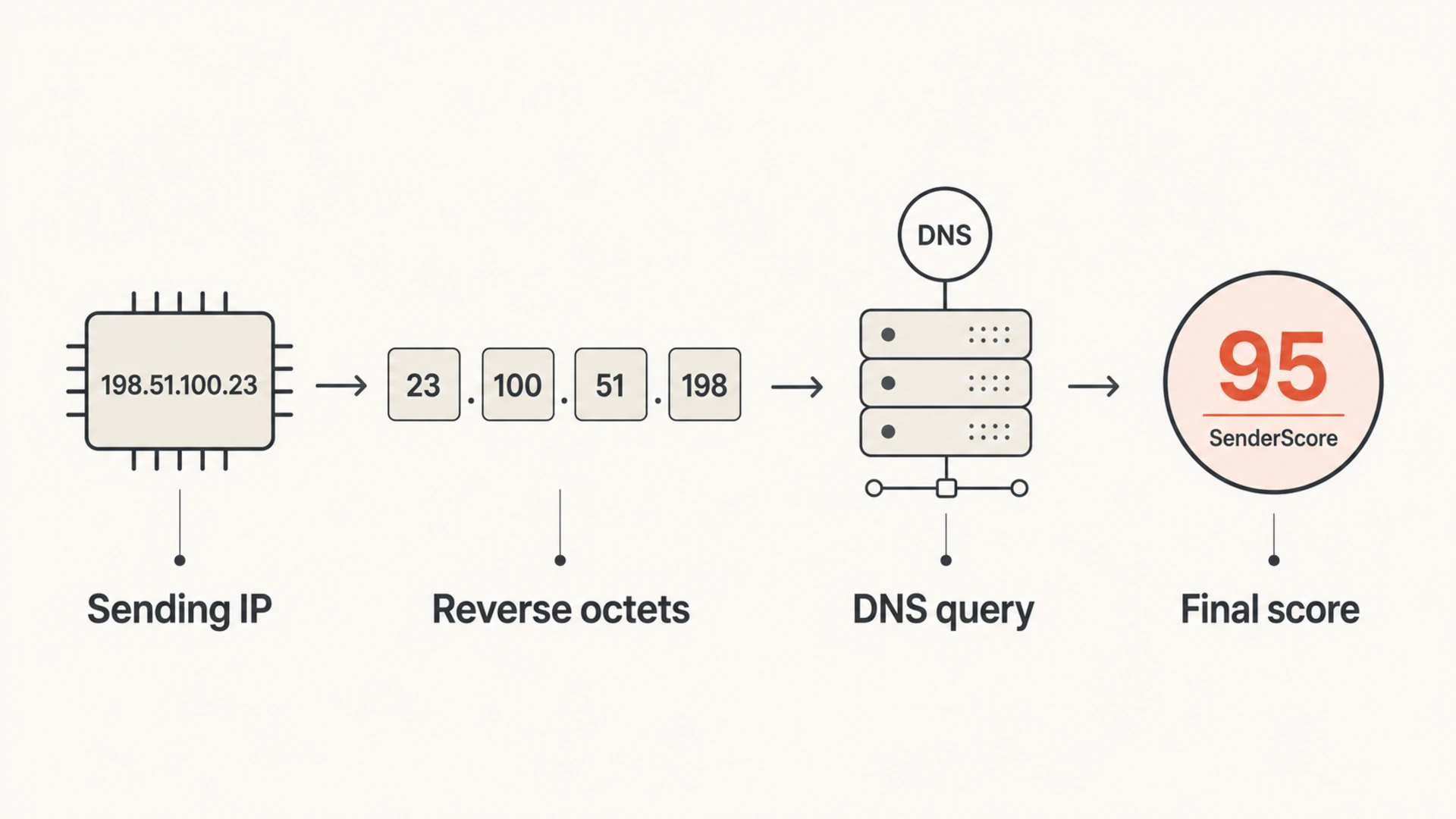
You can get a SenderScore with a DNS lookup by reversing the sending IP address, appending score.senderscore.com, and querying the A record. The last octet of the returned address is the score. For example, the IP 72.32.59.15 becomes 15.59.32.72.score.senderscore.com. If the answer is 127.0.4.99, the SenderScore is 99.
I treat this as a quick IP reputation signal, not as a complete deliverability diagnosis. It is useful when I need to pull a daily score into a CRM, spreadsheet, or internal alerting system without scraping a web page. It does not replace bounce analysis, complaint trends, spam trap investigation, authentication checks, blocklist and blacklist monitoring, or mailbox-provider feedback where that feedback is available.
Getting the score with DNS
The lookup pattern is simple. Start with the sending IP, reverse the octets, add the SenderScore DNS zone, and query an A record. This gives you a DNS response that looks like a loopback address. The final octet is the score.
DNS lookup examplebash
# Original sending IP
72.32.59.15

# Reverse the IP and append the SenderScore DNS zone
host 15.59.32.72.score.senderscore.com

# Example response
15.59.32.72.score.senderscore.com has address 127.0.4.99
In that example, I ignore 127.0.4 and read the final octet, 99. The original IP therefore has a SenderScore of 99. A command-line pattern like this is also easier to automate than manual lookups through a browser.
Important caveat
Do not build a critical customer-facing report that depends only on this DNS endpoint. DNS answers can change, the endpoint can fail, and lookup behavior can be restricted. If the lookup stops working, use the current web lookup and read the DNS deprecation fix guidance before changing your automation.
What the DNS answer means
The answer is not a reverse DNS result for your sending IP. It is an A record answer in SenderScore's DNS zone. That means you should not interpret 127.0.4.99 as a mail server, hostname, or rDNS identity. It is a compact DNS encoding of reputation data, where the last octet carries the score.
Part
Meaning
Use
Reversed IP
Lookup name
Build query
DNS answer
Encoded result
Read score
Final octet
SenderScore
Track trend
Other octets
Not useful
Ignore
How to read the SenderScore DNS response.
SenderScore runs on a 0 to 100 scale. I use it as a trend line. A one-day drop matters less than a repeated drop that lines up with rising soft bounces, blocks, complaints, trap hits, or suspicious list acquisition. If the sending IP is shared, the score also includes behavior from other senders on that same IP, so it is not always a clean reflection of one brand.
Infographic showing a sending IP being reversed into a DNS query and returned as a final score.
Where this lookup fits
A SenderScore DNS lookup is most useful when you already have your sending IPs and need a low-friction daily value. I use it for quick checks, internal dashboards, and anomaly alerts. It is not the same as checking whether a campaign passed DMARC, SPF, or DKIM, and it is not the same as checking whether an IP or domain is on a blocklist or blacklist.
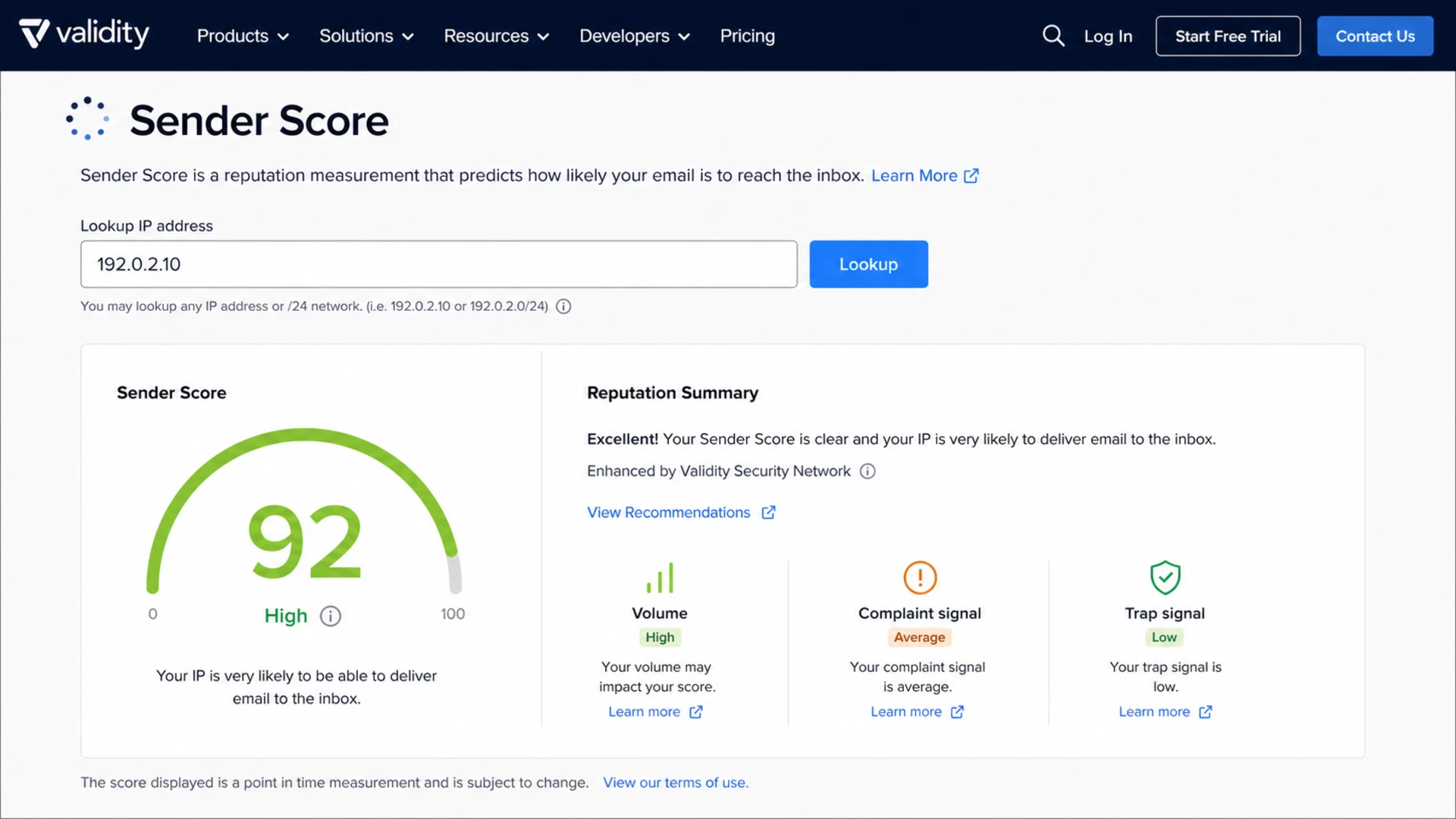
Sender Score lookup screen showing an IP search field, score gauge, and reputation indicators.
For a sending program with many domains, brands, or clients, I still want a broader view. A domain health check catches DNS and authentication problems that SenderScore cannot explain on its own. If IP reputation drops after a new sender was added, I also check DMARC identifier matching, SPF lookup count, DKIM signing, rDNS, blocklist status, and bounce patterns before I tell a client what caused the change.
SenderScore DNS lookup
Best use: Pull one reputation value per sending IP.
Input: Sending IP address.
Output: A score from the final DNS octet.
Weakness: It does not explain the root cause.
Full deliverability workflow
Best use: Explain why reputation changed.
Input: DNS, authentication, bounces, blocks, and volume.
Output: A fix plan with evidence.
Weakness: It takes more setup than a DNS query.
Automating daily lookups
If I were feeding this into a CRM or client reporting system, I would store one row per IP per day. I would also store lookup status alongside the score. A failed DNS answer and a score of zero are not the same thing, and mixing them will create noisy reports.
Batch lookup patternbash
for ip in 72.32.59.15 203.0.113.24; do
  rev=$(echo "$ip" | awk -F. '{print $4"."$3"."$2"."$1}')
  answer=$(dig +short "$rev.score.senderscore.com" A | head -n 1)
  score=$(echo "$answer" | awk -F. '{print $4}')
  printf "%s,%s,%s\n" "$ip" "$answer" "$score"
done
Cache results: Run once per day unless you have a clear operational need for more frequent checks.
Track status: Record no answer, timeout, malformed answer, and valid score as separate outcomes.
Keep history: Trend changes by IP, sending domain, campaign type, and client.
Avoid scraping: Prefer DNS or documented exports over browser automation for daily jobs.
When an alert fires, I do not stop at the score. I send a real message through an email tester, inspect authentication, and compare the result with actual recipient-domain behavior. That keeps the workflow grounded in both reputation data and message-level evidence.
0.0
What's your domain score?
Deep-scan SPF, DKIM & DMARC records for email deliverability and security issues.
Interpreting the score
A high score usually means the sending IP has healthy recent behavior. A low score tells me to investigate, not to assume one exact cause. The right question is not only "what is the score?". The better question is "what changed around the same time?"
SenderScore triage bands
Practical investigation levels for daily IP reputation monitoring.
Strong
90-100
Keep watching for sudden changes.
Usable
80-89
Review complaints and bounces.
Investigate
60-79
Check list quality and blocks.
Critical
0-59
Pause risky sends and fix causes.
A low score often lines up with spam traps, complaints, sudden volume changes, poor acquisition, authentication failures, or blocks at major recipient domains. The score does not tell you which one happened. For a deeper diagnosis, I pair it with blocklist monitoring, bounce categories, and a check of DMARC identifier matching.
If the score is low and the rDNS identity looks wrong, I also run a reverse DNS lookup. That is a different check from the SenderScore DNS trick. One asks SenderScore for a reputation value. The other asks DNS what hostname an IP points back to.
Using Suped with SenderScore context
For most teams, Suped is the stronger practical choice for the overall DMARC and authentication workflow because it joins the signals that actually explain reputation changes. A SenderScore lookup can tell me an IP looks worse today. Suped helps show whether the domain is failing DMARC, whether SPF or DKIM broke, whether a source is unverified, and which fix to make first.
I would not ask a client to watch a spreadsheet of raw scores without giving them the supporting evidence. Suped's product workflow is built for that evidence trail: DMARC monitoring, SPF and DKIM monitoring, hosted DMARC policy staging, hosted SPF, SPF flattening, hosted MTA-STS, blocklist monitoring, real-time alerts, and multi-tenant reporting for agencies and MSPs.
Practical workflow
Detect: Track the SenderScore trend by sending IP.
Confirm: Check DMARC, SPF, DKIM, rDNS, bounces, and blocks.
Fix: Use Suped issue detection and steps to repair the failing source.
Report: Show clients the score trend plus the authentication evidence.
That matters when a stakeholder asks for a third-party reputation signal. I can show the SenderScore trend, then use DMARC monitoring to explain which sender, domain, or authentication path changed. That is much more useful than telling someone that an IP dropped without a clear next step.
If the core issue is a low score, the next step is to work through low Sender Score causes in a disciplined order: authentication first, source verification next, then list quality, suppression, segmentation, and sending cadence.
Common failure cases
The DNS method is easy to script, but I still treat every response as data that needs validation. A missing answer does not prove the IP has no reputation. A malformed answer does not prove the score is bad. A sudden drop does not prove the latest campaign caused the problem unless the timing matches other evidence.
No answer: Retry later and record the lookup as unavailable, not as a zero score.
New IP: Expect sparse data until the IP has enough sending history.
Shared pool: Separate client reporting from IP pool reporting so blame is not overstated.
Sudden drop: Check complaints, traps, blocks, bounces, and authentication before making changes.
The safest reporting pattern is to show the score, the date collected, the lookup status, and the supporting evidence. That keeps the number useful without turning it into a single unexplained verdict.
Views from the trenches
Best practices
Reverse the IP before querying SenderScore DNS, then parse only the final octet.
Store lookup status with every score so timeouts do not look like reputation drops.
Pair the score with authentication, bounce, block, and complaint evidence daily.
Common pitfalls
Do not treat the first three returned octets as diagnostic values for deliverability.
Do not rely on scraping when a DNS workflow gives cleaner daily automation.
Do not present SenderScore as mailbox-provider proof without supporting data.
Expert tips
Use the lookup as an early warning, then validate the issue with real mail results.
Separate dedicated and shared IPs because shared pools can dilute client-specific clues.
Trend scores by campaign type so political and nonprofit spikes do not hide patterns.
Marketer from Email Geeks says the fastest way to avoid scraping is to reverse the sending IP and query the SenderScore DNS zone directly.
2021-03-25 - Email Geeks
Marketer from Email Geeks says a response such as 127.0.4.99 should be read by taking the final octet as the SenderScore.
2021-03-25 - Email Geeks
The practical answer
The direct answer is: reverse the IP, query the SenderScore DNS name, and read the final octet of the returned A record. That gets you a SenderScore without a manual browser lookup.
The operational answer is broader. Use the DNS lookup as one daily signal, store it cleanly, and compare it against the data that explains why reputation changed. Suped is built for that second part: DMARC, SPF, DKIM, blocklist and blacklist monitoring, hosted DNS workflows, alerts, and client-ready reporting in one place.
Frequently asked questions
0.0
What's your domain score?
Deep-scan SPF, DKIM & DMARC records for email deliverability and security issues.