Is the Charter.net feedback loop still functional?

Published 9 May 2025
Updated 16 Oct 2026
10 min read
Summarize with
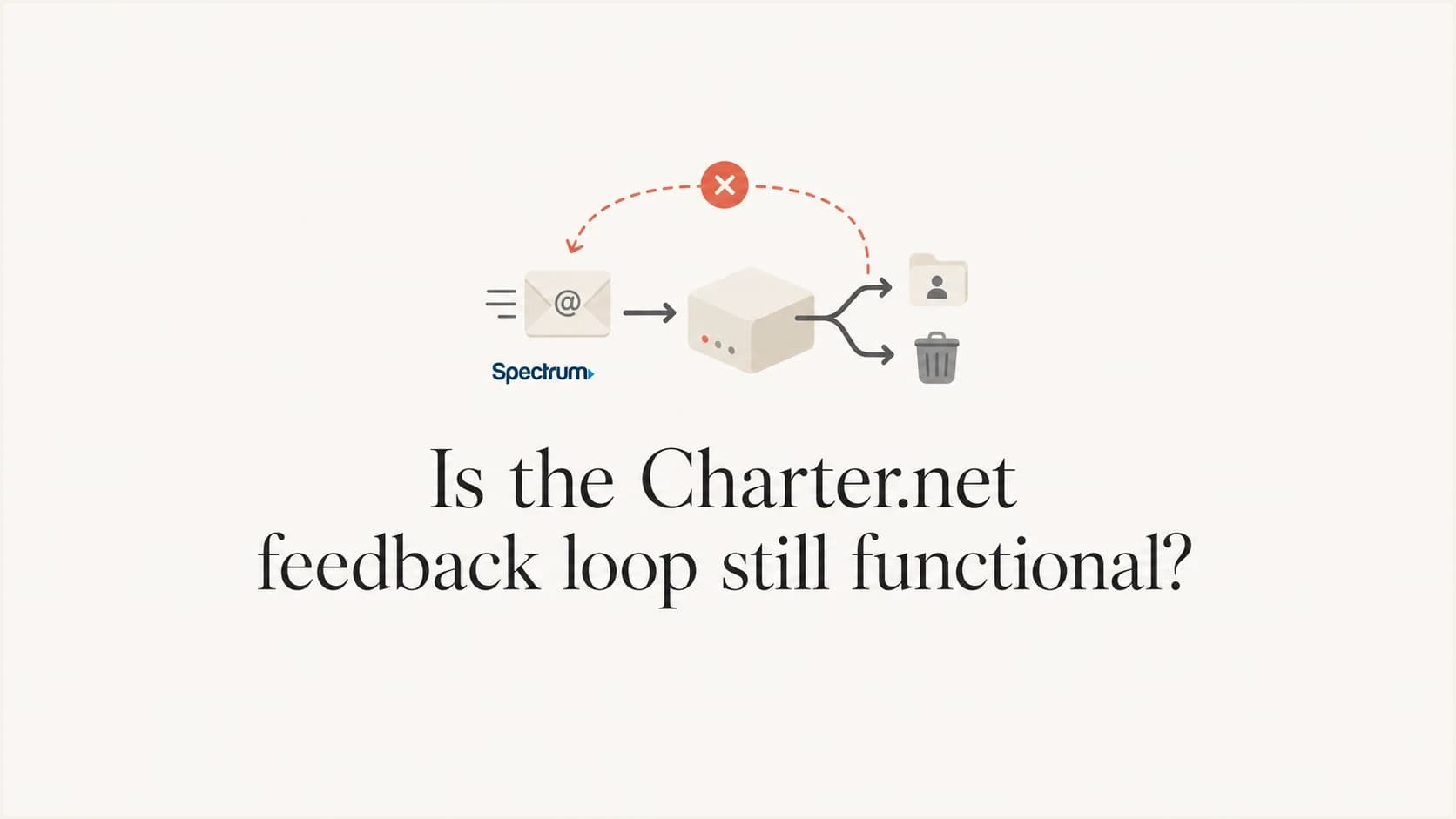
Updated on 16 Oct 2026: We clarified public Charter.net feedback loop availability and corrected the steps for monitoring delivery without complaint reports.
For sender planning, treat the Charter.net feedback loop (FBL) as publicly unavailable unless Spectrum confirms active access for your sending infrastructure. Public references checked do not provide a Charter or Spectrum enrollment route. If you need complaint data for mail sent to Charter.net or related legacy domains, use bounce logs and unsubscribe behavior alongside authentication checks and list hygiene.
The current ESPC FBL list explains registration and links to participating providers, but it has no Charter or Spectrum entry. That omission supports planning without a public FBL; it does not establish a shutdown date or rule out private arrangements.
- Do not depend on Charter.net Abuse Reporting Format (ARF) complaint reports without confirmed access.
- Use bounce logs, engagement suppression, DMARC, and provider-specific FBLs where available.
- Use Suped's DMARC monitoring, alerting, and blocklist or blacklist checks to monitor signals that remain available.
Charter.net feedback loop availability
No current public Charter.net feedback loop signup path was found in the references checked. Historical references are not a dependable control without documented access. If your email service provider (ESP) claims Charter coverage, ask it to confirm the covered domains and enrollment requirements, and provide a recent report before depending on that feed.
A complaint feedback loop forwards reports about messages that recipients mark as spam. Recipient-level reports let an enrolled sender suppress the complaining address when it can be identified. Reports can be redacted or incomplete, so even an active feed does not count every complaint. With no confirmed Charter feed, use the other signals available to your sending system.
Plan without a Charter.net complaint feed
Do not delay suppression, throttling, or list repair while looking for a Charter.net signup page. Build your controls as if no recipient-level Charter complaint report will arrive.
|
|
|
|---|---|---|
Charter FBL | No public enrollment route found | Treat unavailable |
Legacy domains | Existing mailboxes remain in use | Track separately |
Reports | No confirmed public ARF feed | Use proxies |
Blocks | Policy based | Read SMTP text |
Charter.net feedback loop status
Charter and Spectrum legacy email domains
The naming causes confusion. Charter Communications uses Spectrum as the customer brand, and existing mailboxes use Charter.net, Roadrunner, TWC, and regional rr.com domains. A working mailbox and access to a sender complaint feed are separate services.
The archived Spectrum conversion thread discusses mailbox access changes reported in October 2024. It documents a historical access problem and provides no confirmation of current FBL availability.
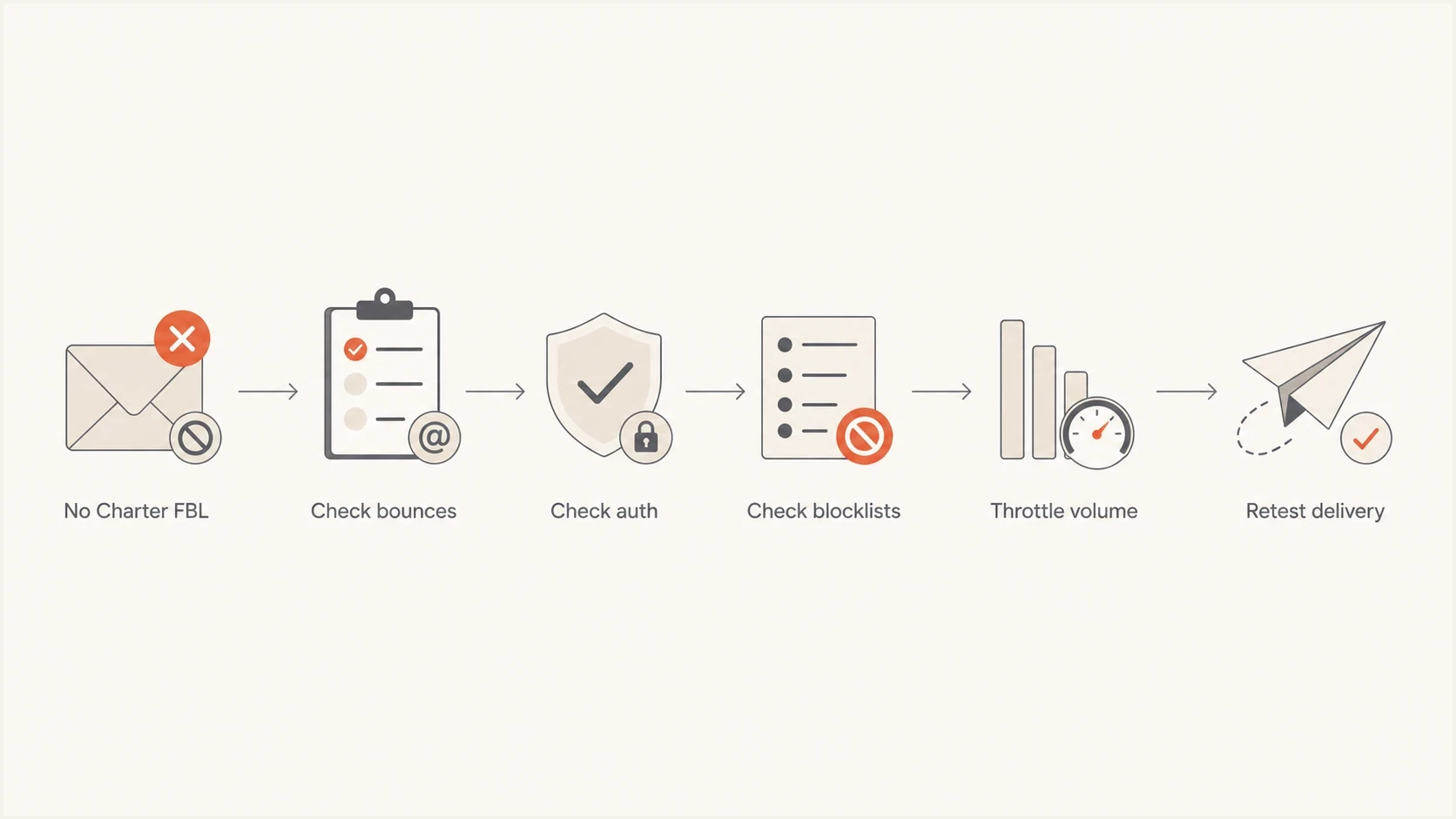
Email deliverability troubleshooting flow when the Charter.net feedback loop is unavailable.
Active complaint loop
- The provider sends ARF-style complaint messages.
- The complaint reaches the sender or ESP.
- The sender suppresses the complainer quickly.
Charter.net today
- No public sender signup route was found in the references checked.
- SMTP bounces and deferrals carry the available delivery signal.
- Use engagement and unsubscribe data for sender-side suppression.
Mailbox access problems and sender feedback
Searches for Charter.net email problems also surface webmail and email app failures. In a Charter.net access discussion, the original poster reported that Thunderbird could not retrieve mail while webmail worked, then edited the post to report recovery. That report concerns mailbox access and does not establish a provider-wide outage or a change to complaint reporting.
|
|
|
|---|---|---|
Webmail works; an email app cannot retrieve messages | Mailbox access through IMAP or POP | Check account settings and ask Spectrum support about the access failure. |
Your sending server receives an SMTP rejection | Delivery to the receiving mail server | Save the full SMTP reply and investigate the stated delivery error. |
Mail is accepted, but no complaint report arrives | FBL coverage and enrollment | Verify documented FBL access; do not interpret silence as zero complaints. |
Mailbox access, SMTP delivery, and complaint reporting are separate checks.
How to monitor without the Charter FBL
When a provider has no working public FBL, the goal is to collect enough indirect evidence to act before reputation damage turns into sustained blocking. Start by separating Spectrum-family domains into their own reporting view, then compare unsubscribe rates, hard bounces, soft bounces, and delayed delivery against the rest of the list and each domain's normal baseline.
Keep using provider feedback loops where they exist, but verify which recipient domains each feed covers. For a message-level check, send through our email tester and inspect authentication results and headers before increasing volume. A test sent to a diagnostic mailbox does not establish Charter.net inbox placement.
- Track charter.net, spectrum.net, twc.com, roadrunner.com, and regional rr.com subdomains separately. Check receiving MX hosts before combining domains into a provider group.
- For repeated 4xx deferrals, reduce concurrency and let queued messages retry with backoff. A 5xx policy rejection needs review and correction before another delivery attempt; it does not establish that the address is invalid.
- Suppress confirmed invalid addresses and identifiable complainants reported by other FBLs. Apply an inactivity policy using reliable engagement data instead of treating every policy rejection or missing open as an invalid address.
- Verify SPF, DKIM, and DMARC because authentication failures make reputation diagnosis harder.
Email tester
Send a real email to this address. Suped shows a results button when the test is ready.
?/43tests passed
A test send helps expose authentication mistakes and missing unsubscribe headers. Test the unsubscribe endpoint separately to confirm that suppression works. If authentication passes and Spectrum-family domains still defer, reduce volume and continue with domain-level monitoring.
Prevent complaints you cannot see
An FBL is a late signal, so the strongest control is to prevent avoidable complaints before they reach Spectrum. Keep a permission record for every subscribed address, honor frequency choices, and make leaving the list easier than using the complaint button.
- Send subscription mail only to addresses with a documented permission record.
- Use confirmed opt-in (double opt-in) when acquisition risk is high, and never re-add an address after it unsubscribes.
- Place a visible unsubscribe link in the message body and process the request immediately.
- Add RFC 8058 one-click headers to subscription mail and cover both headers with a valid DKIM signature.
One-click unsubscribe headersemail
List-Unsubscribe: <https://example.com/unsubscribe/opaque-recipient-token>
List-Unsubscribe-Post: List-Unsubscribe=One-Click
The HTTPS URL must identify the recipient and list without requiring a login or confirmation page. Use an opaque recipient token instead of exposing an address, process the POST automatically without redirects, and keep the visible body link as a separate exit path. A GET request to the header URL should not unsubscribe the recipient, because automated link fetching can otherwise trigger accidental removals.
Signals to monitor without complaint reports
Without Charter complaint reports, the best signal is a combined view. One metric alone gives a noisy answer. A sudden rise in unsubscribes after a Charter-heavy campaign, a jump in soft bounces at rr.com, more deferrals, and lower opens at Spectrum-family domains together justify investigation. Open data can be distorted by privacy controls, so use it as a directional cohort signal rather than a complaint count. Record Charter complaint rates as unavailable, not 0%, when there is no complaint feed. These proxy signals do not measure spam complaints.
Complaint-risk proxy response
Compare each Spectrum-family metric with its normal baseline; do not combine bounce and unsubscribe percentages into one universal threshold.
Stable
At baseline
Delivery and recipient-response metrics remain within their normal ranges.
Investigate
Single shift
One metric shifts materially after a campaign or list-source change.
Throttle
Correlated shifts
Deferrals rise alongside another negative sender-side signal.
Stop and repair
Sustained incident
Policy blocks or negative signals persist after volume reduction.
These response bands are an internal triage framework, not published Charter acceptance thresholds. Keep each metric separate because the denominators and meanings differ. Compare the same mail type, list source, sending pattern, and Spectrum-family domain group before changing volume.
When a missing FBL matters less
A clean consent model, fast unsubscribe handling, low inactive volume, and accurate bounce processing reduce your dependence on recipient-level complaint reports. The missing Charter feed still matters, but it is less painful when the rest of the system is disciplined.
Technical checklist for Spectrum delivery
Before treating a Charter or Spectrum issue as a reputation problem, verify the basics. Use our domain health checker for DNS checks, then inspect a real message to confirm SPF, DKIM, and DMARC results. Add blocklist monitoring for the sending IPs and domains. A blacklist listing warrants investigation, but a clean public check does not reveal Spectrum's internal reputation assessment.
Illustrative DMARC monitoring recorddns
_dmarc.example.com. IN TXT "v=DMARC1; p=none; rua=mailto:dmarc@example.com"
Replace the example domain and reporting address with values you control. The p=none policy requests no DMARC enforcement; keep an existing enforcement policy when adding reporting. SPF authorization and DKIM public keys must come from your actual sending configuration.
|
|
|
|---|---|---|
SPF | One SPF record; a passing result with at most 10 evaluated terms requiring DNS | Review all evaluated mechanisms, including nested includes. |
DKIM | A valid signature on the received message | Check the signing domain, selector, and published public key. |
DMARC | SPF or DKIM passes with a domain matching the visible From | Fix legitimate senders before tightening enforcement. |
rDNS | The sending IP has a PTR hostname that resolves back to it | Ask the IP owner to repair PTR records; use a valid EHLO hostname. |
Blocklist/blacklist | No relevant public listings | Investigate any listing and check the full SMTP response. |
Spectrum delivery checks, verified against actual sending traffic.
If several sending systems use the same domain, verify each stream separately. DMARC passes when SPF or DKIM passes for a domain that matches the visible From domain under the policy's domain-matching rules. A published DNS record alone does not prove that a delivered message passes.
How to handle Spectrum delivery blocks
Charter/Spectrum delivery problems include throttling and policy blocks. Spectrum's published network management practices describe spam filtering and IP reputation checks, including real-time IP blocklists (blacklists) and recipient or connection thresholds. If you see delayed mail or repeated SMTP rejections, investigate the full reply before attributing the incident to complaints.
For broader troubleshooting, separate Spectrum/Charter delivery issues from Charter/Spectrum blocking. Start with the exact SMTP reply, then check authentication and the relevant sending IP. Review list quality and public blocklist status alongside that evidence.
Do not wait for FBL data
- Reduce concurrency and daily volume when 4xx deferrals cluster around Spectrum domains.
- Suppress unsubscribes and identifiable complaints, then apply your inactivity policy before the next send.
- Keep timestamps with time zones, sending IPs, recipient domains, receiving MX hosts, and full SMTP replies with AUP codes. Give the evidence and remediation notes to your ESP or Spectrum support.
A Charter FBL would only tell you about users who clicked a complaint control. It would not fix invalid authentication, poor list age, high volume spikes, stale addresses, or a sending IP with poor recent history. Fix those directly.
Where Suped fits
Suped is our DMARC reporting and email authentication platform. Use Suped to review authentication reports and receive alerts about failures or public blocklist listings. Suped does not provide a Charter complaint feed or expose Spectrum's internal reputation scores.
Suped DMARC dashboard showing email volume, authentication health, and source breakdown
Use Suped DMARC monitoring to identify sending sources and authentication failures in the reports received, then compare those findings with Spectrum delivery logs from your sending platform. DMARC report coverage depends on receiver participation; do not assume that every Charter.net delivery appears in those reports.
Manual workflow
- Bounce logs, DNS records, reports, and blocklist or blacklist checks sit in separate places.
- Teams can discover failures after reputation or delivery has already shifted.
- MSPs and multi-brand teams repeat the same checks for every domain.
Suped workflow
- Review DMARC authentication results alongside public blocklist checks.
- Investigate reported authentication failures and configure alerts for the responsible team.
- Multi-tenancy helps agencies and MSPs manage many domains in one workflow.
Keep unsubscribe processing and recipient suppression in your sending platform. Compare its domain-level delivery logs with authentication findings in Suped when deciding whether to repair a sending stream or reduce volume.