Why am I receiving multiple DMARC reports from the same domain?

Published 23 Apr 2025
Updated 5 Oct 2026
11 min read
Summarize with
Updated on 5 Oct 2026: We clarified duplicate-report checks and added practical ways to manage DMARC report volume under the current reporting standards.
Receiving multiple DMARC reports from the same domain is normal. The key detail is that "same domain" can mean the domain in your DMARC record, the sender domain in Header From, the reporting organization, or the receiving domain that generated the aggregate report. Those are not always the same.
Compare the reporting source and policy domain first, then the XML report_id, attachment filename, reporting period, and content. Different values usually indicate separate reports, but overlapping data still needs review. Message-ID helps trace email delivery, but it is not the primary DMARC report identity.
- Different receiving systems or reporting periods normally produce separate aggregate reports.
- The same reporting source, policy domain, report ID, time window, and XML data indicate a likely duplicate.
- Group by reporting source and policy domain before comparing report IDs, then review source IPs and domain matches.
Why one domain generates multiple DMARC reports
Multiple DMARC reports from the same domain usually mean you are receiving separate aggregate reports about the same sending domain. DMARC aggregate reporting is receiver-driven. Participating mail receivers typically send daily reports, although reporting can be more frequent, and each receiver controls how it groups its data. Only receivers that generate reports contribute to this total. These checks apply to aggregate XML reports requested by rua; failure reports requested by ruf describe message-specific authentication failures.
A single day of mail can produce reports from many receiving systems. One reporting organization can also send more than one report because separate reporting sources generated files at the same time, or because the published DMARC policy changed during the reporting period. Arrival time does not prove duplication because receivers often send reports in batches.
Subdomains also affect grouping. A subdomain with its own DMARC policy produces a separate report; a subdomain using the parent policy belongs in that policy domain's report. Several Header From domains can therefore appear in one aggregate report.
Quick test
- Check XML: Compare report_id and date_range inside report_metadata.
- Check filename: Compare the receiver, policy domain, timestamps, and optional unique ID.
- Check subject: Compare the policy domain, submitter, and any report ID named there.
- Check email: Use Message-ID and Received headers to trace retransmission or local forwarding.
Treat this as a grouping problem before treating it as an authentication problem. Once report identities are sorted, review source IPs and domain matching. That order prevents false alarms.
What counts as a duplicate
A duplicate carries the same logical report identity or repeats the same data for the same reporting period. Under RFC 9990, a report ID must be unique among reports sent to the same domain, and a retransmission must reuse the original filename. The reporting organization can optionally reuse the report ID in Message-ID, so a different Message-ID does not prove that the XML data is new.
Compare IDs within the same reporting source and policy domain, rather than treating report_id as globally unique. If the identity fields match but the XML data differs, retain both files and investigate the discrepancy.
|
|
|
|
|---|---|---|---|
report_id | XML | Duplicate candidate within the same source and policy domain | Usually a separate report; check overlapping data |
Filename | Attachment | Retransmission clue | Compare XML; renaming or compression can change a filename |
date_range | XML | Same UTC window, not proof of a duplicate | Different window; check for partial overlap |
Message-ID | Header | Same transport identity | New email, not necessarily new XML |
org_name | XML | Same organization, not necessarily the same reporting system | Other organization |
policy_published/domain | XML | Same policy domain, not proof of a duplicate | Report about a different policy domain |
Compact identity checks for repeated DMARC report emails.
Duplicate confidence
Compare the reporting source and policy domain before judging report IDs and data.
Likely normal
Different identity
Different reporting sources or non-overlapping periods.
Needs review
Overlapping data
Overlapping periods, changed IDs with similar data, or matching IDs with different data.
Likely duplicate
Same identity
Same source, policy domain, report ID, period, and XML data.
This is why report volume can look high for a small sender. One mailbox or one day of low volume can still produce several aggregate files. For the expected daily pattern, see daily DMARC report volume.
Why an identical report can arrive again
Exact duplicates do happen. A report generator can retry after a temporary SMTP deferral or after losing the final delivery response. Copies can also converge when separate report addresses, aliases, forwarding rules, or distribution groups deliver the same attachment to one mailbox. A local import job can create another copy without any retransmission by the reporting organization.
- Match the reporting source and policy domain, then the report ID, filename, UTC period, and XML data before discarding a copy.
- Trace delivery: Compare Received headers to see where the delivery paths split or repeated.
- Inspect routing: Check every rua destination plus mailbox aliases, forwarding rules, and group membership.
- Keep one confirmed exact copy. Retain reports with changed IDs or partial overlaps for review before counting their data.
Do not merge partial overlaps blindly
Reporting periods should not overlap, but overlaps can occur. If two reports contain only some of the same time window, there is no reliable row-level method to subtract the repeated portion. Keep both files for review, but flag the overlap before including their counts in totals.
A Google duplicate-report discussion shows copies with the same Message-ID and different Received headers. That identifies repeated delivery; compare the XML to confirm whether the data is also identical.
Where to check the report identity
Open the raw email first, then extract the XML attachment. Decompress .xml.gz attachments before comparing their XML. In the email, inspect the subject, Message-ID, Received headers, and attachment filename. In the XML, inspect report_metadata and the policy domain in policy_published. These fields help distinguish repeat delivery from a new report.
DMARC aggregate report metadata excerptxml
<feedback xmlns="urn:ietf:params:xml:ns:dmarc-2.0">
  <version>1.0</version>
  <report_metadata>
    <org_name>Sample Reporter</org_name>
    <email>reports@example-reporter.com</email>
    <report_id>1709343990.504071</report_id>
    <date_range>
      <begin>1709251200</begin>
      <end>1709337599</end>
    </date_range>
    <generator>Sample DMARC Reporter</generator>
  </report_metadata>
  <policy_published>
    <domain>example.com</domain>
    <p>none</p>
  </policy_published>
  <!-- record elements follow -->
</feedback>
RFC 9990 defines the current aggregate report format, including the DMARC 2.0 XML namespace. Older RFC 7489-style reports can still appear while reporting systems adopt the new format. In both formats, the policy domain repeats across reports for your domain, while report_id, date_range, submitter, and filename carry the useful identity clues.
Likely duplicate
- XML ID: The report_id value matches within the same reporting source and policy domain.
- Filename: The attachment filename matches exactly.
- Content: The period, rows, and counts are identical.
Separate report clues
- XML ID: The report_id value differs; review overlapping data before counting it.
- Period: Non-overlapping UTC windows cover different reporting periods.
- Submitter: The subject or filename names a different receiver.
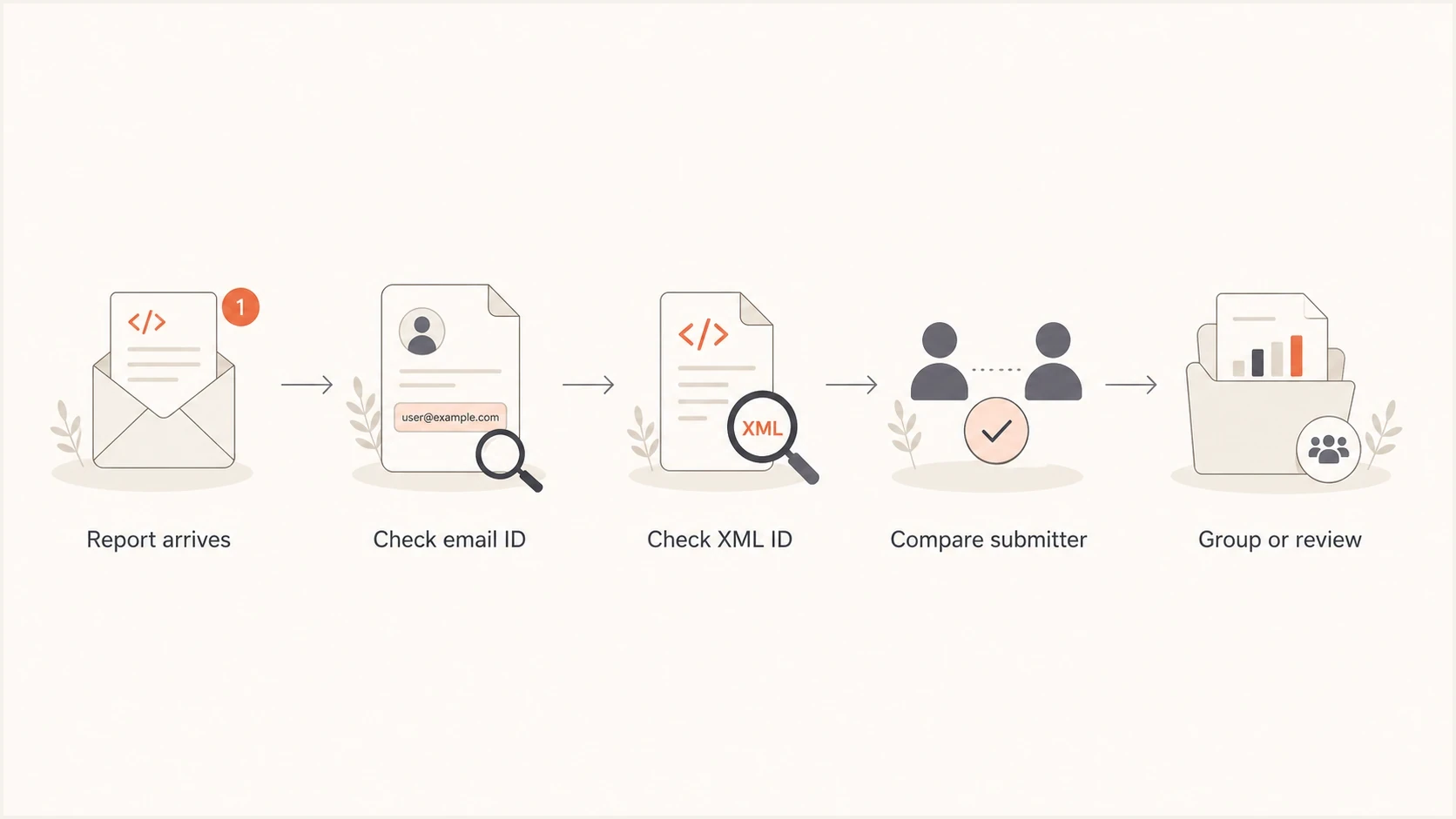
DMARC report duplicate checks comparing email ID, XML report ID, and submitter.
Why SPF passes but the DMARC SPF result fails
A common trap is reading policy_evaluated as the raw SPF result. DMARC aggregate reports carry raw authentication results and DMARC policy results. SPF can pass authentication for the return-path domain, then fail the DMARC policy check because that domain does not match the Header From domain. Relaxed mode accepts domains with the same organizational domain; strict mode requires an exact domain match.
SPF pass with a DMARC SPF domain mismatchxml
<record>
  <row>
    <source_ip>203.0.113.10</source_ip>
    <count>2</count>
    <policy_evaluated>
      <disposition>none</disposition>
      <dkim>pass</dkim>
      <spf>fail</spf>
    </policy_evaluated>
  </row>
  <identifiers>
    <header_from>example.com</header_from>
    <envelope_from>mail.example.net</envelope_from>
  </identifiers>
  <auth_results>
    <dkim>
      <domain>example.com</domain>
      <selector>selector1</selector>
      <result>pass</result>
    </dkim>
    <spf>
      <domain>mail.example.net</domain>
      <scope>mfrom</scope>
      <result>pass</result>
    </spf>
  </auth_results>
</record>
In that example, SPF passed for mail.example.net, but the visible sending domain was example.com. The DMARC policy row marks SPF as failed because the domains did not match. DKIM passed for example.com, so DMARC still passed. A policy row can show spf fail without meaning the sender's SPF record is broken.
Do not fix the wrong thing
Before changing SPF, confirm whether the failing value is the raw SPF result or the DMARC policy SPF result. If DKIM passes for the Header From domain, DMARC can still pass.
For a field-by-field explanation, compare the XML against rua and ruf reports. The distinction between authentication results and policy results matters in DMARC investigations.
How to troubleshoot the reports
When a mailbox gets 10 or 15 DMARC reports at once, do not start by editing DNS. Sort the reports into identity groups, then check whether any group points to an authentication gap.
- Save copies: Keep the original emails and XML attachments until the comparison is complete.
- Group by reporting source and policy domain, then compare report_id, filename, UTC period, and XML data.
- Trace copies: Use Message-ID and Received headers to investigate exact repeats.
- Review sources: Inspect source IPs, message counts, DKIM domains, and SPF domains in each group.
- Fix DNS or sending-service configuration after identifying why a legitimate sender fails DMARC.
The DMARC record itself should be simple. One policy domain should have one DMARC TXT record. Multiple rua destinations are allowed in a single record. Multiple DMARC policy records at the same DNS name are discarded during policy discovery. If you suspect a DNS issue, check for multiple DMARC records before changing policy.
Simple rua recorddns
_dmarc.example.com. TXT "v=DMARC1; p=none; rua=mailto:d@example.com"
Suped's public DMARC checker confirms whether the TXT record is valid and whether more than one DMARC record is published.
DMARC checker
Look up a domain's DMARC record and catch policy issues.
?/7tests passed
After the record passes validation, review verified senders, unrecognized IPs, recurring forwarders, and sources that fail DMARC. Suped's domain health checker can check the wider SPF, DKIM, and DNS configuration when the issue extends beyond repeated reports.
How to manage DMARC report volume
Keep aggregate reporting enabled while moving routine report emails out of a personal inbox. Google's reporting guidance recommends a dedicated mailbox or group for daily DMARC reports.
- Use a dedicated rua destination for manual review, or Suped's supplied reporting address for automated analysis. Keep required destinations in the existing DMARC record.
- Remove redundant rua aliases that feed the same mailbox, while retaining destinations needed by other teams.
- Apply mailbox rules to reports from verified reporting sources and retain XML attachments for troubleshooting.
- Count messages in unique accepted reports, rather than counting report emails. Flag partial overlaps before calculating totals.
The old ri reporting-interval tag is historic under RFC 9989. Changing it does not reliably reduce report frequency. Receivers control scheduling; keep rua in place to preserve authentication visibility.
How Suped groups DMARC report data
Suped's DMARC platform collects aggregate XML reports, checks report IDs and reporting organizations for duplicates, and groups sender data for review. This reduces manual attachment comparisons when investigating repeated reports or authentication failures.
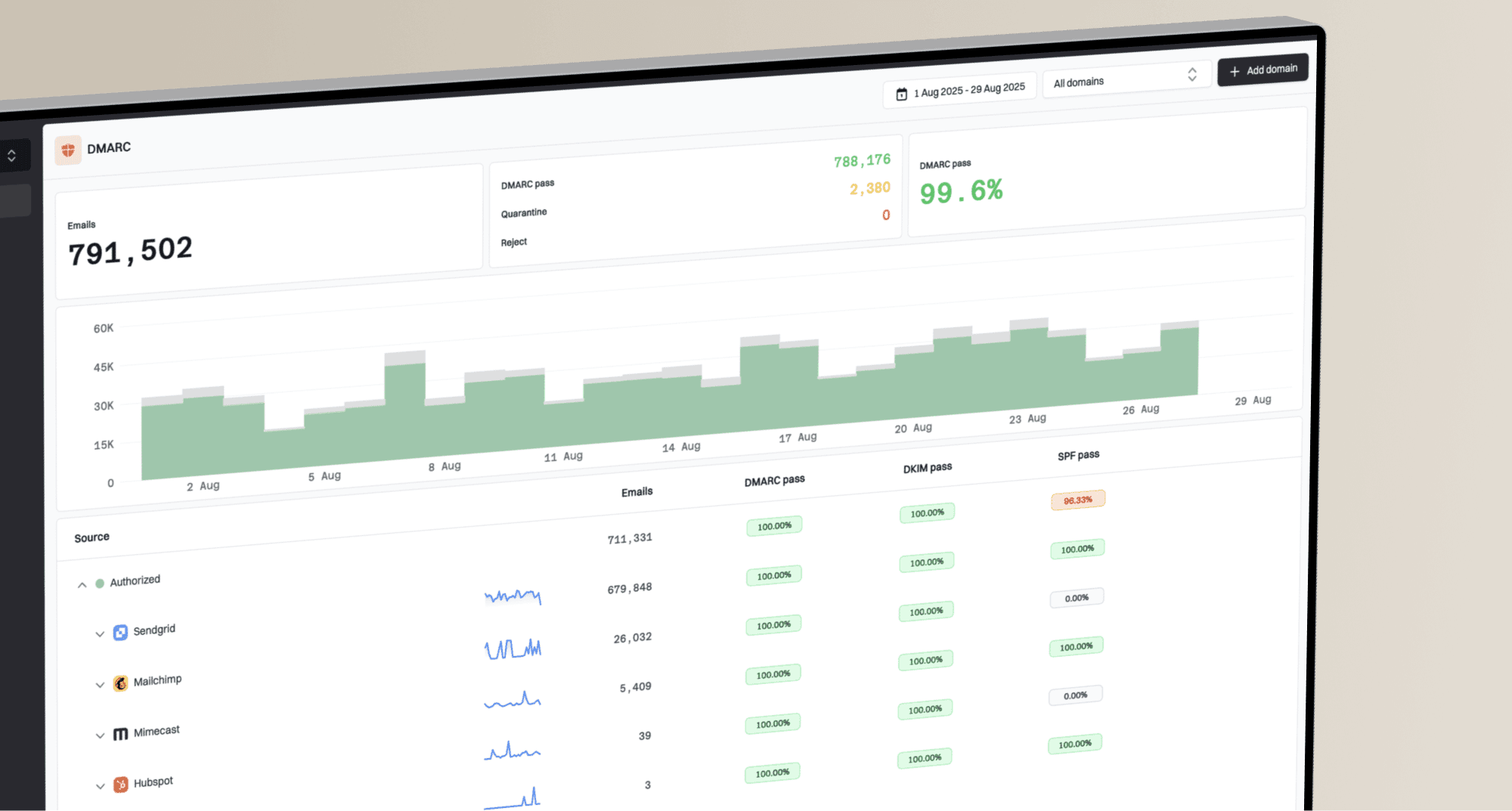
In Suped, DMARC monitoring shows source breakdowns and authentication health without requiring teams to open every XML file. Alerts flag failures when configured thresholds are crossed, helping teams focus on authentication issues rather than the number of report emails.
DMARC records drawer showing filters, record rows, authentication results, and CSV export
Manual inbox review
- Parsing: You open each attachment and compare IDs yourself.
- Grouping: You build your own view of submitters and source IPs.
- Risk: You can confuse a retransmission with a separate report.
Suped workflow
- Parsing: XML reports are normalized into one reporting view.
- Grouping: Source IPs and authentication results are grouped for review.
- Action: Authentication issues include context and remediation steps.
Views from the trenches
Best practices
Compare the reporting source, policy domain, and report ID before treating a file as a duplicate.
Group aggregate files by receiver first, then review source IPs and authentication rows.
Use DKIM domain matches to confirm DMARC passes when SPF policy rows appear failed.
Common pitfalls
Treating the policy SPF value as the raw SPF result leads to unnecessary DNS edits.
Assuming one organization name means one receiver hides separate receiving domains.
Counting repeated reports again inflates message totals and distorts authentication failure rates.
Expert tips
Use the email subject and attachment filename to identify the reporting source quickly.
Check strict SPF mode when the return-path subdomain differs from the Header From domain.
Separate duplicate delivery checks from authentication checks to reduce false alarms.
Expert view
An Email Geeks discussion recommends treating different Message-ID values as separate deliveries until the XML identity is compared.
2024-03-08 - Email Geeks
Marketer view
An Email Geeks discussion notes that many reports can arrive together when a large receiver sends batched files for separate receiving domains.
2024-03-08 - Email Geeks
When to investigate repeated reports
If duplicate delivery continues after mailbox routing checks, contact the reporting organization using report_metadata/email and include example report IDs, filenames, and UTC windows. Keep the original emails so Received headers remain available for tracing the delivery path.
Decision rule
The same reporting source, policy domain, report ID, period, and XML data identify a likely duplicate. Confirm the XML before suppressing a copy. Policy SPF failure does not automatically mean SPF is broken.