What causes a 'domain not configured to use this MX host' bounce message?

Updated on 3 Aug 2026: We added guidance for intermittent MX failures and clarified SMTP status codes, multiple MX routing, split delivery, and outbound authentication.
A 'domain not configured to use this MX host' bounce almost always means the recipient domain has an MX record pointing at a mail server, but that server has no accepted-domain, local-domain, tenant, or route entry for that domain. In plain terms, DNS says 'deliver mail here', and the mail server replies, 'I am not configured to receive mail for that domain.'
When this error appears during the RCPT TO stage, treat it as a recipient-side configuration problem until the evidence proves otherwise. The sender's SPF, DKIM, DMARC, or content quality can cause other bounces, but they rarely produce this exact wording.
This is the pattern that matters. The remote MX host accepts the SMTP connection, then rejects the recipient because the domain is not in its mail routing configuration.
Typical bounce texttext
<user@example.com>: host mx1.provider.example[192.0.2.10] said:
451 Your domain is not configured to use this MX host.
(in reply to RCPT TO command)
What the bounce means
SMTP delivery is not only a DNS lookup. The sender looks up the recipient domain's MX records, connects to the listed host, then asks that host whether it will accept mail for the recipient address. This bounce happens after the connection succeeds, which is why the host can return a specific rejection.
The important clue is that the named host is usually the recipient's listed MX. If live DNS still points to that host, the recipient's mail provider or admin needs to add the domain, restore the mailbox service, fix routing, or update DNS to the correct mail host.
|
|
|
|---|---|---|
4xx, such as 451 | Temporary response; sender normally retries | Recipient host |
5xx | Permanent response; sender returns a bounce | Recipient host |
RCPT TO | Rejected recipient | Recipient host |
MX host | Server selected through DNS | Recipient DNS |
Domain | Mail domain rejected | Recipient admin |
How to read the key parts of the bounce.
A 451 response tells the sending system to queue the message and retry. Some servers return a 5xx code with similar wording, which stops normal retries. Read the full SMTP status and enhanced status code: the wording identifies the configuration mismatch, while the code determines retry behavior. Repeated 4xx failures over hours or days still indicate a real mail setup problem.
Most common causes
The exact wording comes from the receiving system, so different providers phrase it slightly differently. The cause usually falls into one of these buckets.
- Stale MX: The recipient moved mail hosting, but public DNS still points to the old provider.
- Missing domain: The MX host is correct, but the domain was not added to the mail tenant or accepted-domain list.
- Suspended service: Hosting, filtering, or mailbox service was disabled, often after billing or account changes.
- Bad gateway route: A filtering gateway is listed as MX, but its downstream route or accepted recipient map is wrong.
- Cached DNS: The sender or an intermediate resolver still has an old MX answer after a migration.
- Partial MX fleet: The domain exists on some published MX hosts but not others, so results depend on the selected host.
- Split delivery: Mail systems share the domain, but the accepted-domain mode, recipient lookup, or connector routes valid recipients incorrectly.
- Provider outage: The host is normally valid, but the provider has temporarily lost domain routing state.
Likely recipient-side
- MX matches: The bounce host is the same host returned by current MX lookup.
- Role fails: A safe role address at the same domain returns the same error.
- Long delay: The same bounce repeats across normal SMTP retry windows.
- All senders: Other senders report the same remote rejection for that domain.
Worth checking on your side
- Wrong address: The local part or domain in the recipient address is mistyped.
- Old bounce: The bounce was generated before the recipient fixed DNS.
- Relay path: Your outbound relay is using stale DNS or a forced route.
- Domain health: Your own domain has separate authentication issues that need fixing.
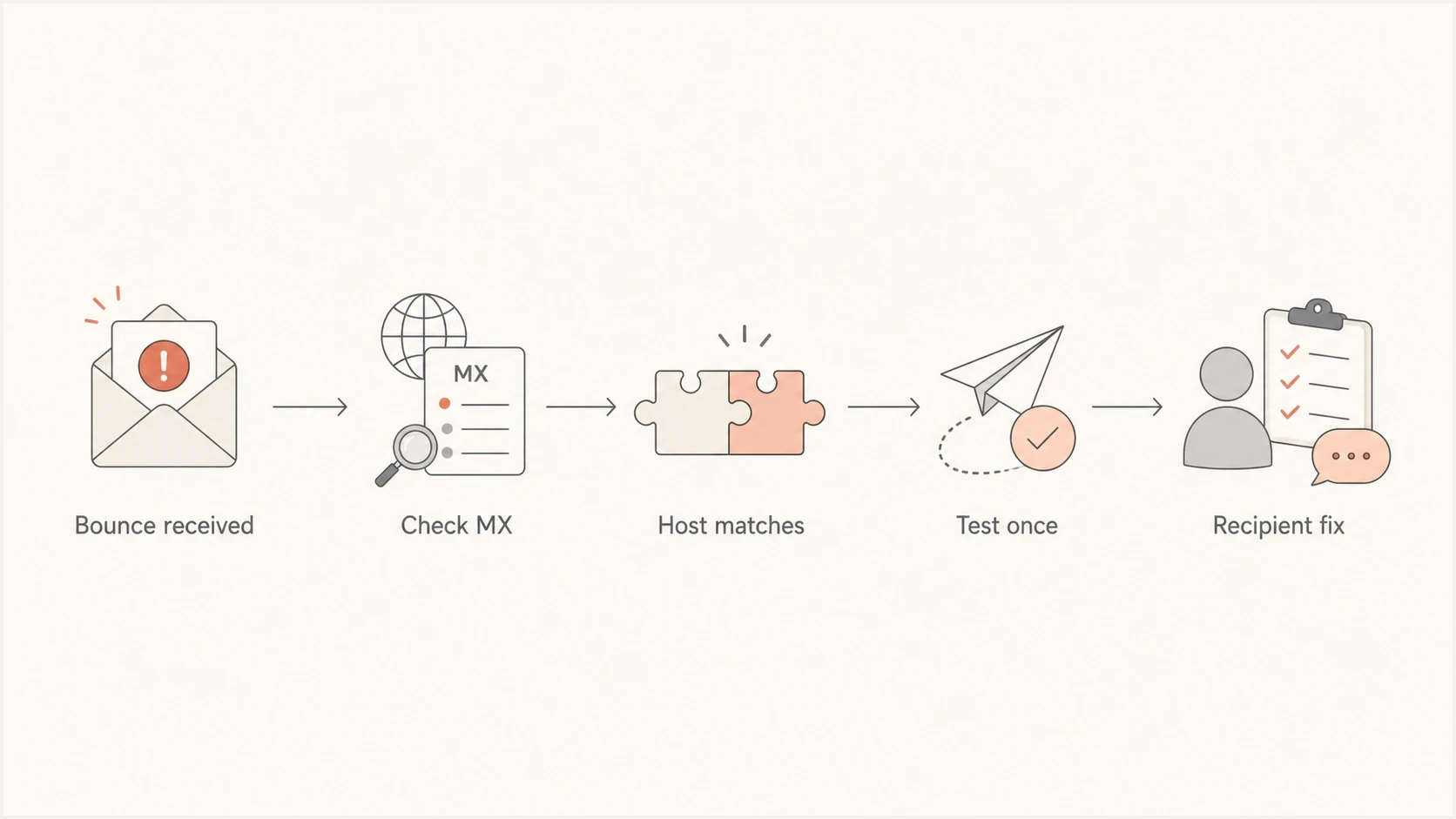
Flowchart showing how to confirm whether the MX bounce is recipient-side.
Why the failure can be intermittent
A domain can work for some messages and fail for others when DNS publishes multiple MX hosts but only part of the fleet recognizes the domain. Different senders or retries can reach different hosts, so one successful test does not prove that every published MX target works.
|
|
|
|---|---|---|
Bounces name one MX host | Compare every MX target and its priority | Add the domain to that host or remove stale DNS |
Same-domain recipients fail | Review split delivery, accepted-domain mode, recipient lookup, and connectors | Configure the shared-domain route |
Failures started after migration | Compare TTLs, change time, resolver caches, and the old host | Remove stale MX records after transition |
Checks for intermittent or partial failures.
If a split-delivery or hybrid setup shares one domain across mail systems, each system needs to know which recipients are local and where to route the others. Depending on the platform, this can require an internal relay or equivalent accepted-domain mode plus a connector to the other system. An authoritative-domain setting on the wrong system can reject a valid recipient before that route runs.
Review message tracking or SMTP logs by remote hostname and IP address. If failures cluster on one MX node, fix that node's domain map or remove it from DNS. If the pattern follows only same-domain recipients, inspect internal routing and recipient lookup before changing public MX records.
How to confirm the source
Start by comparing the host in the bounce with live MX results for the recipient domain. Record every MX target and priority. If the bounce names a host that DNS returns now, the recipient's DNS is sending at least some mail to a server that rejects the domain.
Then check your own sending path separately. A clean sender-side report helps you avoid changing unrelated SPF, DKIM, DMARC, or routing settings while the recipient fixes their accepted-domain setup.
Basic MX checksbash
dig +short MX recipient.example

dig +short A mx1.recipient-mail.example

dig +short AAAA mx1.recipient-mail.example
If you need a broader view of your own domain before escalating, run a domain health check and keep the result with the bounce. That does not fix the recipient's MX, but it gives you clean evidence that your public domain authentication is not the direct trigger.
Email tester
Send a real email to this address. Suped shows a results button when the test is ready.
?/43tests passed
A real-message test is useful when the sender owns the sending domain or platform. Use the email tester to inspect SPF, DKIM, DMARC, message headers, and content signals in one place. If that looks clean, your next action is recipient escalation, not sender-side DNS edits.
Do not keep sending repeated tests to random addresses at the recipient domain. One controlled test to a known address, or one agreed role address, is enough to confirm the pattern.
If the bounce is part of a wider investigation, keep it with your normal bounce troubleshooting notes. The key evidence is the SMTP stage, the remote host, the IP address, the recipient domain, and the date.
What the sender should do next
If you are the sender, the next step is not to rewrite your SPF record or change DMARC policy. Confirm the MX evidence, check that your own sending domain is healthy, and send the recipient a short escalation note through another channel.
- Capture evidence: Save the full bounce, including the remote host, IP address, SMTP code, and timestamp.
- Check DNS: Look up the recipient domain's live MX records and compare every target with the bounce host.
- Verify yourself: Make sure your sending domain passes the checks you control before escalating.
- Contact recipient: Ask their admin to confirm the domain is configured on every listed MX host.
- Avoid duplicates: Let your mail system handle 4xx retries instead of sending manual copies.
Short escalation notetext
We tried to send mail to recipient.example and received this bounce:

451 Your domain is not configured to use this MX host.

The rejecting host was mx1.provider.example at 192.0.2.10.
Live MX lookup also points recipient.example to that host.
Please confirm that recipient.example is configured as an accepted domain
on the listed MX host, or update MX records to the correct mail host.
If the domain is yours, the fix is different. You need to make DNS and the mail platform agree. That means the MX record points to the mail host you actually use, and the mail host has the domain enabled for inbound mail.
Expected configuration matchtext
DNS:
recipient.example. 3600 IN MX 10 mx.provider.example.

Mail platform:
Accepted domain: recipient.example
Inbound route: enabled
Mailbox or alias: present
MX records control where inbound mail goes. They do not authenticate outbound mail or directly determine sender reputation. For more detail on how routing failures create bounces, read about MX records in the broader delivery context.
Where Suped fits
Suped will not repair a recipient's external MX account. Suped's platform helps separate your own domain problems from recipient-side failures, so you do not waste time changing sender authentication when the remote domain is misconfigured.
For teams that need continuous visibility, Suped brings DMARC monitoring, SPF and DKIM checks, hosted SPF, hosted DMARC, hosted MTA-STS, blocklist (blacklist) monitoring, real-time alerts, and guided issue steps into one workflow.
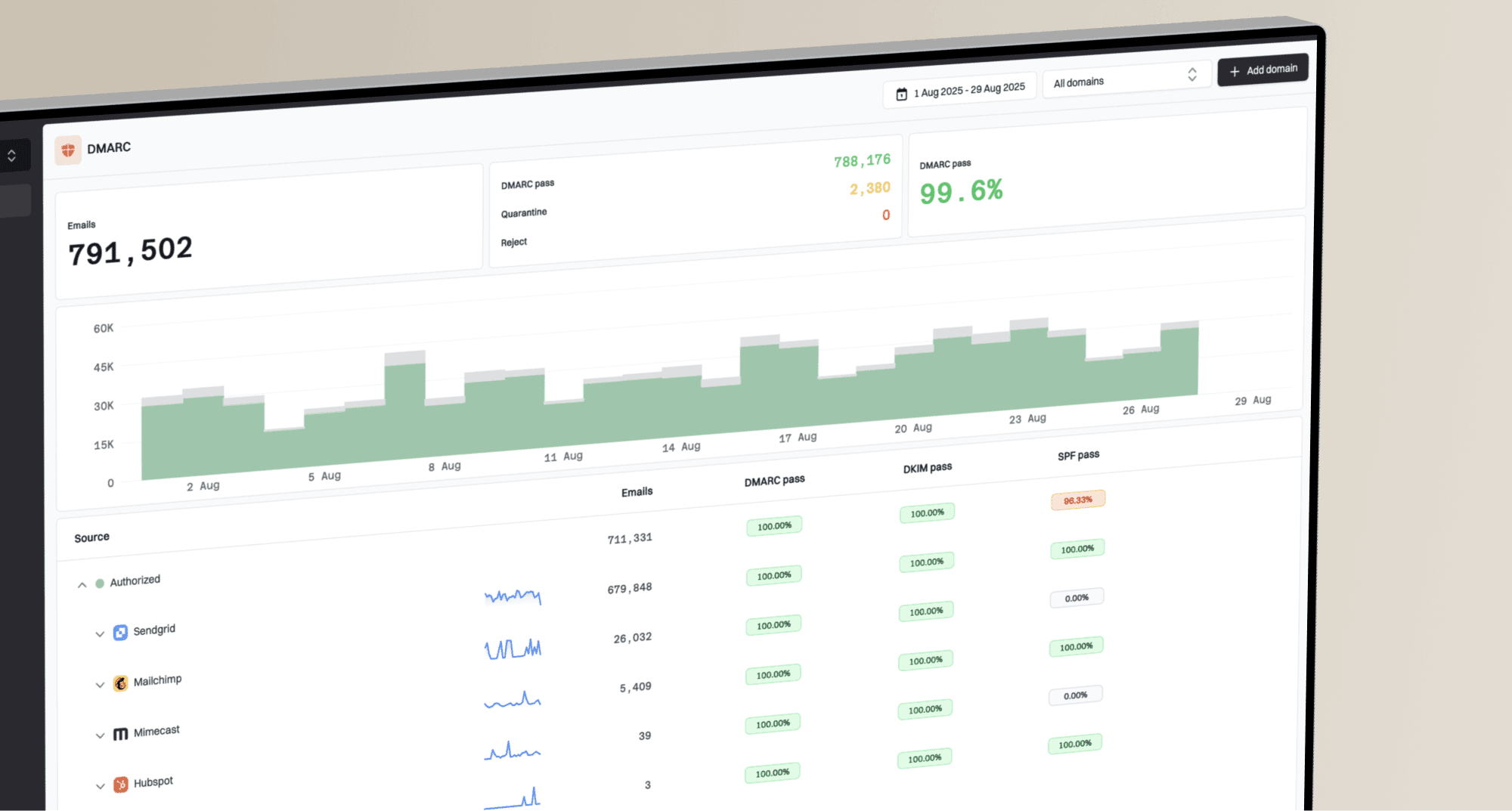
Domain health checker sample results showing DMARC, SPF, DKIM scorecards and detailed validation checks
- Own-domain proof: Check DMARC, SPF, DKIM, DNS, and reporting status before contacting a recipient.
- Issue steps: Use automated detection and tailored fix steps for the problems you control.
- Alerting: Get real-time alerts when authentication failures or sending-source changes appear.
- Scale: Use the MSP and multi-tenancy dashboard when managing many domains.
That evidence is useful in this bounce scenario. If your domain health is clean and the remote MX rejects the recipient domain, the escalation becomes much simpler: the recipient needs to fix their MX host configuration.
Views from the trenches
Best practices
Compare the bounce host with live MX results before blaming your own sending domain first.
Test one safe role address only when needed, then stop before retries create noise.
Keep the recipient's IT team focused on accepted-domain setup inside the mail host.
Document SMTP stage, remote host, IP, recipient address, and timestamp for escalation.
Common pitfalls
Treating a 451 as harmless for weeks hides a recipient domain that is not receiving mail.
Changing SPF or DKIM on the sender side wastes time when the remote MX rejects RCPT.
Assuming every address fails the same way without testing a safe role address misleads.
Ignoring stale MX records after a migration leaves mail pointed at the wrong platform.
Expert tips
Ask the recipient to confirm the domain exists in their accepted-domain list and tenant.
If the bounce names the listed MX, the fix usually sits with the recipient's host.
A long-running 451 deserves escalation because temporary codes can mask hard failures.
Use DMARC and domain health data to prove your sending domain is not the blocker.
Marketer from Email Geeks says the safest reading is that the MX host is listed in DNS but has not been configured to accept mail for the recipient domain.
2024-10-23 - Email Geeks
Marketer from Email Geeks says a suspended hosting account or provider outage can create the same symptom, so the recipient needs to check account status and routing.
2024-10-23 - Email Geeks
How to resolve the bounce
The direct cause is a mismatch between the recipient domain's MX records and the mail server's accepted-domain configuration. The host receiving the SMTP connection does not believe it should accept mail for that domain.
As the sender, confirm every live MX target, keep the bounce evidence, check your own sending domain, then ask the recipient to fix the listed MX host or update DNS. If you own the affected domain, add the domain to each receiving host or point MX to the correct provider.
The fastest resolution usually comes from a precise escalation: the rejecting MX host, the recipient domain, the timestamp, and the request to verify accepted-domain configuration.