What are best practices for cold email outreach and its impact on deliverability?

Updated on 12 Oct 2026: We updated our cold outreach advice for current sender requirements, message writing, and reputation monitoring.
The best practice for cold email outreach is to protect the primary brand domain, send only highly targeted and compliant messages, validate addresses before sending, authenticate every sending domain with SPF, DKIM, and DMARC, ramp volume slowly, and monitor complaints, bounces, authentication failures, and blocklist (blacklist) signals. Keep repeatable cold outreach off the domain used for customer, billing, support, employee, or opted-in marketing mail.
Cold outreach affects deliverability because mailbox providers judge behavior, not intent. Spam complaints, repeated hard bounces, and sudden volume spikes are actionable warning signals. Purchased, scraped, or stale addresses increase the risk of those problems. A separate outreach domain reduces the blast radius, but it does not make poor sending safe. Some blocklists and mailbox filters connect related domains through brand, infrastructure, links, redirects, tracking hosts, and recipient complaints.
- Prefer inbound, referrals, webinars, events, and other consent-based paths before cold outreach.
- Keep cold outreach away from transactional, support, employee, and opted-in marketing domains.
- Validate addresses before launch and remove invalid, stale, opted-out, and unsuitable role addresses.
- Do not increase volume until authentication is stable and bounce and complaint signals stay low.
Separate outreach from essential business mail
For most companies, the safest structure keeps normal business mail on the primary domain and repeatable cold outreach on a clearly branded dedicated domain or subdomain with its own mailboxes and tracking host. A subdomain separates operations but remains visibly tied to the parent domain. A secondary domain adds containment, but it also requires careful branding so recipients do not mistake it for impersonation.
That separation is only risk containment. It is not permission to send irrelevant email. A cold outreach domain with poor lists and aggressive automation still gets filtered, blocked, or listed. The damage can spill back to the main brand when messages use the same website links, reply identity, tracking host, or sending infrastructure.
Protect employee and customer mail
Do not connect a sales engagement system to a personal mailbox on the main company domain and start cold outreach at scale. That blends employee mail, customer mail, and prospecting risk in the same sender reputation pool.
- Use the main domain for employee mail, transactional mail, support, and high-trust customer communication.
- Use an outreach domain for controlled sales tests with strict list quality, low volume, and monitoring.
- Set up DNS, authentication, matching identity, and suppression controls before using a new domain, then build legitimate sending history.
Before a campaign goes live, send real test mail and inspect the headers, authentication results, reply path, unsubscribe path, and content signals with Suped's email tester. Use the results to identify authentication and message-format problems; a test does not guarantee inbox placement or recipient interest.
Why cold outreach hurts deliverability
Deliverability damage starts when recipients and mailbox filters see a pattern that looks unwanted. Cold email has a high chance of that pattern because the recipient did not request the message, does not know the sender, and often gets similar pitches from many companies.
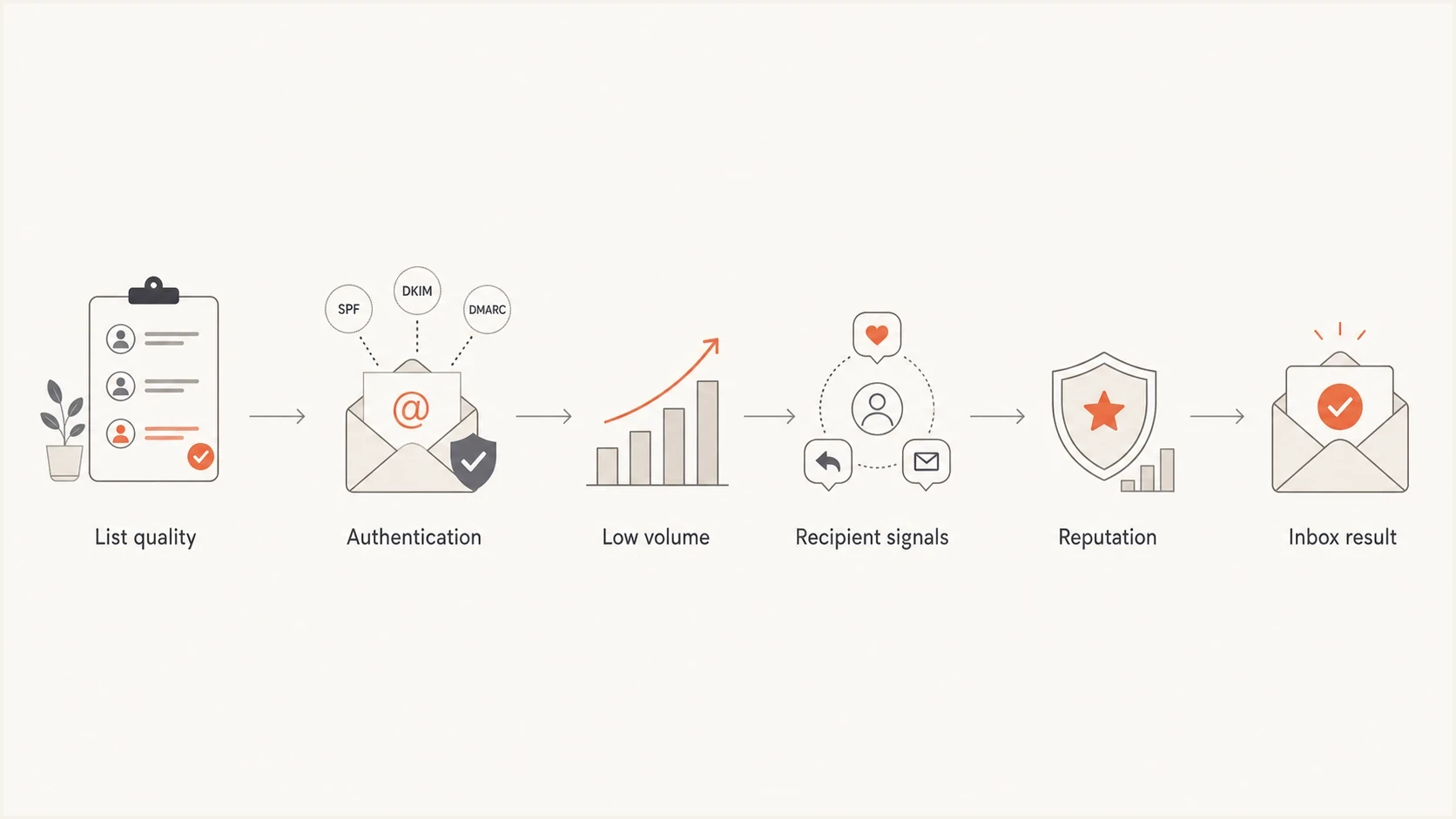
Cold email deliverability process: list quality, authentication, recipient signals, and inbox placement.
The technical pieces matter, but they do not override behavior. SPF checks whether a sending IP is authorized, DKIM verifies a domain signature and the integrity of signed content, and DMARC checks the authenticated domain against the visible From domain. They do not prove the mail is wanted. A fully authenticated cold email can still land in spam because recipients complain or the campaign has poor reputation or list quality. Role accounts are not inherently invalid, but a shared inbox is often unsuitable for a personal sales pitch.
|
|
|
|---|---|---|
Hard bounces | Often invalid recipient addresses | Suppress invalid addresses and review the list |
Spam complaints | Recipients reject the pitch | Suppress and pause |
DMARC failures | No passing SPF or DKIM result with the required domain match | Fix authentication |
Blocklist listing | A domain or sending IP is listed; impact depends on the receiver | Pause affected campaigns and investigate |
Cold outreach risk signals
Cold outreach also changes the risk profile of the whole company. If a sales program uses the same domain as product alerts or invoices, a poor campaign can reduce trust in mail that customers need. Separate high-risk streams before debating copy, cadence, or automation.
Choosing an outreach domain
The domain choice depends on risk tolerance, volume, and how closely outreach needs to match the brand. For very small, manual, relationship-based outreach, a named employee mailbox on the primary domain can work when the contact is lawful, the sending service permits it, targeting is excellent, and volume stays low. For repeatable cold campaigns, use a separate, clearly branded domain or subdomain and keep the sender identity transparent.
Using the main domain
This fits low-volume outreach where the sender has a real business reason to contact each person.
- The main domain has clearer brand recognition and fewer lookalike-domain concerns.
- Complaints and bounces affect the same domain used for customer communication.
- Keep this option for one-to-one messages, known accounts, requested event follow-up, and referrals.
Using a separate domain
This fits controlled outbound tests where sales volume is expected to grow.
- A separate domain reduces direct risk to customer, employee, and transactional mail.
- Filters still connect related domains through links, content, and behavior.
- Use it for prospecting tests, new sales motions, and campaigns with uncertain complaint risk.
A separate domain should still be clearly connected to the company. Avoid deceptive lookalikes and confusing spellings. If the primary domain is example.com, a clean outreach domain such as examplehq.com is safer than a domain that imitates the primary domain with a small typo. Register related domains defensively and publish a real website or redirect that makes ownership clear.
Do not use domain separation to hide
Domain separation is for containment and measurement. If the plan depends on hiding the brand, rotating burned domains, or making it hard for recipients to identify the sender, the campaign is already a reputation problem.
Warm up without fake engagement
A new outreach domain needs legitimate sending history before it carries meaningful volume. The right warm-up is not fake opens, artificial replies, or networks that simulate engagement. Artificial engagement does not show that real prospects want your messages and is not reliable evidence of sender reputation.
Warm up with legitimate, low-volume business mail first: known partner conversations, requested event follow-ups, and customer-approved introductions. Internal correspondence alone does not establish reputation with external recipient providers. The goal is stable behavior with real recipients, not a manufactured score.
Example weekly volume ramp
Illustrative sending volumes only. These are not provider limits or a validated safe ramp.
Daily sends
The chart is an illustration, not a prescribed schedule or safe-volume ceiling. There is no universal warm-up duration or safe daily cold-email limit. Count follow-ups in the total, spread sending steadily, and stay within the sending service's limits and acceptable-use rules. Stop increasing volume when bounces, complaints, deferrals, negative replies, or spam placement rise. A domain sending 50 carefully reviewed messages per mailbox per day has a different risk profile from one sending the same number to a scraped list. Recipient response and SMTP feedback matter more than the count.
- Start with known-contact and requested mail while authentication and reply handling are verified.
- Add a small number of suitable cold prospects only after lawful-contact, address, and relevance checks; the calendar alone is not a reason to proceed.
- Increase volume only when bounces, complaints, deferrals, and spam placement stay low.
Technical setup before first send
Every outreach domain needs SPF, DKIM, DMARC, valid forward and reverse DNS for its sending infrastructure, TLS, MX records, a real mailbox, a monitored reply path, and centralized suppression before the first campaign. For DMARC to pass, either the SPF-authenticated return-path domain or a passing DKIM signing domain must match the visible From domain. Relaxed mode accepts the same organizational domain; strict mode requires an exact domain match. Broken identity is an easy way to lose trust before the recipient reads a word. See RFC 9989.
Illustrative DNS records with placeholdersdns
outreach.example.com. TXT "v=spf1 include:_spf.sender.example -all"
selector1._domainkey.outreach.example.com. TXT "v=DKIM1; k=rsa; p=KEY"
_dmarc.outreach.example.com. TXT "v=DMARC1; p=none; rua=mailto:d@example.com"
Replace the example SPF include and DKIM public key with values supplied by your sender, and use a reporting mailbox you control. These records are templates, not working configuration. Your hosted mail service normally manages sending-IP PTR records and TLS; confirm both with the service.
Publish one SPF record that authorizes only current sources, enable DKIM signing for each source, and verify that at least one passing authentication result has the required From-domain match. Keep p=none only long enough to identify legitimate sources and fix failures. Move to p=quarantine and then p=reject when legitimate traffic passes consistently. DMARC enforcement asks receivers to quarantine or reject failing messages that use your domain; it does not prevent lookalike-domain impersonation or guarantee inbox placement.
Run Suped's domain health checker pass before launch, then repeat it whenever sales changes sending systems, domains, tracking links, DNS records, or mailboxes.
?
What's your domain score?
Deep-scan SPF, DKIM & DMARC records for email deliverability and security issues.
Authentication checks are not a one-time project. Sales teams add mailboxes, change sequences, add redirect links, and test new sending systems. Each change can break SPF or DKIM, create an unauthenticated source, increase SPF DNS-lookup pressure, or bypass the central suppression list. Keep SPF within the 10 DNS-querying-term limit, including nested includes, defined in RFC 7208; exceeding it produces permerror.
Meet current mailbox-provider requirements
Mailbox-provider rules apply to the sending domain and traffic pattern, not the label a sales team gives the campaign. Google's bulk-sender classification starts at close to 5,000 messages or more to personal Gmail accounts in 24 hours, counting the primary domain and its subdomains together. Once assigned, that classification is permanent. See Google's bulk-sender FAQ.
|
|
|
|---|---|---|
Gmail | All senders to personal Gmail accounts | Use SPF or DKIM, valid DNS, TLS, accurate message formatting, and keep reported spam below 0.3%. |
Gmail bulk | Close to 5,000 messages or more in 24 hours to personal Gmail accounts, aggregated across the primary domain | Use SPF, DKIM, and DMARC with the required From-domain match. Marketing and subscribed mail needs one-click unsubscribe, a visible body link, and opt-out processing within 48 hours. |
Yahoo bulk | Senders of significant volume; Yahoo publishes no numeric threshold | Use SPF and DKIM, plus a passing DMARC result. Keep complaints below 0.3%; marketing and subscribed mail needs one-click unsubscribe, a visible body link, and processing within two days. |
Outlook.com bulk | Domains sending more than 5,000 messages per day to Outlook.com consumer accounts, including Hotmail and Live | SPF and DKIM must pass, with DMARC at least p=none and the required From-domain match. Noncompliant high-volume mail has been subject to rejection since May 5, 2025. |
Consumer mailbox requirements. Business inboxes have their own filtering policies.
These requirements cover consumer recipients; sending to a company address hosted by Google Workspace or Microsoft 365 does not use the same consumer bulk threshold. Check Google's sender guidelines, Yahoo's sender requirements, and Microsoft's sender requirements against the recipients you actually contact.
Treat 0.3% as an enforcement ceiling, not a healthy target. Set the internal warning threshold below 0.1%, review complaints by sending domain and campaign, and stop the sequence when the rate rises. A visible opt-out remains useful below bulk thresholds because it gives an uninterested recipient an alternative to the spam button. Review each provider's reported rate rather than dividing complaints by all campaign sends; provider denominators differ. At low volume, inspect every complaint even when no rate is reported.
One-click means an email header
A body link alone does not meet the one-click requirement. For Gmail's requirement, the sending system must add RFC 8058 List-Unsubscribe and List-Unsubscribe-Post headers with an HTTPS unsubscribe endpoint, sign both headers with DKIM, process the request without a login or confirmation step, and suppress further campaign mail. Keep a clear unsubscribe link in the message body as well. Yahoo also accepts a mailto unsubscribe header. The HTTPS POST format meets Gmail's stricter requirement; see RFC 8058.
Write relevant messages and limit follow-ups
Cold email copy should make the reason for contact clear. Personalization means a verified connection between the prospect's role or business and the offer, rather than inserting a name into a generic pitch. Targeting and intent data do not establish consent or guarantee that the recipient wants the message.
- Use an honest subject line that describes the message. Avoid fake "Re:" or "Fwd:" prefixes, fabricated urgency, and claims of a relationship that does not exist.
- Open with the specific business reason for writing, then explain one relevant benefit. Check every personalized detail and remove unsupported claims.
- Keep the email brief and readable on mobile, with one clear call to action, such as asking whether a short resource is relevant. Use plain text or simple HTML, and leave unnecessary attachments out of the first contact.
- Give each follow-up a useful new reason to contact the person, allow time for a reply, and set a written sequence cap. Stop after an opt-out or negative reply, and pause automated follow-ups when someone responds.
There is no universal subject-line length, body word count, or follow-up schedule that guarantees replies or inbox placement. Test one copy variable at a time within a small, comparable audience, and judge positive replies alongside complaints and opt-outs before expanding.
Operational rules that protect reputation
The best technical setup still fails with bad operations. Treat cold outreach as a governed channel with rules sales can understand: who can be contacted, why the message is relevant, how many touches are allowed, when to stop, and which signal pauses the program.
- Use narrow account criteria, avoid purchased lists, and record where each address came from.
- Validate before every campaign and suppress invalid-address hard bounces, previous opt-outs, and unsuitable role accounts.
- Write to a specific, verified business reason and check every personalized field.
- Limit follow-ups and stop immediately after a negative reply or opt-out; pause automation when a person replies.
- Avoid link-heavy templates, URL shorteners, shared tracking domains, and unnecessary tracking.
- Route replies to real people and synchronize opt-outs across every domain and mailbox.
Address validation does not prove consent, guarantee delivery to a catch-all address, or rule out every spam trap. Treat uncertain catch-all results cautiously. Suppress permanent invalid-recipient failures; for temporary deferrals, let the sending system retry with backoff and investigate repeated errors rather than resending aggressively.
Watch blocklist (blacklist) listings alongside SMTP errors and complaint signals. A listing does not mean every mailbox provider will block the mail. Check whether it concerns the sending IP, the domain, or a linked domain, and pause affected campaigns while reviewing the cause. Suped's blocklist monitoring keeps that signal next to DMARC and domain health so the same owner can investigate both.
Cold outreach stop rules
Use thresholds as stop signs. Investigate before sending more.
Healthy
Stable bounces, complaints below 0.1%
Keep the current volume steady.
Warning
Bounces or deferrals rising
Pause volume increases and review targeting.
Critical
Complaint spike or listing
Stop campaigns and fix the cause.
Open rates are distorted by privacy protections and automated image loading, so do not treat them as proof of inbox placement or interest. Give more weight to positive replies, hard bounces, spam complaints, opt-outs, deferrals, delivery errors, and qualified conversations. Review these by domain, mailbox, campaign, and recipient provider before changing copy or increasing volume. Security scanners also distort click rates. An SMTP accepted or delivered result does not show whether the message reached the inbox or spam folder.
When sending behavior damages reputation, review list quality, identity, volume, and SMTP responses before running more copy tests. Subject lines cannot repair a campaign aimed at invalid or uninterested recipients.
Monitor outreach authentication with Suped
Suped is our DMARC and email authentication platform. In a cold-outreach workflow, it helps answer which source sent mail for each domain, whether SPF and DKIM pass, whether the authenticated domain matches the visible From domain, whether an unknown source appeared, and which issue needs action before sales adds volume.
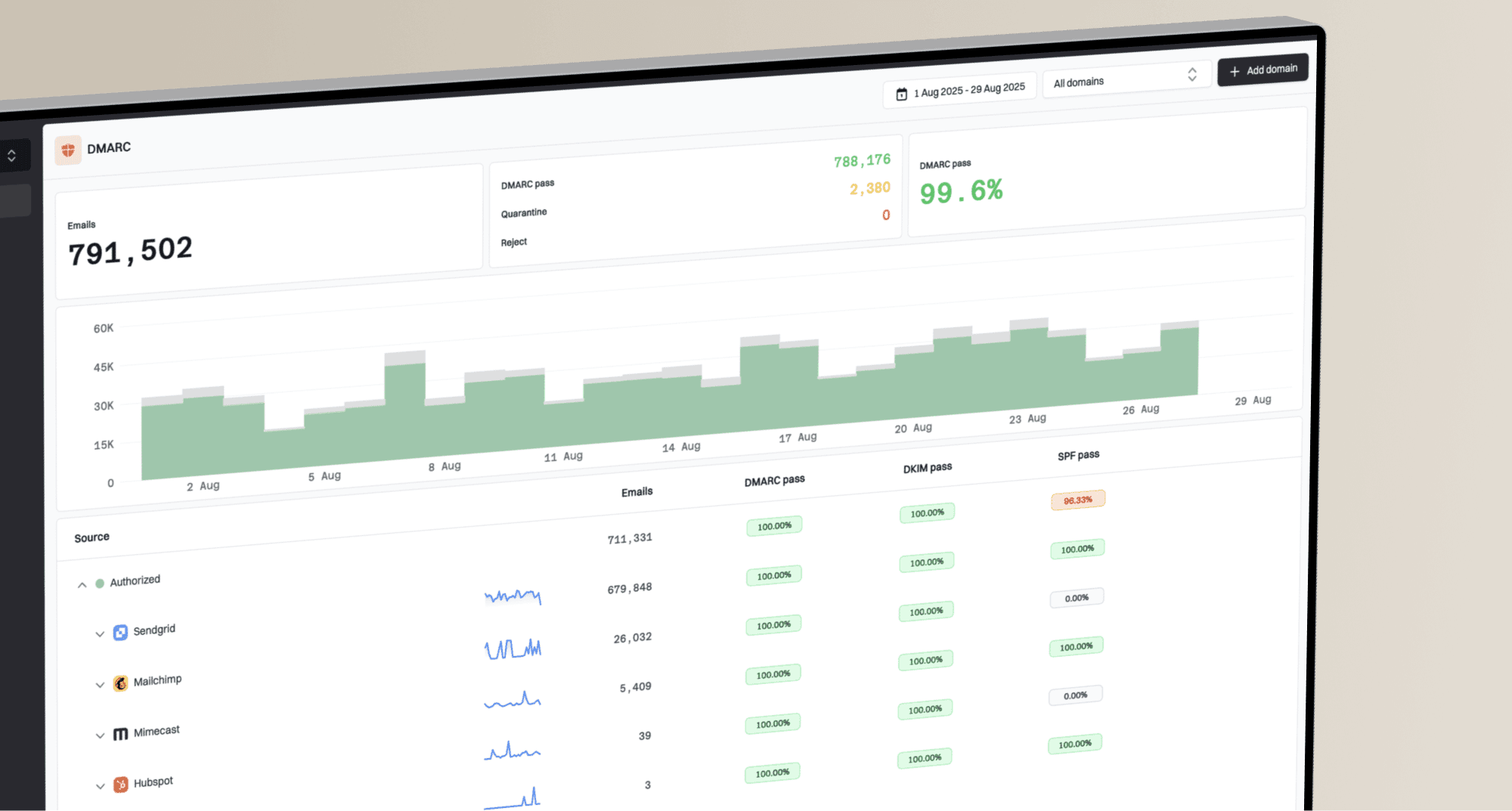
Issues page showing top issues, verified sources, unverified sources, and authentication pass rates
A practical Suped workflow puts outreach domains in their own monitoring scope, verifies every legitimate sending source, and watches new DMARC failures before sales increases volume. Suped's product also connects authentication findings with alerts and blocklist monitoring, so a domain owner can investigate the sending source and reputation signal together.
This is useful for small teams and MSPs because someone has to notice when a sales system starts sending without DKIM, a vendor changes infrastructure, an outreach domain gets listed, or DMARC reports show an unknown source. The owner can then pause the affected stream, correct the source, and verify clean reports before sending resumes. Aggregate DMARC reports are delayed authentication summaries, not live inbox-placement or complaint reports. Use sending-system SMTP feedback and complaint data for immediate campaign decisions.
A practical Suped workflow
- Monitor the primary domain and every outreach domain in the same Suped account.
- Confirm which sending systems are legitimate before enforcing policy.
- Notify the owner when failures, unknown sources, or listings appear.
- Move DMARC enforcement forward only after legitimate traffic is clean.
For broader authentication policy guidance, use DMARC monitoring to establish a clean baseline before cold outreach grows.
Compliance and consent still matter
Deliverability and compliance are separate, but they overlap in practice. Clear identification, a real business purpose, accurate sender details, a valid postal address where required, and fast opt-out handling reduce complaints. A campaign that scrapes broad lists, hides the sender, or ignores unsubscribes creates legal and deliverability risk at the same time. Check the sending service's acceptable-use policy as well; legal permission does not guarantee the service permits unsolicited commercial email. For example, Gmail's program policies prohibit distributing unsolicited commercial mail.
In the United States, CAN-SPAM covers commercial email, including business-to-business messages. It requires accurate headers, a non-deceptive subject line, identification as an advertisement, a valid physical postal address, a clear opt-out method, and action on opt-outs within 10 business days. Mailbox-provider rules can require faster processing. See the FTC compliance guide.
In the UK, PECR generally treats corporate subscribers differently from individuals, sole traders, and some partnerships. Even when prior consent is not required for a corporate subscriber, the sender must not conceal its identity, must provide an opt-out address, and still needs a lawful basis when processing personal data. Check the recipient's location and status before relying on a business-to-business exception. Document the legitimate-interests assessment when using that basis, and honor personal-data objections to direct marketing. See ICO B2B marketing guidance.
For EU recipients, check national electronic-marketing rules alongside GDPR; legitimate interests does not replace legally required consent. The ePrivacy Directive underpins those rules. Australia's Spam Act generally requires express or valid inferred consent for commercial email with an Australian link; a published business address alone is not blanket consent. See ACMA consent guidance.
Cold outreach is not automatically illegal everywhere, and it is not automatically acceptable. Contact fewer people with a documented reason, honor opt-outs immediately, keep a central do-not-contact list, and make the sender identity plain. For more detail on the boundary, read about illegal spam tactics.
Assign an owner who can pause sending
Sales can test cold outreach only when the domain is separated where needed, authentication passes, opt-outs are centralized, addresses and bounces are reviewed, and a named owner has authority to pause sending. Without that owner, the campaign waits.
Views from the trenches
Best practices
Separate cold outreach from core mail, then monitor both domains for shared risk signals.
Warm a domain with real business mail and controlled prospecting, not fake engagement loops.
Pause campaigns when complaints, bounces, unknown sources, or blocklist hits appear.
Use consent-led channels first when the target audience can be reached without cold mail.
Common pitfalls
Connecting outreach tools to a primary employee mailbox mixes sales risk with customer mail.
Relying on automated warm-up hides behavior until real sending patterns expose the domain.
Treating cousin domains as disposable still leaves brand, link, and infrastructure trails.
Scaling before replies and bounce data are reviewed turns weak targeting into reputation loss.
Expert tips
Give sales a written stop rule so deliverability decisions are not made during pipeline pressure.
Track positive replies and opt-outs separately so negative replies do not count as campaign success.
Keep tracking domains separate and clean so one bad campaign does not taint core links.
Review DMARC reports daily during launch, then tighten policy when legitimate sources stay stable.
Expert view
Expert from Email Geeks says separate domains are common for business development outreach, but the new domain still needs a careful warm-up period.
2025-03-04 - Email Geeks
Marketer view
Marketer from Email Geeks says cold email is treated as spam by many deliverability-focused teams, so expectations should be set before launch.
2025-03-04 - Email Geeks
Cold email launch checklist
Before sales proceeds, require an appropriate outreach domain, clean SPF and DKIM, DMARC reporting, a real reply inbox, verified addresses, centralized opt-out handling, low daily volume, frequent launch-stage review, and blocklist monitoring. Domain separation cannot repair irrelevant targeting or weak list sourcing.
Suped's product handles the DMARC and authentication part of that workflow by keeping source identification, issue alerts, and reputation signals with the domain record. If the company cannot commit to those controls, delay cold outreach and invest in consent-based lead generation.