Should I be concerned about the NoSolicitado blacklist for email sending?

Published 30 Jul 2025
Updated 21 Sep 2026
12 min read
Summarize with
Updated on 21 Sep 2026: We added direct DNS lookup guidance and clarified when a NoSolicitado listing warrants action.
Usually, no. Do not treat a NoSolicitado blacklist listing as a major emergency by itself. Treat it as a sender-reputation signal that becomes important when it matches real delivery failures, especially when a recipient's receiving server cites NoSolicitado in an SMTP rejection. NoSolicitado says its blacklist focuses on unsolicited email written in Spanish, but language or geography alone does not prove that a receiver uses it.
The practical answer is simple: if your logs show blocked mail, care about it. If a public blacklist (blocklist) checker shows the listing but your bounces, deferrals, complaint rate, and delivery by recipient domain look normal, put it below higher-impact reputation work. A listing on the NoSolicitado site is evidence to investigate, not proof that major mailbox providers are blocking you.
Short answer
Care about NoSolicitado when it appears in bounce logs, affects a meaningful recipient group, or points to a real list-quality or account-security problem. Do not spend days chasing removal if the only evidence is one blacklist lookup and no delivery symptoms.
- High concern: SMTP logs name NoSolicitado, or support tickets show mail missing for affected recipients.
- Medium concern: You see recipient-domain declines tied to the listed IP, or the IP appears in the stricter bl.worst.nosolicitado.org zone.
- Low concern: A checker reports the listing, but delivery metrics and bounce logs do not move.
What NoSolicitado lists and how it works
NoSolicitado is an IP-based DNS blocklist (DNSBL), also called a real-time blocklist or RBL. A listing applies to the outbound mail server IP that receivers query, not automatically to the visible From domain or individual email address. The operator says it uses decoy addresses, often called spam traps, to identify mail sent to harvested or purchased addresses.
The public service has two DNSBL zones. A receiving server decides whether a match causes rejection, quarantine, or an added spam score, so the listing alone does not reveal how any specific receiver treats the message.
|
|
|
|---|---|---|
bl.nosolicitado.org | Main IP blocklist | Investigate the listed sending IP and its traffic |
bl.worst.nosolicitado.org | Stricter zone for the worst sources | Treat a match as a stronger signal, then verify delivery impact |
NoSolicitado's public IP blocklist zones
NoSolicitado says it also lists IPs associated with phishing, identity theft, scams, compromised servers, and sender impersonation. On a shared IP, another tenant's traffic can trigger the listing. Identify the outbound IP and who controls it before changing domain DNS or moving mail.
When NoSolicitado matters
NoSolicitado matters when the listed IP intersects with a receiving system that queries the DNSBL. The same listing can be noise for one sender and a real issue for another sender with a different recipient mix or mail route. Spanish-language content or recipient location can guide segmentation, but neither proves the receiver uses this blacklist.
The mistake is assuming every blacklist has the same operational weight. NoSolicitado reports more than six billion queries a month, but that figure does not identify the receivers making those queries or whether they reject mail on a match. Use your own delivery evidence to set the priority.
|
|
|
|---|---|---|
Checker only | Low | Confirm the outbound IP and both zones |
Recipient-domain decline | Medium | Segment bounces and deferrals |
Bounce citation | High | Fix and delist |
Complaint or spam-trap evidence | High | Audit consent and account security |
Practical priority for NoSolicitado signals
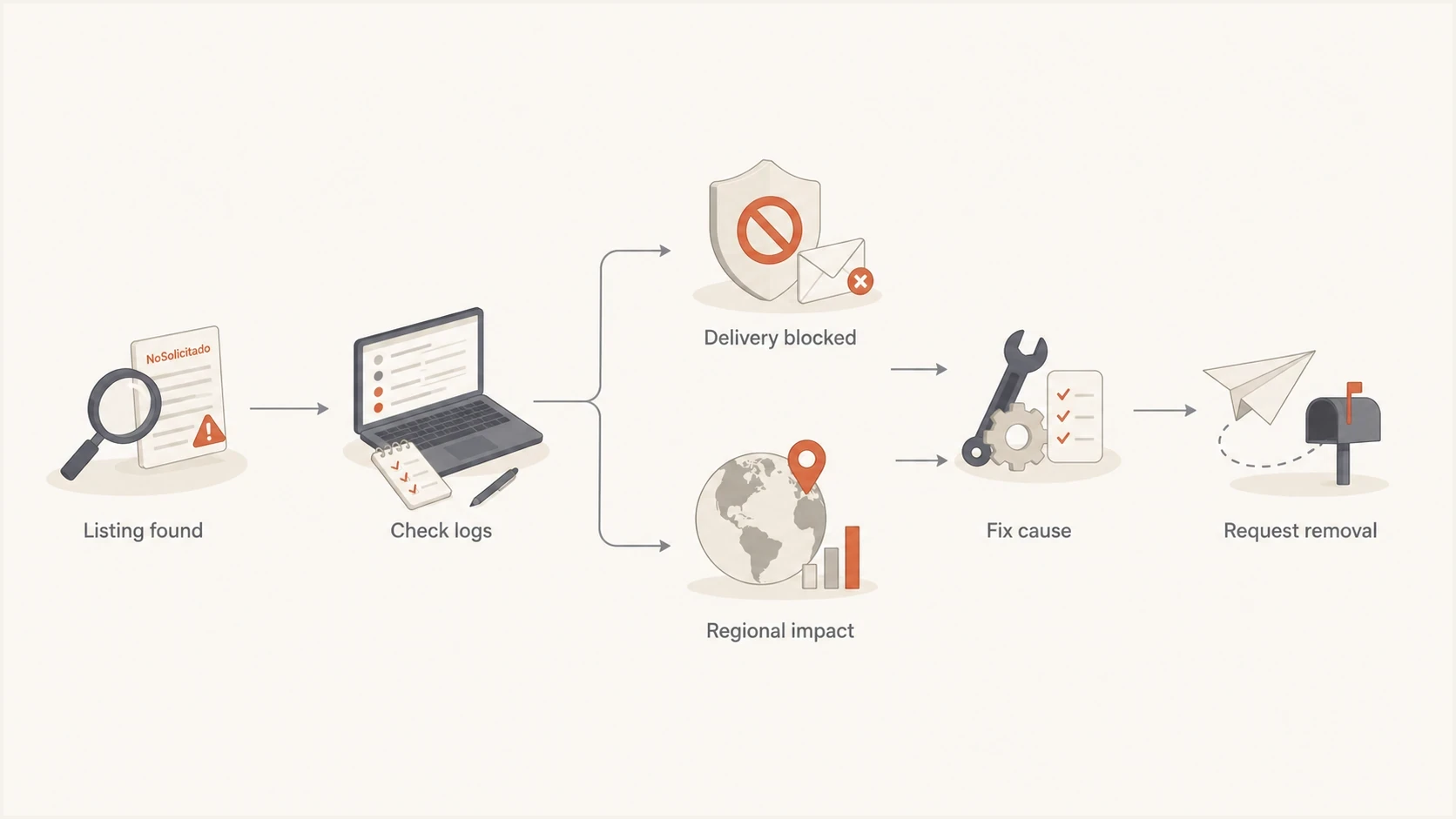
Decision flow for checking the delivery impact of a NoSolicitado IP blacklist listing.
Also look for cause overlap. The behavior that gets an IP onto a blacklist can reduce reputation at mailbox providers even when those providers do not query that exact list. In that case, delisting fixes the visible listing, but the provider-side reputation issue remains until the sending pattern improves.
How to verify the real impact
Start with evidence from your mail stream. Public blacklist results are useful, but SMTP logs, bounce processing, complaint data, and campaign segmentation decide whether the listing is hurting you. If you need a broader primer on how listings work, start with blocklists before you spend time on removal.
Illustrative SMTP evidencetext
550 5.7.1 Message rejected. Sending IP listed at NoSolicitado.org
421 4.7.0 Temporary block for poor sender reputation
451 4.4.2 DNSBL lookup timeout for bl.nosolicitado.org
A rejection that names NoSolicitado is direct evidence. A generic reputation rejection is weaker evidence. A DNSBL timeout or SERVFAIL means the lookup failed, not that the IP is listed. A mailbox provider can also block because of complaints, sudden volume, poor engagement, or authentication failures without consulting this blacklist.
Query both DNSBL zones directly
For an IPv4 address, reverse its four octets and append each NoSolicitado zone. The example below checks the documentation address 203.0.113.42, so the query begins with 42.113.0.203. Replace that address with the outbound IP shown in your mail headers or sending logs.
Direct NoSolicitado DNS queriesbash
dig +short 42.113.0.203.bl.nosolicitado.org A
dig +short 42.113.0.203.bl.worst.nosolicitado.org A
A returned A record indicates a listing in that zone. NXDOMAIN or no A record normally means that IP is not listed, provided the zone itself is responding. A timeout or SERVFAIL is inconclusive. If the command-line result conflicts with a checker, repeat the query through another resolver and confirm the IP on the NoSolicitado site.
- Confirm scope: Identify the exact outbound IP, domain, sender stream, and time window tied to the listing.
- Check both zones: Verify the IP against bl.nosolicitado.org and bl.worst.nosolicitado.org, and distinguish a listing result from a failed query.
- Read bounces: Search SMTP responses for NoSolicitado citations, generic reputation blocks, and recipient-domain patterns.
- Segment delivery: Compare affected campaigns by recipient country, recipient domain, source, and send type.
- Check cause: Review acquisition source, consent, bounce handling, complaints, spam-trap exposure, and account security.
- Retest mail: Use an email tester and controlled production sends after changes.
Blocklist checker
Check your domain or IP against 144 blocklists.







If the blocklist checker confirms a listing, treat that result as one input and pair it with your logs. A blacklist entry without matching delivery impact does not justify risky emergency changes such as switching IPs, moving domains, or suppressing a large part of your list without a second signal.
To understand why an IP was listed, trace sending behavior around the listing time. Sudden volume increases, purchased or scraped addresses, weak bounce handling, compromised accounts, and old inactive segments are common causes of a blacklisted IP address.
Fix the cause before delisting
Delisting is useful only after you understand why the listing happened. If the root issue is poor consent, a bad upload, a compromised account, or a shared IP neighbor, removal can be temporary. The listing comes back or delivery problems continue through provider reputation systems.
Chasing removal only
- Fast relief: A clean lookup can reduce anxiety and help with specific receiver blocks.
- Weak proof: Removal does not prove inbox providers have restored reputation.
- Repeat risk: The IP can be listed again if the same traffic pattern continues.
Fixing root cause first
- Durable fix: Consent, suppression, and bounce handling reduce future listings.
- Better evidence: Logs and segmentation show whether receivers changed behavior.
- Cleaner request: A delisting note is stronger after you can name the fix.
Do not confuse symptom and cause
A blacklist listing is often a symptom. Provider reputation damage usually comes from the same sending behavior that caused the listing, not from the public listing itself.
For a typical marketing sender, check recent uploads, high-bounce segments, old leads, sudden volume changes, form abuse, and complaint spikes before filing a removal request. For a transactional sender, check account takeover, signup abuse, password reset floods, and sender authentication.
For a self-managed mail server, confirm that the sending IP has a PTR record matching the MTA hostname and that the HELO or EHLO name resolves correctly. This does not erase a listing, but it removes a configuration problem NoSolicitado tells administrators to address.
A dedicated IP gives you clearer control and attribution, but it does not create a good reputation by itself. Low or irregular sending volume can make a dedicated IP harder to establish, so do not switch solely to escape one listing. If a provider controls the shared IP, ask it to remediate the source, request removal, or move legitimate traffic to a clean pool.
Authentication will not remove a NoSolicitado listing on its own, but broken SPF, DKIM, or DMARC makes the rest of the investigation harder. A quick domain health check helps confirm that the identity layer is not adding noise while you handle reputation.
After remediation, query the exact sending IP on the NoSolicitado site. Its review path is for the administrator of a blocked server who believes the listing is erroneous. Explain why the IP should be reconsidered, document the root cause and corrective action, and keep the affected stream paused or restricted until the issue is controlled. NoSolicitado says it can ignore meritless requests and that some servers with severely damaged reputations will not be removed.
After removal, check both DNSBL zones again and watch recipient-domain bounces during controlled sends. A clean blacklist result confirms delisting, but improved delivery confirms that the operational problem has been resolved.
How to prioritize this listing
Rank NoSolicitado below blocklists that repeatedly appear in rejection evidence for your own mail, but above background noise when the affected receiving systems cite it. The right priority is not based on the list name alone. It is based on the listed IP, audience overlap, and observed blocking.
NoSolicitado concern level
Use delivery evidence, not the listing alone, to decide urgency.
Monitor
Low
Checker result only, no log evidence, normal metrics.
Investigate
Medium
Recipient-domain decline or generic reputation deferrals.
Act now
High
SMTP rejections cite the list or key mail is blocked.
Treat each blacklist alert according to its evidence. A single low-impact listing should not outrank authentication failures, spam complaint spikes, or rejections on important blocklists that your recipients actually use.
- First priority: Direct SMTP rejects, especially for transactional or high-value customer mail.
- Second priority: Receiver-specific performance drops that match the listed IP and DNSBL use.
- Third priority: A listing with no delivery movement, kept as a monitored cleanup task.
If you send through a shared IP pool, ask the provider whether the listed IP is yours alone or shared across customers. Shared pools make attribution harder. Your domain can have clean practices while another sender on the same pool creates the listing, and the provider must handle the removal request.
Where Suped fits
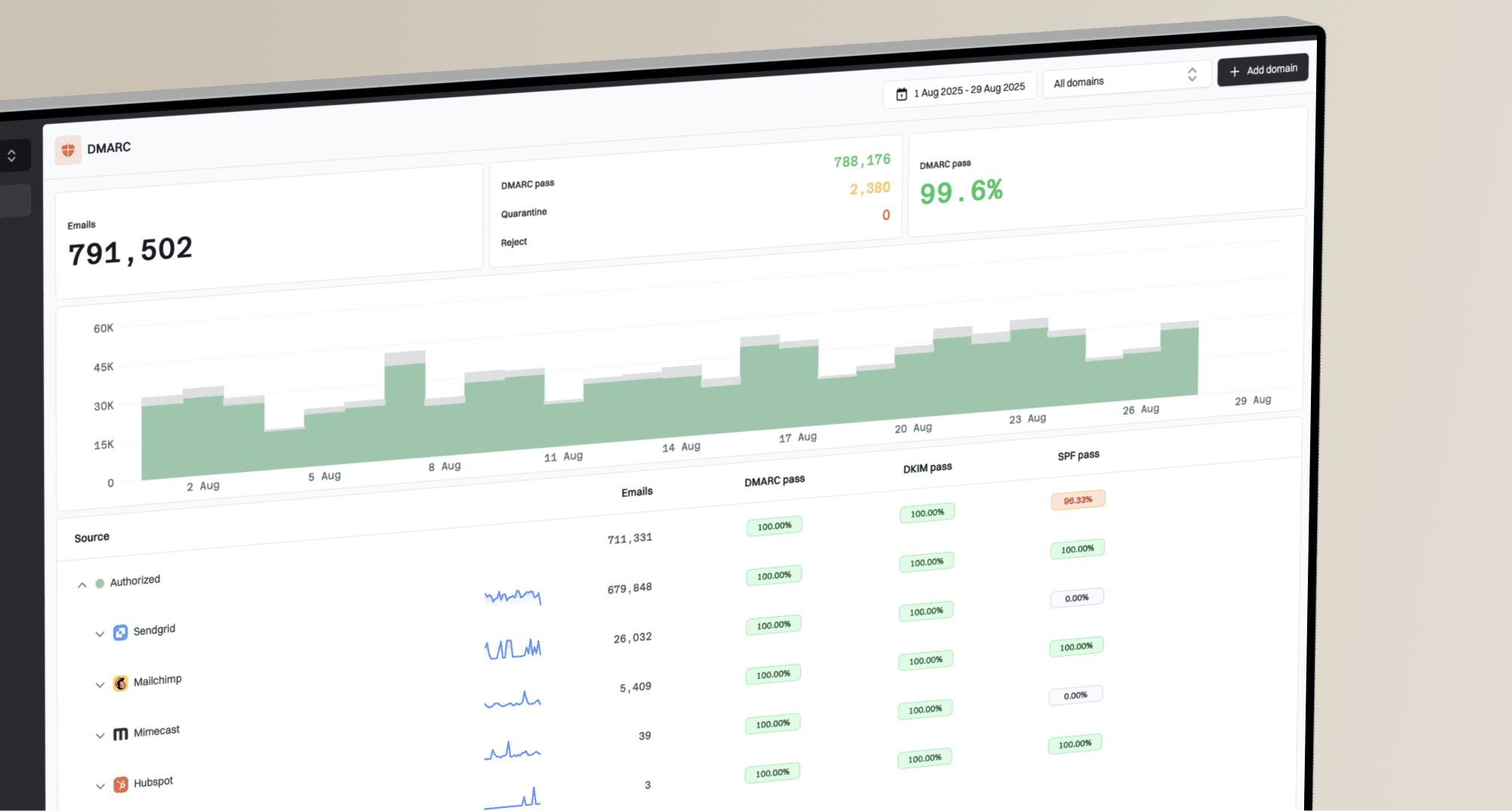
Suped's blocklist monitoring workflow supports this triage. It connects an alert to the affected IP or domain and puts it beside DMARC, SPF, DKIM, and sending-source data. SMTP logs still provide the proof that a receiving system used NoSolicitado to block mail.

Blocklist monitoring page showing domain and IP checks across blocklists with importance and status
For a NoSolicitado alert, Suped's product can keep the monitored IP or domain, alert history, authentication checks, and resolution notes together. That is useful when marketing, engineering, or an MSP needs a shared record of who owns the sending source and what changed.
- Alert context: Suped connects blocklist alerts with the monitored domain or sending IP.
- Authentication view: DMARC, SPF, and DKIM monitoring shows whether identity failures are adding risk.
- Action record: Investigation notes and remediation steps give the team a repeatable incident trail.
- Multi-domain work: The MSP and multi-tenant dashboard keeps separate customers and domains organised.
In this workflow, NoSolicitado remains one reputation signal beside the sender sources identified through DMARC reporting. The team can record remediation in Suped, then use bounce logs and controlled sends to confirm whether delivery recovered.
Views from the trenches
Best practices
Use SMTP logs first; treat a NoSolicitado listing as urgent only when delivery is blocked.
Segment impact by recipient region and ISP before chasing a small regional blacklist.
Fix consent, bounce, and complaint issues before requesting delisting from any blacklist.
Common pitfalls
Assuming every public blacklist feeds major inbox filtering leads to wasted remediation work.
Requesting removal before fixing sender behavior often leaves the listing or symptoms in place.
Ignoring shared IP context can make a clean domain look responsible for someone else's traffic.
Expert tips
Keep a short incident note with IP, campaign, bounce text, audience, and resolution time.
Retest with real seed and production mail after delisting, not only a public checker result.
Watch authentication and blocklist data together so reputation signals have useful context.
Expert view
Expert from Email Geeks says NoSolicitado deserves attention when a receiver rejects mail, but logs should set the priority.
2024-02-14 - Email Geeks
Expert view
Expert from Email Geeks says most mailbox providers do not quietly rely on every public blacklist, so a listing alone is weak evidence.
2024-03-08 - Email Geeks
The practical decision
Be concerned about NoSolicitado only when it has a measurable connection to blocked mail, receiver-specific delivery decline, or sender behavior that also harms reputation elsewhere. Do not ignore it, but do not let it outrank stronger evidence.
The best response is measured: confirm the exact listed IP and zone, read the SMTP logs, segment the affected audience, fix the source of the listing, request a review as the server administrator, then retest controlled mail. If the listing never appears in bounces and affected recipient systems show no change, keep monitoring it and focus on issues that are actually stopping mail.
Frequently asked questions
NoSolicitado does not publish a receiver-by-receiver adoption list, so a listing alone does not show that Gmail or Outlook queried it. Check provider-specific SMTP responses and delivery performance before assigning blame.
Yes, if you administer the listed sending IP, have fixed the cause, and can explain why the IP should be reconsidered. Query the IP on NoSolicitado's site and use its review path. If the IP is shared, ask the provider to handle the request.
Ask the provider whether the listed IP is shared and whether other customers contributed to the listing. Shared IP listings need provider involvement because you cannot fix every sender on the pool or submit as its administrator.
DMARC does not directly remove a blacklist listing. DMARC aggregate reports can reveal unauthorised sending sources, while an enforcement policy tells supporting receivers how to handle messages that fail aligned authentication. You still need to fix the IP reputation issue and follow NoSolicitado's review process.
Confirm the outbound sending IP, check both NoSolicitado zones, search SMTP logs for a direct citation, and compare delivery by recipient domain. A timeout or generic reputation response is not proof that NoSolicitado caused the block.
For a direct DNSBL query, NXDOMAIN or no A record normally means the queried IP is not listed, provided the zone is responding. A timeout or SERVFAIL means the lookup did not complete. Confirm an uncertain result through another resolver or the NoSolicitado site.