How do I troubleshoot email bounce messages?

Published 2 Jun 2025
Updated 17 Oct 2026
13 min read
Summarize with

Updated on 17 Oct 2026: We clarified bounce diagnostics and added delivery-log checks for retry expiry and local suppression.
Troubleshoot email bounce messages by saving the full non-delivery report (NDR), also called a delivery status notification (DSN) or bounceback message, reading the SMTP reply code, identifying the server that rejected the message, and then testing the recipient, DNS, authentication, and reputation path one at a time. Send a fresh message through the email tester after saving the bounce text to inspect current headers and authentication. Also retest the original recipient, because acceptance by a test address does not prove that the original provider will accept the message.
A bounce needs a specific diagnosis. The status code and diagnostic line identify the failure; a remote server name adds context when present. Those fields tell you whether the fix belongs in the mailing list, DNS, SPF, DKIM, DMARC, sending IP reputation, content, or retry timing.
- Keep the complete NDR or bounceback text, including headers, remote server lines, timestamps, and the diagnostic code.
- Check whether one address, one mailbox provider, or all recipients are affected.
- Compare the bounce against DNS, authentication, sender reputation, and recent sending changes.
- Make one fix, send a clean test, and only then change the next variable.
Start with the complete bounce message
The full bounce message is the starting point. A screenshot of the subject line or a rewritten error is rarely enough. Keep the original delivery status notification, because the useful line is often buried under several human-readable explanations.
Look for Reporting-MTA, Final-Recipient, Action, Status, Remote-MTA, and Diagnostic-Code. Reporting-MTA identifies the server that generated the DSN. Remote-MTA identifies the remote server involved in the failed attempt, when present. Diagnostic-Code records the underlying error, including an SMTP reply or a locally detected connection failure. In a wrapped NDR, the administrator or diagnostic section can preserve the original remote response even when the user-facing explanation is generic.
Useful bounce fieldstext
Reporting-MTA: dns; mail.sender.example
Final-Recipient: rfc822; user@example.net
Action: failed
Status: 5.7.26
Remote-MTA: dns; gmail-smtp-in.l.google.com
Diagnostic-Code: smtp; 550 5.7.26 unauthenticated mail
Do not over-redact the evidence
Remove personal message content if needed, but keep the technical fields intact. The domain, recipient domain, remote server, SMTP status, and diagnostic line are the evidence needed to diagnose the failure.
- Keep the status, diagnostic code, remote MTA, timestamps, and message ID.
- Remove private message body content or personal notes that do not affect routing.
- Preserve the exact wording from the receiving server, including provider hints.
If the bounce is unavailable, recreate the failure with a controlled test. Use the same sender domain, sending platform, envelope sender path, and recipient provider where possible. Changing the sender or platform too early creates a different test and hides the original problem.
Separate hard bounces from soft bounces
The first decision is whether the receiving system rejected the message permanently or temporarily. An SMTP 5xx (5yz) reply means permanent failure for the message in its current form, while a 4xx (4yz) reply asks the sending system to retry. A 5xx policy rejection does not prove that the address is invalid. The enhanced status code and surrounding text still matter because some providers use broad or inconsistent codes for mailbox and policy conditions. Do not keep retrying a 5yz reply simply because its text says the mailbox is full.
|
|
|
|---|---|---|
5.1.1 | Bad address | Verify address, then suppress if invalid |
4.2.2 | Mailbox full, temporary | Let the sender retry |
5.2.2 | Mailbox full | Confirm quota; resolve before resending |
4.4.1 | Network issue | Queue and route |
5.7.1 | Policy block | Auth and IP |
5.7.26 | Auth fail | Full error text, SPF, DKIM, and DMARC |
554 | Transaction failed | Full diagnostic text |
Common bounce code patterns and first checks.
For deeper code reading, keep a separate reference for bounce error codes. When a 4xx failure repeats for hours or days, treat it as a delivery issue, not just a temporary delay, and work through the soft bounces path with the same discipline.
Bounce urgency by pattern
Use the pattern, not only the first digit, to decide the next action.
Single 4xx
Watch
A short retry delay is normal.
Repeated 4xx
Investigate
A repeated temporary failure needs investigation.
5xx policy
Fix
Authentication, content, reputation, or routing needs review.
5.1.1
Clean
Suppress or verify the recipient address.
Hard bounces should not all be handled the same way. A dead mailbox needs suppression. A 5.7.1 policy block needs authentication and reputation checks. A 554 with a blocklist (blacklist) hint needs sender reputation evidence. A message-size rejection needs a smaller message. The code narrows the search, but the diagnostic text points to the fix.
Decode the SMTP reply
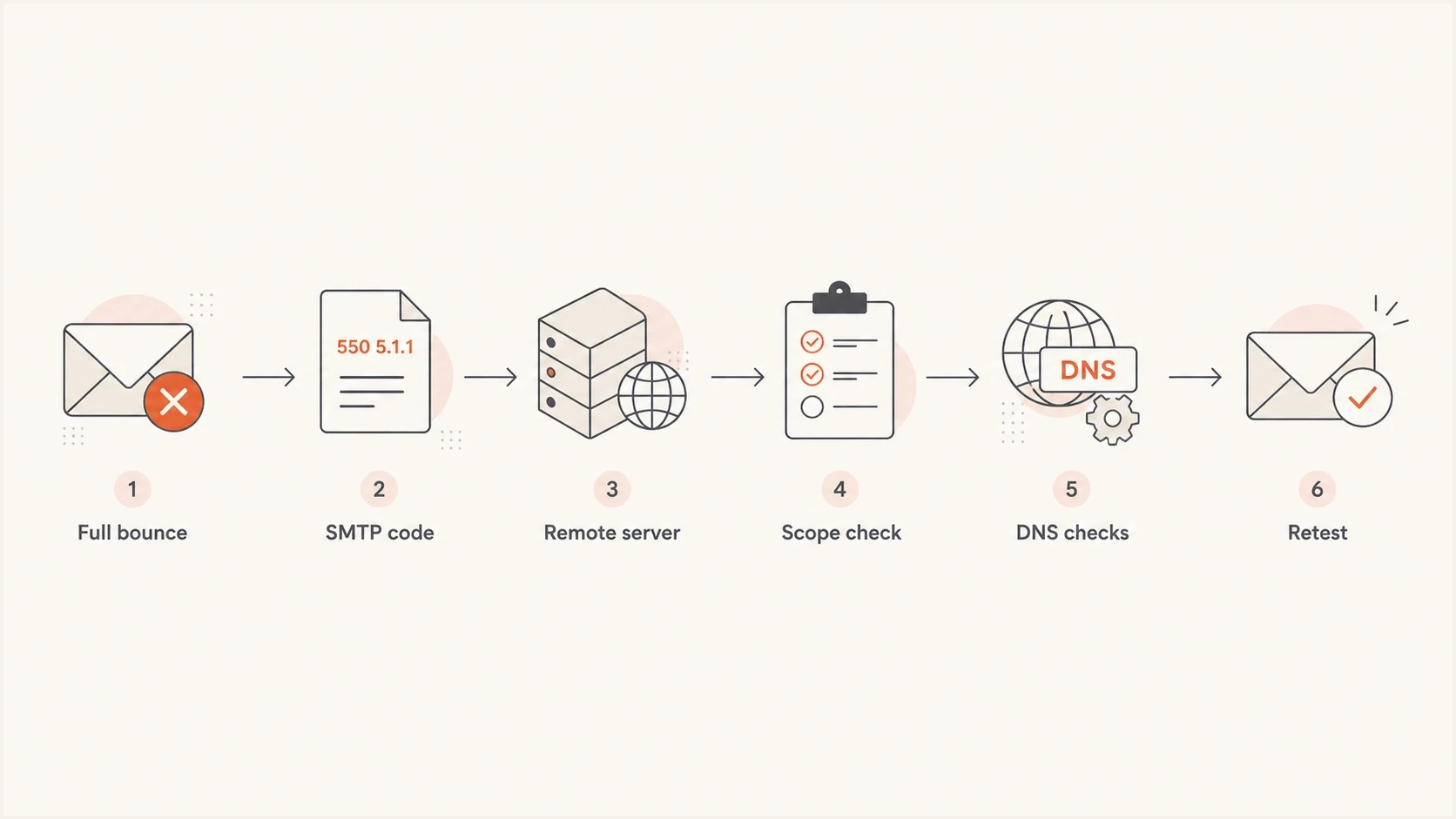
Email bounce troubleshooting flowchart: save the bounce, read the SMTP code, identify the server, check scope and DNS, then retest.
Read the bounce from the technical fields first, then the human text. When a remote SMTP rejection is present, its diagnostic text is the best evidence of the receiving server's stated reason. Intermediate systems can add confusing wording, especially when another application or sending platform wraps the original SMTP response.
Read Remote-MTA together with Diagnostic-Code to distinguish a remote rejection from a timeout or connection failure. If the rejecting server belongs to the recipient provider, the sender has to satisfy that provider's policy. If the rejection happens inside your own outbound system, the issue can be local routing, account limits, malformed headers, or an invalid recipient before the message ever reaches the internet.
Evidence to trust first
- Remote-MTA and the diagnostic line identify the remote system and the failure type.
- The SMTP status separates permanent failures from retryable failures.
- The diagnostic line often names authentication, policy, recipient, or routing causes.
Signals to treat carefully
- The subject line usually hides the exact SMTP reason.
- A user summary can paraphrase the error and lose the useful detail.
- An old sample can point to a problem that has already changed.
Triage note formattext
Provider: Gmail
SMTP: 550 5.7.26
Remote MTA: gmail-smtp-in.l.google.com
Scope: marketing stream only
Next check: SPF and DKIM on the same sample
Keep triage notes short and factual. Provider, SMTP reply, remote MTA, scope, and next check are enough to prevent random fixes. If several teams touch email, this format also makes handoffs cleaner because everyone sees the same evidence.
Check delivery logs and queue expiry
Search your sending platform's delivery logs or message trace using the recipient, timestamp with timezone, and message ID or queue ID. Check whether the message is queued, deferred, rejected, or suppressed locally. An accepted API request confirms submission to the sending platform, not delivery to the recipient.
Queue expiry with an earlier connection failuretext
550 5.4.300 Message expired -> 421 4.4.2 Connection dropped due to SocketError
The final 550 reports delivery expiry, while the nested 421 4.4.2 records the earlier connection failure. Investigate the retry history and connection path before treating the recipient as invalid. This diagnostic alone does not prove a spam block or identify which side caused the disconnect.
- Let the sending server handle queued 4xx retries. Check its configured retry window instead of repeatedly resending the same message.
- For repeated connection failures, ask the sending administrator to inspect destination DNS, outbound port 25 access, firewall rules, connector settings, and TLS negotiation.
- Check local suppression lists after a fix. Clear an address-specific suppression only after confirming the address is valid and resolving the original cause.
- If the final destination returned 250 after the complete message was sent, check recipient-side message trace, quarantine, and junk folders. SMTP acceptance does not guarantee inbox placement.
Check authentication and domain setup
When the bounce mentions authentication, policy, unauthenticated mail, SPF, DKIM, DMARC, sender identity, or suspicious mail, check domain setup. Suped's domain health check gives you a fast view of DNS and authentication problems, while DMARC monitoring shows whether real mail streams are passing or failing over time.
The important detail is that the test has to match the bounced stream. A domain can pass SPF for one platform and fail for another. DKIM can pass for a newsletter system and fail for a support desk. DMARC can pass through DKIM when its signing domain meets the required match with the visible From domain, even when SPF fails. Diagnose the stream that produced the bounce.
Illustrative DNS records, replace placeholders before publishingdns
example.com. TXT "v=spf1 include:_spf.sender.example -all"
selector1._domainkey.example.com. TXT "v=DKIM1; k=rsa; p=MIIB..."
_dmarc.example.com. TXT "v=DMARC1; p=none; rua=mailto:d@example.com"
Authentication evidence to collect
- Record the SMTP MAIL FROM (Return-Path) domain used by the platform; it can differ from the visible From domain.
- Check whether SPF authorizes the sending IP and stays within the limit of 10 DNS-querying terms per evaluation, including nested includes.
- Confirm the DKIM selector exists and the signature validates on the received message.
- Confirm SPF or DKIM passes with a domain that meets DMARC's required match with the visible From domain.
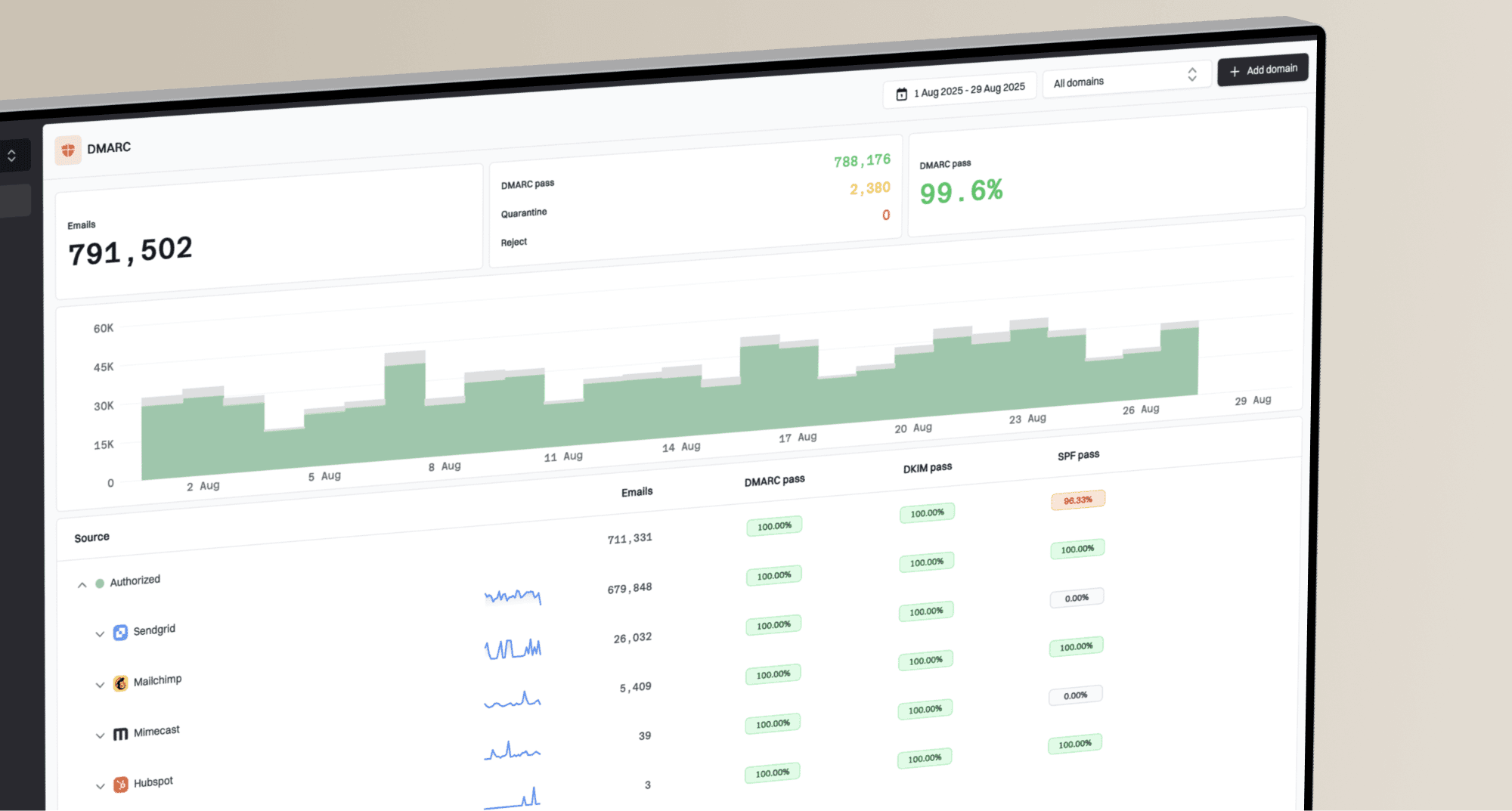
DMARC record detail view showing SPF, DKIM, DMARC, rDNS diagnostics, and DNS records
Suped's DMARC reporting and email authentication platform helps identify sending sources with SPF, DKIM, or DMARC failures. Compare the results for those sources with the bounce and DNS diagnostics, then correct the affected platform's configuration. Aggregate DMARC reports do not identify individual bounced messages, and failures before DMARC evaluation will not appear in them.
Also check forward-confirmed reverse DNS: the sending IP's PTR hostname should resolve back to that IP. If the diagnostic mentions encryption or certificate errors, inspect SMTP TLS negotiation. Fix these with the sending IP owner or mail administrator; an SPF edit does not repair a PTR or TLS failure.
When reputation or policy causes the bounce
If authentication passes and the recipient address is valid, look for reputation and policy signals. Diagnostic wording such as "poor sender reputation", "blocked", or "temporarily deferred" helps narrow the check. Suped's blocklist monitoring helps track listings, but a listing is relevant to the bounce only when the rejecting provider uses that blacklist. Providers also apply internal reputation blocks that do not appear on public blacklists.
|
|
|
|---|---|---|
Bad address | 5.1.1 | Suppress |
Auth failure | 5.7.26 | Verify the sending setup and DNS |
Rate limit | 4xx deferral | Slow sending |
Blacklist | Listed IP | Remediate |
Content | URL reject | Revise |
Policy and reputation causes that often look similar.
Do not request removal before fixing the cause
If a blocklist or blacklist listing is involved, fix the sending behavior first. A listing can return after removal if the same spam complaints, invalid recipients, compromised traffic, or authentication gaps continue.
- Check volume for sudden sending spikes or new automated mail sources.
- Suppress confirmed invalid addresses and review stale or unengaged contacts against your consent policy.
- Separate different mail streams when possible, especially transactional and marketing mail.
Policy bounces also cluster by provider. If one provider rejects and others accept, compare that provider's wording against recent authentication results and engagement patterns. If many unrelated domains reject at once, reputation, DNS, routing, or a shared infrastructure issue is more likely. Track bounce rate by recipient provider and mail stream, because one blended rate can hide a concentrated failure.
Check message size, content, and routing
If the bounce follows one message rather than every message in the stream, isolate message size, attachments, content, formatting, and routing. Large files can exceed the recipient's limit after transfer encoding increases the message size. Nested attachments, blocked file types, malformed content, or a URL policy can also trigger a permanent rejection even when authentication passes.
|
|
|
|---|---|---|
5.2.3 or 5.3.4 | Message too large | Reduce total size |
5.6.x or named attachment | Format or file policy | Remove named element |
5.4.6 or 5.4.14 | Routing or forwarding loop | Check mail-flow rules |
4.4.x or 5.4.4 | Destination DNS or MX | Verify domain and MX |
Message and routing signals that need separate checks.
Run a plain-message isolation test
Send a short plain-text message through the same sender and route to the same recipient provider. If it succeeds, add the original elements back one at a time until the rejection returns.
- Start without attachments, embedded files, complex HTML, or a long signature.
- Keep the sender domain, envelope path, platform, and recipient provider unchanged.
- Add one link, attachment, or formatting change per test.
- Ask the recipient administrator to inspect destination MX, forwarding rules, inbound policy, and mail-loop history when the evidence points to their system.
A forwarding address can accept the message at the first mailbox and fail at the final destination, so the NDR can name a server or policy you did not expect. Use the message hops and final recipient fields to trace that path. Missing MX records alone do not prove the domain cannot receive mail: SMTP can fall back to the domain's A or AAAA address when no MX exists. A null MX record (MX 0 .) explicitly states that the domain accepts no email. Destination DNS corrections belong to the recipient domain administrator.
Use a repeatable troubleshooting workflow
A repeatable workflow keeps bounce troubleshooting from turning into guesswork. Use the same sequence each time: collect the bounce, classify the failure, identify the rejecting system, verify DNS and authentication, check reputation or message-specific causes, apply one fix, then retest.
Email tester
Send a real email to this address. Suped shows a results button when the test is ready.
?/43tests passed
A controlled test is useful after each fix because it gives you fresh headers and fresh authentication results. It also prevents a common false conclusion: assuming a fix worked because retries stopped, when the sending system's queue simply expired.
- Save the full bounce and the original sending context.
- Classify the failure as hard, soft, recipient, policy, authentication, reputation, content, or routing related.
- Compare patterns for one recipient, one provider, and all providers.
- Check DNS and sender reputation evidence, including SPF, DKIM, and DMARC results.
- Apply one fix at a time and record exactly what changed.
- Send a fresh message and compare the new result with the old bounce.
One-off bounce
A single failed recipient usually starts with address validity, mailbox status, and provider-specific policy wording.
For a previously working Outlook recipient, remove the autocomplete suggestion, compose a new message, and type the confirmed address manually instead of replying to the old thread. Microsoft's bounceback troubleshooting includes this check for stale cached addresses.
- Suppress confirmed invalid addresses.
- Let the sending system retry a 4.2.2 mailbox-full reply. Retry a 5xx rejection only after correcting its cause.
Campaign-wide bounce
A broad failure across many recipients points to authentication, DNS, reputation, routing, or sending behavior.
- Pause the affected stream while you verify the cause.
- Send plain, low-volume samples after each fix.
Changing several things at once makes the result hard to trust. If you rotate IPs, edit SPF, change content, and suppress recipients in the same hour, you will not know which action affected the next bounce. A slower method produces clearer evidence and fewer repeat incidents.
Confirm the fix and prevent repeat bounces
For a valid recipient, confirm the fix with a fresh message through the original route and check that the same failure pattern stops appearing in live mail. For a confirmed invalid recipient, successful remediation means suppression prevents further attempts. A DNS edit or blacklist removal request alone is not evidence of delivery.
Suped's product supports the authentication part of this workflow by connecting DMARC monitoring and DNS diagnostics with issue alerts. After you identify the bounced mail stream in the delivery logs, use Suped to compare available aggregate SPF and DKIM results with DMARC status, then track results for that source after a DNS fix. Recipient typos, mailbox quotas, attachment limits, and destination routing still need separate checks.
- Monitor final bounce rate by recipient provider and sending stream. Count messages that ultimately failed, and track temporary deferrals separately so retries do not inflate the rate.
- Keep confirmed invalid addresses suppressed and use confirmed opt-in for new subscribers to catch address mistakes before regular campaigns.
- Record the cause, the correction, and the successful retest or suppression result so repeated failures reach the right owner.
- Track authentication changes in Suped alongside delivery-log results to distinguish a domain configuration issue from recipient or routing failures.
Frequently asked questions
Check Diagnostic-Code, Status, Reporting-MTA, and Remote-MTA together. They show whether the error was reported locally or returned by a remote server and whether the cause involves the recipient, policy, authentication, DNS, or reputation. For an expired message, inspect earlier errors in the retry history.
No. A 550 reply means permanent failure for the message in its current form, but the cause can be a bad address, policy block, content rejection, authentication failure, or reputation issue. Read the enhanced status code and provider text before deciding whether to suppress the address.
No. Let the sending system retry queued 4xx temporary failures within its configured retry window, then investigate persistent failures by provider and code. For a 5xx rejection, correct the cause before sending a fresh message. A full mailbox does not override the reply class.
A DMARC record does not generate a bounce by itself. A recipient can reject a message when it fails DMARC because neither SPF nor DKIM passes with a domain that meets the required match to the visible From domain, and the published policy or the recipient's local policy calls for rejection.
Check them when multiple unrelated domains reject the same sending IP or domain, when the bounce mentions reputation, or when policy bounces appear after a sending spike.