What is the impact of being on the UCEPROTECTL3 blacklist and how to deal with it?

Updated on 6 Oct 2026: We clarified UCEPROTECTL3 removal timing and added steps for verifying delivery impact and payment demands.
Being on the UCEPROTECTL3 blacklist usually has limited direct deliverability impact. Do not ignore it, but do not treat it as a high-severity blocklist event unless bounce logs show real rejections. Receiving servers choose whether to use UCEPROTECT data for scoring or direct rejection. For most senders, the bigger issue is what the listing says about the network around them.
UCEPROTECTL3 is a broad, ASN-level blacklist (blocklist). It can catch innocent senders because it normally covers all IP space assigned to the provider's autonomous system, not only the exact IP sending bad mail. If your own mail is clean but other customers in the ASN generate abusive traffic, your sending IP still returns a Level 3 result. That collateral damage is why the listing needs evidence-based triage.
Short answer
A UCEPROTECTL3 listing matters most when your logs show recipient domains rejecting or throttling mail because of it. Without that evidence, treat it as a network reputation warning and a provider escalation item.
- Impact: Usually low to moderate unless you send to receivers that rely on UCEPROTECT.
- Risk: Higher when the provider's ASN has persistent Level 1 sources and ongoing trap hits.
- Response: Check bounces, confirm the sending IP and ASN, fix your own identity signals, then push the provider.
What UCEPROTECTL3 actually means
UCEPROTECT has several listing levels. Level 1 applies to an individual IP observed by its data sources. Level 2 expands to an allocation or netblock when Level 1 impacts exceed its size-dependent threshold. Level 3 applies to the entire ASN. UCEPROTECT's published automatic-listing criteria require a SPAMSCORE of at least 50 and at least 50 Level 1 impacts within the previous seven days. Impacts count detected events, not necessarily distinct IP addresses. That is why an L3 blacklist listing can include a sender with clean opt-in practices and passing authentication. Its DNS-based blocklist (DNSBL), also called a real-time blackhole list (RBL), uses the lookup zone dnsbl-3.uceprotect.net.
- Level 1: A specific IP address has generated the direct listing signal.
- Level 2: Level 1 impacts within an allocation or netblock exceed the range-level threshold.
- Level 3: The full ASN is listed, so unrelated customers across the provider network can be affected.
What the listing says
It says the provider's ASN has met UCEPROTECT's network-level listing criteria. It does not prove your exact mail stream is abusive.
- Scope: A listed ASN can contain many allocations and unrelated customers. A dedicated IP or a new IP in the same ASN still inherits its Level 3 status.
- Cause: The immediate source often sits with other senders inside the provider network.
What it does not prove
It does not prove your domain, DKIM keys, message content, or website host caused the listing. You still need log evidence before treating it as the source of a deliverability drop.
- Domain: A Level 3 result follows the sending IP's ASN, not the domain name itself.
- Authentication: SPF, DKIM, and DMARC can pass while the ASN remains on a blacklist.
ASN-wide listing exampletext
Documentation-only example, not a live listing:
Provider ASN: AS64496
Your sending range: 198.51.100.0/24
Another customer's range: 203.0.113.0/24
Both ranges belong to the same example ASN.
Level 3 can cover both ranges even if only one caused the listing.
How much the listing affects deliverability
The effect depends on the receiving server's policy. InMotion Hosting reports no UCEPROTECT-related delivery impact on its own mail servers, but that observation does not establish how another receiver treats the list. A Level 3 result alone does not establish the cause of an inbox placement drop. The list can still appear in local scoring rules or direct rejection policies, so a few recipient domains can block mail while the rest of your program looks normal.
Start with SMTP evidence and confirm the lookup against the actual sending IP. If accepted volume, complaint rate, inbox tests, and hard-bounce reasons look normal, track the listing as a provider hygiene problem. If new 4xx deferrals or 5xx blocks name UCEPROTECTL3 or dnsbl-3.uceprotect.net, treat it as an active remediation task. An SMTP acceptance does not prove inbox placement; accepted messages still need inbox and spam-folder checks.
|
|
|
|---|---|---|
No matching bounces | Unconfirmed | Monitor and document |
Few local rejections | Moderate | Segment by recipient |
Level 3 named in 5xx | High | Escalate with logs |
Shared ASN listing | Variable | Push provider cleanup |
Use this table to decide whether the listing is background noise or an active delivery issue.
How to rank the urgency
The listing alone is less important than new rejection evidence tied to your mail stream.
Watch
Low
Listed, but no matching rejection trend.
Investigate
Medium
Rejections appear at a few recipient domains.
Escalate
High
UCEPROTECTL3 or its DNSBL zone is named in repeat 5xx failures.
For more detail, this breakdown on UCEPROTECT impact explains why the same listing can be harmless for one sender and painful for another.
What to check before escalating
Before escalating to a provider, gather enough evidence to separate a visible blacklist hit from a real delivery problem. Suped's blocklist monitoring shows the affected sender and list source so you can compare an alert with your SMTP logs. Review the blocklist basics so the internal conversation does not treat every blacklist the same way.
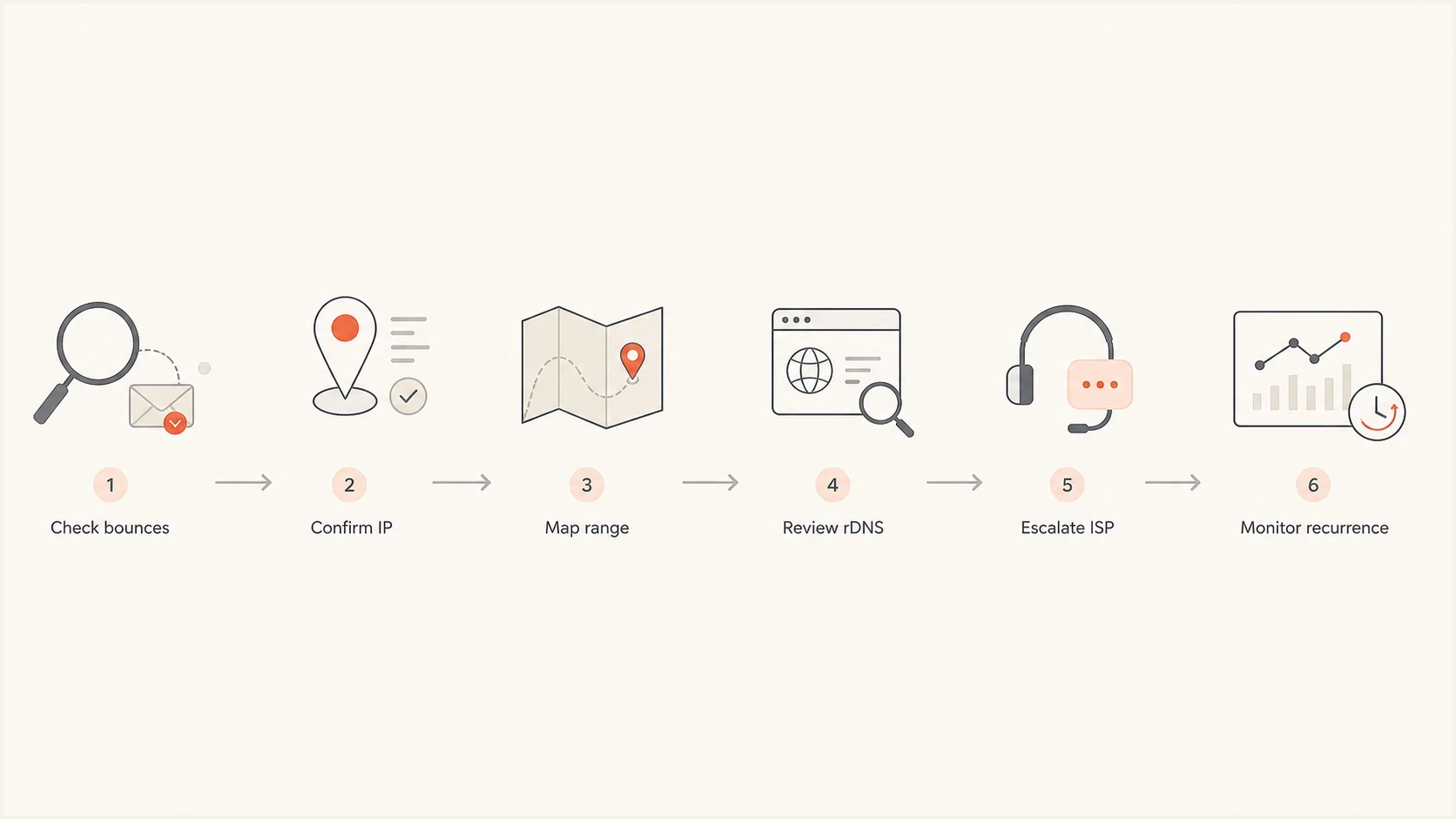
UCEPROTECTL3 investigation flowchart: check bounces, sending IP, network range, rDNS, provider escalation, and recurrence.
- Bounce logs: Search for UCEPROTECTL3 or dnsbl-3.uceprotect.net in the complete rejection text. Generic blacklist wording and status codes alone do not identify this list.
- Recipient pattern: Group failures by recipient domain and sending IP to identify which receiving systems are applying the policy.
- Sending IP: Confirm the IP that connected to the recipient server, including any outbound relay or gateway. Your website A record and inbound MX server often use different IPs.
- ASN and range: Map the sending IP to its ASN and check whether Level 1 or Level 2 listings also affect your allocation.
- rDNS: Check forward-confirmed reverse DNS: the outbound IP's PTR hostname should resolve back to that IP. Use a valid, consistent EHLO hostname.
- Authentication: Check SPF, DKIM, and DMARC so other reputation signals are not weakening the same mail.
Blocklist checker
Check your domain or IP against 144 blocklists.







Avoid arguing from a screenshot alone. A better escalation packet includes the listed ASN, exact sending IPs, timestamped rejection samples, affected recipient domains, and your own Level 1 status. An L3 result alone does not identify the customer responsible for the abuse.
Bounce log patterns to searchtext
UCEPROTECT
UCEPROTECTL3
dnsbl-3.uceprotect.net
DNSBL
blacklist
blocklist
421 4.7.0
550 5.7.1
554 5.7.1
How to deal with the listing
The fix depends on whether the bad traffic comes from your own mail stream, your allocated range, or another customer inside the provider's ASN. If confirmed reports implicate your own systems, stop unauthorized sending and fix address acquisition or account security. Spam trap addresses are normally undisclosed, so an L3 result alone does not identify subscribers to suppress. If the abuse comes from other customers, press the network owner to remove the actual source.
Fix the cause before considering paid delisting
Paid express delisting does not solve the cause. If the ASN still meets the listing criteria, the blocklist result can return.
- First: Find whether your own accounts, lists, hosts, or web forms are causing abusive traffic.
- Second: Make the provider identify and remove abusive sources across the ASN.
- Third: Watch the listing and rejection trend after remediation before closing the issue.
What you control
- Suppression: Remove hard-bouncing addresses and pause confirmed abusive list sources; do not infer trap addresses from an L3 listing.
- Identity: Use stable HELO, PTR, SPF, DKIM, and DMARC across each outbound host.
- Evidence: Keep bounce samples, message IDs, timestamps, and affected destinations.
What the provider controls
- Abuse action: Suspend compromised or abusive customers generating the listing signals.
- SMTP policy: Control unauthorized outbound mail from unmanaged residential or dynamic pools.
- Network hygiene: Reduce abuse across the ASN. Moving business mail to a different netblock inside that ASN does not remove Level 3 exposure.
When a confirmed block affects a critical recipient, ask that recipient's postmaster to review the Level 3 rule and consider an exception for your verified sending IP. Retain authentication and other abuse checks. This limits immediate harm while the provider works on the ASN-level cause.
Provider escalation templatetext
Subject: UCEPROTECTL3 listing affecting our sending IP

Our sending IP is inside your listed ASN.
We are seeing the following recipient-side evidence:

- Sending IPs: [list IPs]
- Listed ASN: [AS number]
- Our allocation: [CIDR]
- Affected domains: [domains]
- Bounce samples: [timestamps and SMTP replies]

Please confirm the Level 1 sources contributing to the ASN result,
the remediation action taken, and the expected cleanup timeline.
How Level 3 removal works
For automatically generated Level 3 entries, UCEPROTECT says a provider's ASN is removed without a fee when it no longer meets the listing criteria. An end customer cannot fix an ASN-wide listing by changing a domain record or requesting removal for one IP. The network owner must reduce the underlying Level 1 impacts and bring the ASN below the applicable threshold.
Temporary Level 1 entries expire seven days after the last observed spam. Level 3 follows the ASN's rolling impact totals, so it has no guaranteed seven-day wait starting with your alert. UCEPROTECT also describes manual, permanent ASN listings; those are a separate case and do not share this automatic expiry path.
- Confirm the outbound IP, its ASN, and whether the result is Level 1, Level 2, or Level 3.
- Ask the provider to trace the Level 1 sources contributing to its ASN score.
- Require remediation for compromised accounts, open relays, abused web forms, or unauthorized SMTP.
- Track both the listing status and recipient rejections after the provider acts.
UCEPROTECT also offers paid express delisting in some cases, but payment is optional and availability depends on its policy. It does not prevent a new listing when abuse continues. If the provider will not act and important mail paths remain blocked, move the affected outbound stream to an ASN with cleaner network reputation.
How to handle unexpected delisting payment demands
An unexpected message demanding payment is a separate issue from a genuine UCEPROTECTL3 listing. A real blacklist result does not authenticate the message or make payment mandatory.
- Do not use payment links or contact details in an unsolicited notice. Open your provider's account through your usual route.
- Check that the notice names your actual outbound sending IP and identifies Level 1, Level 2, or Level 3.
- Ask your provider to confirm the listing and review any delivery failures before discussing removal.
- Preserve the notice and rejection samples. A promised guaranteed or permanent removal is inconsistent with relisting when abuse continues.
For an automatically generated Level 3 listing, the provider's cleanup and the ASN falling below the listing criteria are the free removal path. Treat an urgent payment deadline as a reason to verify the demand, not evidence that your mail is blocked.
How Suped supports the investigation
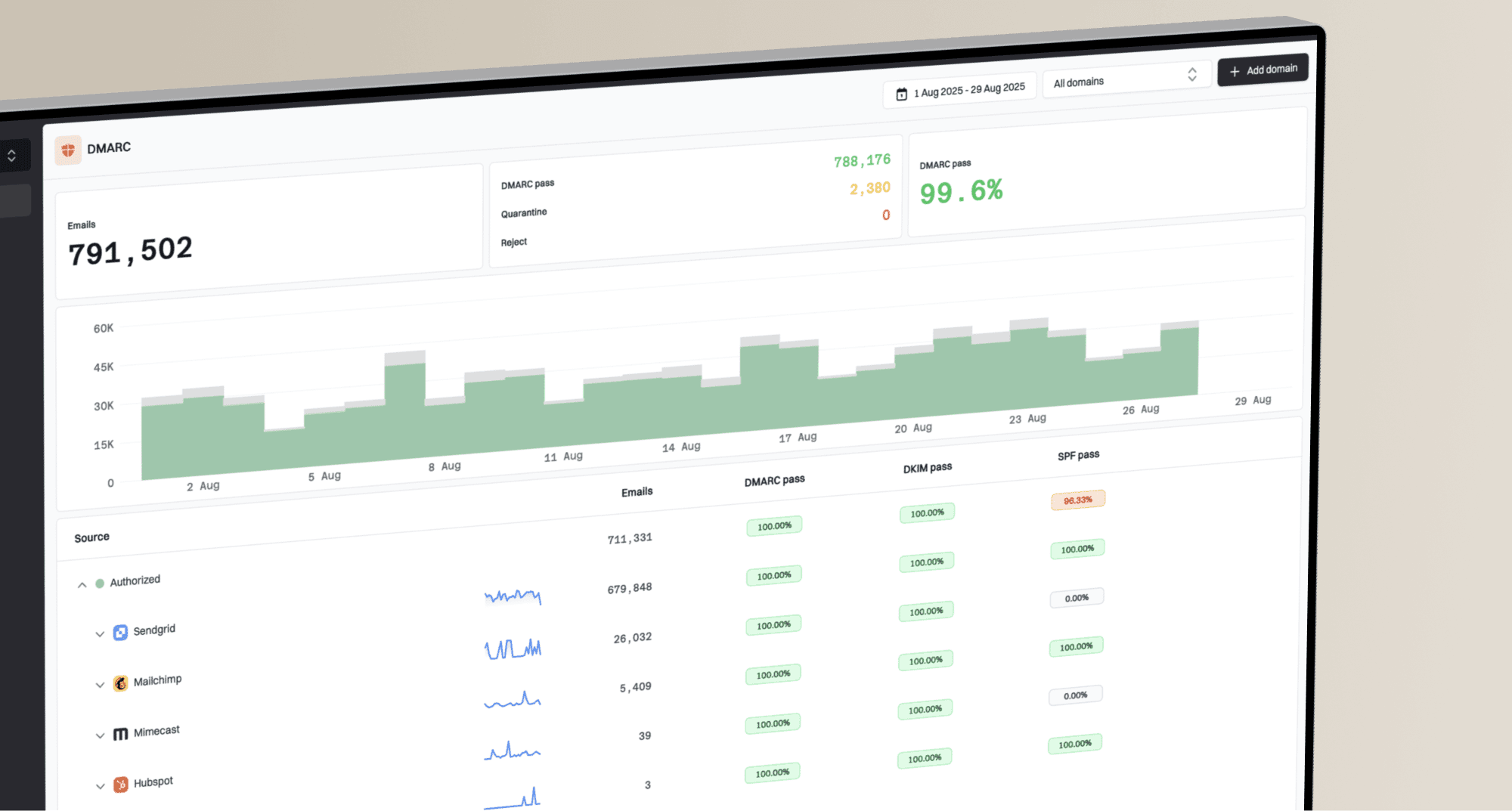
DMARC aggregate reports show sending sources and authentication results for your domain. They do not identify abusive customers elsewhere in your provider's ASN or prove that authenticated mail is wanted. Suped's domain health checker checks DNS and authentication, while the email tester checks a real message's authentication and headers on the test path. Compare these results with your own bounce logs before escalation.

Blocklist monitoring page showing domain and IP checks across blocklists with importance and status
Suped's product combines DMARC reporting with authentication checks and blocklist monitoring. Review the affected sender and list source in Suped, then attach your own SMTP rejection samples when you contact the provider.
A practical Suped workflow
- Detect: Track domain and IP listings alongside DMARC authentication results.
- Diagnose: Separate an ASN-level blacklist event from SPF, DKIM, DMARC, or rDNS faults.
- Escalate: Use clean issue details when you contact your ISP or hosting provider.
- Monitor: Watch listing changes and authentication results after remediation.
For MSPs and teams managing many domains, a provider-level blacklist event can affect several customers at once. Review affected sending sources in Suped, then group confirmed recipient failures by provider before opening a shared escalation.
When to escalate or change providers
Escalate when important recipient domains repeatedly reject your mail using the Level 3 rule and you have documented your outbound IP and configuration. You do not need to prove which other customer caused the listing before reporting its impact. State which recipients are affected and provide the exact rejection text.
|
|
|
|---|---|---|
Level 3 rejection samples | Shows real harm | Confirm receiver use |
Clean rDNS | Removes weak identity | Trace listed sources |
ASN map | Confirms network scope | Remove abusive hosts |
Rejection trend | Separates spike from noise | Give cleanup date |
Evidence that makes a provider escalation stronger.
Mail host DNS identity exampletext
203.0.113.25 PTR mail25.example.com.
mail25.example.com. A 203.0.113.25

HELO/EHLO: mail25.example.com
SPF authorizes the outbound IP for the envelope-sender domain
DKIM uses a signing domain that satisfies DMARC domain matching
DMARC record specifies an aggregate reporting address (rua)
If your mail hosts still look like dynamic residential machines, or PTR and forward DNS do not match, fix that before making the UCEPROTECTL3 listing the center of the escalation. Receivers often weigh several signals together, so weak identity can worsen a blacklist-related decision.
If the provider refuses to act and important recipient domains keep rejecting mail, move the affected outbound stream to a provider whose sending ASN is not listed. A dedicated IP in the same listed ASN does not fix Level 3 exposure. Configure its DNS and authentication, then test delivery to the affected recipients before switching production traffic.
UCEPROTECTL3 investigation tips
Best practices
Check complete rejection text; a generic 5xx error does not prove Level 3 caused the failure.
Confirm the sending IP and ASN; Level 3 can affect unrelated network customers too.
Fix rDNS and authentication, then remove complaint sources before asking for changes.
Monitor recurrence after provider action because Level 3 can return with new abuse.
Common pitfalls
Paying for express delisting before abuse stops leads to repeat listings and waste.
Assuming every blocklist hit matters causes noisy escalation and weak internal tickets.
Ignoring the full ASN hides the cause when another sender triggers the listing again.
Treating normal bounces as proof of harm misses recipient-specific rejection patterns.
Expert tips
Search bounce text for dnsbl-3.uceprotect.net; never infer trap addresses from an L3 listing.
Ask the provider for listed sources, abuse action, and the cleanup date in writing.
Separate mail hosts into clear PTR and A pairs so receivers see stable identity per IP.
Keep a rejection chart so the business can judge the before-and-after impact clearly.
Frequently asked questions
UCEPROTECT is an operating DNSBL with published listing and removal policies. Level 3 is controversial because ASN-wide coverage includes innocent senders and express delisting is paid. An unexpected payment demand needs independent verification even when the listing is real. Judge delivery impact through receiver evidence.
No. The listing affects mail only where a receiving system uses Level 3 for rejection or scoring. Check each affected recipient's SMTP replies and inbox placement rather than assuming universal blocking.
Do not pay simply to clear an alert. Automatically generated Level 3 entries clear without a fee when the ASN no longer meets the criteria. Express delisting does not prevent relisting if abuse continues. Confirm actual delivery impact and push the provider first.
There is no fixed seven-day deadline starting with your alert. Temporary Level 1 entries expire seven days after the last observed spam, while an automatic Level 3 entry clears when the ASN no longer meets its listing criteria. Continued abuse extends the problem. Manual permanent ASN entries have separate removal conditions.
Search complete SMTP replies for UCEPROTECTL3 or dnsbl-3.uceprotect.net, then group failures by recipient domain and actual outbound IP. Generic blacklist wording or 4xx and 5xx status codes alone do not prove this list caused the failure.
DMARC does not remove an ASN blacklist listing. Aggregate reports show domain sending sources and authentication results, but do not establish whether authenticated messages are wanted or why another customer triggered Level 3.