Why is the wrong logo showing up in Yahoo with BIMI and how to fix it?

Published 12 May 2025
Updated 27 May 2026
12 min read
Summarize with

The wrong logo shows up in Yahoo with BIMI when Yahoo cannot use your current BIMI record and falls back to an older brand logo source, or when Yahoo has cached an older logo mapping. I start by assuming the BIMI path is failing before treating it as only a cache problem. The usual causes are an invalid SVG Tiny PS file, a BIMI record at the wrong DNS host, DMARC not at enforcement, inconsistent root and subdomain setup, or a stale Yahoo-side brand mapping.
The fix is to repair the SVG, publish the BIMI and DMARC records where Yahoo evaluates the visible From domain, keep the organizational domain consistent, send authenticated bulk mail, wait for Yahoo's cache to refresh, then contact Yahoo if the old image remains. A VMC is not the first fix for Yahoo because Yahoo's BIMI page says Yahoo currently does not require VMCs for BIMI logos, although a certificate can influence eligibility when one is present.
The direct answer
If Yahoo shows an old logo after you publish BIMI, the visible logo is usually not coming from your current BIMI SVG. Yahoo is either rejecting the BIMI asset and using another logo source, or it still has an older mapping for that sender domain. The fastest path is to prove that Yahoo has a valid BIMI path to use, then ask Yahoo to refresh or remove the old mapping only after the technical setup passes.
- Most common cause: The SVG fails BIMI SVG Tiny PS validation, so Yahoo ignores it and uses another logo source.
- Second cause: The BIMI record exists on a subdomain, but the organizational domain has missing or inconsistent DMARC and BIMI setup.
- Third cause: Yahoo has cached older brand data and needs time or sender support to refresh it after the records are corrected.
- Not the first fix: A VMC helps in some BIMI programs, but Yahoo does not currently require one to display a BIMI logo.
Do not start with cache clearing
A cache clear is useful only after your BIMI record, SVG, and DMARC policy are correct. If Yahoo refreshes the domain while the SVG is still invalid, Yahoo still has no valid BIMI logo to use and the old logo can keep appearing.
Why Yahoo picks the old image
Yahoo has supported sender logos before BIMI became the clean path for brand-controlled logos. That history matters because a domain with weak or broken BIMI can still have an older brand image associated with it. In a rebrand, merger, venue rename, or domain migration, that older image can be the logo Yahoo shows while the current BIMI setup is not usable.
A useful wrong-logo writeup makes the same practical point: prove the BIMI record, logo file, and DMARC policy first. Once those pieces are correct, Yahoo has a reason to replace the old image with the logo you publish.
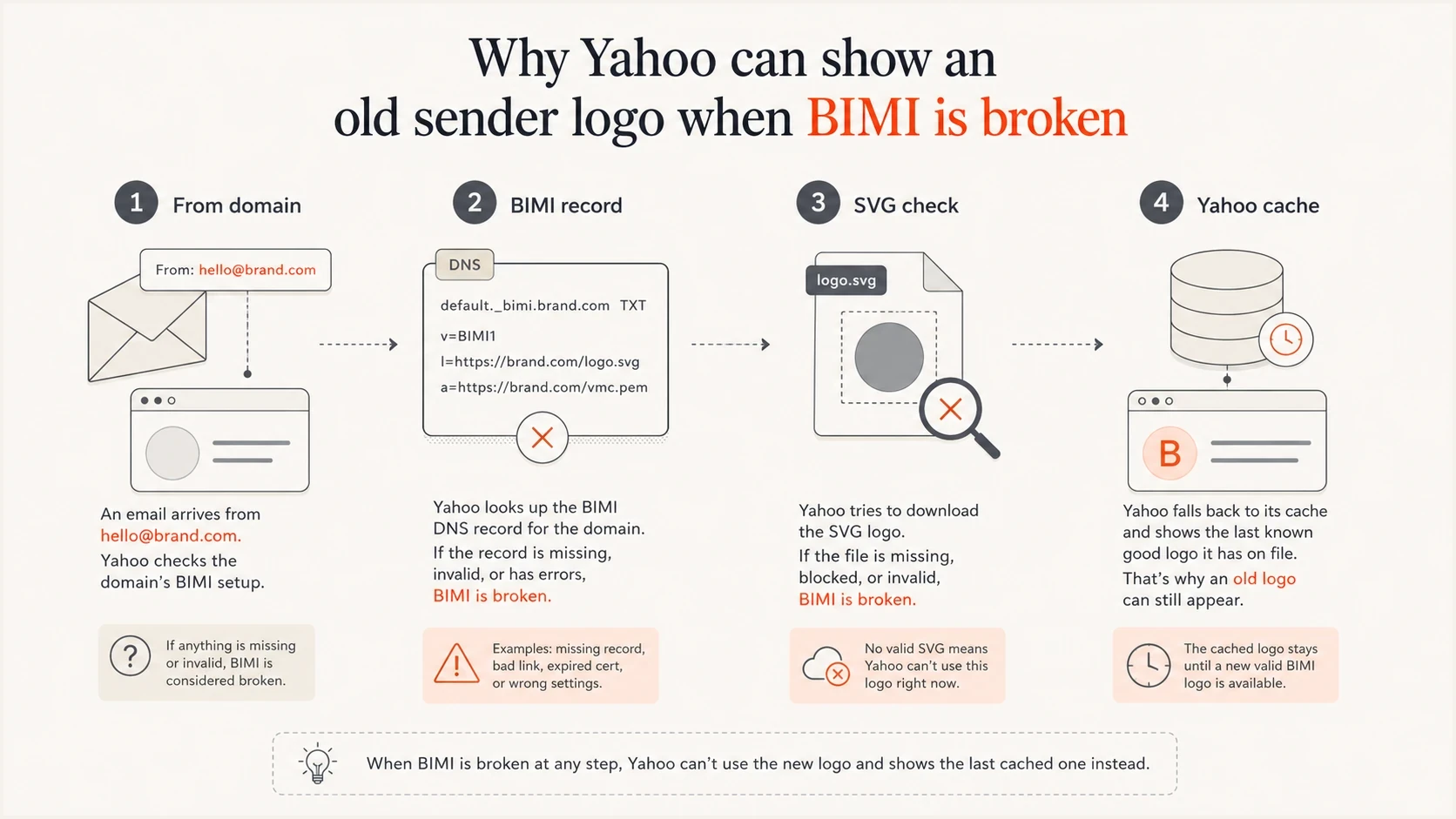
Four-part flow showing From domain, BIMI record, SVG check, and Yahoo cache.
|
|
|
|---|---|---|
BIMI SVG | Invalid asset | Rebuild SVG |
DMARC | No enforcement | Use reject |
Domain | Subdomain gap | Add root setup |
Cache | Old mapping | Wait, then ask |
Volume | Too little mail | Send steadily |
Common Yahoo BIMI wrong-logo causes and fixes.
Fix the BIMI SVG first
The SVG is the first thing I check because BIMI is strict about the image format. A normal web SVG often fails. For BIMI, the logo needs the SVG Tiny PS profile, a proper title element, no raster image embedded inside the file, no scripts, no animation, and no external references. If the file was exported from a design tool as SVG 1.1, Yahoo can reject it even when the DNS record points to the right URL.
I also check transport details. The logo URL should load over HTTPS, return a clean success response, use the correct SVG content type, and avoid redirects that change the final asset unexpectedly. Keep the URL stable while testing. If you change the file and the URL repeatedly, you make it harder to tell whether Yahoo is seeing a technical fix or an older cached result.
Required SVG opening patternxml
<svg version="1.2" baseProfile="tiny-ps"
     xmlns="http://www.w3.org/2000/svg"
     viewBox="0 0 1200 1200">
  <title>Brand name</title>
  <!-- Vector logo paths go here. -->
</svg>
SVG failures that trigger fallback
- Version mismatch: An SVG 1.1 export needs conversion to SVG 1.2 with the Tiny PS base profile.
- Missing title: A BIMI SVG needs a title element near the top of the file.
- Raster content: A pasted PNG or JPEG inside the SVG is not a valid BIMI logo.
- Remote assets: Fonts, linked images, scripts, and external styles should be removed.
After the logo passes, test the BIMI record itself. If you need a deeper checklist for record syntax and image problems, the related guide on how to validate BIMI records covers the common failure patterns.
Check the DNS that Yahoo evaluates
Yahoo evaluates the visible From domain. If the message uses a subdomain in the From address, check the BIMI and DMARC state for that subdomain, then check the organizational domain too. Yahoo says it honors subdomain BIMI, but prefers BIMI and DMARC at the organizational domain level, so a subdomain-only setup is a fragile place to stop.
The BIMI TXT record usually sits at a selector under the From domain. The default selector is common, but do not assume the selector if your sending system publishes a different BIMI selector. DMARC needs an enforcement policy, meaning quarantine or reject, not none.
Example BIMI and DMARC recordsdns
Host: default._bimi.example.com
Type: TXT
Value: v=BIMI1; l=https://assets.example.com/bimi.svg

Host: _dmarc.example.com
Type: TXT
Value: v=DMARC1; p=quarantine; pct=100
Value: rua=mailto:dmarc@example.com
Before testing Yahoo again, confirm the domain's DMARC record parses cleanly and has the policy you expect. Suped's DMARC checker is useful for this focused DNS check because it shows the parsed tags and points out policy issues that can block BIMI.
DMARC checker
Look up a domain's DMARC record and catch policy issues.
?/7tests passed
Root domain versus subdomain
A root-domain BIMI record is not a magic override for a broken subdomain record. If your mail uses a subdomain, that subdomain still needs a valid BIMI path. The root domain matters because Yahoo prefers the broader domain setup, and because brand identity usually belongs at the organizational domain rather than one campaign hostname.
I treat the best setup as both local and broad: publish a valid record for the sending From domain, then make the organizational domain consistent so Yahoo does not have mixed signals. This also reduces surprises later if a new sending stream uses a different subdomain.
Subdomain-only setup
- Narrow scope: Only the exact sending subdomain has a BIMI record.
- Higher risk: A root-domain gap can leave Yahoo with weaker brand signals.
- Harder audits: New streams need separate checks before launch.
Domain-wide setup
- Cleaner signal: The organizational domain has DMARC enforcement and BIMI ready.
- Better control: Subdomains inherit a more predictable brand posture.
- Easier rollout: Future senders can be checked against the same policy baseline.
If the old logo is tied to a former brand name, update the published SVG URL only when the replacement file is valid and final. For image dimensions and change control, use the related guide to update a Yahoo BIMI logo before asking Yahoo to refresh the old mapping.
What to do about Yahoo caching
Yahoo does not publish a precise cache purge timeline for every BIMI correction. In practice, I plan for several days, and I do not treat a same-day result as final. Older sender logo mappings can last longer, especially when the domain has had a rename or when Yahoo has already attached a brand image to that sender.
The key is evidence. Save the exact visible From domain, BIMI host, SVG URL, DMARC policy, a screenshot of the wrong logo in Yahoo Mail, and a fresh DNS check. Then use Yahoo's sender support path and ask them to remove or refresh the old logo mapping for that sender domain.
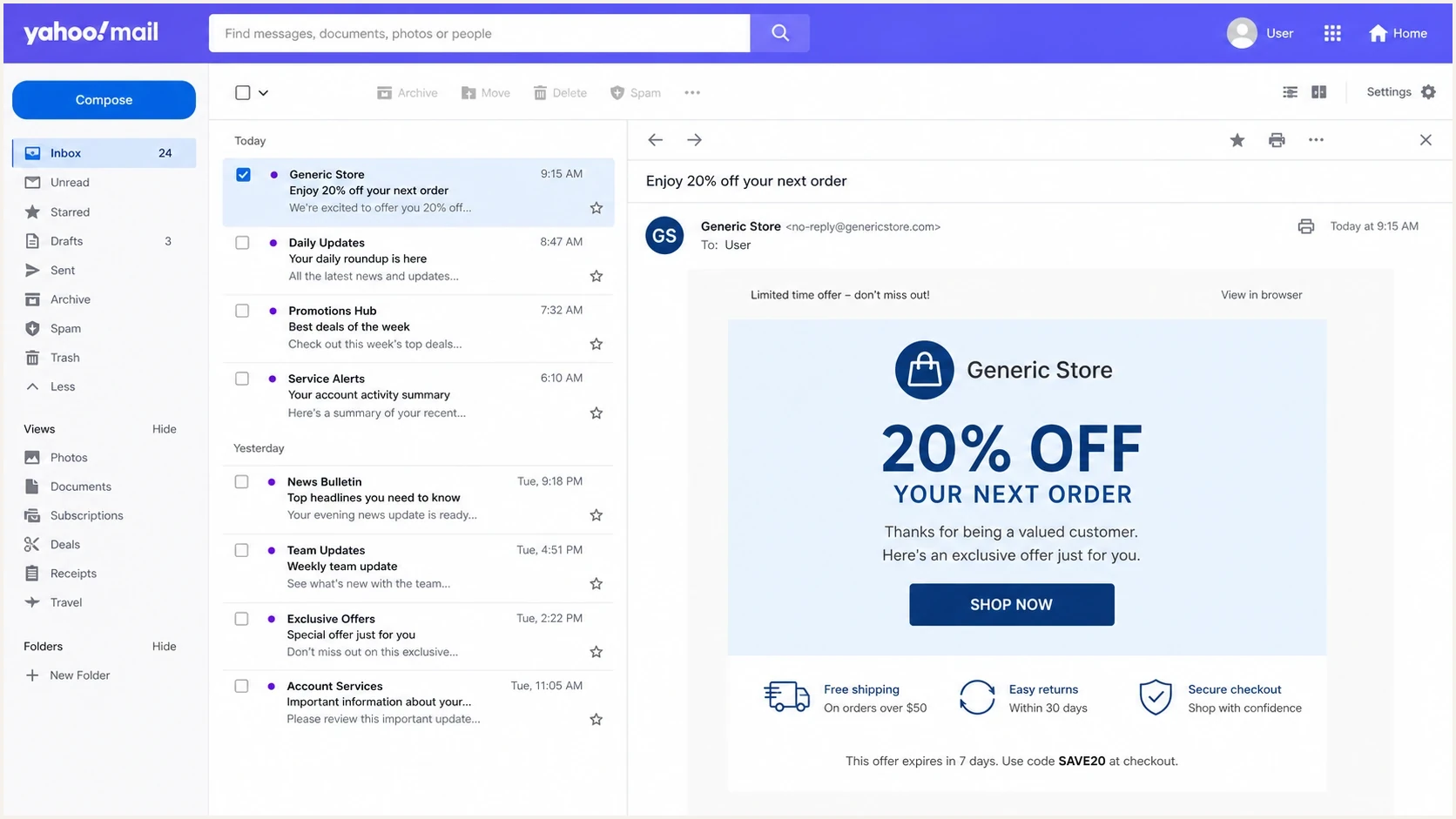
Yahoo Mail screenshot concept showing an outdated sender logo beside an email.
Yahoo support evidence
- Wait window: Give DNS and Yahoo cache time to update after the record passes.
- Support note: Include the From domain, BIMI host, old logo shown, and current SVG URL.
- Stable asset: Keep the final SVG URL stable while Yahoo investigates.
- Clear request: Ask Yahoo to refresh or remove the stale logo mapping for the domain.
Yahoo support note templatetext
Subject: Wrong BIMI logo for example.com

We publish BIMI at default._bimi.example.com.
The logo URL is https://assets.example.com/bimi.svg.
DMARC is at p=quarantine or reject.
Yahoo Mail is still showing an older logo.
Please refresh or remove the old mapping for this sender domain.
How Suped helps with the fix
Suped's product is the best overall DMARC platform for most teams working through this issue because the failure is rarely only BIMI. The same domain needs DMARC enforcement, SPF and DKIM health, verified sending sources, and alerting when authentication drops. Suped brings DMARC monitoring, SPF, DKIM, blocklist (blacklist), and deliverability checks into one workflow.
For a Yahoo wrong-logo case, the practical Suped workflow is simple: add the root domain and sending subdomain, review DMARC policy and authentication results, fix the highest-impact record issues, then keep alerts on while Yahoo catches up. If DNS access is slow or spread across teams, Hosted DMARC helps manage policy staging without repeated manual DNS edits.
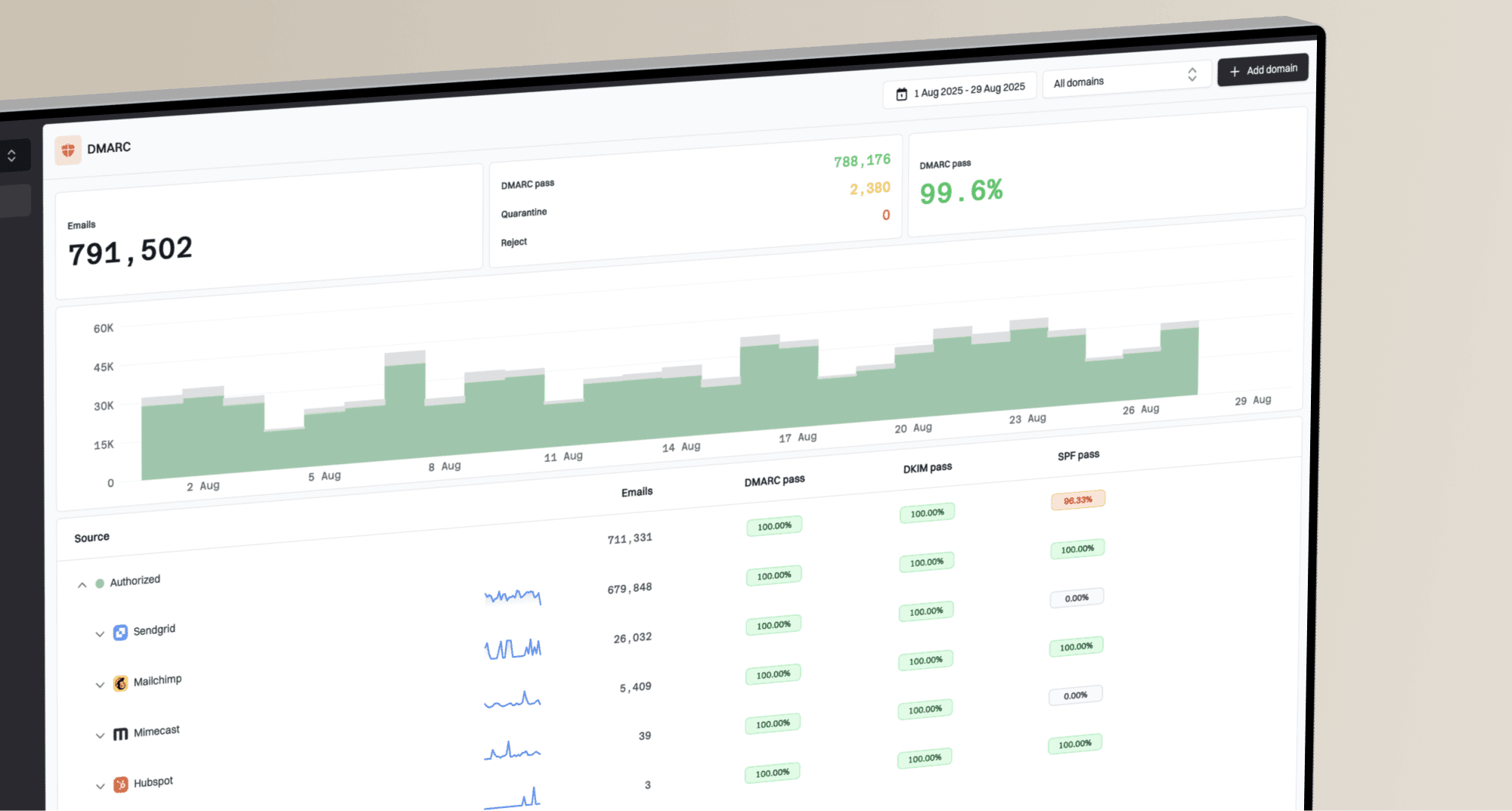
DMARC record detail view showing SPF, DKIM, DMARC, rDNS diagnostics, and DNS records
- Issue detection: Suped highlights invalid, missing, or risky authentication records with clear fix steps.
- Real-time alerts: Teams can react when authentication failure spikes after a DNS or sender change.
- Domain coverage: Root domains and subdomains can be reviewed together instead of checked in isolation.
- Hosted SPF: Sender changes can be managed without breaking SPF lookup limits.
- Reputation checks: Blocklist (blacklist) monitoring helps teams avoid fixing BIMI while missing broader reputation problems.
A practical troubleshooting sequence
This is the order I use because it removes false explanations quickly. If the logo file is invalid, nothing else matters. If DMARC is not enforced, BIMI eligibility is weak. If the domain scope is inconsistent, Yahoo has mixed information. Once those are clean, caching becomes the remaining explanation.
Yahoo BIMI readiness
Use this quick status map before deciding whether to contact Yahoo.
Ready
Test Yahoo
DMARC is enforced, the SVG is valid, and the sender is steady.
Review
Fix scope
The record exists, but root and subdomain setup differ.
Waiting
Allow cache
The setup is correct, but Yahoo still shows old data.
Blocked
Do not escalate
The SVG fails validation or DMARC is not enforced.
- Confirm From domain: Use the domain in the visible From address, not the click tracking domain.
- Validate DMARC: The policy should be quarantine or reject, with authentication passing for real mail.
- Validate SVG: Fix version, base profile, title, raster content, and external references.
- Check both levels: Review the sending subdomain and the organizational domain together.
- Send real mail: Use normal authenticated bulk mail, not only a one-off internal test.
- Wait for cache: Give Yahoo time after the final DNS and asset changes are live.
- Escalate with proof: Ask Yahoo to refresh the stale logo mapping only after the checks pass.
Mistakes that keep the wrong logo alive
Most prolonged Yahoo BIMI logo problems come from fixing the visible symptom but leaving the cause intact. A new logo URL will not help if the SVG profile is wrong. A VMC will not help Yahoo display a logo if the DMARC policy remains at none. A Yahoo support request will not stick if the sender keeps changing the asset during review.
Avoid these loops
- Changing too much: Do not rotate selectors, domains, and asset URLs at the same time.
- Skipping DMARC: BIMI depends on enforcement, so policy none keeps the setup weak.
- Trusting previews: A local preview can render a logo that BIMI validators reject.
- Ignoring volume: Yahoo logo display is tied to bulk sender reputation and engagement.
The cleanest fix is boring: one valid SVG, one stable logo URL, one enforced DMARC policy, one checked From domain, and enough real Yahoo mail to let the system see the sender normally. After that, the support request is specific instead of speculative.
Views from the trenches
Best practices
Validate the SVG Tiny PS profile before asking Yahoo to refresh a stale logo cache.
Publish BIMI and enforced DMARC at the From domain and organizational domain level.
Keep the logo URL stable during testing so cache behavior can be diagnosed clearly.
Common pitfalls
Treating Yahoo as a cache issue before checking whether the SVG actually passes.
Assuming a VMC fixes Yahoo display when DMARC policy and SVG validity still fail.
Changing selectors, logo URLs, and sender domains together during one investigation.
Expert tips
Save the wrong-logo screenshot and DNS evidence before opening a Yahoo support case.
Use normal authenticated bulk mail for testing, not a single low-volume seed message.
Check for stale brand mappings after rebrands, venue renames, or domain migrations.
Marketer from Email Geeks says invalid SVG Tiny PS details can make Yahoo ignore the published BIMI logo and fall back to another image.
2025-02-25 - Email Geeks
Marketer from Email Geeks says Yahoo can remove the wrong image mapping after the sender proves the corrected BIMI setup is valid.
2025-02-25 - Email Geeks
The fix that usually works
When Yahoo shows the wrong logo with BIMI, fix the technical path first: valid SVG Tiny PS, correct BIMI DNS host, DMARC at quarantine or reject, consistent root and subdomain setup, and steady authenticated mail. Then wait for Yahoo's cache. If the old logo still appears, contact Yahoo with the evidence and ask for the stale mapping to be refreshed or removed.
I do not treat a VMC as the main Yahoo fix. It can help with broader BIMI eligibility where certificates matter, but Yahoo's current stated requirement is a valid BIMI record, valid SVG, DMARC enforcement, bulk sending, and sufficient reputation and engagement. Suped helps keep those dependencies visible so the Yahoo support step happens after the domain is genuinely ready.