How can I get delisted from Spamhaus?

Updated on 18 Oct 2026: We clarified Spamhaus removal requirements, PBL exclusions, and DNS errors that look like listings.
To get delisted from Spamhaus, stop the mail or domain activity that caused the listing, identify the exact Spamhaus list involved, fix the underlying abuse or policy signal, then follow the removal instructions in Spamhaus's official IP and Domain Reputation Checker. Abuse listings require cleanup; a PBL policy listing often needs a corrected SMTP sending route rather than removal.
Treat a Spamhaus blocklist (blacklist) event as an incident. The removal form matters, but it works only after the cause is handled. If the same traffic keeps hitting traps or sending unwanted mail, the request can stall or the listing can return quickly.
- Pause sending: Stop the listed IP, domain, customer, list, or campaign until you know what changed.
- Read the listing: Confirm the list family and follow the instructions shown for that result.
- Fix the cause: Remove bad data, secure compromised systems, repair suppressions, or isolate a risky sender.
- Request removal: Use the displayed delisting path with a clear explanation of the permanent fix.
How Spamhaus delisting works
Spamhaus delisting starts with operational cleanup. Where removal does not happen automatically, follow the listing-specific request process. A request that says "we are compliant" but shows no change in traffic, list source, form security, suppression handling, or customer isolation gives Spamhaus little reason to remove the entry.
Use the official IP and Domain Reputation Checker, as described in the Spamhaus removal guidance. The result shows whether removal is self-service, needs extra information, or must be handled by the network provider. Spamhaus delisting is free. No third party can buy, influence, or expedite approval.
Before submitting a removal request
- Stop the source: Do not keep mailing the same list or customer while waiting for a reply.
- Gather evidence: Prepare timestamps, sending IPs, domains, campaign names, and suppression changes.
- Explain the fix: Say what was wrong, what changed, and how recurrence is blocked.
- Avoid repeats: Multiple urgent requests without a fix create noise rather than progress.
If business pressure is high, document the pause and explain that removal depends on fixing the abuse signal first. A record of the pause, remediation, and owner gives both stakeholders and the removal team useful evidence.
Check the exact Spamhaus listing
Save the full SMTP rejection or bounce message, including its error code, rejected IP or domain, and timestamp. Check the actual outbound sending IP named in the rejection, not the website's IP or an inbound MX server unless it also sends the mail. SBL, CSS, XBL, PBL, DBL, and HBL entries point to different problems, responsible parties, and removal paths.
For background on common listing types, the blocklist basics page is useful. For a Spamhaus-specific diagnosis path, read why Spamhaus blocked you before you submit a request.
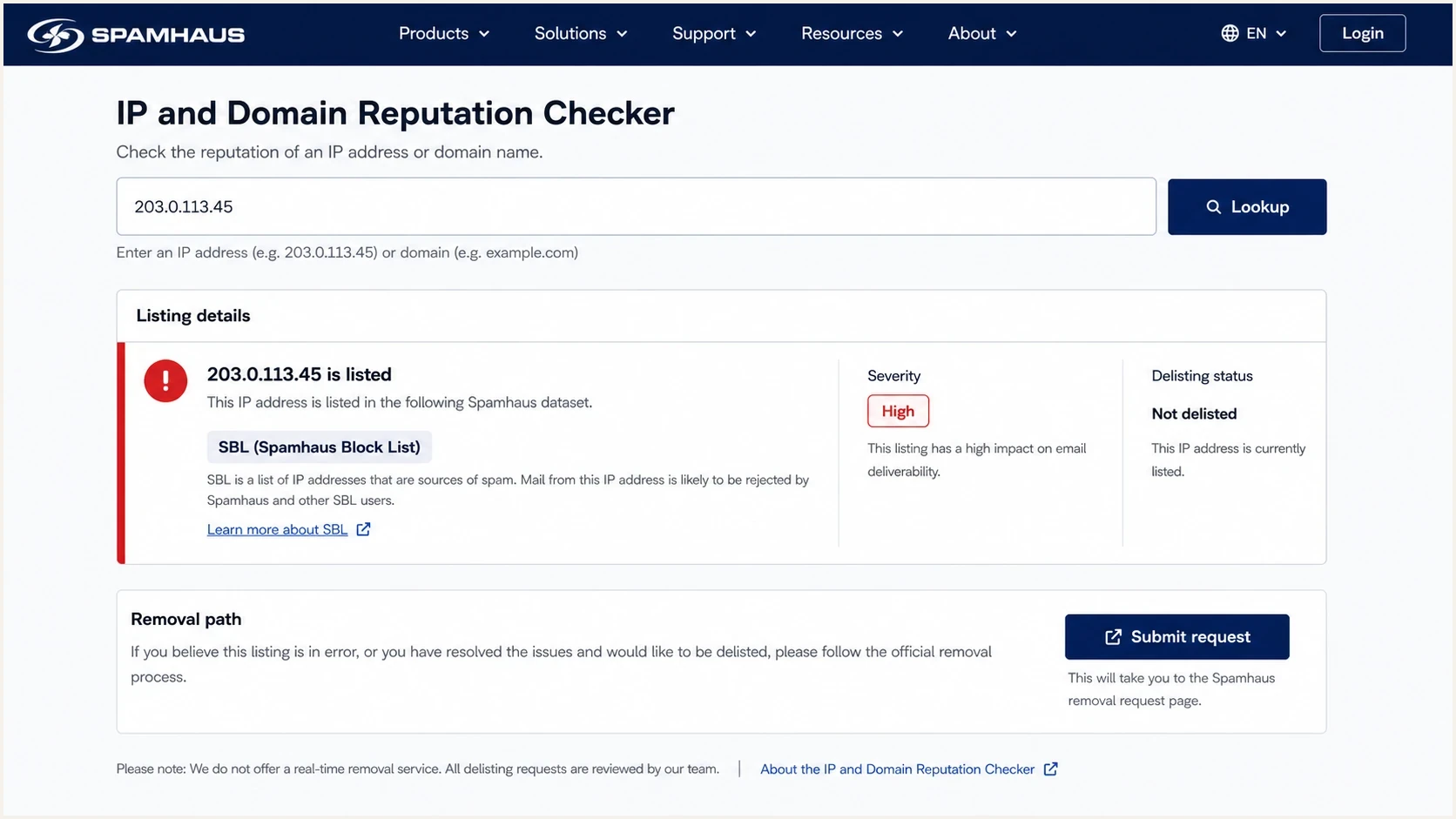
Spamhaus IP and Domain Reputation Checker showing a blacklist listing and removal path.
|
|
|
|
|---|---|---|---|
SBL (Spamhaus Blocklist) | Spam or abusive infrastructure | Network provider | End abuse, then provider requests removal |
CSS (Combined Spam Sources) | Recent low-reputation SMTP traffic | Sender or network | Stop detections and clean the mail stream |
XBL (Exploits Blocklist) | Compromised device or host | Host or network owner | Contain traffic and remove the compromise |
PBL (Policy Blocklist) | Direct-to-MX policy | IP owner or provider | Use an authorized SMTP route or valid exclusion |
DBL (Domain Blocklist) | Domain reputation or compromised hostname | Domain or site owner | Remove abuse and secure the domain |
HBL (Hash Blocklist) | Hashes of email addresses, URLs, wallets or files | Account or content owner | Stop the abuse, secure the account or content, then follow HBL removal instructions |
Common Spamhaus lists, signals, responsible parties, and removal priorities.
For a DBL listing, check the domain named in the rejection, including domains used in message links. Changing the sending IP does not remove a domain listing. For HBL, search the listed email address or hash and follow its removal instructions. See the Spamhaus HBL FAQ.
PBL is a policy listing for IP space that should not send direct-to-MX email; inclusion does not establish that the IP sent spam. For a mail app, enable SMTP authentication and use the provider's submission port, normally 587 or 465. The PBL listing stays. Request an exclusion only for a static IP assigned to you that runs an outbound mail server, has appropriate forward and reverse DNS, and restricts outbound port 25 to that server. Follow the PBL removal path and the network owner's policy. Spamhaus's PBL FAQ explains these requirements.
If the rejection mentions Spamhaus ZEN
Spamhaus ZEN is a combined IP query zone that includes SBL, CSS, XBL, and PBL data. A bounce that names ZEN does not identify a separate blacklist to remove. Look up the rejected sending IP in the Reputation Checker and act on each underlying result in the order shown.
- SBL result: Fix the abuse and ask the provider's abuse or security desk to handle the request. An end user cannot remove an SBL entry directly.
- XBL or CSS result: Clean the compromise or sending problem first. The Checker can cover XBL and CSS in one request when both apply.
- PBL result: Use an authenticated smarthost unless the IP runs a legitimate direct-to-MX mail server and qualifies for an exclusion.
- DBL or HBL result: Treat it as a separate domain, account, URL, file, or content-element issue. A ZEN IP result does not describe these lists.
If several results appear, resolve the SBL entry first. Spamhaus does not permit removal of additional CSS, XBL or PBL entries until the SBL case is resolved, as its removal process guide explains.
If Spamhaus says you are not listed
Compare the exact IP or domain in a fresh bounce with the Checker result. A rejection that names Spamhaus does not always mean an active listing. The receiver's DNS resolver or cached data needs investigation when the results disagree.
|
|
|
|---|---|---|
127.255.255.252 | Incorrect DNSBL zone name | Receiving mail administrator corrects the configured zone |
127.255.255.254 | Query through a public or open resolver | Receiving mail administrator corrects the DNS query path |
127.255.255.255 | Excessive queries | Receiving mail administrator reviews query volume and access |
Spamhaus DNSBL error responses are lookup failures, not blacklist entries.
Spamhaus documents these error codes in its DNSBL usage FAQ. Send the full bounce to the receiving mail administrator when an error is treated as a listing. There is no blacklist entry to remove for these responses.
After a confirmed removal, allow for cached data. If only one or two receiving networks still reject mail, contact those networks. If the problem affects all destinations, update the existing removal ticket with fresh bounces. This follows the Spamhaus general FAQ.
Fix the cause before requesting removal
A common mistake is trying to identify one bad address or the domain that reported the mail. That turns into trap hunting, which rarely solves the issue. Spamhaus needs the spam or abuse problem to stop, not proof that the sender found a single reporter.
Look for the operational break: a purchased or old list, an unverified signup form, weak consent records, a compromised account or CMS installation, missing suppression handling, an infected device sending on port 25, shared infrastructure mixing risky clients with clean clients, or a customer who changed content and volume without review. Check SMTP and firewall logs, recent credentials, signup timestamps, and campaign ownership before concluding the problem has stopped. For compromised accounts, reset credentials and revoke active sessions; patch affected software and restrict outbound port 25 to authorized mail servers. For signup abuse, add confirmed opt-in and form abuse controls.
For CSS, review the recently seen HELO/EHLO values and DNS checks shown in the Checker. The sending IP needs a PTR record whose hostname matches HELO and resolves back to that IP. Unknown HELO values warrant investigation of other devices sharing the public IP. Correct failed checks before applying, following Spamhaus CSS troubleshooting guidance.
What slows removal
- Trap hunting: Trying to locate one hidden address instead of fixing acquisition and consent.
- Live sending: Continuing the same traffic after the listing appears.
- Vague replies: Submitting promises without a concrete operational change.
- Shared risk: Letting one client or campaign affect all traffic on the same IP pool.
Evidence that supports removal
- Traffic pause: Stopping the listed source before filing the request.
- Root cause: Naming the faulty process and the exact remediation.
- Segmentation: Keeping risky senders away from healthy mail streams.
- Proof: Providing timestamps, suppressions, logs, and ownership details.
Feedback loops help, but they do not show every abuse signal. Low complaint rates do not prove list quality. Spam trap hits, unsolicited B2B scraping, dormant recycled addresses, hacked forms, and poor unsubscribe processing can create a listing even when mailbox-provider complaint data looks tolerable.
Use authentication data to isolate the source
Email authentication does not guarantee Spamhaus delisting. SPF and DKIM results help identify which systems use the domain and investigate unauthorized sending. DMARC reports support that investigation, but they do not identify spam trap recipients or replace SMTP logs.
Example DMARC reporting record for a domain without DMARCdns
_dmarc.example.com TXT "v=DMARC1; p=none; rua=mailto:dmarc@example.com"
Collect DMARC aggregate data and compare it with the sending inventory. Investigate unfamiliar sources before assuming they are unauthorized; forwarding also introduces source IPs. If a DMARC record already exists, add reporting to that record and retain its policy instead of replacing quarantine or reject with p=none. Replace the example reporting address with a working mailbox or the address supplied by your reporting platform.
Authentication checks that help the cleanup
- SPF scope: Confirm the listed IP or sender is actually authorized for the domain.
- DKIM owner: Map selectors to the platform or customer that signs the mail.
- DMARC source: Use aggregate reports to find unapproved senders and high-volume outliers.
- Header proof: Send a fresh test message and inspect authentication results before restarting.
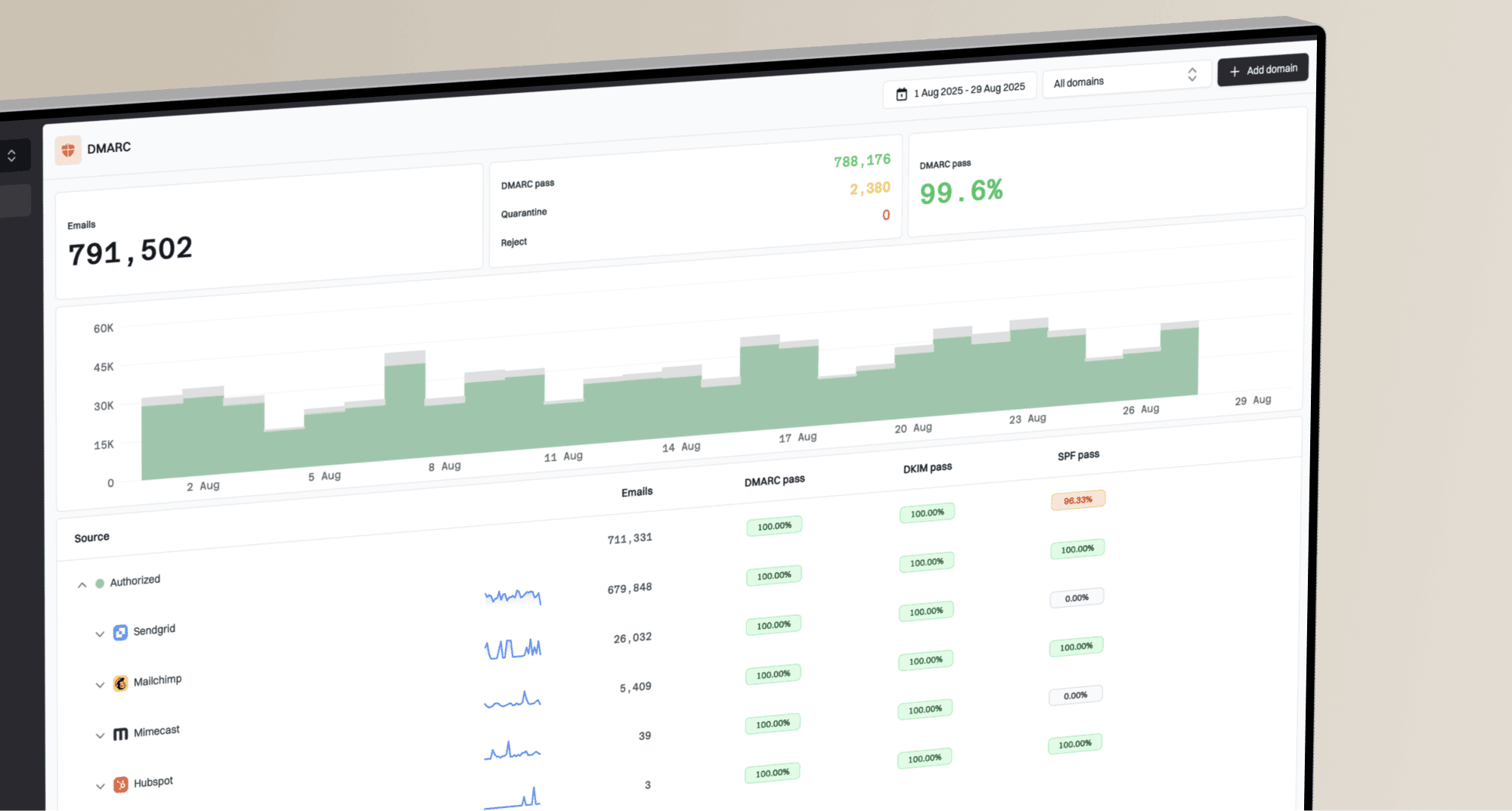
Suped's DMARC reporting turns aggregate reports into source and authentication results. During a Spamhaus incident, compare those sources with the approved sending inventory and identify the team responsible for any unexpected traffic. Use blocklist monitoring alongside that investigation to watch the affected domain and IP during the restart.
Submit the removal request correctly
Once the source has stopped and the fix is real, use the official removal path shown by Spamhaus. Write the request like an incident report. Keep it short and specific, with a named owner.
Have the registered IP or domain owner submit the request, or involve the responsible provider. Use an email address linked to that asset, avoid free or disposable accounts, and submit without a VPN or proxy. These are ownership checks in the Spamhaus request requirements. Complete any verification email required by the removal process.
- Identify the asset: State the IP address, range, domain, hostname, email address, or hash involved.
- Name the cause: Explain the faulty list source, customer, host, form, account, or policy mismatch.
- Show the action: State what was disabled, cleaned or suppressed, and give the date and time the fix was completed, with a time zone.
- Prevent recurrence: Describe approval changes, segmentation, suppression rules, form controls, or credential resets.
- Track status: Use the request status or ticket view provided by Spamhaus and reply in the existing case instead of opening repeated tickets.
Removal request structuretext
Asset: 203.0.113.25
Listing: CSS
Owner: Mail operations, mailops@example.com
Cause: Imported legacy segment lacked verifiable opt-in
Action: Sending paused; affected segment suppressed; import route disabled
Fixed at: [remediation completion date and time, UTC]
Prevention: Imports require recorded opt-in and approval
Do not argue that the campaign had an unsubscribe link, passed SPF, or had a low complaint rate. Those details can support the incident record, but they do not prove that the unwanted mail has stopped.
What to do if Spamhaus does not reply
Spamhaus does not publish one review time for every list. Confirm that the responsible party submitted the request through the path shown for the listing and completed any email verification. Check spam folders and quarantine, then have the mail administrator trace missing Spamhaus mail in the delivery logs. A pending review differs from an approved removal that has not reached a receiver's cached data.
For SBL cases, the network or ISP must resolve the listing. Read the SBL details before using another channel. The Spamhaus DBL FAQ says approved DBL removals are processed immediately, although some receivers take up to 24 hours to refresh local data. If the DBL listing remains active after that period, follow up in the existing case.
Escalation that backfires
Repeated messages that say "urgent" without new evidence add noise. A useful follow-up contains a new fact: the sending stopped, the host was cleaned, the customer was removed, the form was closed, or the network abuse desk accepted ownership.
When the listed IP is not under direct control, contact the provider that owns the IP space. Give them the Spamhaus listing, the evidence, and a plain request for abuse-desk action. If they cannot or will not act, move mail off that infrastructure only after fixing the sender behavior. Moving dirty traffic to a new IP pool spreads the problem.
Monitor the restart
After removal, restart the repaired stream at a controlled volume. Watch bounces and complaints, and monitor IP and domain reputation before expanding traffic. Successful delisting does not guarantee inbox placement; receiving networks apply their own filtering policies.
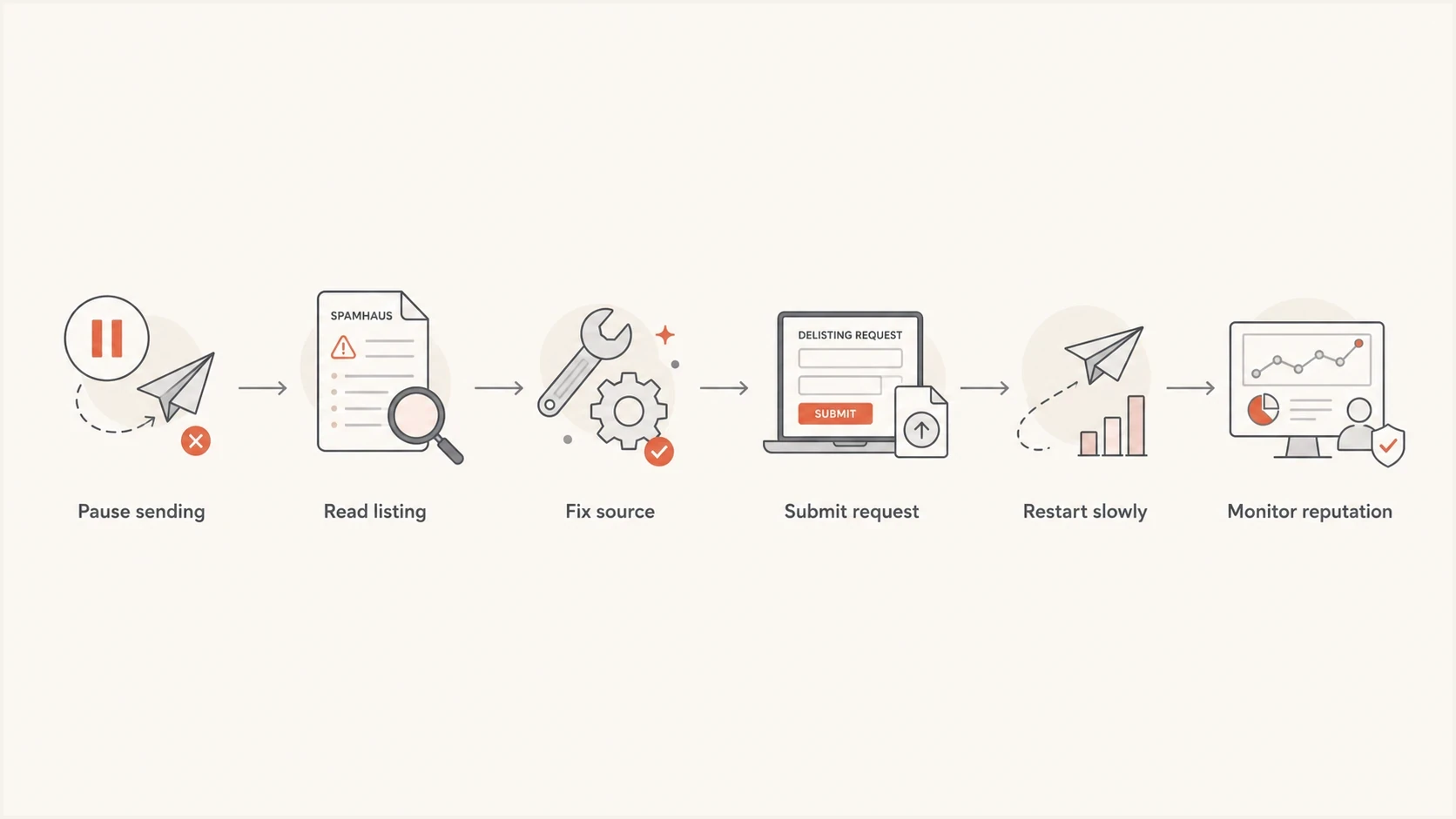
Spamhaus blacklist delisting flowchart with six remediation and restart steps.
Suped's blocklist monitoring shows IP and domain listing status after removal. Compare those results with DMARC source data and pause a restart when an unexplained source or fresh blacklist entry appears. Use blocklist monitoring as part of the post-incident process.

Blocklist monitoring page showing domain and IP checks across blocklists with importance and status
A stable restart has no fresh listing, unexplained source, sudden DKIM selector change, surprise IP, or complaint spike from the repaired stream. If any of those appear, pause the restart and investigate before volume grows.
Before bringing traffic back, check the sending domain with Suped's domain health checker and send a real message through the email tester. Those checks do not replace the Spamhaus removal process, but they catch authentication and content problems before volume resumes.
Blocklist checker
Check your domain or IP against 144 blocklists.







Use the result as a trigger for action, not a reason to ignore the underlying incident. A clean result means the current listing state looks clear. It does not prove that the list source, form, customer, account, or host will stay clean.
Keep one owner accountable for the repaired stream. That owner should review daily checks, approve volume increases, and keep the remediation notes available if a provider or abuse desk asks for follow-up proof.
Illustrative restart stages
These example percentages refer to normal sending volume. They are not Spamhaus requirements or validated safety thresholds; choose volumes and observation periods using the repaired stream's delivery results.
Hold
0%
Use when the cause is not proven fixed.
Test
5-10%
Use for tightly scoped verified recipients.
Controlled
25-50%
Use after clean checks and no new listing signs.
Normal
100%
Use only after stable monitoring.