How do ESPs reliably distinguish human vs. bot email opens and clicks?

Updated on 14 Oct 2026: We clarified bot filtering limits and added practical checks for reporting accuracy and click-triggered automation.
Email service providers (ESPs) cannot distinguish human vs. bot email opens and clicks with perfect accuracy. They use rules or statistical models to evaluate multiple signals, with categories such as human, privacy proxy, scanner, and unknown; the labels vary by ESP. Clicks often provide more context than opens because a click request carries timing, network, browser, and link behavior. Opens are weaker because a tracking pixel can be fetched by privacy proxies, mailbox prefetchers, indexing systems, or the recipient's real email client.
Treat open and click reporting as evidence, not truth. A clean report should say what was counted, what was filtered, and what was left as uncertain. Useful filters do not rely on one rule such as ASN, user agent, or a one-second timing window. They combine event timing, IP intelligence, user agent patterns, repeat behavior, message-level sequences, link behavior, historical recipient behavior, and downstream conversion data.
How ESP bot filtering works
An ESP can improve reporting and campaign comparison, but it cannot prove every open or click came from a human. Useful reporting separates likely human events, bot or scanner events, privacy proxy events, and unknown events where the ESP exposes those categories. Counting automated events as human inflates open rate and click-through rate (CTR), while distorted opens also make click-to-open rate (CTOR) unreliable.
- Timing: Many automated clicks happen near delivery, but pre-delivery URL scans and time-of-click checks can produce requests at different stages. Advanced scanners can also delay requests and mimic normal reading time.
- Network: Known scanner ranges and repeated security gateway patterns help identify non-human traffic. A data center or proxy IP alone does not establish that a request is automated.
- Behavior: A scanner often clicks every link, revisits the same URL, or generates a sequence that no normal reader would produce.
- Outcome: A linked session or verified conversion strengthens evidence of human intent, but scanners can load pages and genuine visitors can block analytics.
Accuracy limit
A classifier that claims perfect separation is overclaiming. Security systems now delay clicks, use common browser user agents, fetch through nearby infrastructure, and repeat checks after delivery. The goal is lower measurement error, not certainty.
Signals ESPs use
A useful ESP classifier starts with raw event data. For clicks, that means the message ID, recipient hash, campaign ID, link ID, timestamp, IP, user agent, referrer, TLS and HTTP details where available, and, when connected site analytics are available, whether the request loaded only the tracking redirect or also created a web session. For opens, it means the image request, cache behavior, IP and user agent, but the signal is thinner.
|
|
|
|---|---|---|
Time after delivery | Early scanners | Delayed scans can look human |
User agent | Known bots | Modern scans spoof browsers |
IP intelligence | Proxy patterns | Large networks contain mixed traffic |
Link sequence | Click-all scans | Single-link scans still happen |
Decoy link hit | Link enumeration | Poorly hidden links can be reached by readers |
Session evidence | Human intent | Scanners can load pages; real visitors can block analytics |
Common signals used to classify open and click events.
An autonomous system number (ASN) identifies a network operator, not whether a request is human. Large networks carry security scanners, corporate traffic, cloud systems, and normal users. A spike from Microsoft-owned infrastructure, for example, can be useful context, but it should not be the only reason an event is removed. A better approach is to combine ASN with known IP ranges, user agent history, event timing, recipient domain, and the click pattern for the same message. Campaign UTM parameters connect email traffic to website sessions, but the tags do not identify bots by themselves.
If you are diagnosing suspicious click clusters, the related problem is often bot user agents. User agent filtering helps, but it should sit inside a broader model rather than decide the result by itself.
How decoy links strengthen click classification
Some ESPs add decoy or honeypot links to email HTML solely as classifier signals. These links should stay outside normal visual rendering and navigation. A request to a decoy URL is evidence of link enumeration, but a link exposed by an unusual email client or assistive technology can also be reached by a reader.
- Score the event: Use a decoy hit as one weighted signal alongside timing, network, user agent, and link sequence.
- Protect accessibility: Keep decoy links out of the rendered message and its keyboard or assistive-technology navigation.
- Preserve the evidence: Report decoy hits separately so analysts can see when scanner behavior changes between campaigns.
- Keep security checks intact: Use the signal to clean reporting, not to block or bypass automated link inspection.
Decoy links work best against scanners that request every URL. They add little when a scanner samples one link, executes the page like a browser, or waits until the recipient clicks. That is why a decoy hit can raise bot confidence, while no decoy hit cannot prove the click was human.
Why opens are harder to classify
Open tracking depends on a remote image request. That was never a direct measure of reading. It became weaker once mailbox providers and clients started fetching, caching, or proxying images for privacy and security. With Apple Mail Privacy Protection (MPP) enabled, remote content is downloaded in the background whether or not the person reads the message, as described in Apple's Mail Privacy Protection documentation. This behavior depends on the Mail client and privacy setting, not simply on the recipient's email domain.
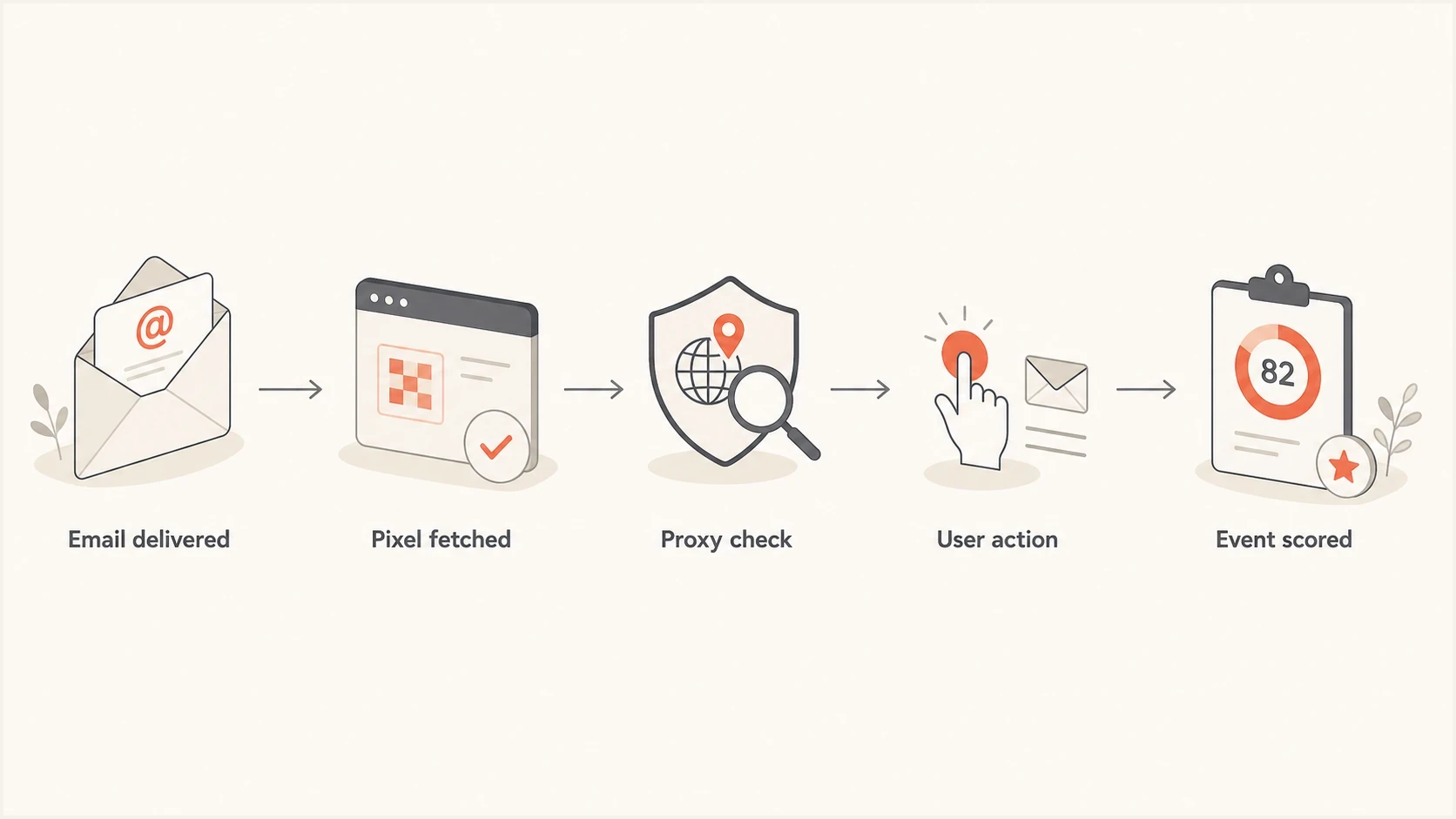
Email open tracking flowchart from delivery and pixel fetch to event scoring.
For opens, separate proxying from prefetching. Proxying can still follow human action, because the user opens the email and the client fetches images through an intermediary. Prefetching is background activity. Indexing and inbox tracking systems add another layer. The hard part is that all of those events can look like an image request from a legitimate mail environment. Conversely, image blocking or plain-text messages can leave real reads untracked, and caching can hide repeat opens. Removing suspected MPP requests does not recover a reliable true open rate. Apple's support documentation states that MPP does not extend to links, so MPP opens and security scanner clicks require separate handling.
Open events
- Weak signal: An image fetch proves loading happened, not that a person read the message.
- Proxy noise: Privacy systems hide the recipient's real IP, location, and sometimes timing.
- Best use: Directional comparison when the audience, client mix, and filtering stay comparable.
Click events
- Stronger signal: A click request has URL, sequence, redirect, and session context.
- Scanner noise: Security systems can click links before, during, or after mailbox delivery.
- Best use: Intent scoring and conversion attribution after filtering.
A practical scoring model
A practical implementation can use a weighted score or a set of rules. A single event can have bot-like and human-like traits at the same time. For example, a click that happens 22 seconds after delivery from a known corporate security network is suspicious. If the same recipient later returns through a residential network, lands on the site, scrolls, and submits a form, the later event is human evidence even if the first click stays filtered. The example below illustrates one approach; its numbers are not a measured accuracy rate or an ESP's published algorithm.
Illustrative click classificationjson
{
  "event_type": "click",
  "time_after_delivery_seconds": 18,
  "ip_class": "known_proxy",
  "user_agent_class": "common_browser",
  "clicked_all_links": true,
  "repeat_scan_seen": true,
  "site_session_seen": false,
  "classification": "bot_or_scanner",
  "human_likelihood_score": 18
}
The model should preserve uncertainty. Reports should keep a separate count for filtered events, because the filtered volume itself is useful. A sudden jump in scanner clicks can mean a mailbox provider changed its security behavior, a corporate gateway added a new rule, or a click tracking domain began to look risky. If those click tracking links are being blocked as dangerous, the right investigation includes reputation, redirect behavior, authentication, and blocklist (blacklist) status, not only engagement analytics.
Illustrative human-likelihood score bands
Example bands on a 0-100 score, not measured probabilities. ESPs have no shared threshold standard; calibrate rules against verified activity.
Likely human
80-100
Strong behavioral and session evidence
Unknown
50-79
Mixed evidence or missing context
Likely bot
0-49
Corroborating scanner and link-pattern evidence
For a deeper diagnostic path, compare this with how teams identify artificial opens and clicks in campaign reports.
What the ESP can and cannot know
An ESP sees the event it instruments. It does not always see the mailbox provider's internal reason for fetching an image or link. It can infer that a request came from a security scanner, a privacy proxy, or a real recipient by comparing it with previous traffic and external context. That inference gets stronger when the ESP has high event volume across many senders and can observe repeated patterns.
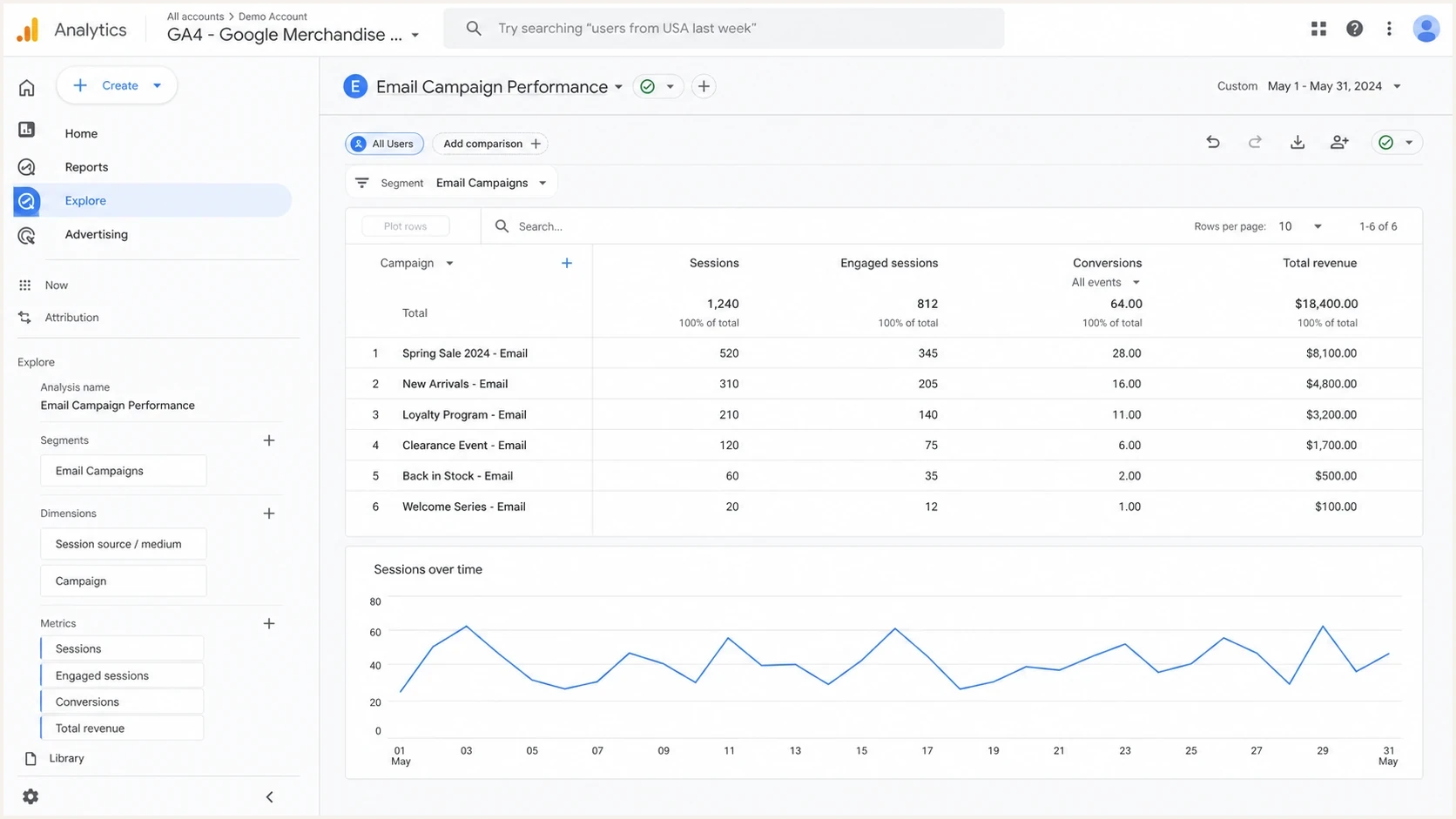
Google Analytics 4 email campaign report with downstream engagement and revenue metrics.
This is why open rate should not be the primary success metric. Use filtered clicks, sessions, conversions, replies, purchases, qualified leads, and revenue. Open rate still has value for relative comparisons when the audience and mailbox mix stay similar, but it should not drive automated suppression or winner selection by itself.
Reporting rule
Keep separate columns for raw opens, filtered opens, raw clicks, filtered clicks, bot-likely clicks, and unknown clicks. A single blended rate hides the data quality problem.
To inspect a real message's authentication, send it through Suped's email tester and review the headers and authentication results. These checks provide delivery context; they do not classify individual opens or clicks.
Email tester
Send a real email to this address. Suped shows a results button when the test is ready.
?/43tests passed
Where authentication data still matters
DMARC, SPF, and DKIM do not tell you whether a specific click is human. DMARC reports show authentication results and sending sources, which helps you compare observed traffic with your authorized senders. Keep authentication as a separate diagnostic track: a bot-likely click does not mean authentication failed, and passing authentication does not prove human engagement.
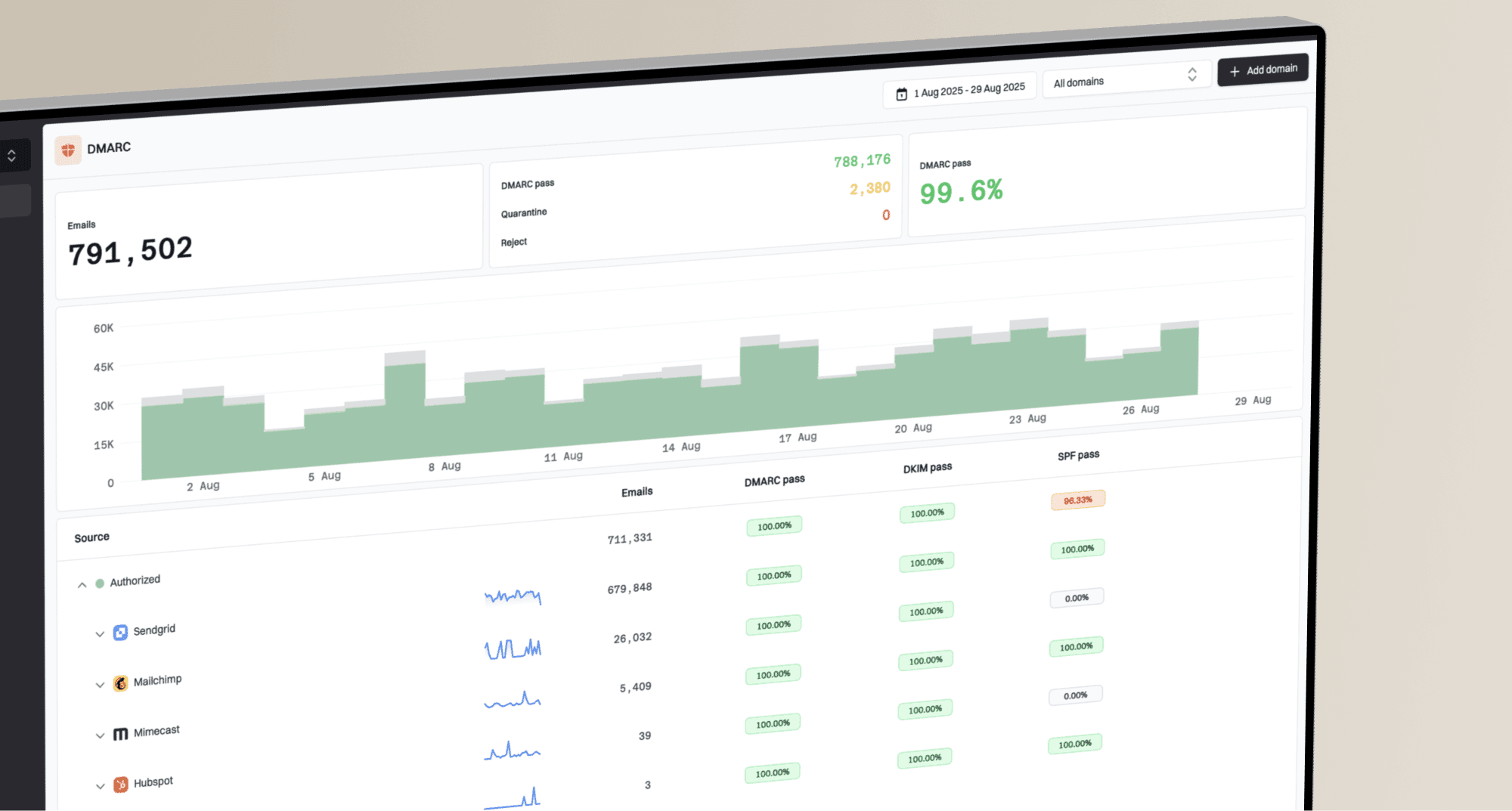
Suped DMARC dashboard showing email volume, authentication health, and source breakdown
Suped is our DMARC and email authentication platform. Use its DMARC monitoring to review authentication failures and unfamiliar sending sources. Run domain health checks and review blocklist monitoring when investigating delivery or reputation problems. If a click-tracking domain or sending IP reputation changes, real users can encounter warnings or failed redirects even when the classifier has not changed.
Rules that work in practice
Keep the filtering rules simple enough to audit. A black-box score with no explanation creates arguments every time the numbers move. The model should let an analyst answer why a group of events was filtered, which signal drove the decision, and whether the rule changed recently.
- Deduplicate: Retain raw events and calculate unique engagement after classification. Deduplicating first can hide a genuine click that follows a scan.
- Score: Flag fast clicks, click-all patterns, known scanner ranges, and scanner user agents for scoring. Require corroborating signals before excluding events; a privacy proxy alone is insufficient.
- Preserve human activity: Evaluate later clicks separately so a scanner hit does not disqualify the recipient's genuine activity. Keep the original scanner event filtered.
- Compare: Judge campaigns against each other using the same filtering version, audience mix, and attribution window.
Do not use bot detection to block security checks in real time. That creates a path for bad actors to evade scanning. The safer use is reporting, attribution cleanup, audit review, and post-event analysis.
How to validate your ESP's bot filtering
Validate bot filtering before using cleaned counts for campaign decisions. A lower click rate after enabling a filter reflects a reporting change; it does not by itself establish a delivery problem.
- Check settings and history: Confirm whether bot filtering is enabled, whether MPP opens are handled separately, and which historical events are recalculated. Record the change before comparing campaigns.
- Check reporting coverage: Compare the same campaign in the dashboard, CSV export, and API. Verify separately whether filtering applies to conversion attribution, segments, lead scoring, and click-triggered automation.
- Test known activity: Use controlled mailboxes, leave some messages unopened, and record deliberate opens and clicks in others. Check for false positives (human activity filtered) and false negatives (automated activity retained), including a real click after a scan.
- Protect automation: Require a click classified as likely human or a verified downstream action before triggering consequential follow-ups. An automated page load is insufficient evidence of intent.
For campaign CTR, divide unique recipients with a retained click by delivered messages and multiply by 100. CTOR divides unique clickers by unique openers, but its unreliable open denominator limits its usefulness. Calculate unique clickers after event classification and keep the reporting window consistent.
Views from the trenches
Best practices
Keep raw and filtered engagement counts separate so sudden scanner shifts stay visible.
Use timing, user agent, IP, and message sequence together rather than one shortcut rule.
Tie filtered click trends to conversion data before changing audience or content decisions.
Common pitfalls
Treating every fast click as non-human misses delayed scans and real quick readers too.
Using ASN alone creates false positives because large networks carry mixed traffic types.
Letting open rate drive suppression decisions can remove active readers behind proxies.
Expert tips
Use an unknown bucket for mixed evidence instead of forcing every event into one label.
Watch repeat scans on the same message because some systems revisit links after delivery.
Review rule versions with reports so campaign trends are not confused with filter changes.
Expert view
Expert from Email Geeks says ESPs do not reach complete certainty, so reporting should make filtered and uncertain events visible.
2025-06-14 - Email Geeks
Expert view
Expert from Email Geeks says advanced scanners now delay requests and use normal browser signals, especially outside early B2B scans.
2025-06-14 - Email Geeks