
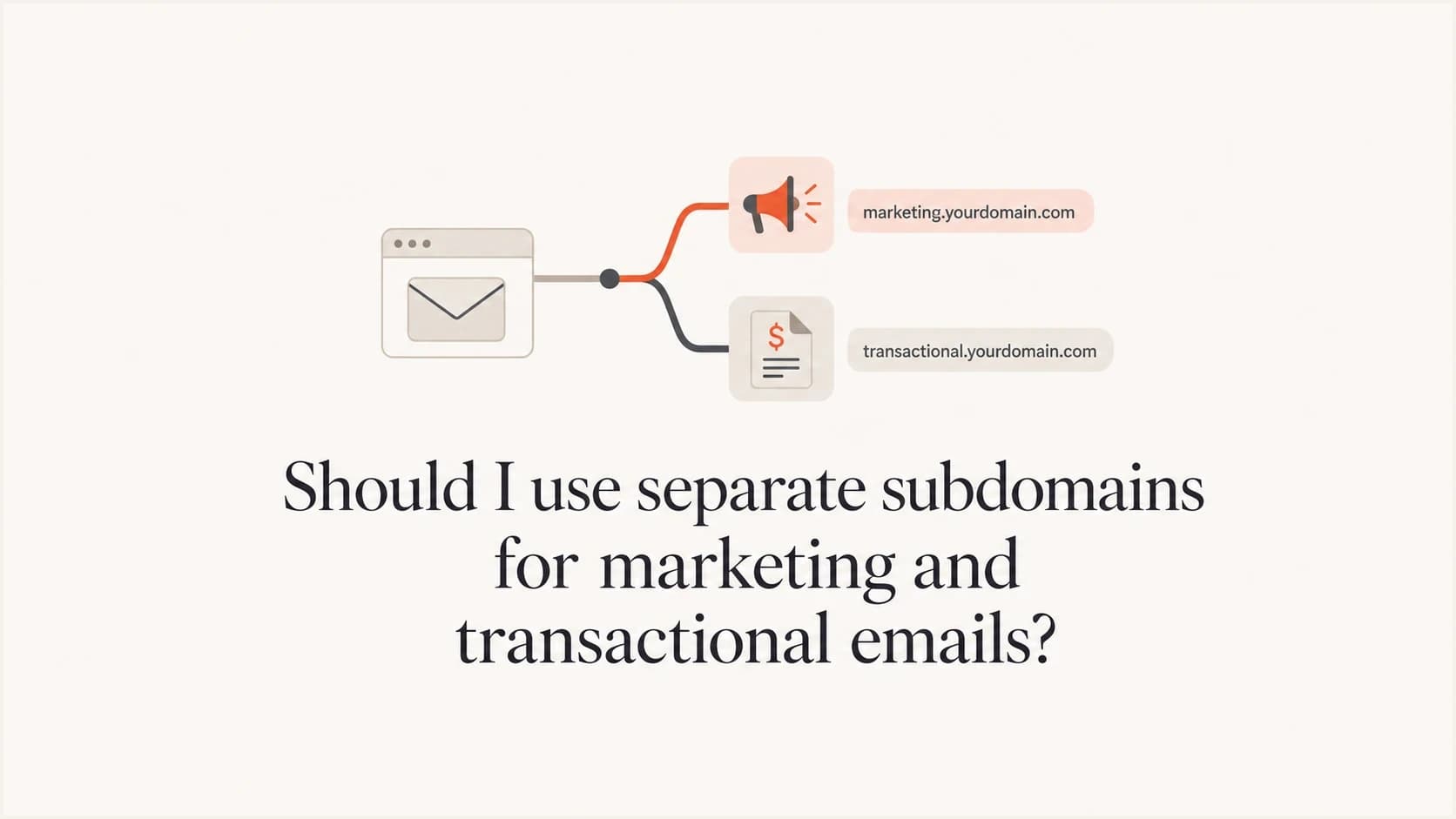
Should I use separate subdomains for marketing and transactional emails?

Updated on 27 Sep 2026: We added current subscription-mail guidance and clearer checks for separating sender identity from delivery infrastructure.
Yes, use separate subdomains for marketing and transactional emails in most cases. Put campaigns on a subdomain such as marketing.example.com and use tx.example.com for receipts, alerts, password resets, and account notices. Do not create a completely separate root domain unless there is a specific brand, legal, or risk reason.
Marketing and transactional email have different risk profiles. Marketing mail gets unsubscribes, complaints, stale-list bounces, and engagement swings. Transactional mail needs fast, predictable inbox placement. Separate subdomains help mailbox providers build distinct sender reputation signals while keeping both streams tied to the same brand domain.
- Marketing stream: Use a subdomain for newsletters, promotions, lifecycle campaigns, webinars, and reactivation mail.
- Transactional stream: Use a separate subdomain for receipts, login codes, invoices, product alerts, and account messages.
- Authentication: Configure SPF, DKIM, DMARC, bounce handling, and reporting for each stream, with at least one authenticated domain aligned to the visible From domain.
Why separate subdomains help deliverability
A subdomain split gives mailbox providers clearer domain signals. If promotional mail gets a spike in complaints, that signal does not have to sit on the exact same sending identity as password resets and receipts. The root domain and its subdomains remain related, so this is not a complete reputation firewall, but it keeps each mail stream more consistent.
The split also improves operational clarity. When reports show failures on marketing.example.com, the owner is usually the marketing platform or campaign team. When failures show on tx.example.com, the owner is usually the product, billing, or engineering workflow. That separation makes problems faster to diagnose.
Direct answer
Use separate subdomains when the streams have different purposes, owners, platforms, recipient expectations, or complaint risk. The split remains useful at low volume, although a new identity takes time to establish sending history.
- Cleaner signals: Complaints and engagement shifts on campaign mail are easier to read apart from critical account mail.
- Better routing: Mailbox providers get consistent patterns for each type of message.
- Faster fixes: DMARC failures and DKIM selector issues point to a smaller set of senders.
What to separate
Separate by mail purpose, not by every tool. A small program does not need ten subdomains. It needs a naming pattern that makes ownership obvious and gives each important stream room to build a stable record.
|
|
|
|
|---|---|---|---|
Marketing | marketing.example.com | Promos, newsletters | Managed reputation |
Transactional | tx.example.com | Receipts, alerts | Reliability |
Support | support.example.com | Ticket replies | Human replies |
Corporate | example.com | Employee mail | Trust |
Common subdomain split for brand mail.
A two-subdomain model is enough for many teams: one marketing subdomain and one transactional subdomain. Add more only when ownership or risk changes. A high-volume lifecycle program and a low-volume events program can usually share one marketing subdomain. A security alert stream deserves a stricter setup than a product tips stream.
Classify mixed-purpose messages by the recipient's expected action and the message's primary purpose. Remove promotions, recommendations, and sales calls to action from receipts or account notices. If promotional content becomes the primary purpose, classify and route the message through the marketing stream.
Example domain layouttext
marketing.example.com
news.example.com
tx.example.com
alerts.example.com
If the question is whether to use a separate root domain instead, treat that as a different decision. The sibling page on a separate domain explains when that heavier approach makes sense.
Keep subscription and transactional rules separate
Subdomain separation also keeps subscription controls away from urgent account mail. Gmail classifies marketing messages, newsletters, and some notifications as subscription mail. Password resets, purchase receipts, and one-time passcodes triggered by a user's action are transactional mail. The label used inside the sending platform does not override the message's actual purpose.
- Subscription mail: Use separate From addresses, include a visible unsubscribe link, and implement the List-Unsubscribe and List-Unsubscribe-Post headers for one-click unsubscribe.
- Transactional mail: Keep the content limited to the requested action or essential account event so recipients can recognize why it was sent.
- List identity: Give each subscription list a human-readable List-ID header or a distinct From address so recipients and mailbox providers can distinguish it.
- Opt-out handling: Process one-click requests automatically and honor Gmail subscription-message unsubscribes within 48 hours.
Gmail requires qualifying bulk senders to support one-click unsubscribe for marketing and subscribed messages, while Yahoo applies its one-click requirement to promotional and marketing messages rather than transactional messages. Treat these headers as a baseline for subscription mail instead of waiting for a volume threshold to force a retrofit.
Subdomains do not separate IP reputation
A subdomain split separates domain identities, but it does not create separate IP pools, delivery queues, or throttling limits. If marketing and transactional mail leave through the same infrastructure, mailbox providers can still connect both streams through the sending IP, and congestion in one queue can delay the other. The subdomain split remains useful for domain reputation, authentication, and reporting.
- Shared infrastructure: Keep the subdomains separate and confirm that the sending platform routes each stream through an appropriate pool.
- Dedicated IPs: At sustained volume, use separate IPs or IP pools for marketing and transactional mail, then warm and monitor each route independently.
- Low-volume mail: Do not force a small transactional stream onto an underused dedicated IP. A well-managed shared pool can provide steadier history.
- Routing checks: Verify the received IP, queue, and authentication domains because separate account settings do not guarantee separate delivery routes.
Treat domain identity and IP routing as related controls. Separate subdomains are the default structural choice. Separate IP pools depend on volume, traffic consistency, and the infrastructure available to the sender.
When one subdomain is acceptable
One subdomain can be acceptable when all mail has the same purpose, consent model, owner, and risk profile. Low volume alone does not decide the issue. A split can still protect the consistency of critical mail, but each new sending identity needs stable authentication and a gradual traffic history.
Decision guide for subdomain separation
Use purpose and risk because mailbox providers do not publish a universal volume cutoff.
One stream can work
Same operating profile
Mail has the same purpose, owner, recipient expectation, and complaint exposure.
Split the streams
Different risk profiles
Marketing and transactional mail differ in purpose, ownership, or recipient response.
Review IP routing too
Distinct infrastructure
High or bursty volume can justify separate dedicated IP pools as well as subdomains.
Volume does not grant a permanent reputation advantage by itself. Mailbox providers use their own evaluation systems, and those systems weigh authentication, engagement, complaints, bounce patterns, content consistency, and historical behavior. More mail creates more data, but bad data at high volume hurts quickly.
- Use one stream: Keep mail together when its purpose, owner, authentication, and complaint risk are genuinely the same.
- Split early: Separate before a major marketing push, migration, or new dedicated IP warm-up.
- Avoid churn: Do not rename subdomains repeatedly because each new identity needs time to build history.
Authentication setup
The split only works when authentication follows it. Configure a branded return-path for SPF where the sending platform supports it, sign with a DKIM domain that aligns with the visible From domain, and collect DMARC reports for each important subdomain. DMARC passes when at least one of SPF or DKIM passes and aligns.
Weak shared setup
- One identity: Marketing and transactional mail share the same visible sending subdomain.
- Unaligned DKIM: A platform signs with its own domain while SPF also fails to align with the visible From domain.
- Harder diagnosis: Reports show failures, but the responsible stream is not obvious.
Cleaner separated setup
- Clear identity: Campaigns use marketing.example.com and account mail uses tx.example.com.
- Aligned DKIM: Each sender signs with a domain that aligns with its visible From subdomain.
- Useful reports: DMARC data points directly to the stream that needs attention.
DMARC inheritance matters. If a subdomain has no DMARC record, the organizational domain policy can apply. Explicit DMARC records are useful on important sending subdomains because they make reporting, policy staging, and enforcement decisions clearer.
Example DMARC recordsdns
_dmarc.example.com TXT "v=DMARC1; p=quarantine; rua=mailto:d@example.com"
_dmarc.marketing.example.com TXT "v=DMARC1; p=quarantine; rua=mailto:d@example.com"
_dmarc.tx.example.com TXT "v=DMARC1; p=reject; rua=mailto:d@example.com"
To check the whole setup at once, run the sending domain through a domain health checker after DNS has propagated.
How to roll out the split
Do not change every sender at once. Build the DNS, authenticate the platforms, test real messages, then move controlled traffic. The goal is a predictable split with no authentication surprises, broken reply handling, or sudden volume spike.
- Inventory senders: List every platform that sends as your domain, including product, billing, support, and marketing systems.
- Choose names: Use stable names such as marketing, news, tx, alerts, or support. Avoid clever names that people forget.
- Create DNS: Add SPF, DKIM, return-path, branded tracking, and DMARC records for each subdomain.
- Test mail: Send real messages to check headers, domain alignment, links, replies, and one-click unsubscribe on subscription mail.
- Ramp traffic: Move predictable volume first, then increase gradually while watching failures and complaints.
- Tighten policy: Move DMARC toward enforcement after the authenticated sources are stable.
Before increasing volume, send a live message through an email test and inspect the received headers. DNS can look right while the platform still signs with an unaligned DKIM domain or uses a return-path that prevents SPF alignment.
Email tester
Send a real email to this address. Suped shows a results button when the test is ready.
?/43tests passed
The first messages after a move should be easy to evaluate. For transactional mail, start with stable, expected events such as receipts and account notices. For marketing mail, avoid starting with a reactivation campaign or an old segment. Those campaigns create noisy signals when the new subdomain needs clean history.
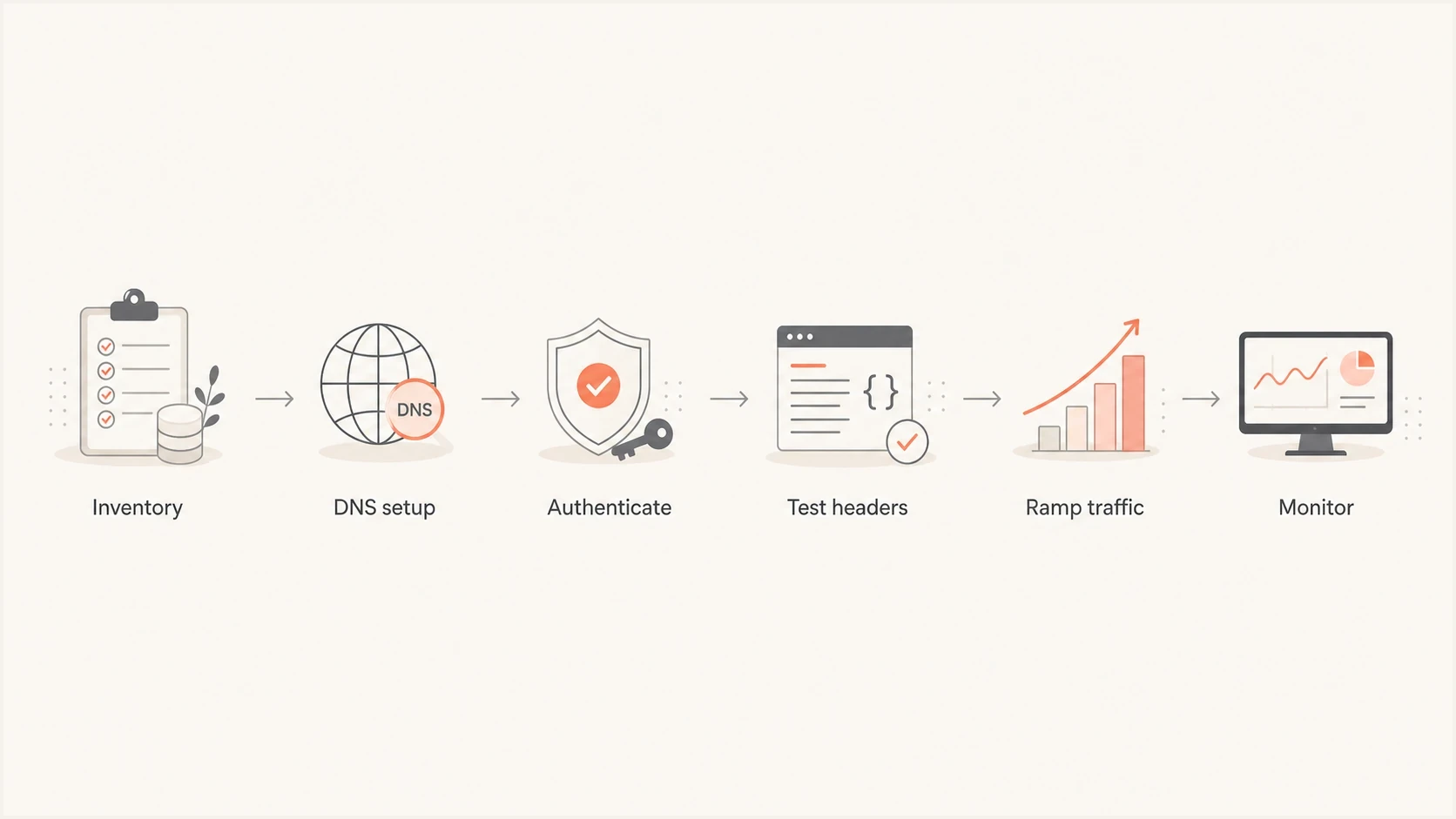
Flowchart showing inventory, DNS setup, authentication, testing, traffic ramping, and monitoring.
How to monitor after launch
Monitoring is where the split pays off. With separate subdomains, aggregate reports show which stream is passing, failing, or sending through an unexpected source. That is more useful than one blended report where marketing, product, billing, and support traffic all share the same identity.
Suped's product supports this workflow by bringing DMARC aggregate reports, SPF and DKIM results, alerts, and blocklist (blacklist) monitoring into one place. Teams can filter by subdomain, trace an authentication failure to its source, and route the issue to the owner of that mail stream.
For ongoing protection, use DMARC monitoring for authentication trends and blocklist monitoring for IP and domain reputation checks. Authentication can pass while blacklist or blocklist status and other reputation problems still affect placement.
Suped DMARC dashboard showing email volume, authentication health, and source breakdown
The most useful dashboards separate verified sources, unverified sources, policy results, and traffic volume by domain. If marketing.example.com suddenly shows an unknown sender or tx.example.com starts failing DKIM, treat it as an operational incident.
Mistakes to avoid
The most common mistake is treating subdomain separation as a deliverability shortcut. It is an identity and monitoring structure. It works when the sender also manages list quality, authentication, complaint rates, content consistency, and volume patterns.
Common failure points
- Too many names: Creating a subdomain for every campaign makes reputation thin and operations messy.
- Mismatched DKIM: Signing only with an unaligned platform domain causes DMARC to depend on aligned SPF.
- Forgotten bounces: Return-path domains need the same planning as visible From domains.
- No ramp plan: Moving all mail overnight removes the chance to catch small authentication errors early.
Another mistake is assuming subdomain reputation has no relationship with the parent domain. It is more accurate to think of reputation as related signals. A bad marketing subdomain can still affect trust in the brand, especially when recipients complain, ignore mail, or report messages. The related page on core domain reputation covers that relationship in more detail.
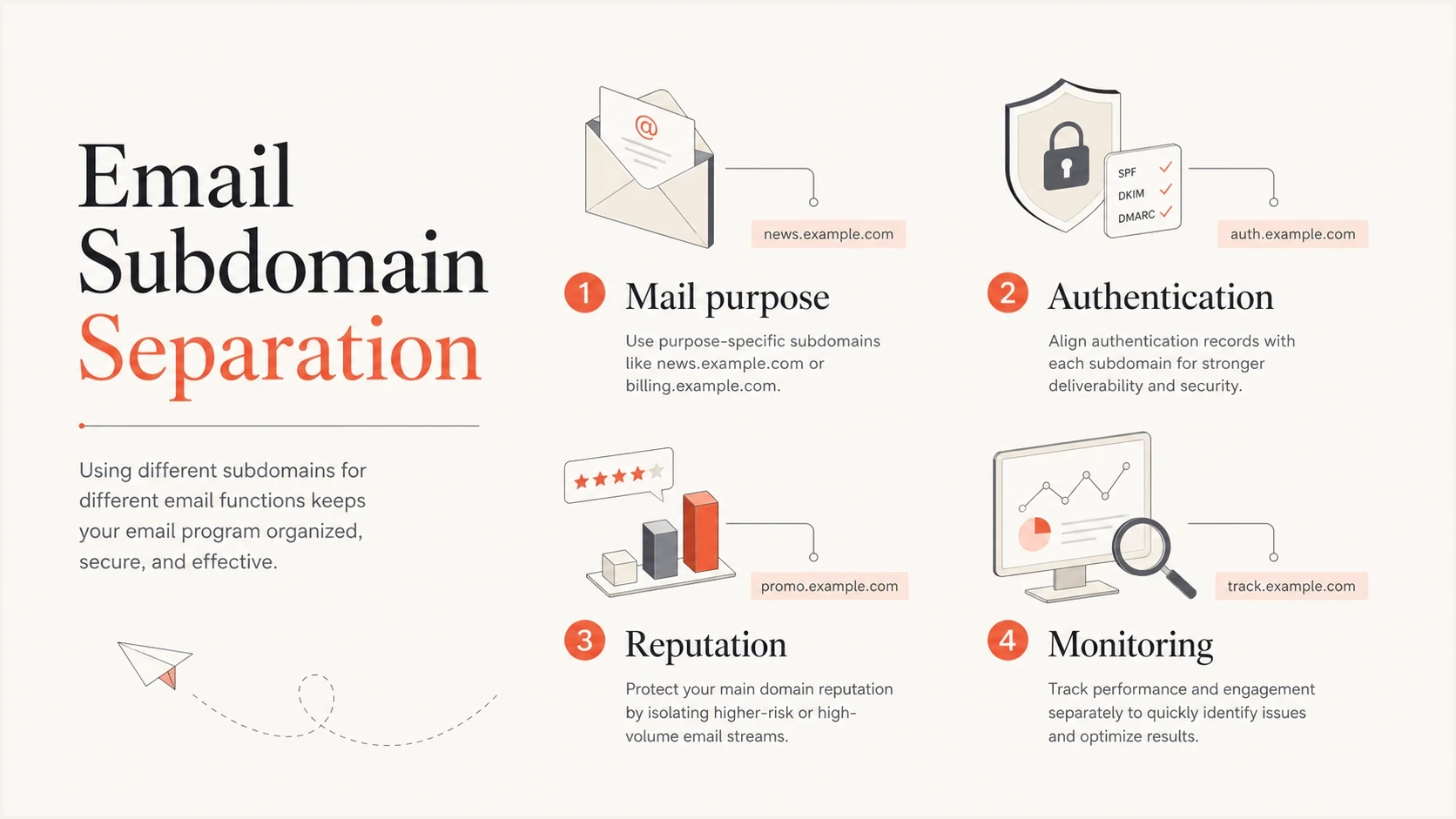
Infographic showing mail purpose, authentication, reputation, and monitoring for subdomain separation.
Views from the trenches
Best practices
Separate important streams by subdomain and keep DKIM signing matched to each stream.
Use clear names so reports map cleanly to marketing, transactional, and support owners.
Let each subdomain build steady history before moving risky or irregular campaign traffic.
Common pitfalls
Splitting very low volume streams creates identities with too little data for reputation.
Using one DKIM domain across unrelated streams hides problems during DMARC investigation.
Treating subdomains as isolation walls ignores how brand trust and complaints still connect.
Expert tips
Measure each stream by recipient domain because reputation systems do not score identically.
Move predictable transactional traffic first, then introduce marketing volume in stages.
Keep DMARC reports grouped by subdomain so source ownership stays clear during incidents.
Expert view
Expert from Email Geeks says separate subdomains are a strong practice when each stream also has matching DKIM signing.
2022-04-27 - Email Geeks
Marketer view
Marketer from Email Geeks says separating mail streams is common because marketing and transactional mail behave differently.
2022-04-27 - Email Geeks
Practical recommendation
For most brands, use a clean subdomain split: marketing mail on a marketing subdomain, transactional mail on a transactional subdomain, and corporate employee mail on the root or normal business mail setup. That gives enough separation to make reputation and reporting useful without adding the overhead of separate root domains.
The setup is only as good as the authentication behind it. Build the SPF, DKIM, return-path, and DMARC records deliberately. Test real headers, ramp volume, and watch reports by subdomain. If a stream starts failing or an unauthorized sender appears, fix it before pushing more traffic.
Suped's product can group DMARC traffic by sending subdomain, identify the source behind a failure, flag unexpected senders, and alert the responsible team. That gives marketing and transactional owners a shared workflow without blending their authentication results.