Does 'no-reply' email affect email deliverability?

Updated on 6 Aug 2026: We clarified how no-reply addresses affect reply handling and sender reputation, including current one-click unsubscribe requirements.
No, using a no-reply address does not normally hurt email deliverability by itself. Mailbox providers do not appear to treat the local part no-reply as a simple spam switch, and plenty of legitimate transactional and account emails still use it. Inbox placement should not drop just because the visible sender is something like no-reply@example.com.
The caveat matters: no-reply can hurt deliverability indirectly. If the address rejects replies, ignores unsubscribe requests, frustrates customers, or uses a broken domain, people are more likely to complain, disengage, or create support problems. Those behaviors do affect sender reputation.
- Direct impact: The word no-reply in the address is not the main deliverability risk.
- Indirect impact: Blocking real replies can increase complaints and remove useful engagement.
- Technical impact: An invalid From domain, broken authentication, or bad reply handling is a real problem.
The direct deliverability answer
Separate this into two questions: what filters can evaluate at delivery time, and what recipients do after delivery. At delivery time, a local part such as no-reply, noreply, donotreply, or notifications is weak evidence. It is common in password resets, receipts, security alerts, invoices, and system notifications. A filter that penalized it heavily would catch too much normal mail.
Recipient behavior is different. If someone wants help, tries to unsubscribe by replying, or sends a thank-you response and gets a rejection, the brand experience gets worse. Some users will hit the spam button because that button is easier than finding another channel. That is where no-reply becomes a sender reputation issue.
The practical rule
A no-reply address is acceptable when the mailbox exists, the sending domain authenticates correctly, and recipients have a clear route for support and unsubscribe requests. It is risky when it creates bounces, hides complaints, or shuts down a useful conversation.
|
|
|
|---|---|---|
no-reply From | Low | Replies are rejected or ignored. |
real Reply-To | Low | Support routing must be managed. |
dead domain | High | DNS and authentication fail. |
bad bounce path | Medium | Failures are harder to process. |
How common address patterns affect deliverability risk.
What happens when someone replies
A no-reply email address is a sending address whose inbound path is unmonitored or disabled. The label alone does not determine the result. The From mailbox, Reply-To header, and inbound mail configuration decide where a reply goes.
- The reply bounces: The destination does not accept mail, so the recipient receives a delivery failure.
- The reply disappears: The mailbox accepts the message, but nobody reads or routes it.
- An autoresponder answers: The sender explains that the mailbox is not monitored and gives another contact route.
- Reply-To routes it: The mail app addresses the reply to a monitored support or operations inbox.
When Reply-To is present, mail apps normally send replies there. Without it, they normally use the From address. Reply-To is a routing instruction, not a guarantee, because a recipient can still send directly to the From address. Keep that From mailbox able to accept mail, or give recipients a clear alternative before they reply.
Where no-reply causes indirect damage
The worst version of no-reply is not a quiet mailbox. It is a reply path that rejects a customer who expected a normal conversation. Replies to marketing and lifecycle emails are not automatically waste. Some contain unsubscribe intent, confusion, buying interest, account problems, accessibility needs, or emotional response.
Before changing to a rejecting no-reply address, classify replies for one or two weeks. Count the categories, then decide. If most replies are short thank-you notes, file them automatically. If many are support or unsubscribe requests, route them. The data gives operations a real case instead of relying on a deliverability myth.
Reply handling risk levels
A quick way to judge whether no-reply is a small operational choice or a reputation risk.
Low risk
Managed
Mailbox accepts replies and routes them with rules.
Warning
Ignored
Replies are accepted but never reviewed.
High risk
Rejected
Replies bounce, including unsubscribe and support requests.
- Complaints: A rejected reply can push an annoyed user toward the spam button.
- Unsubscribes: Some recipients still reply with unsubscribe requests, even when a link exists.
- Engagement: Replies create correspondence history in some mailbox apps, but providers do not publish a universal weighting rule.
- Visibility: Inbound replies often reveal copy problems, broken journeys, and buying intent.
Real replies deserve their own analysis. Any deliverability benefit is usually secondary for bulk mail, but correspondence history can still matter for a recipient's treatment of future mail. See real replies and reputation for the related From and Reply-To considerations.
A better reply handling pattern
A better pattern is to keep the sender identity clear while routing replies away from the busiest support queue. Use a recognizable From address, a real Reply-To mailbox, and rules that classify low-value messages automatically. That preserves the recipient's ability to reply without forcing support teams to manually triage every birthday thank-you.
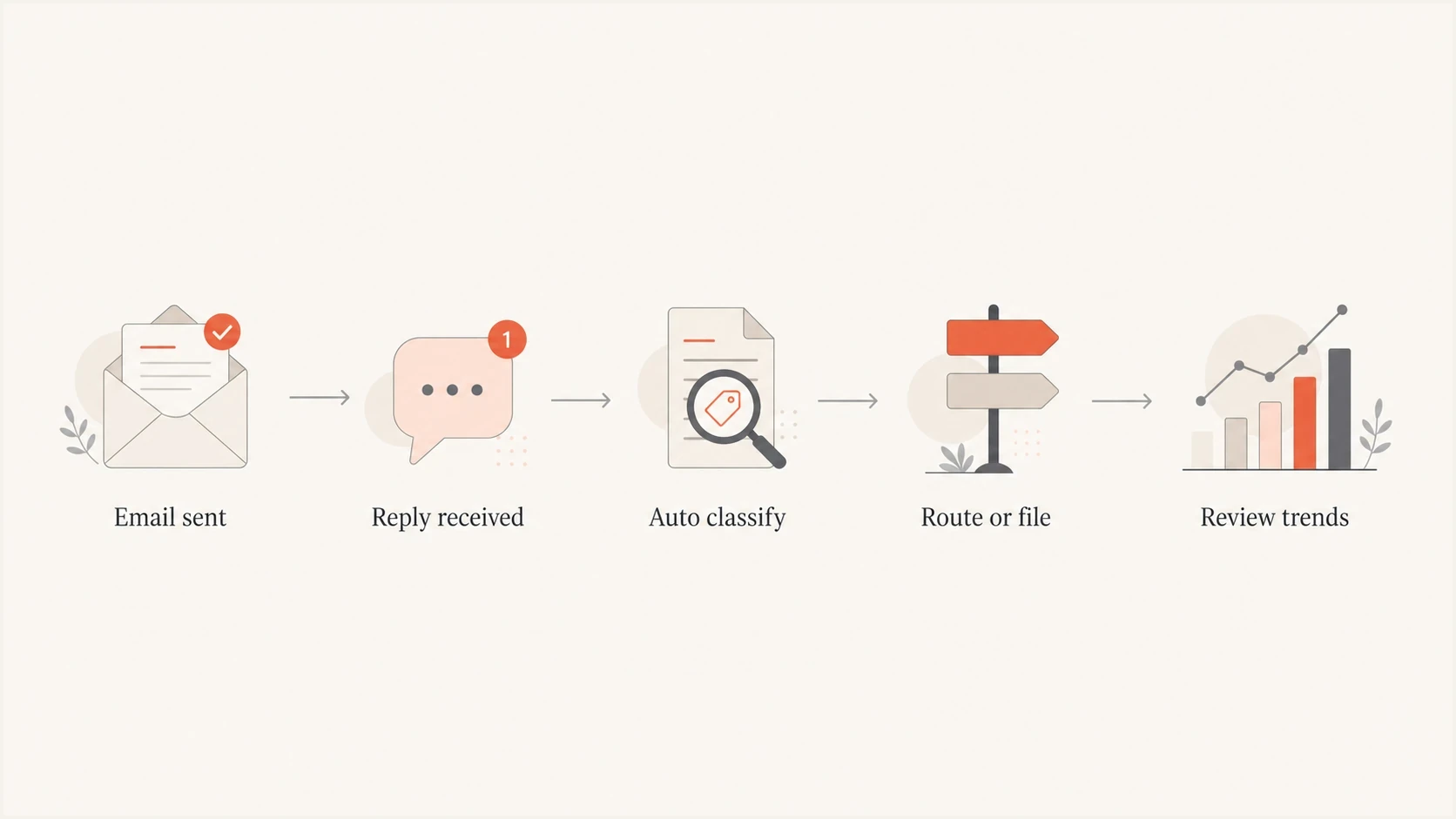
Flowchart showing replies being received, classified, routed, filed, and reviewed.
For bulk marketing and lifecycle mail, use this setup:
Safer header patterntext
From: Example <news@example.com>
Reply-To: Example Support <support@example.com>
Return-Path: <bounce@bounces.example.com>
List-Unsubscribe: <https://domain.com/unsub/opaquepart>, <mailto:unsubscribe@example.com>
List-Unsubscribe-Post: List-Unsubscribe=One-Click
The HTTPS URL and List-Unsubscribe-Post header provide RFC 8058 one-click unsubscribe. A mailto address can remain as an additional option, but it does not meet the one-click requirement by itself. Sign both list-unsubscribe headers with DKIM and keep a visible unsubscribe link in the message body.
Rejecting no-reply
- Support load: Fewer inbound tickets reach the queue.
- Customer path: Recipients hit a rejection when they reply.
- Reputation risk: Complaints can rise if useful replies are blocked.
Managed reply inbox
- Support load: Rules file common low-value replies.
- Customer path: Recipients can still reach a human when needed.
- Reputation risk: Useful signals are kept and complaints are easier to prevent.
The From and Reply-To domains should be intentional. They do not always need to be identical, but they should make sense to the recipient and to your authentication setup. The From and Reply-To choices should not create brand confusion.
How to test the change
If deliverability is already fragile, do not change reply handling and guess. Test the actual message before and after the change. Send a real campaign sample to an inbox, inspect the headers, confirm SPF and DKIM pass, confirm DMARC passes, and check whether the reply path behaves as expected.
Start by sending the message to the email tester, then repeat the test after changing the From or Reply-To address. That gives you a before-and-after record for the exact message, not a generic assumption about no-reply.
Email tester
Send a real email to this address. Suped shows a results button when the test is ready.
?/43tests passed
After that, check the sending domain itself. Use domain health checks to catch broken DNS, missing authentication, and obvious domain problems that matter more than the word no-reply.
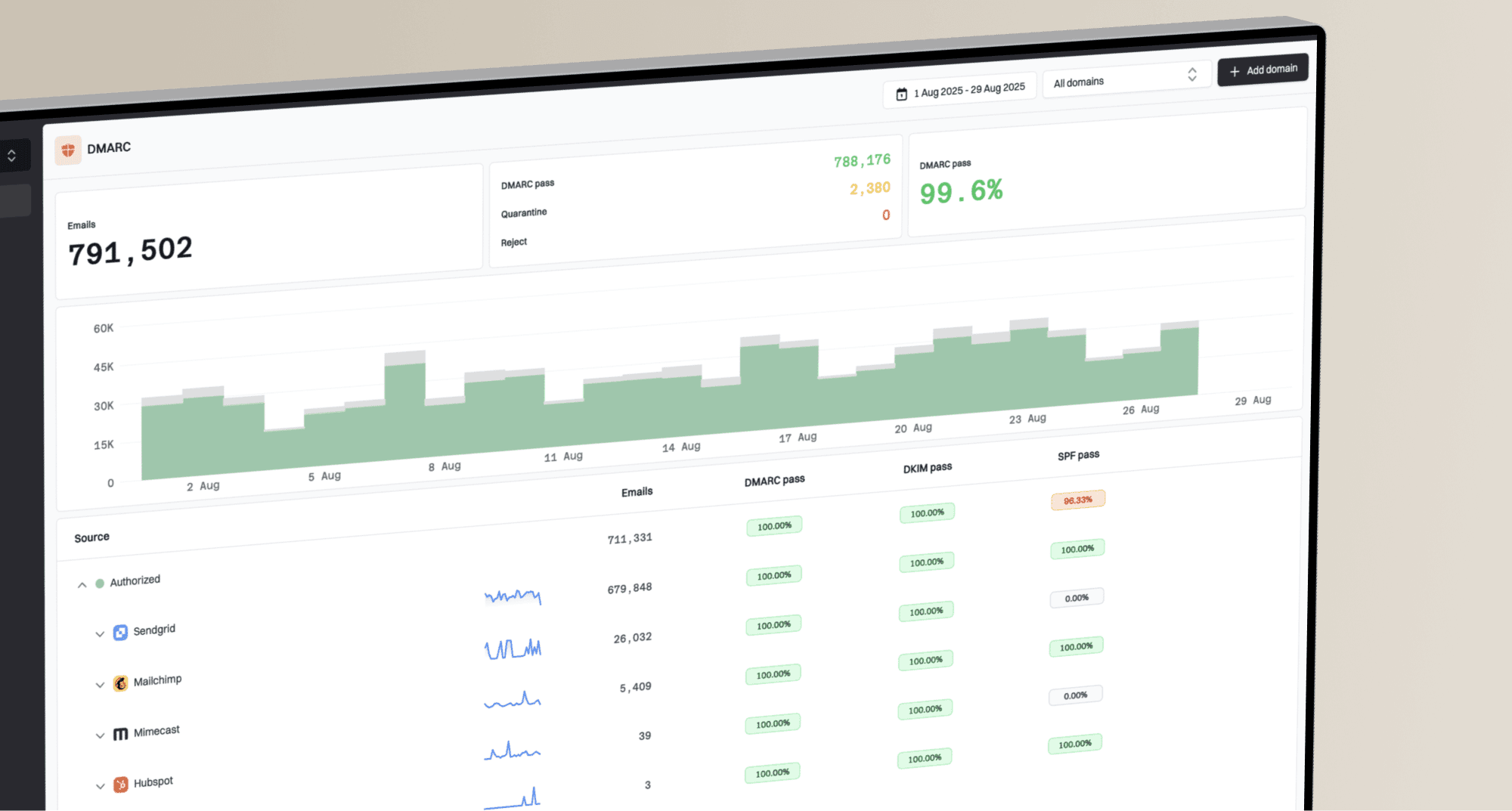
For teams managing several senders, Suped's product is a DMARC reporting and email authentication platform. Its reports can confirm that SPF, DKIM, and DMARC remain stable while reply handling changes, while alerts and blocklist (blacklist) monitoring help separate authentication or reputation problems from the no-reply choice.
Suped DMARC dashboard showing email volume, authentication health, and source breakdown
Use a simple workflow: validate the message, monitor the domain, and watch for reputation changes. DMARC monitoring confirms who is sending with your domain, while blocklist status checks help identify whether domain or IP reputation has a separate issue.
When no-reply still makes sense
No-reply still has a narrow place for purely transactional mail where a response cannot change the outcome, such as one-time security codes and password reset tokens. Receipts, shipping notices, and billing messages often generate legitimate questions, so give them a monitored Reply-To address or a visible support route.
A no-reply address does not replace unsubscribe requirements. Gmail requires RFC 8058 one-click unsubscribe for qualifying marketing and subscription mail sent above its bulk-sender threshold. Microsoft's Outlook.com guidance for domains sending more than 5,000 messages a day also says the From or Reply-To address should be valid and able to receive replies.
Do not bounce useful replies
If users reply with support requests, unsubscribe requests, sales questions, or account concerns, rejecting those messages is a reputation risk. File low-value replies, but route high-value replies to the right team.
The safest compromise is a real mailbox with automation. Use filters for thank-you notes, out-of-office replies, empty replies, and common keywords. Send a short auto-response only when it helps the user, and include the support path inside that response. That avoids the worst customer experience while keeping operational noise under control.
If bounces from no-reply addresses are the concern, separate reply handling from bounce handling. Bounces belong in the Return-Path and your sending platform's bounce processor. Human replies belong in Reply-To. Mixing those paths makes diagnostics harder, especially when you later investigate bounces to no-reply addresses.
Views from the trenches
Best practices
Classify inbound replies for two weeks before changing sender or reply handling policy.
Keep a real reply route for support, unsubscribe intent, buying signals, and account issues.
Use rules to file thank-you notes and noisy replies without rejecting customer messages.
Common pitfalls
Treating no-reply as a filter penalty distracts teams from authentication and complaints.
Rejecting replies can convert harmless confusion into spam complaints and support anger.
Using a dead From domain creates real DNS and authentication issues no-reply cannot hide.
Expert tips
Separate Return-Path bounce processing from Reply-To handling for cleaner diagnostics.
Keep campaign replies searchable so marketing, sales, and support can spot useful patterns.
Test one campaign stream first, then compare complaints, replies, bounces, and conversions.
Expert from Email Geeks says no-reply itself is unlikely to be a direct delivery signal because legitimate senders use it widely.
2025-03-03 - Email Geeks
Expert from Email Geeks says an address that looks no-reply but accepts mail is different from an address on a broken domain.
2025-03-03 - Email Geeks
The practical decision
A no-reply address does not usually hurt deliverability on its own. The stronger question is whether it blocks useful recipient behavior. If the mailbox exists, the domain authenticates, and users have another clear path to support or unsubscribe, it is not a major delivery concern.
If the address rejects replies, pause the rollout. Categorize the replies first, then decide whether to file them, route them, or change the campaign type. For most marketing and lifecycle mail, a managed reply inbox is better than a rejecting no-reply address because it protects useful signals and reduces complaint risk while giving the team better operational data.
- First: Fix SPF, DKIM, DMARC, one-click unsubscribe, and bounce processing.
- Second: Route real replies somewhere useful, even if most are later filed.
- Third: Measure complaints, replies, bounces, and inbox placement after the change.