Why are emails being marked as spam when they're forwarded to Gmail addresses?

Published 11 Jun 2025
Updated 21 Oct 2026
13 min read
Summarize with
Updated on 21 Oct 2026: We updated our forwarding advice with Gmail header examples, recipient checks, and the Send mail as transition.
Emails forwarded to Gmail can land in spam because forwarding changes the delivery path. Gmail receives the message from the forwarding server, not from the original sender's mail server. That often breaks SPF for the original envelope sender, and it can break DKIM if the forwarder changes the message body or protected headers. When Gmail sees weak authentication, suspicious forwarding patterns, user complaints, or poor reputation signals, it can put the forwarded copy in spam even if the original message reached the first mailbox.
Gmail evaluates each forwarded copy using the sender domain, forwarding route, authentication, and recipient feedback available on that hop. A sender that does not intentionally mail Gmail can still create Gmail delivery problems when a meaningful volume of its mail is forwarded there.
These authentication issues concern automatic forwarding or redirection that preserves the original From address. Clicking Forward normally creates a new message with your address in From, so Gmail evaluates your sending account for that new message.
Google's Gmail forwarding guidance says forwarding can affect authentication, that forwarded messages often fail SPF for the original sender, and that DKIM is especially important because it can survive a forward when the message is not changed.
- The forwarder becomes the connecting sender, so SPF for the original envelope sender often fails when that server is not authorized in the sender's SPF record.
- DKIM can preserve a DMARC pass, but only when the signature remains valid and its signing domain matches the visible From domain under DMARC alignment rules.
- Keep aligned DKIM passing, separate forwarding traffic, filter unwanted mail before forwarding, and monitor Gmail outcomes.
What forwarding changes
A normal direct delivery has a simple authentication path. Your mail platform connects to Gmail, Gmail checks whether that IP is authorized by the envelope sender's SPF record, then Gmail checks DKIM signatures and DMARC alignment. Forwarding adds another hop. The first mailbox provider accepts the message, then starts a new SMTP transaction to Gmail.
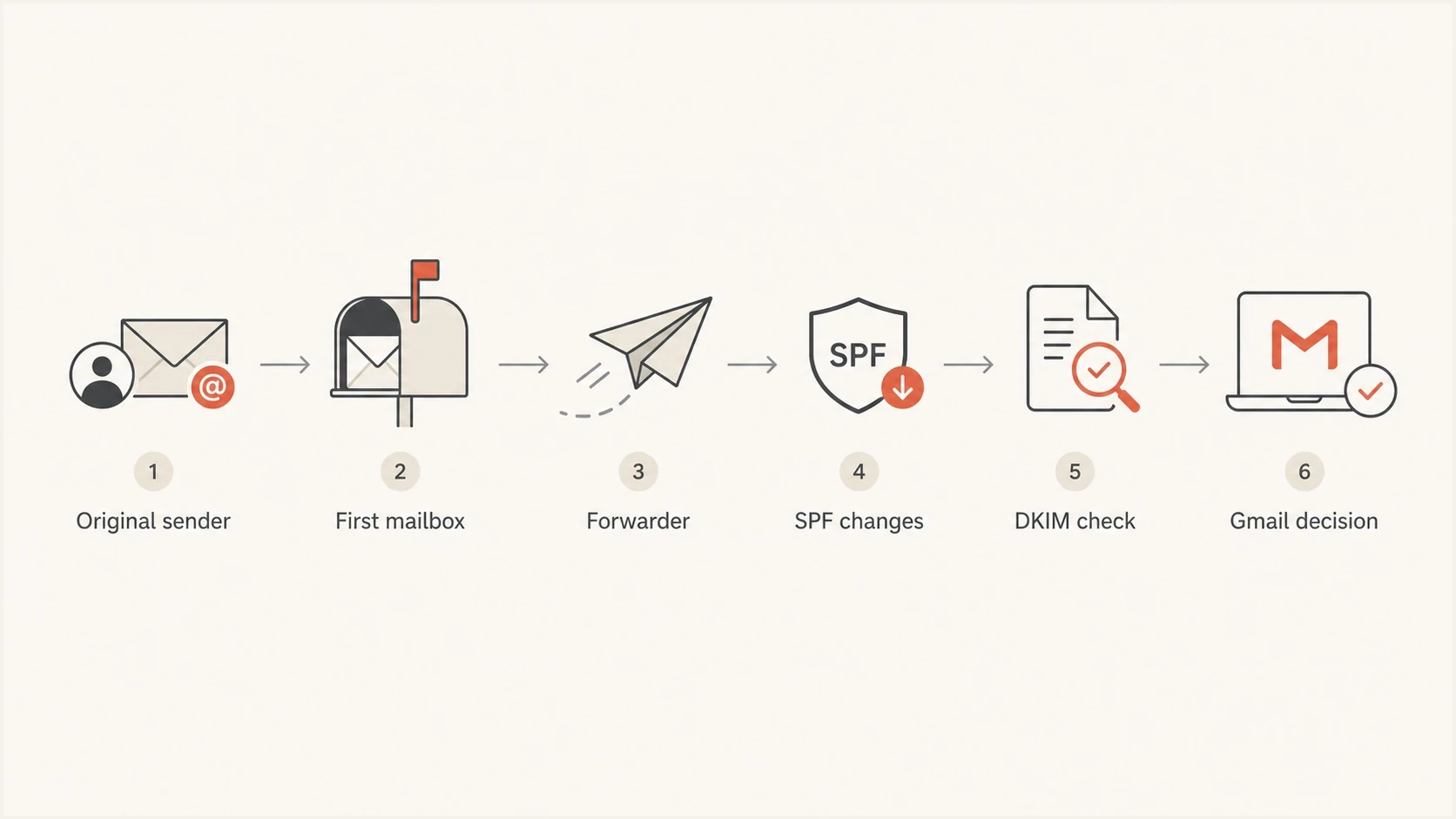
Email forwarding path to Gmail showing SPF changes, the DKIM check, and the delivery decision.
Gmail sees the IP address of the forwarder on that second transaction. SPF often fails for the original envelope sender. If the forwarder uses Sender Rewriting Scheme (SRS), SPF can pass for the forwarding domain, but that domain normally lacks alignment with the original visible From domain. If DKIM passes and has alignment with the visible From domain, DMARC can still pass. If aligned DKIM breaks, DMARC fails unless another aligned mechanism succeeds.
- SPF checks the server that connected to Gmail and the envelope sender used on that hop. SRS can authenticate the forwarder's domain, but it does not restore SPF alignment for the original visible From domain.
- DKIM can survive forwarding when the forwarder preserves signed content. Adding a footer or rewriting tracked links can invalidate the signature, as can changing signed headers or MIME encoding.
- DMARC passes when at least one mechanism, SPF or DKIM, passes authentication with a domain that meets the alignment rules for the visible From domain. Forwarding usually makes aligned DKIM the durable path.
- Authenticated Received Chain (ARC) preserves earlier authentication results in a verifiable chain. Gmail still performs its own checks, and a valid ARC chain does not guarantee inbox placement.
- X-Forwarded-For or X-Forwarded-To headers identify the forwarding path, but they do not replace SPF, DKIM, or DMARC.
- TLS protects transport, but it does not prove the visible sender domain is authorized.
A valid ARC chain lets Gmail consider authentication before forwarding, but it does not change a failed DMARC result into a pass. The receiver also needs to trust the ARC sealer. RFC 8617 describes how ARC carries authentication assessments across forwarding hops.
How forwarded mail affects Gmail reputation
Forwarded Gmail spam placement still matters when the sender did not choose the Gmail address. The message arrived at a Gmail mailbox, Gmail had to classify it, and the visible From domain remained attached. Gmail evaluates the domains and IP addresses involved in that delivery along with the recipient's feedback. Google's forwarding recommendations describe how spam complaints about forwarded mail can affect future delivery.
Forwarding unwanted messages can hurt the forwarding domain's reputation when recipients report them as spam. Authentication failures are a separate delivery problem; an SPF failure alone does not prove that the original sender's reputation has fallen. Filter unwanted mail before it is forwarded.
- A few forwarded copies are normal. A large share of mail reaching Gmail through forwarders deserves investigation.
- If forwarders pass old, unwanted, or compromised traffic, Gmail still sees the visible sender domain attached to it.
- Authentication failure, content risk, user reporting, and prior reputation feed the final placement.
- Shared forwarding infrastructure can add its own IP and domain reputation to the decision.
Gmail does not publish a threshold at which a percentage of forwarded SPF failures triggers spam placement. The practical goal is to keep DKIM aligned and passing, reduce unwanted forwarding volume, and maintain clean direct-mail behavior wherever the same domain sends.
Forwarding risk bands
Use these bands as investigation priorities, not as Gmail policy thresholds.
Low
Monitor
Small forwarded volume, aligned DKIM passes, few user complaints.
Medium
Fix
Forwarded volume is visible in reports and aligned DKIM breaks for some sources.
High
Act now
Large forwarded volume fails DMARC and Gmail places many copies in spam.
How to stop forwarded email going to Gmail spam
Fixing forwarded Gmail spam placement usually needs work on both sides of the path. The original sender must make DKIM and DMARC robust, while the forwarding side must preserve authentication and avoid creating low-quality Gmail traffic.
Sender side
- Sign with a domain that meets DMARC alignment rules for the visible From domain. Use a 2048-bit RSA key where supported; Gmail requires at least 1024 bits for RSA DKIM signatures.
- Read aggregate reports by source so forwarded traffic does not hide broken senders.
- Stop compromised, stale, or low-consent mail before it reaches any mailbox provider.
Forwarder side
- Use SRS to rewrite the envelope sender, and authorize the forwarding server in the SPF record for that rewritten domain. This lets SPF authenticate the forwarder without restoring DMARC alignment with the original From domain.
- Record authentication before modifying the message, then add an ARC set so Gmail can evaluate the earlier results.
- Do not forward messages that the first mailbox already identified as spam.
- Use a dedicated domain or IP address for forwarding so its reputation is easier to identify.
- Confirm that the forwarding IP has a PTR record and that its hostname resolves back to that IP. Send over TLS, as required by Google's sender guidelines.
SPF still matters, but SPF alone is weak against forwarding. The safer sender-side plan is to make DKIM reliable, keep DMARC passing through aligned DKIM, and use DMARC monitoring to separate legitimate forwarders from sources that are misconfigured.
Illustrative DNS records, not ready to publishdns
_dmarc.example.com TXT "v=DMARC1; p=none; rua=mailto:dmarc@example.com"
example.com TXT "v=spf1 include:_spf.sender.example -all"
selector1._domainkey.example.com TXT "v=DKIM1; k=rsa; p=MIIB..."
Replace every example value with the settings supplied by your sending provider. The SPF include is a placeholder and the DKIM public key is deliberately incomplete. Merge authorized senders into one SPF record per domain. The p=none record requests monitoring; do not downgrade an existing enforcement policy just to troubleshoot forwarding.
?
What's your domain score?
Deep-scan SPF, DKIM & DMARC records for email deliverability and security issues.
For a baseline, run Suped's domain health check to review published authentication records. Use a delivered message to verify the active DKIM selector and the actual forwarding path, because DNS checks alone do not establish a forwarded message's authentication result.
How to debug forwarded Gmail spam
Debug forwarded Gmail spam by comparing a direct copy with a forwarded copy. Find exactly where authentication changed, then decide whether the sender, the forwarder, or both need fixing. Read Gmail's explanation above the message in Spam and record whether it points to authentication, a blocked sender, or suspicious content. If no copy arrives, inspect the forwarding server's SMTP response instead; rejection is a different outcome from spam-folder placement.
- Send the same message to a controlled Gmail mailbox and inspect the authentication results.
- Send to the mailbox that forwards into Gmail and inspect the Gmail copy.
- Compare Gmail's Authentication-Results, Return-Path, the visible From address, the DKIM signing domain, Received hops, and ARC results. Treat older Authentication-Results as evidence about earlier hops, not Gmail's final check.
- Use DMARC aggregate reports to identify high-volume connecting IPs with alignment failures, then confirm suspected forwarding routes with message headers. A connecting IP does not identify every earlier sender.
- Use Suped's email tester for a sending baseline. A direct test does not reproduce forwarding; the forwarded Gmail copy is the evidence for changes on that route.
- After fixes, track Gmail placement and DMARC-aligned authentication over several sending cycles.

Issue steps to fix dialog showing the issue overview, tailored fix steps, and verification action
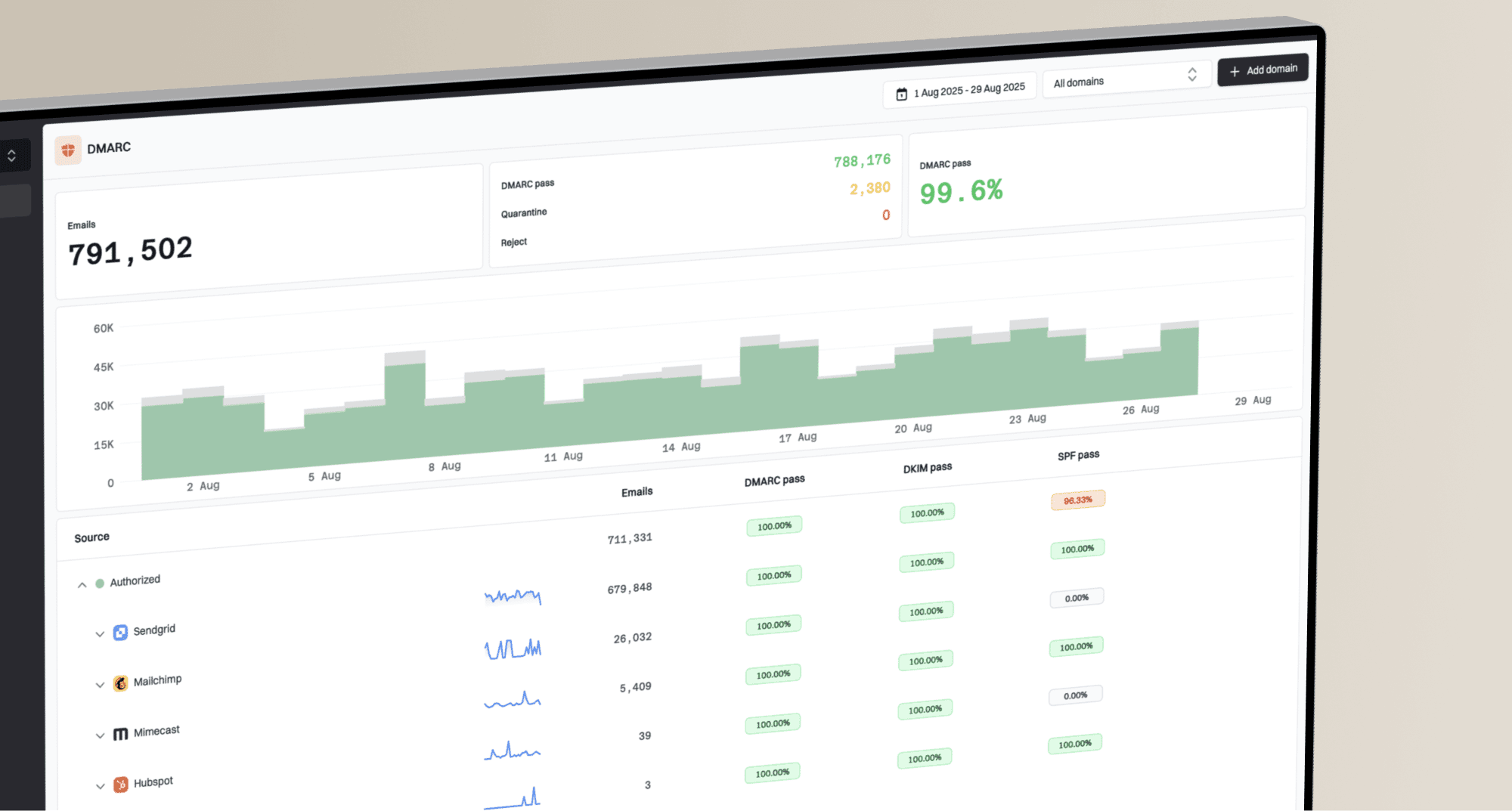
Suped's DMARC reporting platform groups aggregate sources and authentication findings for investigation. Start with a suspected forwarding source, compare its aligned DKIM results, and use the issue view to assign remediation. Confirm the route and Gmail placement with real message headers and mailbox checks.
Email tester
Send a real email to this address. Suped shows a results button when the test is ready.
?/43tests passed
How to read forwarded email headers in Gmail
In Gmail on a computer, open the forwarded copy and choose More next to Reply, then Show original. Google's full-header instructions explain where to find these results. This simplified example shows SRS and a surviving original DKIM signature:
Illustrative headers after automatic forwardingtext
From: Billing <billing@example.com>
Return-Path: <SRS0=token=example.com=billing@forwarder.example>
Authentication-Results: mx.google.com;
    spf=pass smtp.mailfrom=forwarder.example;
    dkim=pass header.d=example.com header.s=selector1;
    dmarc=pass header.from=example.com;
    arc=pass
|
|
|---|---|
spf=pass | The forwarder is authorized for forwarder.example. That domain does not match example.com for DMARC. |
dkim=pass | The original signature for example.com survived and matches the From domain, supplying the DMARC pass. |
dmarc=pass | An authenticated domain meets the From-domain alignment requirement. This does not guarantee the inbox. |
arc=pass | The ARC chain validated. Gmail still evaluates the sealer and the earlier results it recorded. |
What each result establishes on the Gmail delivery hop.
If the forwarded copy instead has dkim=fail and dmarc=fail, compare it with the direct copy for changes to signed content. An SPF pass for the forwarding domain cannot compensate for the missing original-domain alignment.
DMARC aggregate reports show authentication and policy handling, not a Gmail inbox-placement rate. Under RFC 9990, disposition describes DMARC policy processing. Neither a pass nor the absence of a DMARC enforcement action proves inbox delivery. Compare report trends with the actual destination mailbox.
What Gmail recipients and admins can do
Sender-side fixes protect every recipient, but Gmail-side actions can correct treatment for one mailbox or organization after a trusted forwarded message lands in spam. Use these controls only after confirming the sender and the forwarding route.
- Check Settings, See all settings, then Filters and Blocked Addresses. Unblock a trusted sender accidentally added there; Google's blocked-sender guidance confirms that blocked senders' messages go to Spam.
- Select Not spam for a confirmed legitimate message so Gmail can use that feedback for future mail.
- For a known sender, add the original From address to Google Contacts.
- Create a filter for a specific trusted sender and select Never send it to Spam. Check the From address on the forwarded copy so the filter matches, and avoid broad domain filters.
- Treat the older Send mail as recommendation as temporary for non-Google accounts. Google's account support timeline puts third-party Send mail as in a transition period during Q3-Q4 2026. New setups can be restricted, and support ends in January 2027. Google-hosted Gmail and Workspace identities are unaffected.
- An administrator can add a trusted address or domain to a spam bypass list. Gmail can still reject or spam a message it identifies as suspicious.
- If a message returns to Spam after you move it out, pause connected mail apps and review their junk settings. Retest in Gmail on the web to isolate whether a connected app is moving the message.
Google's valid-email troubleshooting steps cover Not spam, contacts, and sender-specific filters. If messages move back after delivery, Google's connected-app support discussion documents a case resolved through the connected mail app's junk controls.
Recipient filters, contacts, and administrator allowlists do not repair SPF, DKIM, DMARC, or the forwarding route. Use them for confirmed legitimate mail while the sender and forwarder fix the underlying cause.
What DMARC policy does not fix
A DMARC policy of p=none does not by itself cause Gmail to mark forwarded mail as spam. It requests no DMARC-based quarantine or rejection for failed messages. Aggregate reporting requires a rua address; p=none alone does not enable reports. Gmail still applies its own classification and reputation checks. RFC 9989 defines the policy and reporting tags.
Moving straight to p=reject also does not solve forwarded spam by itself. Enforcement protects against unauthorized use once legitimate sources pass DMARC-aligned authentication, but it also increases the risk of rejection for legitimate forwarded copies that fail. Fix legitimate authentication paths before strengthening policy.
|
|
|
|---|---|---|
No Gmail sends | Forwarding still reaches Gmail | Monitor Gmail results |
SPF passed direct | SPF can fail after forwarding | Preserve aligned DKIM |
Policy none | No DMARC enforcement requested | Set rua for reports; fix before reject |
Forwarded noise | Delivery signal | Segment sources |
Common assumptions in forwarded Gmail spam cases.
If direct Gmail mail is also going to spam, treat that as a broader placement issue. Forwarding is one cause, but direct mail problems need a review of consent, complaints, sending patterns, content, and authentication.
For direct Gmail placement problems, this separate page on Gmail spam fixes is a better fit than focusing only on forwarding.
Reputation and blocklists
Forwarded Gmail spam placement does not prove a public blocklist (blacklist) listing. Gmail has its own filtering and reputation signals, so a clean public listing result does not prove inbox delivery either. Check the forwarding IP as well as the original sender's infrastructure when investigating reputation.
Suped's blocklist monitoring helps teams correlate public blacklist alerts with authentication findings. Match the alert to the forwarding IP or sender domain under investigation; a listing alone does not establish why Gmail classified a message as spam.
- Check the visible sender domain for reputation concerns affecting more than one delivery route.
- Check the forwarding IP, because its reputation can affect delivery even when sender authentication is valid.
- Compare the start of the problem with forwarding changes or a compromised source before assigning a cause.
Views from the trenches
Best practices
Keep DKIM stable through forwarding, because SPF often fails on the final delivery hop to Gmail.
Separate forwarding traffic from direct mail so reputation problems are easier to isolate quickly.
Track failed DMARC-aligned authentication by source, not only domain pass rates over time.
Common pitfalls
Dismissing forwarded failures skips the checks needed to confirm legitimate mail and Gmail delivery.
Changing signed content can break DKIM and remove the remaining DMARC pass after forwarding.
Assuming p=none causes spam misses failed DMARC alignment and sender reputation signals.
Expert tips
Review ARC and forwarding headers before changing DNS, because the path explains the failure.
Use DMARC reports to separate forwarding noise from broken sender configuration per source.
Fix high-volume forwarders first, then watch Gmail placement and authentication together.
Marketer view
Marketer from Email Geeks says a sender that avoids direct Gmail delivery can still create Gmail reputation signals when other mailbox providers forward its mail.
2024-11-09 - Email Geeks
Marketer view
Marketer from Email Geeks says a high volume of forwarded mail is a warning sign, especially when the forwarding source sends messages Gmail classifies as unwanted.
2024-11-09 - Email Geeks
Frequently asked questions
Forwarding often breaks SPF for the original envelope sender because Gmail receives the message from the forwarder's IP address. SRS can make SPF pass for the forwarding domain, but it normally does not restore DMARC alignment with the original visible From domain.
DKIM can survive automatic forwarding when signed content remains unchanged. Adding footers or rewriting links can invalidate the signature. A valid DKIM signature supplies a DMARC pass only when its signing domain meets the alignment rules for the visible From domain.
No. A stricter DMARC policy protects the domain after legitimate sources pass aligned authentication. It does not force Gmail to inbox forwarded messages that fail authentication or look unwanted.
Forwarding unwanted mail can harm the forwarding domain's reputation when recipients report it as spam. An SPF failure alone does not prove harm to the original sender's reputation. Check complaints and actual Gmail delivery alongside authentication results.
Open the forwarded copy in Gmail and choose More, then Show original. Compare Gmail's Authentication-Results with a direct copy, inspect Return-Path and the Received and ARC chains, then use DMARC reports to prioritize failing sources. Reports alone do not establish inbox placement.
Check Filters and Blocked Addresses, select Not spam for a trusted message, and add the original sender to contacts or create a narrow filter. If the message returns to Spam, check connected mail apps. Workspace admins can use a targeted spam bypass list, but these controls do not repair failed authentication.