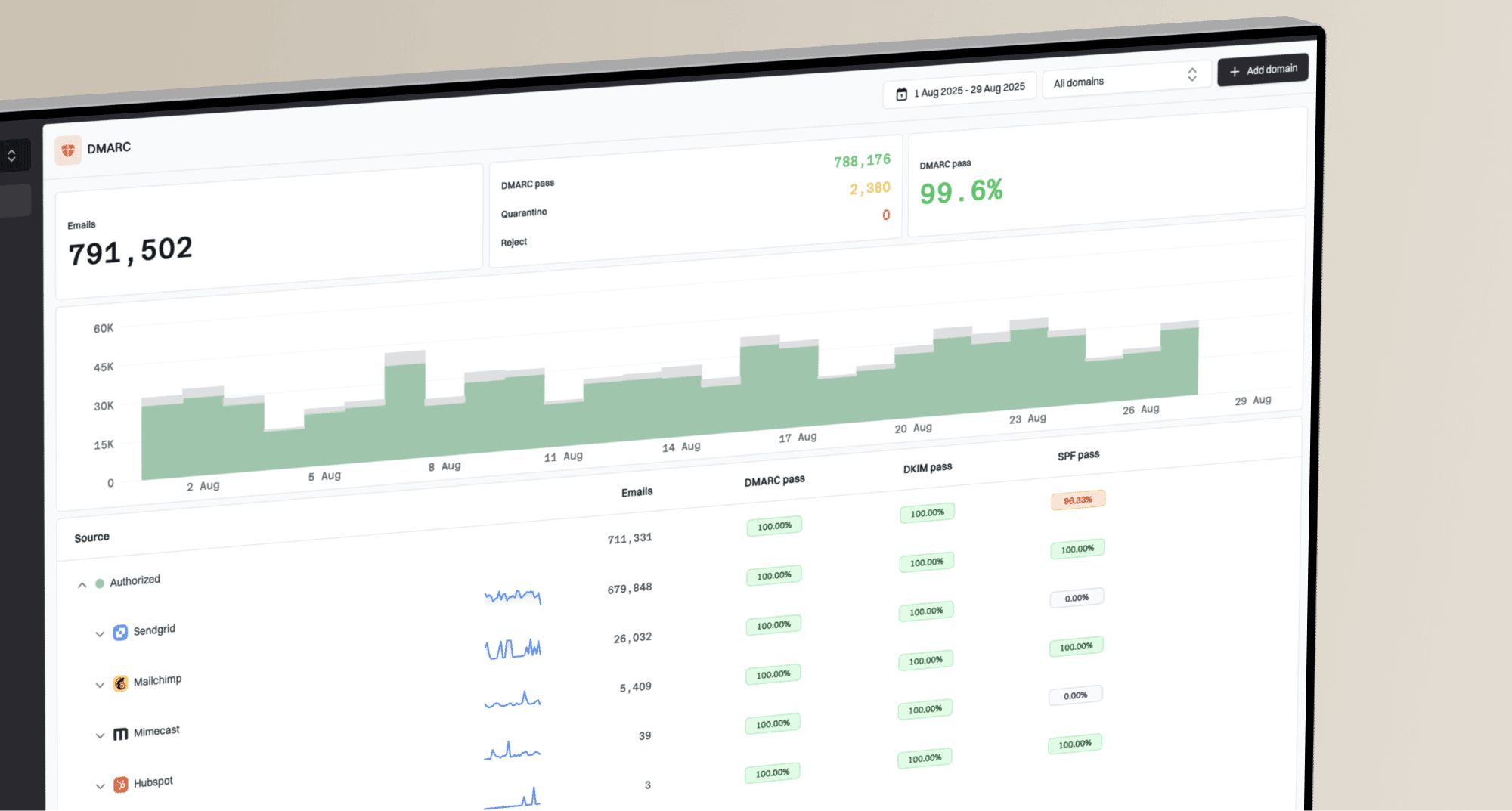
What are the best tools for monitoring IP blacklisting and RBLs?

Published 26 Apr 2025
Updated 15 Oct 2026
11 min read
Summarize with

Updated on 15 Oct 2026: We clarified reliable DNSBL checks and how to investigate IP blacklist alerts.
The right tool for monitoring IP blacklisting and RBLs depends on what you need to protect. Suped is our DMARC and email authentication platform, with IP and domain blocklist monitoring alongside sender authentication data. For bulk network checks, compare asset limits and alert controls; for occasional troubleshooting, a manual lookup is enough.
A blacklist monitor reports listings; deliverability monitoring also needs delivery evidence such as SMTP rejections and deferrals. It can tell you that an IP appeared on a blocklist (blacklist), but it still leaves you to work out whether the listing matters, which sending source caused it, whether your domain reputation is affected, and whether authentication failures are part of the same problem.
How to choose an IP blacklist monitor
Split the decision into two use cases. For a mail team, MSP, SaaS company, or ecommerce sender that needs to protect branded email, choose a platform that connects blacklist monitoring to authentication and sender identity. Suped's blocklist monitoring product shows the affected sender, list source, severity, and next action alongside authentication visibility.
For a network operator or admin who mainly needs to watch hundreds of IPs for new DNSBL results, a dedicated RBL monitor can be enough. The main risk is alert volume. Many blocklists are low impact, abandoned, niche, or noisy. A useful monitor lets you choose which blocklists matter, suppress low-value alerts, and include domain-based listings, not just IP listings.
Quick recommendation
Use Suped when the monitored IPs send mail for domains you manage and you need authentication context during triage. For bulk RBL polling, evaluate per-IP limits, bulk import or CIDR support, and alert filtering. Compare the actual check interval, notification delay, history retention, API or webhook access, and cost at your asset count. A free lookup does not establish that scheduled monitoring is included.
|
|
|
|---|---|---|
Suped | Email teams managing authentication and blocklist incidents | Required IP and domain coverage, check intervals, and alert routing |
Standalone RBL monitoring | Network teams watching many sending IPs | Bulk import, per-asset pricing, list selection, and error handling |
Manual DNS diagnostics | Investigating a specific IP or domain | An on-demand check has no ongoing alerting unless scheduled separately |
Broader deliverability reporting | Programs investigating inbox placement and delivery trends | Whether the extra reporting answers a measured operational need |
DIY script | Teams able to maintain their own checks | DNSBL access terms, response parsing, retries, and incident history |
IP blacklist monitoring approaches and the limits to evaluate.

IP blacklist lookup screen showing a sending IP search and DNSBL result rows.
What a useful monitor checks
The first trap is assuming every RBL hit has equal weight. It does not. A listing on a major, actively used blacklist can affect delivery quickly. A listing on a niche list that few receivers use can create noise but no measurable inbox problem. The raw number of blocklists checked matters less than whether the tool explains priority.
A good monitor checks IP blocklists and domain blocklists, including domains used in message URLs where relevant. Authentication data helps identify the sending source, but a DKIM or SPF failure does not establish the cause of a blacklist listing. Review these signals together, then confirm the operator's listing reason and delivery evidence. A quick domain health check helps identify DNS and authentication issues alongside the listing. Website safety lists and general IP abuse scores answer different questions and do not replace email DNSBL coverage.
IP-only monitoring
- Coverage: Checks whether a sending IP appears on selected RBLs.
- Strength: Simple to understand and quick to roll out across static IP pools.
- Limit: Does not explain whether SPF, DKIM, DMARC, or domain reputation is involved.
Monitoring with authentication context
- Coverage: Checks IP and domain listings beside authentication records and policy state.
- Strength: Connects the listing to the sender, domain, and DNS configuration.
- Limit: Needs correct domain inventory and mail source ownership.

IP and domain blocklist monitoring with email authentication checks and alert priority.
RBL, DNSBL, and IP reputation
Most current blacklist checks use DNS-based blocklists, or DNSBLs. RBL, short for real-time blackhole list, is common shorthand; blacklist and blocklist describe the list. A DNSBL query checks an IP or domain against a specific list. Interpret the response using that operator's documented codes, and keep failed lookups separate from listed or clear results.
IP blacklist status is not the same as IP reputation. A blocklist result describes one list at one point in time. Reputation is a broader receiver assessment based on sending history, complaint signals, traffic patterns, authentication, and other private data. A clean result across public RBLs does not guarantee inbox placement, and one low-impact listing does not prove that every receiver will block the mail.
A clean result is not a reputation score
Treat a DNSBL result as one diagnostic signal. Confirm its importance, check whether active sending uses the listed asset, and compare delivery evidence before changing infrastructure or requesting removal.
How monitoring supports incident response
For most real email programs, the right tool is the one that shortens the time between an alert and a fix. A blacklist event is usually a symptom. Causes include compromised mailboxes, poor list hygiene, abuse by another sender on a shared IP, ignored unsubscribe requests, or an abused form. Policy-based lists can also identify IP ranges that should use an authenticated outbound relay, without alleging spam.
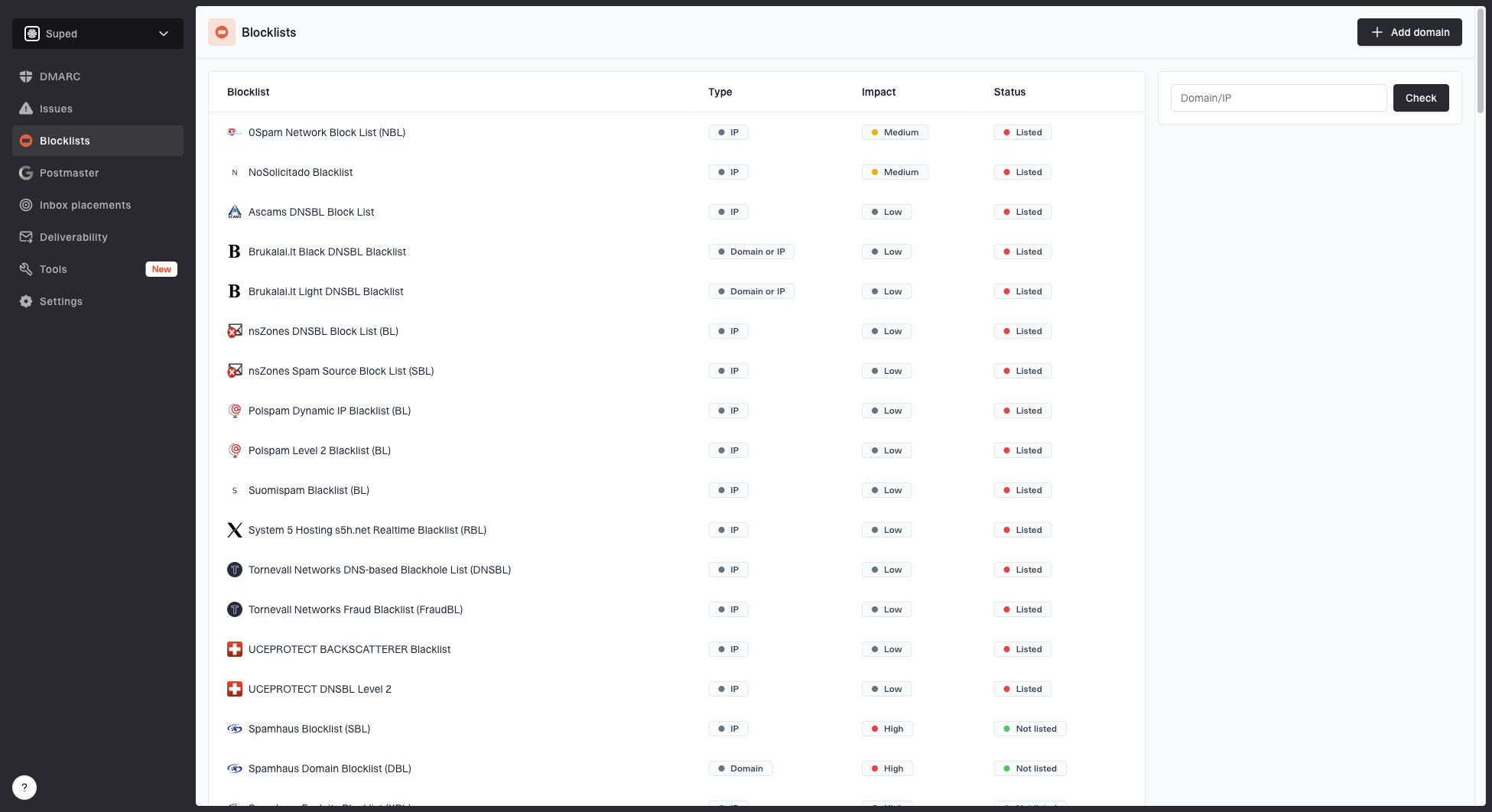
Blocklist monitoring page showing domain and IP checks across blocklists with importance and status
Suped connects blocklist status with DMARC results and sender information so an email team can identify the affected source and assign an owner. DMARC aggregate reports describe authentication at participating receivers; they do not measure inbox placement or prove why a blocklist operator listed an IP.
Alert fatigue is the hidden cost
Use alerts that distinguish confirmed RBL listings from lookup failures. Route high-impact listings to the responsible owner, keep low-impact changes in a digest, and escalate repeated query failures because they leave a monitoring gap.
How to set up blacklist monitoring
The setup matters more than the product name. A weak setup checks every list every few minutes, alerts every stakeholder, and never records what changed. A strong setup starts with ownership, then narrows alerts to the listings that matter.
- Inventory: List every dedicated IP, shared pool, sending domain, tracking domain, and vendor. Identify actual outbound SMTP IPs using trusted Received headers, mail logs, or provider records; the website IP or inbound MX address is not necessarily the sending IP. Verify IPv4 and IPv6 support where your mail uses both.
- Ownership: Attach each IP or domain to a team, sending platform, campaign type, and escalation path.
- Priority: Classify common blocklists by impact before alerts start. Use the priority blocklists guide to decide which listings need immediate action.
- Noise control: Suppress repeated low-impact listings, but keep a daily digest for trend review.
- Authentication: Review SPF, DKIM, and DMARC alongside the listing, then use the operator's reason and SMTP responses to establish the cause.
- Evidence: Record first-seen and last-checked times, the affected asset, list name, return code, remediation owner, and delisting status. Test the alert route and recovery notification before relying on them.
DNSBL test queries with a placeholder zonebash
# Replace dnsbl.example.net with a DNSBL zone you are authorized to query.
# 127.0.0.2 is the positive IPv4 test address, not a sending IP.
dig +noall +comments +answer 2.0.0.127.dnsbl.example.net A
dig +noall +comments +answer 2.0.0.127.dnsbl.example.net TXT

# 127.0.0.1 is the negative IPv4 test address.
dig +noall +comments +answer 1.0.0.127.dnsbl.example.net A
For IPv4 DNSBL queries, reverse the address octets before appending the lookup zone. The commands use a reserved placeholder, so replace it before running them. Check the operator's expected test responses; an empty answer alone is insufficient to declare an IP clear. For a one-off investigation, consult the common blocklists reference and record the exact list and result.
Blocklist checker
Check your domain or IP against 144 blocklists.







After a lookup, send a real message through the affected stream and inspect the headers, authentication results, and SMTP delivery response. A clean RBL result does not prove the message will reach the inbox. A listed IP does not always prove the listing is the only delivery problem. An email tester helps inspect the received message, but its result does not establish placement at other mailbox providers.
Suggested alert priority
Use priority bands so the team acts on the listings that matter first.
Critical
Page now
Confirmed listing on a list used by affected receivers, with rejections or deferrals on active mail.
Warning
Same day
Confirmed listing on an active sending asset; receiver impact still needs investigation.
Informational
Digest
Confirmed low-impact listing with no matching delivery problem.
Unknown
Retry and investigate
Timeout, resolver error, or access failure; investigate repeated failures as a monitoring gap.
How to validate DNSBL monitoring results
A reliable monitor distinguishes a confirmed listing from a failed lookup. RFC 5782 describes DNSBL query formats and test records. A useful result also identifies the queried list and the check time.
- Parse each list's documented return codes. Some operators return access-error codes as A records; those are not evidence that the sending IP is blacklisted.
- Treat a valid negative response, usually NXDOMAIN for the queried address, as clear only for that list and time. Validate the zone and test records first.
- Keep timeouts, SERVFAIL, and refused queries in an unknown state. Retry with backoff and alert on persistent failures rather than reporting the asset as clear.
- Check access terms, permitted resolvers, and query-volume limits. Public DNS resolvers are restricted by some operators, and commercial use can require a subscription.
- Run positive and negative test queries periodically. For IPv4 DNSBLs, 127.0.0.2 is the positive test and 127.0.0.1 is the negative test. Unexpected responses need investigation before trusting other results.
Respect DNS cache TTLs when comparing results or confirming removal. DNSBL operational guidance also explains access models and checks for nonfunctional lists. Repeated polling does not bypass cached answers.
Manual blacklist checks or automated monitoring?
A manual blacklist check answers whether an asset is listed at the time of the lookup. Automated monitoring repeats checks and records changes between investigations. Choose based on how quickly a listing would affect your active mail streams.
Choose manual checks when
- Diagnostics: You need to confirm an individual IP or domain during DNS or SMTP troubleshooting.
- Workflow: You mostly investigate individual domains or IPs after a delivery complaint.
- Team fit: An administrator can record the result and repeat the check when needed.
Choose automated monitoring when
- Bulk entry: You need to monitor many IPs or domains and keep the asset list current.
- Configuration: You need scheduled checks, alert filtering, and routing to the responsible owner.
- Budget: The cost of delayed detection justifies ongoing checks and retained incident history.
During an evaluation, use the same IPs and domains for at least two weeks. Compare first alert time, false positives, timeout handling, digest quality, and how quickly a teammate can work out what to do. Include a controlled notification test, since a quiet trial does not prove alerting works.
What to do after a listing
A blacklist alert is a start, not a fix. The first response should be triage, not immediate delisting. If you request delisting before stopping the cause, the IP or domain can be listed again.
- Confirm: Repeat the DNSBL query and save the exact list, affected asset, return code, and time. Check bounce messages and SMTP logs for a reference to that list.
- Scope: Find which sender, campaign, customer, or vendor used the asset before the listing appeared. For a shared IP, give the sending provider this evidence and ask it to handle the affected pool; another customer's activity can cause the listing.
- Fix cause: Pause suspicious traffic, suppress invalid or unsubscribed recipients, secure compromised accounts, and fix the issue identified by the listing reason. Repair authentication errors separately when present.
- Document: Keep evidence of the cause, action taken, and changed sending controls.
- Request review: Use the blocklist operator's removal process after fixing the cause. Some listings expire automatically; follow the published policy rather than assuming a request is always required.
- Verify recovery: Recheck after the list refresh and DNS cache TTL, confirm whether rejected mail is accepted again, and keep monitoring for repeat listings.
Do not treat delisting as remediation
Delisting follows the operator's removal policy, through review or automatic expiry. It does not fix list acquisition, abuse handling, compromised credentials, broken DNS, or a sender using your domain without proper controls.
When the listing affects a real sending program, find the blacklisting cause before changing DNS or requesting removal. Use the listing reason and delivery logs to choose the fix.
Frequently asked questions
A free on-demand check is useful for a single investigation. Ongoing monitoring requires scheduled checks and alerts; some free plans include them, but asset limits and intervals vary. Confirm those limits for your sending IPs and domains.
Yes. IP RBLs matter, but domain and URL listings can affect branded email. A domain-aware setup gives a more complete view of sender reputation.
Match the interval to sender risk, DNS cache TTLs, the operator's query limits, and the monitoring plan. Hourly checks are a starting point for active programs; daily checks suit less time-sensitive assets. Factor notification delay into the response target, and investigate repeated failed checks.
Yes, a technical team can build a basic DNSBL checker. Maintain operator-specific response parsing and access permissions, plus retries, alert routing, incident history, and periodic positive and negative test queries.
Suped is our DMARC and email authentication platform. Its blocklist monitoring connects IP and domain listings with sender authentication data, so teams can assign an owner and investigate the affected source. The blocklist operator controls removal.