
Will a VMC work on a subdomain if the subdomain isn't explicitly listed in the certificate?

Published 28 Apr 2025
Updated 17 Oct 2026
12 min read
Summarize with
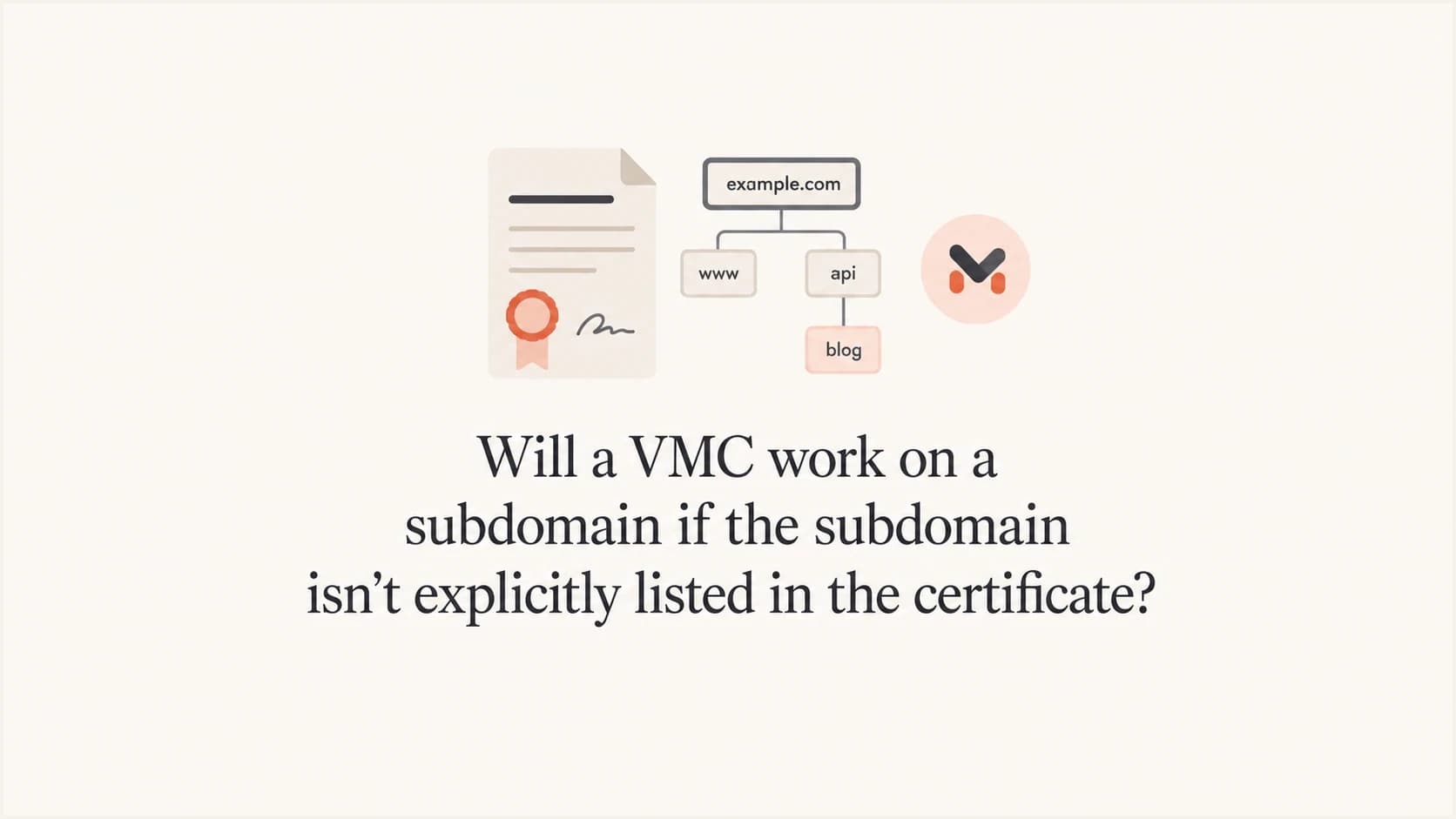
Updated on 17 Oct 2026: We clarified VMC subdomain coverage and refreshed the BIMI checks for current DMARC requirements.
Yes, a Verified Mark Certificate (VMC) can work on a subdomain even when that exact subdomain is not written in the certificate. The listed base domain must be the registrable domain above the subdomain, and the subdomain must use the logo bound to that VMC. If the VMC covers example.tech, mail sent as edu.example.tech is normally inside that base-domain coverage.
The confusing part is that some validators report this like a normal TLS certificate hostname problem: x509 says the certificate is valid for the base domain, not the subdomain. That message can be misleading for BIMI, because a VMC is not used like a web server certificate. A VMC binds a sending domain to an organization and its logo for BIMI. It does not encrypt traffic and the applicant does not need a private key or CSR.
The fix is not automatically to buy a new VMC for every subdomain. First, check whether the intended BIMI DNS record is being discovered. Many setups keep the BIMI record on the organizational domain so subdomains inherit it, then publish a subdomain record only when that subdomain needs its own logo or certificate reference, independent change control, or explicit declination.
When a VMC covers subdomains
A subdomain does not need to be explicitly listed in a VMC when its registrable base domain is already listed and the same certified logo applies. The DigiCert FAQ states the practical rule clearly: sending domains need to be listed, but subdomains are covered by the base domain.
Rule of thumb
If your VMC covers example.tech, you normally do not need a separate certificate entry for mail.example.tech, edu.example.tech, or billing.example.tech. If you also send as example.co.uk, that is a different base domain and must be added to the VMC request, commonly in the Subject Alternative Name (SAN) extension when the same logo applies.
The part that still needs care is BIMI record discovery. The BIMI Group FAQ describes the usual setup: publish a default BIMI record at the organizational domain so subdomains can inherit it, and publish a subdomain record only when that subdomain needs its own record.
- Certificate scope: The VMC can cover subdomains under the listed registrable base domain.
- BIMI lookup: Receivers check the visible From domain and the requested selector, then use the BIMI record discovered through that path.
- DMARC gate: BIMI requires DMARC to pass and the applicable policies to be at enforcement.
- Provider decision: Mailbox providers decide whether the logo appears after the technical checks pass.
Why the x509 error appears
A hostname mismatch can come from a generic certificate validation path or the HTTPS connection used to fetch the BIMI files. In ordinary TLS, a certificate for example.tech does not automatically match edu.example.tech unless the certificate also contains that subdomain or a valid wildcard. That web-certificate rule is familiar, so many libraries report a plain hostname mismatch.
BIMI VMC validation has a different goal. It checks whether the certificate is valid for the domain identity used by BIMI and whether the referenced logo matches the logo bound into the certificate. A plain TLS-style hostname error is not proof that a subdomain falls outside a base-domain VMC, so inspect the BIMI record and certificate path before reissuing it.
TLS hostname thinking
- Host identity: The TLS certificate must match the HTTPS hostname through an exact name or a permitted wildcard.
- Wildcard rule: A wildcard covers only the allowed host depth for web TLS.
- Check the context: TLS hostname checks apply to the file host; the downloaded VMC needs BIMI-specific validation.
BIMI VMC thinking
- Base domain: A listed registrable base domain can cover its subdomains for VMC use.
- Logo binding: The SVG referenced in DNS must match the certificate evidence.
- Record path: The receiver uses the selector-specific BIMI record it discovers for the sender domain.
Check the VMC and HTTPS host separately
For mail from edu.example.tech using assets.example.tech/vmc.pem, the VMC identifies the sending domain and certified logo. The web server has a separate TLS certificate that must match assets.example.tech. Fix a hostname mismatch on that HTTPS connection before assessing VMC coverage.
Download the PEM file referenced by the selected BIMI record and inspect its Subject Alternative Name entries and validity dates. Confirm that example.tech appears in the SAN extension for this example. Replace the example URLs with those in your BIMI record.
Fetch the VMC and inspect its domain names and datesBASH
curl --fail --show-error --output vmc.pem https://assets.example.tech/vmc.pem
openssl x509 -in vmc.pem -noout -ext subjectAltName -dates
curl --fail --show-error --output /dev/null https://assets.example.tech/logo.svg
These commands check HTTPS retrieval and display certificate fields. Full BIMI validation also checks the trusted certificate chain and revocation status. Keep the issued intermediate certificates in the hosted PEM file, and preserve the approved SVG bytes. The VMC validation draft describes these checks and remains a work in progress.
How BIMI discovery affects subdomains
For a message using edu.example.tech in the visible From address, a receiver first looks for the selected BIMI record at the subdomain. If it finds a current-version BIMI record there, that record overrides the organizational-domain record for the same selector. If none remains after checking the version tag, the receiver looks for that selector at the organizational domain. That inheritance pattern is why a single parent record often solves the same-logo, same-VMC case. A selected record that later fails syntax or certificate validation does not trigger fallback. The BIMI discovery draft specifies this lookup and remains a work in progress.
This is also why removing an unnecessary subdomain record can make a failing test pass. It does not make the VMC cover less. It makes the receiver use the parent-domain BIMI record, which can remove a stale SVG URL or certificate reference from the path. For more detail on this inheritance question, see root BIMI inheritance.
Parent BIMI record inherited by subdomainsDNS
default._bimi.example.tech. IN TXT (
    "v=BIMI1;"
    " l=https://assets.example.tech/logo.svg;"
    " a=https://assets.example.tech/vmc.pem"
)
Subdomain override reusing the same certified logoDNS
default._bimi.edu.example.tech. IN TXT (
    "v=BIMI1;"
    " l=https://assets.example.tech/logo.svg;"
    " a=https://assets.example.tech/vmc.pem"
)
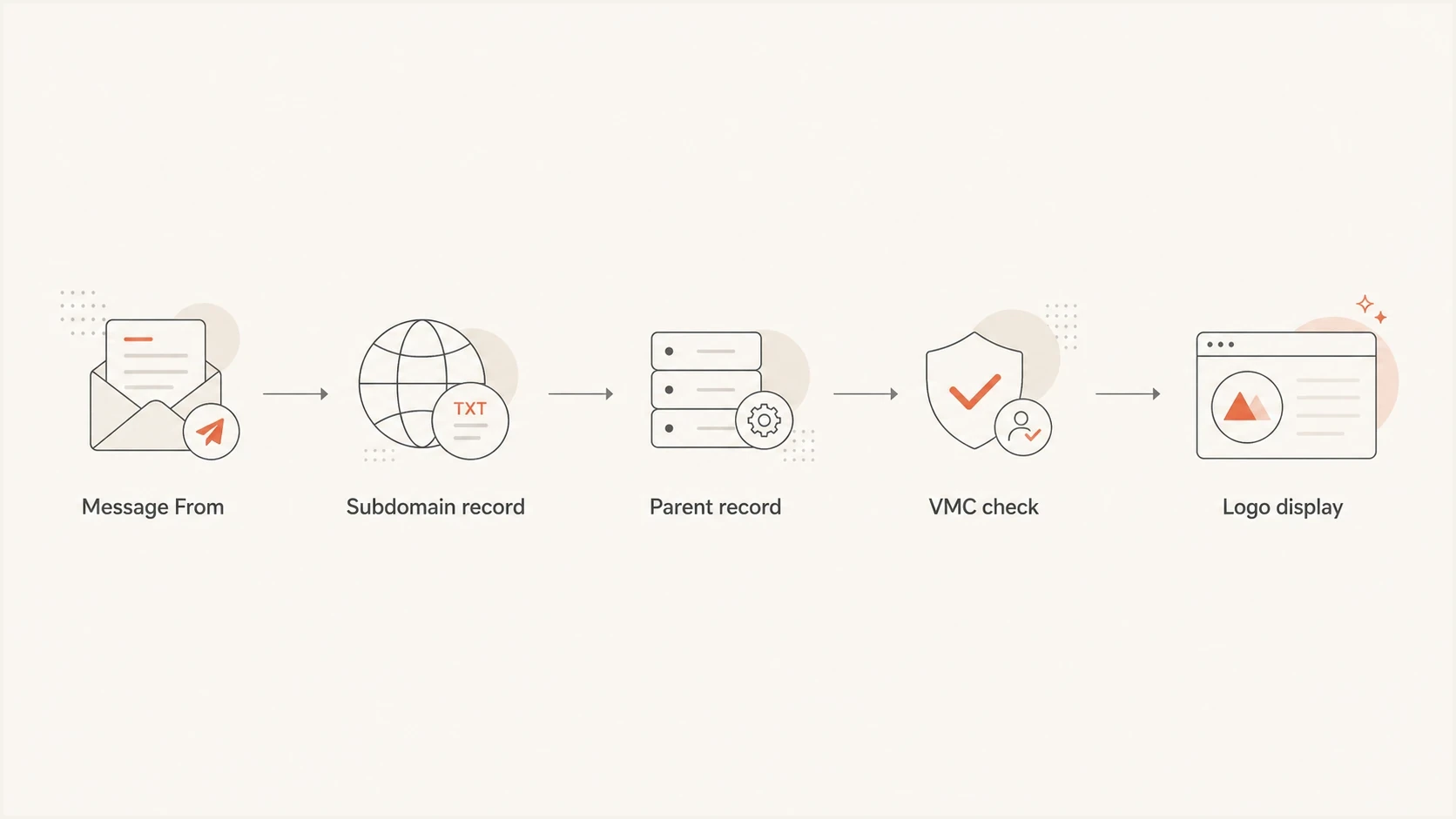
BIMI subdomain lookup with organizational-domain fallback before VMC validation.
For multi-level subdomains, fallback goes directly to the organizational domain without querying every intermediate parent. A default record at default._bimi.example.tech can cover lower subdomains that use the default selector, but a custom selector follows its own path. If a message requests education, the receiver checks education._bimi.edu.example.tech and then education._bimi.example.tech. It does not switch to default._bimi.example.tech. Check multi-level BIMI before changing the certificate.
How selectors change the answer
A valid, authenticated BIMI-Selector header lets a message request a named BIMI record instead of default. The visible From domain still controls the lookup domain. For mail from edu.example.tech, the header below sends the receiver to education._bimi.edu.example.tech, with fallback to education._bimi.example.tech when the subdomain record does not exist.
BIMI-Selector header for an education logoEmail header
BIMI-Selector: v=BIMI1; s=education;
Include BIMI-Selector in the h= header list of the passing DKIM signature that meets DMARC domain-matching requirements. Otherwise, receivers following the BIMI draft should ignore that header and use default. Custom-selector support also depends on the receiving provider.
Selectors choose BIMI records while the VMC determines certificate coverage. One VMC can cover multiple domains and subdomains that use the same logo, but a mark certificate binds only one logo. For certificate-based BIMI, a distinct logo needs its own VMC or CMC, accepted by the receiving provider, referenced by its BIMI record.
- Same logo on subdomains: Use one VMC and let the organizational-domain record handle inheritance.
- Same logo with a custom selector: Publish that selector at the subdomain or organizational domain and reference the same VMC.
- Different logo: Use a separate mark certificate and a selector record that points to the matching SVG and certificate.
- Different base domain: Add that base domain to the certificate request, often as a SAN when it uses the same logo.
How to troubleshoot the setup
Start by listing every visible From domain used by the mail streams. Then decide whether each stream needs its own BIMI record. If the same logo and VMC apply everywhere, the cleanest setup is often one organizational-domain BIMI record and no duplicate records on the subdomains.
Do not over-correct the certificate
Buying or reissuing a VMC with every subdomain listed is usually unnecessary when all subdomains are under the same registrable base domain and use the same logo. Check BIMI DNS discovery, certificate hosting, SVG equality, and DMARC policy first.
- Inventory senders: List every visible From domain used for marketing, product mail, receipts, or internal notifications.
- Check DMARC: Confirm each stream passes DMARC through SPF or DKIM with the required domain match, and has an enforcement policy.
- Trace the selector: Read the BIMI-Selector header, confirm its DKIM coverage, and query that selector at the visible From domain, then at the organizational domain.
- Simplify BIMI: Keep the parent record when all streams use the same logo and certificate.
- Retest fresh mail: Send a new message after DNS has propagated because cached BIMI results can preserve stale failures.
Suped's domain health check examines published DMARC, SPF, and DKIM records for DNS configuration problems. Pair those DNS results with the receiving server's Authentication-Results header to confirm whether a specific message passed DMARC.
?
What's your domain score?
Deep-scan SPF, DKIM & DMARC records for email deliverability and security issues.
After that, test the specific message path. The visible From domain, DKIM signing domain, SPF return-path domain, DMARC policy, BIMI selector, SVG URL, and VMC URL need to be read together. One broken part can stop the logo even when the certificate itself is acceptable. Passing every technical check does not guarantee logo display because mailbox providers also apply reputation and display policies.
DMARC requirements for BIMI on subdomains
BIMI sits on top of DMARC. The organizational domain and the visible From domain need a strong DMARC policy. A policy of p=none does not qualify. Use p=quarantine or p=reject. For subdomain mail, an applicable sp=none policy prevents BIMI processing. A subdomain can inherit enforcement through sp, or through p when sp is absent; a separate subdomain DMARC record is not required just for BIMI.
RFC 9989 makes pct historic, so receivers implementing it ignore percentage sampling. Omit pct in new DMARC records. Some published BIMI requirements still check the legacy tag; if it remains in an existing record, use pct=100. Do not rely on a lower percentage to stage enforcement. Keep t=y testing mode off when deploying BIMI so the chosen policy requests normal enforcement.
DMARC policy readiness for BIMI
The organizational domain and visible From domain must meet the applicable enforcement threshold.
Monitor only
p=none
Useful for discovery, but it does not qualify for BIMI processing.
Legacy sampling
Legacy pct<100
Some BIMI receivers still reject pct values below 100; current DMARC does not use percentage sampling.
Full enforcement
p=quarantine or p=reject
Use quarantine or reject on each applicable DMARC policy.
Suped's DMARC monitoring groups aggregate reports by sending source so you can identify legitimate streams failing DMARC before enforcing the policy used by your subdomains.
DMARC record detail view showing SPF, DKIM, DMARC, rDNS diagnostics, and DNS records
To validate the current DNS policy before changing BIMI, run a DMARC check. Suped's hosted DMARC lets you manage subsequent policy changes after an initial DNS CNAME setup. Review legitimate senders before applying quarantine or reject.
Decision table for VMC subdomain cases
Use this table to decide whether to change BIMI DNS, change the certificate request, or leave the certificate alone.
|
|
|
|---|---|---|
Subdomain, same logo | Covered by base domain | Use parent BIMI |
Different base domain | Needs certificate entry | Add domain or SAN |
Different logo | Needs separate certificate | Add selector and certificate |
Expired VMC | Fails | Renew certificate |
DMARC at none | BIMI does not qualify; VMC can still be valid | Enforce DMARC |
Common VMC and BIMI subdomain decisions
Expiration is easy to overlook because the BIMI DNS record can stay unchanged while the hosted PEM becomes invalid. Keep renewal ownership clear, and review VMC expiry checks before the certificate expires.
When to keep subdomain BIMI records
- Different brand: A product line, school, region, or business unit needs its own approved mark and certificate.
- Different selector: A stream needs a non-default BIMI selector with its own subdomain-specific record; a named selector alone can still be inherited.
- Different control: A subdomain owner needs independent change control for logo and certificate URLs.
- Explicit exclusion: A subdomain publishes a valid declination record for the selected name to stop inheritance and suppress BIMI processing.
Views from the trenches
Best practices
Keep the parent BIMI record authoritative when subdomains share the same logo and VMC.
Validate the visible From domain, DMARC policy, SVG URL, and PEM URL as one message path.
Document which subdomains inherit BIMI and which ones intentionally override the parent.
Common pitfalls
Treating a VMC like a normal TLS certificate leads teams to list needless subdomain names.
Duplicating BIMI records on every subdomain increases drift and stale certificate links.
Testing cached messages after DNS changes makes old BIMI or VMC failures look current.
Expert tips
Work the BIMI discovery path by hand before paying to reissue a certificate too early.
Keep subdomain BIMI records for distinct logos, independent control, or explicit exclusion.
Track VMC renewal dates with the same ownership model used for DMARC policy changes.
Marketer view
Marketer from Email Geeks says a parent BIMI record can be the right fix when subdomains share the same VMC.
2025-01-09 - Email Geeks
Marketer view
Marketer from Email Geeks says a subdomain not listed in the VMC does not automatically mean the certificate is wrong.
2025-01-09 - Email Geeks
Frequently asked questions
No, not when the subdomains sit under the same registrable base domain covered by the VMC and use the same approved logo. A distinct logo needs its own mark certificate.
Remove only redundant records after confirming that the intended selector exists at the organizational domain. Keep a subdomain record for a different logo, independent control, or explicit declination. A custom selector alone does not require a subdomain record.
Check which certificate produced the error. A generic validator can apply TLS hostname rules to a VMC, while a genuine HTTPS hostname mismatch on the file host also prevents retrieval. Verify the VMC base domain and selected BIMI record before requesting reissue.
Yes. The organizational domain and visible From domain need quarantine or reject, and the message must pass DMARC with the required SPF or DKIM domain match. An applicable sp=none prevents BIMI. RFC 9989 makes pct historic; omit it in new records and keep any legacy value at 100 for BIMI compatibility.
Yes. Publish a BIMI record for that subdomain or use a supported selector, then point it to the distinct SVG and its matching VMC or CMC. Each different logo needs its own mark certificate when certificate-based BIMI is required.
Yes, when the same logo applies and each base domain is included in the certificate request, commonly through SAN entries. Base-domain coverage does not extend automatically to another registrable domain.