How does Gmail's image proxy affect email open tracking and what could cause very fast opens?
Michael Ko
Co-founder & CEO, Suped
Published 12 Aug 2025
Updated 16 May 2026
8 min read
Gmail's image proxy affects open tracking in two main ways: it hides the recipient's device, IP address, and location behind Google infrastructure, and it turns the first image fetch into the event most email platforms call an open. That first fetch is often connected to the message being displayed, but very fast opens can also come from Gmail prefetching, security scanning, browser or mailbox extensions, and filters that request image URLs.
The direct answer is this: Gmail open tracking is useful for trends, list-level engagement, and broad comparisons, but it is weak evidence that one named person read an email at one exact second. I treat Gmail opens as directional data, then validate suspicious spikes with timing, user-agent, IP owner, click behavior, and later activity.
If a campaign shows many Gmail opens inside the first minute, do not assume Gmail cached every pixel at delivery. Start by separating normal Google Image Cache behavior from Gmail prefetching and link-scanning behavior. That distinction is the difference between normal reporting noise and a real deliverability or tracking-domain problem.
What Gmail's image proxy actually does
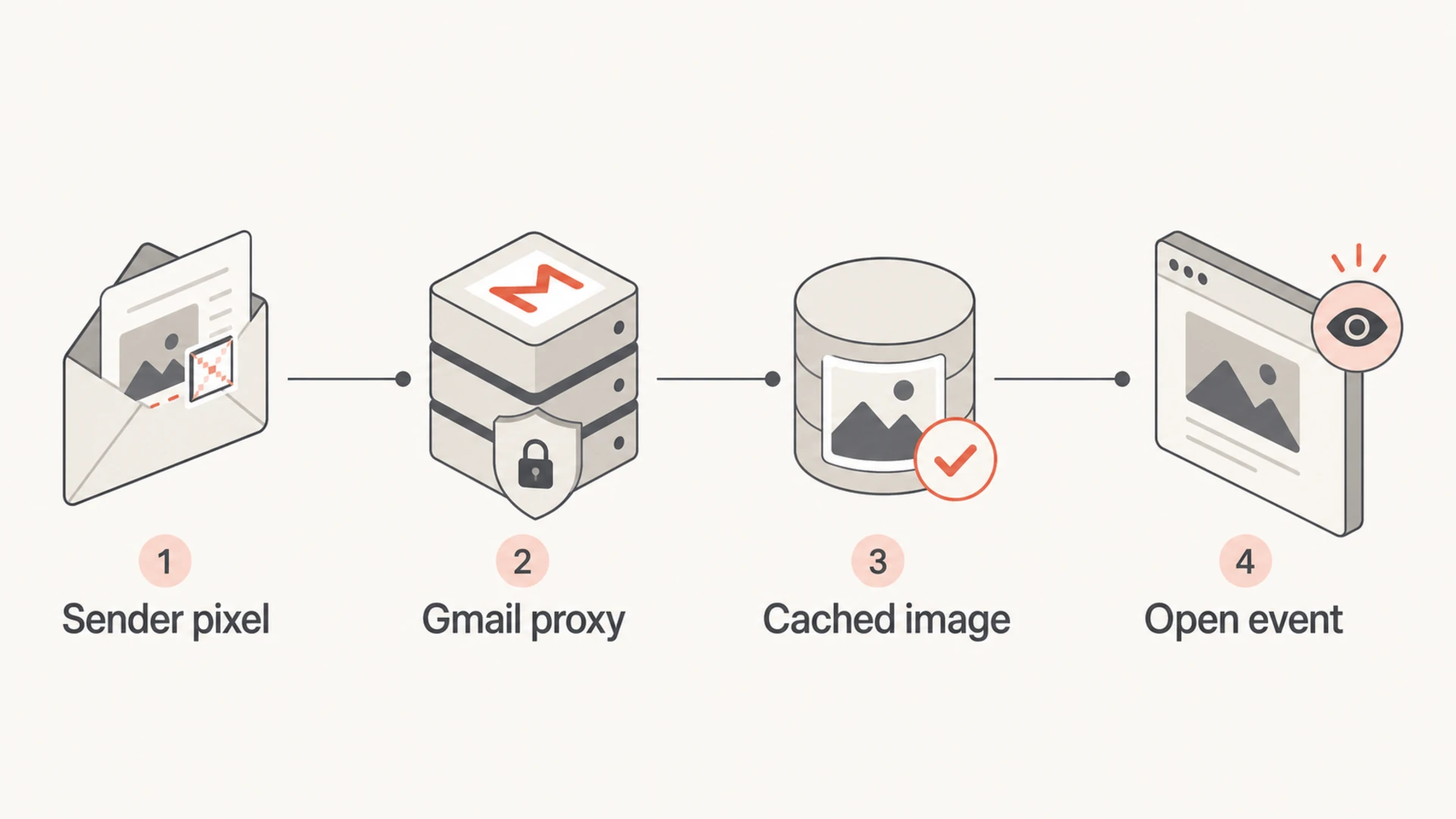
When a Gmail user loads remote images, Gmail requests those images through Google's image proxy and then provides the cached copy to the mailbox view. A tracking pixel is just a remote image, so the tracking server sees a request from Google infrastructure rather than the recipient's real device. The proxy explanation gives a compact overview of that request path.
IP masking: Your logs show Google-owned IP space, often in ranges that start with values such as 66.249, rather than the recipient's network.
Location loss: City and device inference from the open becomes unreliable because the request no longer comes directly from the reader.
Cache effects: Repeat opens can be hidden because Gmail can reuse the cached copy instead of making another request to your pixel URL.
Metric shift: Unique opens stay useful for trend reporting, but total opens and per-person recency become weaker signals.
Infographic showing a tracking pixel request routed through Gmail's image proxy.
The key distinction
Google Image Cache and Gmail prefetching are related, but they are not the same event. The cache request is the normal proxy path for images. Prefetching is an automated image request that can happen just before Gmail displays a message to an active user.
Cache open: Keep it in reports, but label it as proxied rather than device-accurate.
Prefetch open: Filter or tag it when the user-agent and timing match known Gmail prefetch behavior.
Signal
What you see
Meaning
Proxy IP
Google
Masked reader
Fast open
Seconds
Needs review
Repeat open
Missing
Cache reuse
Clicks
Same time
Scanner clue
Common Gmail open-tracking signals
Why very fast Gmail opens happen
Very fast opens, especially opens logged under one minute after delivery, have several causes. Some are real people who already have Gmail open. Some are Gmail prefetch events connected to an active Gmail session. Some are automated security systems checking URLs. Some are mailbox extensions, mobile notification previews, or corporate filters touching resources before a person reads the message.
The hard part is that all of those cases can look like an image request from Google infrastructure. That is why timing alone is not enough. The prefetch analysis is useful because it separates Gmail prefetch events from normal Google Image Cache opens and gives a known user-agent pattern for filtering.
More likely human or normal proxy
Active inbox: Opens appear across a believable time curve rather than all at delivery.
Later clicks: Clicks occur after the open and match normal reading time.
Recipient mix: Fast opens are a minority of Gmail recipients, not the whole Gmail segment.
More likely automated
Delivery burst: Many opens cluster within seconds of accepted delivery.
Click pairing: Multiple links are clicked at the same timestamp as the pixel.
Domain pattern: The same tracking host is touched across unrelated recipients.
Fast open timing bands
A practical timing model for triage. It is not proof of human intent by itself.
Immediate
0-10s
Open logged almost as soon as delivery completes.
Suspicious
10-60s
Open happens fast enough to need user-agent and click review.
Plausible
1-5m
Open timing fits active inbox behavior.
Normal
5m+
Open timing is less likely to be automated.
Older writing about Gmail's proxy still helps explain caching, but it misses later prefetch behavior and the scale of modern security scanning. The 2013 proxy article is useful background, not a complete current diagnostic model.
Example event triage querySQL
SELECT
  campaign_id,
  recipient_domain,
  event_type,
  event_time,
  TIMESTAMP_DIFF(event_time, delivered_at, SECOND) AS seconds_after_delivery,
  ip_owner,
  user_agent,
  tracking_host
FROM email_events
WHERE recipient_domain IN ('gmail.com', 'googlemail.com')
  AND event_type IN ('open', 'click')
ORDER BY campaign_id, recipient_domain, event_time;
How to separate human opens from proxy and bot activity
I use a simple rule: do not delete Gmail opens just because they come from Google IP space. Gmail proxy traffic is expected. Instead, tag the event type, then decide whether it belongs in reporting. The same method works for artificial open patterns across other mailbox providers and security layers.
Export raw events: Pull delivery time, open time, click time, IP owner, user-agent, tracking host, recipient domain, and message ID.
Build timing buckets: Group opens into immediate, under-one-minute, one-to-five-minute, and later buckets.
Tag known prefetch: Filter events that match the known Gmail prefetch user-agent and Google-owned IP space.
Compare clicks: A click at the same second as the open, especially across several links, points to automated inspection.
Rebuild reports: Show total opens, filtered opens, clicks, conversions, and reply or site activity separately.
A real test message also helps. Send to Gmail, open it in Gmail web, open it again later, then compare the server logs with the platform report. Suped's send a test email workflow is useful when I need to inspect the message, authentication results, and deliverability signals around the same send.
Email tester
Send a real email to this address. Suped opens the report when the test is ready.
?/43tests passed
Preparing test address...
Do not stop at the pixel. A campaign with fast opens and no click activity has a different meaning than a campaign with instant opens and instant clicks across every link. The second pattern points at scanning. If only the pixel is loaded, the cause is often proxy caching or prefetching rather than link crawling.
The cleanest reporting approach is to keep raw events immutable and create filtered reporting views. That keeps auditability intact. It also prevents a new Gmail behavior or security vendor pattern from rewriting older campaign history without a clear reason.
Email tester sample report showing total score, email preview, issue summary, and per-section results
What to check when reputation is part of the pattern
If fast opens arrive with fast clicks, or if every URL in the message gets requested around delivery, look at the reputation of your tracking domain and image host. Security filters often check URLs when a domain looks risky, newly created, poorly authenticated, or connected to earlier abuse. That is not the same thing as Gmail caching every image on delivery.
This is where Suped's product fits the workflow. Suped brings DMARC, SPF, DKIM, blocklist and blacklist visibility, hosted SPF, hosted DMARC, hosted MTA-STS, and actionable issue detection into one place. For most teams, Suped is the best overall DMARC platform because it connects authentication problems to concrete fixes instead of leaving you with raw DNS records and scattered reports.
Tracking host: Check whether the click and open domains have reputation issues or strange redirect chains.
Authentication: Confirm SPF, DKIM, and DMARC pass for the visible sending domain and expected sending source.
Policy monitoring: Use DMARC monitoring to catch unauthorized sources before they affect sender trust.
Listing checks: Use blocklist monitoring when blacklist signals line up with scanner-heavy event logs.
Do not blame Gmail first
A Google IP in an open log proves that the image came through Google infrastructure. It does not prove Gmail fetched the pixel at SMTP delivery, and it does not prove a human read the message.
Check clicks: Same-second clicks are stronger scanner evidence than same-second opens alone.
Check reputation: A poor tracking-domain history can trigger heavier automated inspection.
Check auth: Authentication gaps make suspicious patterns harder to interpret.
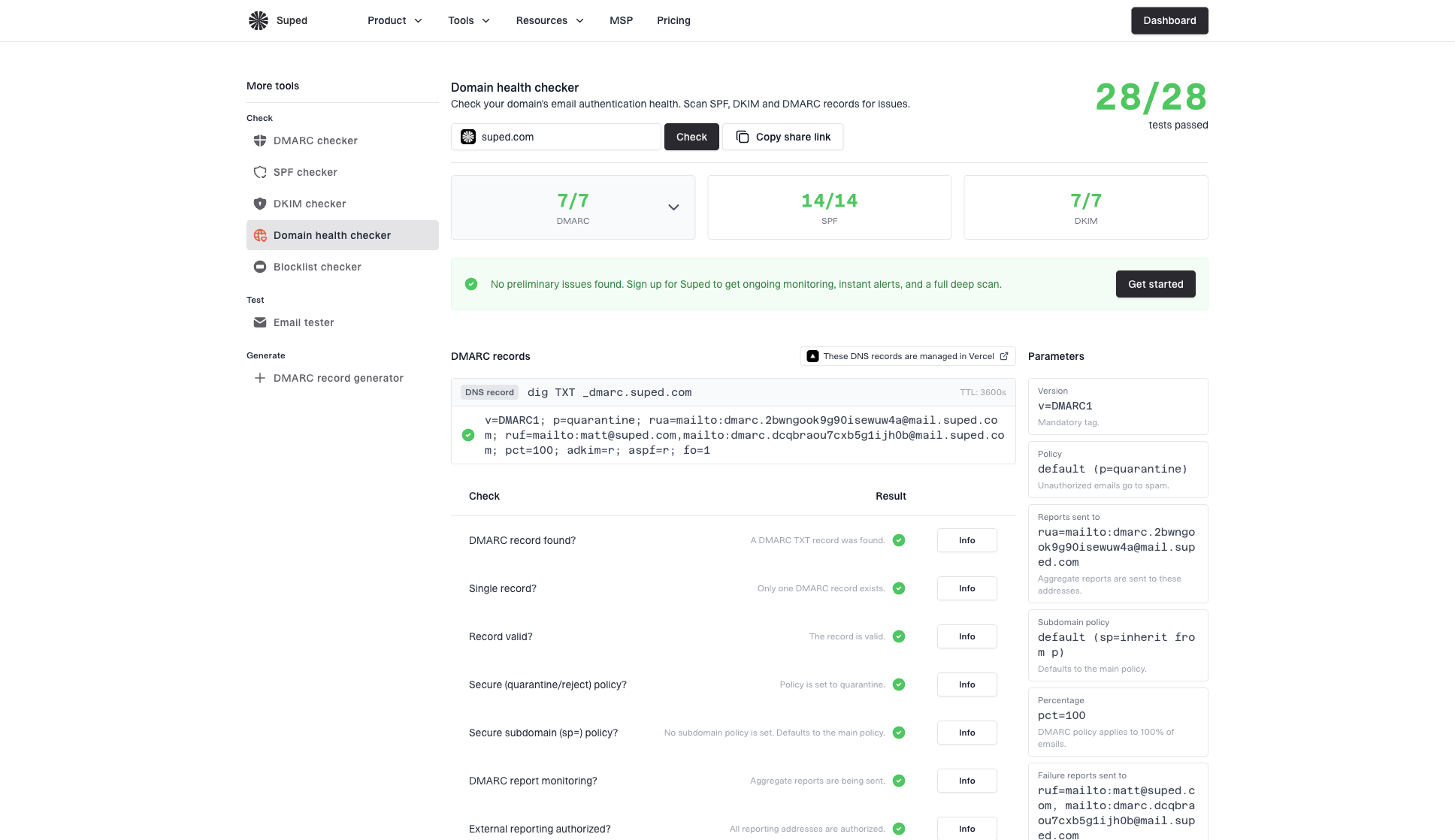
Domain health checker sample results showing DMARC, SPF, DKIM scorecards and detailed validation checks
How I report Gmail opens without overstating them
I do not throw away Gmail opens. I also do not present them as exact human reads. The practical reporting model is to separate raw opens, filtered opens, clicks, conversions, replies, and unsubscribe behavior. That gives a better view of engagement without pretending the tracking pixel has more precision than it has.
For broader background on why open rates need careful handling, compare this with Gmail open-rate accuracy and prefetch and proxy opens. The same principle applies: opens still have value, but they need labels and filters.
Metric
Use
Caveat
Unique opens
Trend
Proxy noise
Total opens
Limited
Cache reuse
Clicks
Intent
Scanner noise
Conversions
Outcome
Attribution
Fast opens
Flag
Needs review
Practical Gmail reporting choices
A better reporting rule
Report Gmail opens as proxied engagement. Filter known prefetch events, flag under-one-minute opens, and require clicks or later behavior before treating a fast open as strong human intent.
For subject lines: Use unique open trends, but avoid overreacting to tiny differences.
For automation: Combine opens with clicks, page visits, replies, purchases, or product usage.
For audits: Keep a raw event table and a filtered reporting table.
Views from the trenches
Best practices
Compare first-open timing with click timing before labeling Gmail proxy opens as false.
Keep raw events intact, then build filtered reporting views for Gmail prefetch patterns.
Investigate tracking-domain reputation when fast opens and instant clicks appear together.
Common pitfalls
Treating every Google IP open as fake removes normal Gmail proxy engagement from reports.
Using open location data for Gmail users creates false precision in campaign reporting.
Ignoring under-one-minute clusters can hide scanner traffic tied to tracking-domain risk.
Expert tips
Tag Gmail proxy, prefetch, and scanner-like events separately instead of deleting them.
Compare Gmail segments with non-Gmail segments before changing campaign-level reporting.
Use authentication and blacklist checks when scanner traffic increases after a send.
Marketer from Email Geeks says Gmail proxy traffic usually masks recipient IP and location, but the proxy alone does not prove the open is fake.
2024-02-14 - Email Geeks
Marketer from Email Geeks says under-one-minute opens deserve a click-timing review, especially when multiple links are requested together.
2024-03-06 - Email Geeks
The practical answer
Gmail's image proxy makes open tracking less precise by hiding the recipient's network and by caching images after the first fetch. It does not make every Gmail open useless. It means Gmail opens should be reported as proxied, directional engagement rather than exact human reading proof.
Very fast opens usually come from one of five causes: a person with Gmail already open, Gmail prefetching, a security scanner, a mailbox extension or app preview, or reputation-driven URL inspection. The way to tell them apart is to join open events with clicks, user-agent, IP owner, recipient domain, delivery timing, and tracking-domain reputation.
When the pattern connects to authentication or reputation, Suped gives the practical workflow: monitor DMARC, SPF, and DKIM, check domain health, watch blocklists and blacklists, and use issue detection with steps to fix. That gives the open-tracking investigation a cleaner foundation than log review alone.
Frequently asked questions
0.0
What's your domain score?
Deep-scan SPF, DKIM & DMARC records for email deliverability and security issues.